1
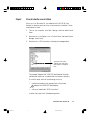
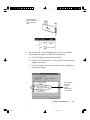
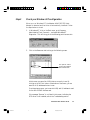
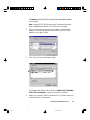
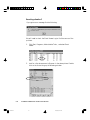
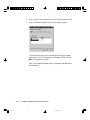
Step 6 Test your scanner Shut down and restart your computer. Make sure your scanner is on and ready before you restart the computer. 1. Click Start , Programs , Microtek ScanWizard , and Scanner Test . 2. The Scanner Test reports the detected scanner and the Interface Card Sparrow (the name of the driver used by Windows 95 for Adaptec 1500-series cards). You are now ready to scan. The Scanner Model shows the scanner connected to your PC and the scanner's SCSI ID. The “Sparrow” means you are using Adaptec SCSI interface card. The Flatbed button. The SCSI Check acts as a SCSI probe to verify the location of your scanner and the scanner ID. The Reconfigure Equipment allows the system to update its own internal reference file and is useful when you have changed your setup or reconfigured your system. 5-8 Untitled-6 ScanMaker 5 Flatbed Color Scanner User's Manual 8 10/19/00, 5:01 PM