1
Step 7
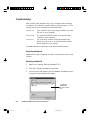
Check scanner status
When running Windows, Always turn on the scanner before the
computer. If you don't Windows will not be able to “see” your
scanner.
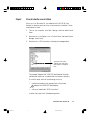
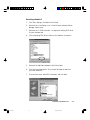
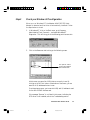
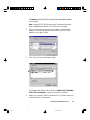
1. Click Start , Settings , and then select Control Panel .
2. Double-click on the System icon in Control Panel, and select Device
Manager from the top.
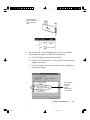
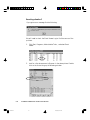
3. The screen that appears displays the message “MICROTEK Scanners”.
Double-click on SCSI controllers , the scanner model you connected
shows under it.
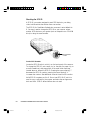
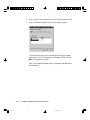
The message “MICROTEK
Scanners” indicates that the
scanner is installed.
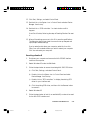
If your system can not find your scanner, maybe SCSI conflict
happens between your scanner and other SCSI device. To resolve the
conflict, refer to Troubleshooting in this chapter.
3-8
Untitled-4
ScanMaker 5 Flatbed Color Scanner User's Manual
8
10/19/00, 5:00 PM