1
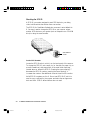
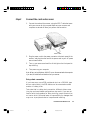
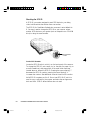
Daisy-chain connection
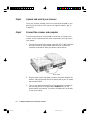
If you have one or more SCSI peripherals (such as a CD-ROM, tape
drive or optical disk), the SCSI devices can be connected one after
another in a daisy chain.
Take note that in a daisy-chain connection, different drivers come
into play and complicated configurations may result. If you are not
familiar with the procedure for daisy chaining, consult a technician
on how to do this. Microtek bears no responsibility for damages that
may occur to peripherals due to inexperienced handling. Using
Terminators
Terminators
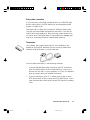
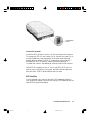
Depending on your system, you may need to use a cable terminator on
your installation. A terminator is a piece of electrical equipment
installed at the end of a SCSI chain linking your computer with a
SCSI device. The terminator ensure that the electrical impulses going
through the path are properly routed and absorbed.
You probably won't need a terminator for your installation, but
because of varying SCSI standards, there is no way to predict with
absolute certainty whether or not you need one.
You will need a terminator in the following instances:
•
If you get odd symptoms after hooking up your computer and
scanner (such as communication errors during scanning, in
which your scanner can't be “seen” by your computer), or if your
computer refuses to boot up properly after you installed the
scanner.
•
If you are hooking up your computer in a daisy chain to two or
more SCSI devices (such as your scanner and a CD-ROM drive).
In this case, the terminator should be on the last SCSI device in
the daisy chain.
Installation under Macintosh
Untitled-7
3
10/19/00, 5:02 PM
6-3