1
Step 3
Check interface card status
When you run Windows 95, the Adaptec AVA-1505 SCSI Host
Adapter is detected and the driver is automatically installed. Follow
steps below to check.
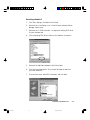
1. Turn on your computer, click Start , Settings , and then select Control
Panel .
2. Double-click on the System icon in Control Panel, and select Device
Manager from the top.
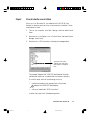
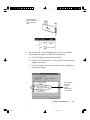
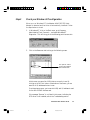
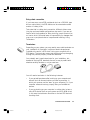
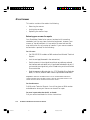
3. Double-click on SCSI controllers to display the message below.
The result of the check
“Adaptec AVA-1505 SCSI
Host Adapter” is displayed
here.
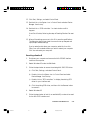
The message “Adaptec AVA-1505 SCSI Host Adapter” displays
indicates that the driver is installed and the card work properly.
If a conflict exists, either of the following will occur:
•
a yellow exclamation mark appears next to the phrase:
Adaptec AVA-1505 SCSI Host Adapter
- or • nothing is listed under “SCSI Controllers”.
In either case, refer to the Troubleshooting section.
Installation under Windows 95
Untitled-4
3
10/19/00, 5:00 PM
3-3