1
Chapter 4
Source, Interactive Execution, and Standard Input/Output Windows
Run Menu
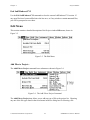
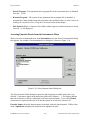
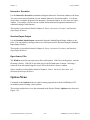
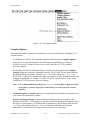
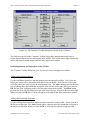
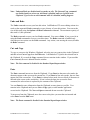
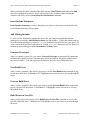
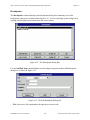
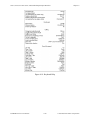
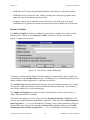
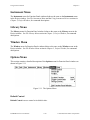
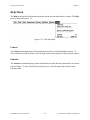
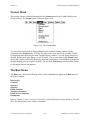
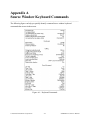
Use the commands in the Run menu to run and debug your program. Figure 4-13 shows the Run
menu.
Figure 4-13. The Run Menu
Introduction to Breakpoints and Watch Variables/Expressions
It is important to understand the concepts of breakpoints and watch variables/expressions before
learning about the commands in the Run menu.
You can pause the execution of a program without aborting it altogether by marking breakpoints
in your code. You can use these breakpoints to interrupt program execution for debugging.
Breakpoints can be either conditional or unconditional. Breakpoints apply to specific lines of
code, but LabWindows/CVI maintains them separately from your source file. If you modify
your source code outside of the LabWindows/CVI environment, you may invalidate breakpoint
position information. The only exception to this is the Breakpoint function, which is an
actual line of code stored in your source code file.
© National Instruments Corporation
4-25
LabWindows/CVI User Manual