1
Index
executables, creating and distributing. See
standalone executables, creating and
distributing.
Execute command, Run menu, 3-28
Exit LabWindows/CVI command, File
menu
Array and String Display windows, 7-5
Function Panel windows, 5-8
Project window, 3-7
Source, Interactive Execution, and
Standard Input/Output windows, 4-9
Variable Display and Watch
windows, 6-5
Expand Variable command, View menu,
6-2, 6-9 to 6-10
Expanded Array, Variable Display window
(figure), 6-10
Expression Value command
Code menu, 5-6, 5-17
Run menu, 4-32
expressions. See watch
variables/expressions.
expressions, regular (table), 4-14 to 4-15
External Compiler Support command, 3-19
External Compiler Support dialog box, 3-19
to 3-21
ANSI C Library field, 3-20
CVI Libraries field, 3-20
illustration, 3-19
Other Symbols checkmark, 3-21
Header File field, 3-21
Object File field, 3-21
UIR Callbacks Object File option, 3-20
Using LoadExternalModule to Load
Object and Static Library Files
optimization, 3-20
LabWindows/CVI User Manual
F
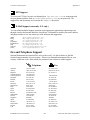
fax and telephone support, B-2
FaxBack support, B-1
file extensions, displaying project files in
order of, 3-10
File menu
Array and String Display windows
Close command, 7-5
Exit LabWindows/CVI
command, 7-5
illustration, 7-4
Input command, 7-5
New command, 7-4
Open command, 7-4
Output command, 7-5
Save All command, 7-5
Function Panel windows
Add .FP File to Project
command, 5-7
Add Program File to Project
command, 5-8
Close command, 5-7
Exit LabWindows/CVI
command, 5-8
illustration, 5-7
New command, 5-7
Open command, 5-7
Save All command, 5-7
Project window, 3-3 to 3-7
Auto Save Project command, 3-6
Exit LabWindows/CVI
command, 3-7
illustration, 3-3
most recently closed files list, 3-6
New command, 3-4
Open command, 3-5
Print command, 3-6
Save command, 3-5
Save All command, 3-6
Save As command, 3-6
Source, Interactive Execution, and
Standard Input/Output windows
Add File to Project command, 4-8
Close command, 4-8
I-8
© National Instruments Corporation