1
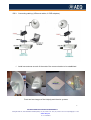
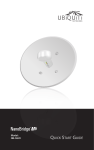
The installation of each antenna is usually made with the included mounting hardware.
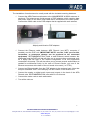
Connect the AEQ Phoenix audiocodec to the NANOBRIDGE M 5G22 antennas in
each end. The antennas are fed by means of POE adapters, which combine data
and power supply to the same RJ45 cable that is connected to the radio system.
Connect the mains cable to the POE adapter that is supplied with each antenna.
Ubiquity and Alvarion POE adapters
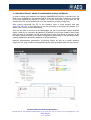
Connect the Ethernet cable between AEQ Phoenix (use NET1 connector if
possible) and the POE unit (IMPORTANT NOTE: use the “LAN” port for this
connection, or permanent damage can be produced to the connected
equipment). RECOMMENDATION: install a small Ethernet switch between the
audiocodec and the POE unit that will allow you to connect other equipments such
as a laptop that will help in the remote configuration of all the equipments
connected in this setup. This will also allow you to connect several audiocodecs as
needed for multichannel links). In the case of Phoenix Studio, only one of the
Ethernet connectors at the back of the unit needs to be used, (i.e. ETH1).
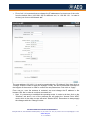
Connect an Ethernet cable from the POE adapter to the antenna back. Note that
this port is labelled “POE” in the Ubiquity unit and “Radio” in the Alvarion one.
Connect the analog or digital audio inputs and outputs in the back of the AEQ
Phoenix units. RECOMMENDATION: start with Ch1 for this test.
Connect the mains cords to each audiocodec.
Turn all the units on.
3
APLICACIONES ELECTRONICAS QUASAR S.A.
C/ Margarita Salas 24, 28919 LEGANÉS. MADRID (SPAIN) Tel.:(34) 91 686 13 00 * FAX: (34) 91 686 44 92 .E-mail: [email protected] . Web:
www.aeq.eu
N.I.F. :A-28620649