1
5. CONFIGURATION OF THE ALVARION ANTENNAS
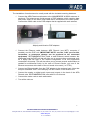
In order to setup the link between two BreezeNet B14 (or other similar Alvarion antennas)
the telnet interface embedded in the units is used. We must have a PC connected to it, by
means of a switch or directly (in this case we will substitute the PC by the audiocodec
once everything’s properly configured)
•
After having connected the cable to the computer, check that they are in the same
network and that IP connectivity exists (use a Ping command for this purpose, for
example). The default IP address of the antenna is 10.0.0.1, although once more it
is convenient to change one of then so they can be distinguished once the link is
established and they are part of the same local network.
*NOTE: this is the default IP address. Check that it hasn’t been changed in any of the
antennas before (because different addresses are required to operate the radio link, as
stated above).
•
Once we can reach the antenna with a Ping command, we must open a telnet
terminal to set it up properly: open a windows command window and type “telnet
10.0.0.1” (or the IP corresponding to the particular antenna). An user level will be
asked for. We will type “3” (Administrator). Next, the password is required. The
default one is “private”. After that, we can start configuring the antenna.
•
Check that the three green LEDs in the unit are ON (power supply, network and
radio link).
•
If not done before, it is important that we change the IP of at least one of the ends
from the default address (10.0.0.1) to a different one, i.e: 10.0.0.2. In order to do
that, just enter menu 3 (Basic Configuration), then menu 1 (IP Address) and
type the new IP address.
•
Although we are setting up a symmetrical point-to-point link, one of the antennas
must be configured as Base Unit (BU) while the other one must be a Remote
Bridge (RB). In order to check that, go to menu 2 (Unit Control) and test what’s
the available target mode in item D of the menu. If it allows you to change to RB
mode, the unit is presently a BU, and vice-versa. If they are not different, go to
menu 2 and make the required changes so you end up with 1 BU and 1 RB.
•
From now on we should have signal at both ends. Check that the LED bar is
illuminated with, at least, several green LEDs, indicating that the link has enough
signal to noise ratio. You will observe that better S/N ratio is got by aligning the
antennas properly. Just look for max. S/N.
Nothing else is required to connect both antennas, although there are several optional
parameters in order to establish security parameters, firewalls, etc.
IMPORTANT NOTE: it has been observed that, once power is cycled to the antennas,
they will not establish the link until we enter the telnet menu of one of them (BU, for
example), even if no option is changed. So a PC is necessary to put the link to work.
8
APLICACIONES ELECTRONICAS QUASAR S.A.
C/ Margarita Salas 24, 28919 LEGANÉS. MADRID (SPAIN) Tel.:(34) 91 686 13 00 * FAX: (34) 91 686 44 92 .E-mail: [email protected] . Web:
www.aeq.eu
N.I.F. :A-28620649