1
BeAware Corporate Edition Admin Console
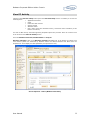
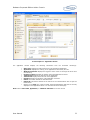
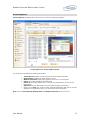
Users Spending the Most within Applications report shows maximum duration users have spent on
applications.
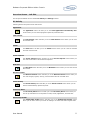
Chats:
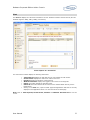
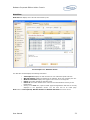
The Chats report section allows you to view reports on Users Chatting Most Frequently, Favourite
Chat Clients and Top Chat Partners.
The Users Chatting Most Frequently report will show you the users who are chatting most frequently.
It will show you maximum five users.
The Favorite Chat Clients reports displays the chat clients used for chatting. BeAware supports MSN,
Yahoo and AIM.
The Top Chat Partners report shows the chat partners chatting frequently.
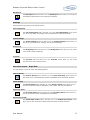
Emails:
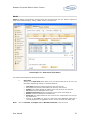
You can view Users Most Frequently Using Webmail, Top Mail Senders, Top Mail Receivers, Most
Frequently Used Webmail Services, Webmail Services Used in the Most Received Mails,
Webmail Services Used in the Most Sent Mails.
The Users Most Frequently Using Webmail report shows the users using webmail most frequently.
The Top Mail Senders report shows the users sending the mails most frequently.
The Top Mail Receivers report shows the users receiving mails most frequently.
Most Frequently Used Webmail Services report shows top five webmail services frequently used.
Webmail Services Used in the Most Received Mails report shows top five webmail services used in
received mails.
Webmail Services Used in the Most Sent Mails report shows top five webmail services used in sent
mails.
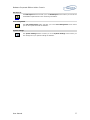
Websites:
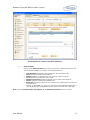
You can view Top Web Sites Visited and Top Web Site Visitors reports.
The Top Web Sites Visited report shows the most frequently visited web sites.
The Top Web Site Visitors shows the users visiting web sites most frequently.
Keyword Alerts:
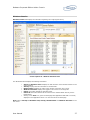
BeAware allows you to view a keyword alert report. The administrator can set keywords for application’s web sites, emails
and chats. Whenever the users use these words in applications, mails, web pages or chat, BeAware notifies and reflects
the status in this report.
The Keyword Alerts report shows the frequency of usage of these keywords.
You can view Top Keywords Registered for Alerts and Users Violating Keywords.
Top Keywords Registered for Alerts report shows top five keywords registered for alerts.
Users Violating Keywords report shows top five users who have violated keywords.
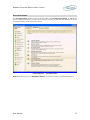
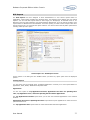
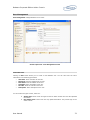
Viewing Reports
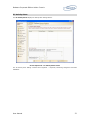
We can view reports either on Dates, Workgroups, Windows Users or Machines. The user can select
viewing options from Workgroups or Windows Users/Machines.
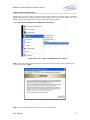
Viewing Reports by Time:
Following are the steps to view reports by time.
User Manual
34