1
Chapter 5 : Advanced Setup
BoBTM Advanced Setup Method
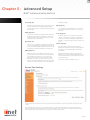
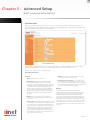
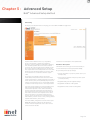
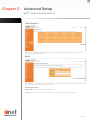
VLAN
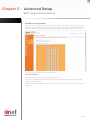
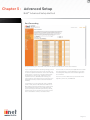
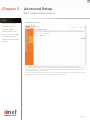
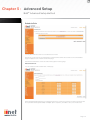
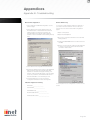
VLAN Table: In this table you can click on the ‘ADD VLAN’ button to add a ‘VLAN’ binding or click on ‘EDIT’ to edit
an existing binding, or click on ‘DELETE’ to remove a binding.
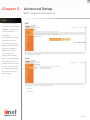
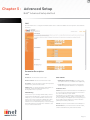
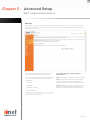
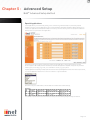
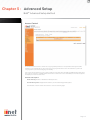
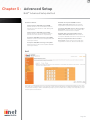
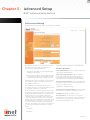
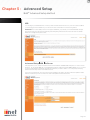
VLAN Profile: This screen will appear if you click on
‘ADD VLAN’ or ‘EDIT’ from the VLAN page.
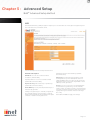
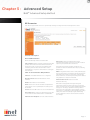
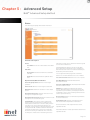
Description: detailed description of the VLAN.
IP Address: IP address of the VLAN virtual interface
on the gateway.
Subnet Mask: subnet mask of the VLAN virtual
interface.
NAT Domain: NAT addressing domain to define the
NAPT operation of the VLAN virtual interface. Public
means that this VLAN will be visible to the Internet.
Private means NAT is enabled to protect the subnet
from visibility to the Internet.
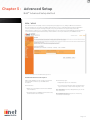
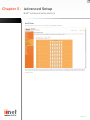
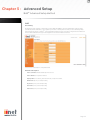
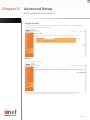
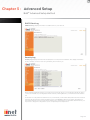
IGMP Snooping: enable/disable the feature to block
unnecessary IP multicast traffic f looding among VLAN
ports without the specific multicast membership. This
feature is working based on snooping IGMP Join/
Leave messages among the VLAN ports to update
the bridging forwarding database. IGMP Snooping
is extremely useful in saving bandwidth of flowspeed interfaces (ex WLAN) to improve the network
utilization.
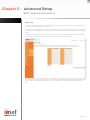
IGMP Querier: enable/disable IGMP querying to
the VLAN virtual interface. The option is to control
whether to behave as an IGMP querier on the VLAN
bridging network If IGMP Querier option is disabled,
the router will act as an IP multicast compliant host
and send IGMP reports for its own joined IP multicast
groups.No IGMP query messages will be sent to the
specific VLAN.
Page 18