1
Appendices
Appendix A1 - Troubleshooting
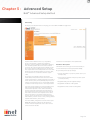
TCP/IP Configuration
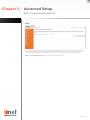
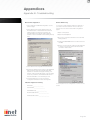
4. Double-click Internet Protocol (TCP/IP).
To access the Internet through the router, you must
configure the network settings of the computers on
your LAN to use the same IP subnet as the router. The
default network settings for the router are:
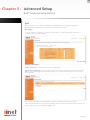
5. If ‘Obtain an IP address automatically’ and ‘Obtain
DNS server address automatically’ are already
selected, your computer is already configured for
DHCP. If not, select these options and then click
ok and then ok again, or click Cancel to close each
window.
IP Address: 10.1.1.1 Subnet Mask: 255.255.255.0
Note: These settings can be changed to fit your
network requirements, but you must first configure
at least one computer to access the router’s web
configuration interface in order to make the required
changes.
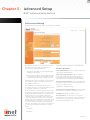
Configuring Your Computer in
Windows 2000
DHCP IP Configuration
1. On the Windows desktop, click Start/Settings/
Network and Dial-Up Connections.
2. Click the icon that corresponds to the connection
to your router.
3. The connection status screen will open. Click
Properties 2.
Page 59