1
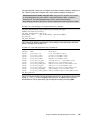
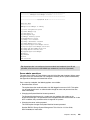
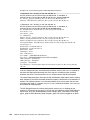
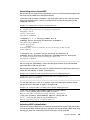
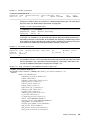
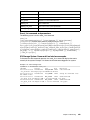
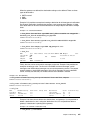
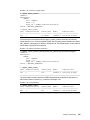
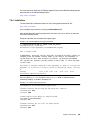
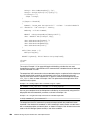
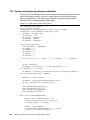
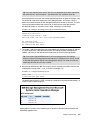
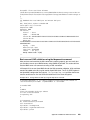
Example 5-5 XCLI domain_add_user
XIV_PFE2_1340010>>domain_add_user domain=pfe.ibm user=ITSO_User1
Command executed successfully.
Defining user groups with the XCLI
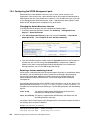
To define a user group, complete the following steps:
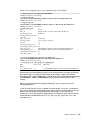
1. Run user_group_create, as shown in Example 5-6, to create a user group called
Application03_Mainz.
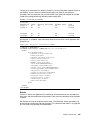
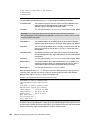
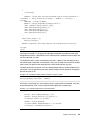
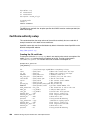
Example 5-6 XCLI user_group_create
>>user_group_create user_group=Application03_Mainz
Command executed successfully.
Spaces: Avoid spaces in user group names. If spaces are required, the group name
must be placed between quotation marks, such as “name with spaces.”
The Application03_Mainz user group is empty and has no associated host. The next step
is to associate a host or cluster.
2. Associate the application_Mainz user group to the Application_host01 host, as shown
in Example 5-7.
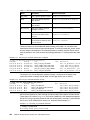
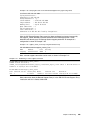
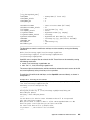
Example 5-7 XCLI access_define
>>access_define user_group=Application03_Mainz host=Application_host01
Command executed successfully.
A host has been assigned to the user group. The user group does not have any
users included.
3. Add the first user, as shown in Example 5-8.
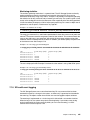
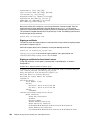
Example 5-8 XCLI user_group_add_user
>>user_group_add_user user_group=Application03_Mainz user=lab_user
Command executed successfully.
The user lab_user has been assigned to the Application03_Mainz user group. This user is an
applicationadmin with the Full Access right set to no.
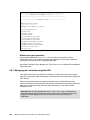
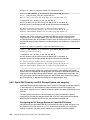
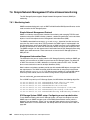
5.5.5 Password management and resets
Password management in native authentication mode is internal to the XIV Storage System.
The XIV Storage System has no built-in password management rules such as password
expiration, preventing reuse of the same passwords, or password strength verification.
Furthermore, if you want to log on to multiple systems at the same time through the XIV
Storage Management GUI, your user ID must be registered with the same password on all
XIV systems that are managed by the XIV Storage Management GUI.
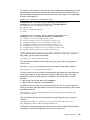
In native authentication mode, if users can log in, they can change their own passwords.
Chapter 5. Security
237