1
m-Commerce Applications
■
■
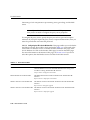
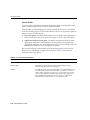
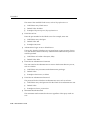
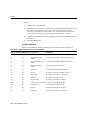
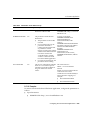
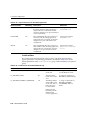
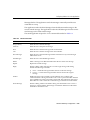
No: Never show the confirmation card to the user and automatically return the
user information to the third party application.
USER: Unless otherwise specified by the user, always show the confirmation
card to the user. This is the default value.
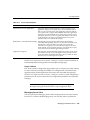
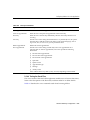
Wallet Security Mode
Defines whether the Wallet application runs in HTTP or HTTPS. If true, the
application runs in secure HTTPS. If false, then the wallet runs in non-secure HTTP.
The valid values for this input parameter include the following:
■
■
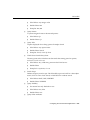
true: When accessing the Wallet application, the connection between the user
device and Oracle Application Server Wireless will be secure HTTPS. This is
default value.
false: When accessing the Wallet application, the connection between the user
device and Oracle Application Server Wireless will be non-secure HTTP.
The default value is true.
Note: The Wallet application can only function in secured mode
(HTTPS) if Oracle Application Server Wireless is configured in
secured mode. For more information on configuring Wireless in
secured mode, see Section 3.6.1.1.
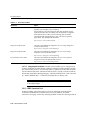
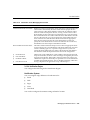
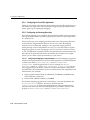
Application Setup OMP URL
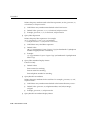
This is the OMP URL reference for the URL group. This parameter includes the
following values:
■
Valid Values: An OMP URL pointing to the application setup.
■
Default Value: omp//oracle/applications/appsetup
■
Examples:
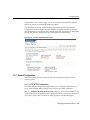
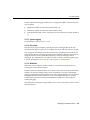
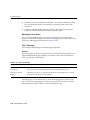
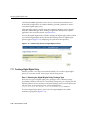
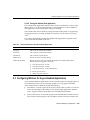
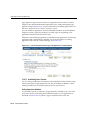
8.5.3.3 Linking to the Wallet Application
You can link to the Wallet application using the following virtual URL:
omp://oracle/services/commerce/wallet
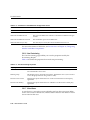
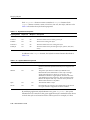
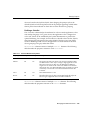
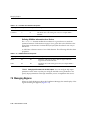
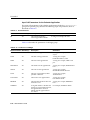
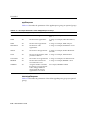
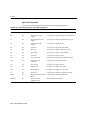
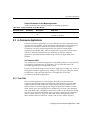
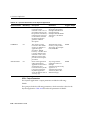
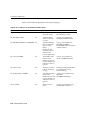
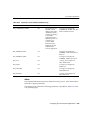
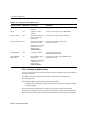
The wallet application includes the following input call parameters:
8-92
Administrator’s Guide