1
Contents
1 Using GFI MailArchiver
1.1 Logging In GFI MailArchiver
1.2 Browsing Archived Emails
1.3 Working With Emails
1.4 Searching Archived Emails
1.4.1 Advanced Search
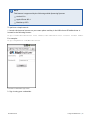
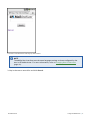
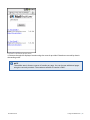
1.4.2 Email Search Using Smart Phones
1.5 Accessing Multiple Mailboxes
1.6 GFI MailInsights
1.6.1 Generating Reports
1.6.2 Scheduling Reports
1.6.3 Communication Flow
1.6.4 WebMail Use
1.6.5 Email Responsiveness
1.6.6 Storage Use
1.6.7 Inactive Accounts
1.6.8 Inappropriate Words
1.6.9 Internal Spammers
1.6.10 Outside Office Hours
1.6.11 Data Leakage Detection
1.6.12 Job Search
1.6.13 Phrase Search
1.6.14 User Traffic Report
1.7 Changing User Preferences
2 Configuring Email Client Access
2.1 Installing GFI MailArchiver Outlook Connector
2.2 Downloading and Installing GFI MailArchiver Outlook Addon
2.3 Configuring GFI MailArchiver IMAP Client Access
2.3.1 Configuring IMAP on Android
2.3.2 Configuring IMAP in Apple Mail 3.0
2.3.3 Configuring IMAP in iOS5
2.3.4 Configuring IMAP in Microsoft Outlook® 2003
2.3.5 Configuring IMAP in Microsoft Outlook® 2007
2.3.6 Configuring IMAP in Microsoft Outlook® 2010
2.3.7 Configuring IMAP in Microsoft Outlook 2013
2.3.8 Configuring IMAP in Outlook® 2011 for Mac
2.3.9 Configuring IMAP in Mozilla Thunderbird 10
2.3.10 Configuring IMAP in Windows® Live Mail
4
4
4
6
7
8
9
13
14
15
16
16
19
21
23
25
26
28
31
34
35
37
40
41
43
43
43
44
45
45
47
48
48
49
50
51
52
52
3 Glossary
54
4 Index
59