1
3.0
User Guide
3.1
Front Panel Indications and Controls
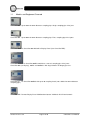
All CirrusPro models have a small control panel with 6 LED indicators and 2 push buttons:
Indications
There are 4 levels of alarm, Pre Alarm and Fire levels 1, 2 and 3. The points at which these levels are
set can be examined in the Sensitivity Settings section of the commissioning menu on the PC.
Power indicator is On when the power is present but flashes when a remote power supply fault is
detected. If the power indicator is off there is no power to the unit.
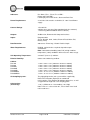
Controls
Silence Reset -
3.2
Releases the activated alarm relays and / or mutes the internal buzzer.
Performs the Silence function and clears any current fire conditions.
Panel Display
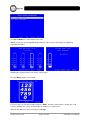
On powering up the display will show the number of units found on the network.
The text at the bottom of the display corresponds to the push buttons below the display. By holding
down a button, its function will auto-repeat.
Mute is used to mute the system buzzer.
Pressing Menu lists the units found on the network.
93-523-23 Issue 3.2
Page 12 of 20
CirrusPro User Manual