1
TABLE OF CONTENTS
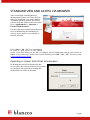
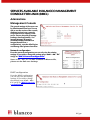
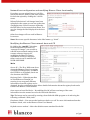
INTRODUCTION ................................................................................................ 5 Organization approach ............................................................................................ 5 Recycling / Warehoused devices approach ............................................................... 6 STANDARD VIEW AND ACCESS VIA BROWSER ..................................................... 7 Opening a screen lock from screensaver.................................................................. 7 SERVICES AVAILABLE IN BLANCCO MANAGEMENT CONSOLE FOR LINUX (BMCL) . 8 Administrate Management Console ......................................................................... 8 Network configuration .................................................................................................................... 8 DHCP configuration ......................................................................................................................... 8 Network boot configuration and modifying Blancco Client functionality ....................................... 9 Modifying the Blancco Client network boot and CD ........................................................................ 9 Manage backups............................................................................................................................ 12 Manage images and other files ..................................................................................................... 13 Reset failed logins ......................................................................................................................... 13 Administrate Management Consoler Users............................................................. 13 Create a new Group Admin or User ............................................................................................... 14 Edit User ........................................................................................................................................ 14 Delete User .................................................................................................................................... 14 Browsing stored reports ........................................................................................ 15 Print label option........................................................................................................................... 17 Install printer ................................................................................................................................ 17 Import reports ....................................................................................................... 20 Download Blancco Client Software ......................................................................... 20 Statistical Information ........................................................................................... 20 License Information ............................................................................................... 21 HASP Management ........................................................................................................................ 21 Creating a license activation key .................................................................................................. 22 2 / 31