1
Creating a license activation key
If a HASP key has been assigned to you, you can create an activation code for the key from the
license pool that has been given to you. Therefore, there is no need to activate all the licenses
immediately.
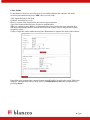
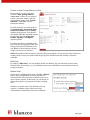
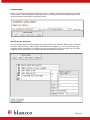
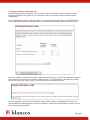
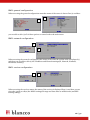
Go to “License Information” and from there to “Create activation code”. Then select the key that
you would like the licenses to be uploaded to. You should see a similar picture as shown below:
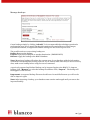
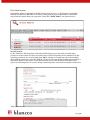
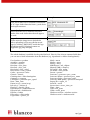
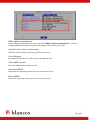
Enter the number of licenses you want to take from your license pool, select the expiration time for
the activation code and press “Generate activation code”. Code generations may take for a while,
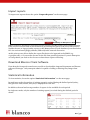
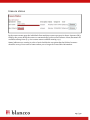
please wait. When the code is ready, you will see the screen as shown below:
The activation file can be used in all erasure client software, Blancco Management Console for
Linux and Blancco Management Console for Windows. Check how the activation is done from the
user manual of each product.
22 / 31