1
Troubleshooting
User's Guide
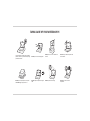
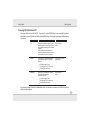
You forget the boot
password.
If you forget the password, you may have to discharge the battery of the
CMOS. Contact your service representative for help.
Caution !
If you choose to set a boot password, NEVER forget your password. The consequences of this could be serious. If
you cannot remember your boot password you must contact your vendor and you may lose all of the information on
your hard disk.
The sound cannot be heard
or the volume is very low.
The volume might be set too low. Check the volume control in the Volume
Control Panel in the Windows taskbar, or use the key combination
Fn + F4 keys.
The CD/DVD cannot be read.
The CD/DVD is dirty. Clean it with a CD/DVD cleaner kit.
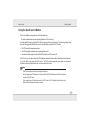
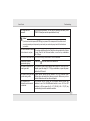
Unwelcome numbers
appear when typing.
The system freezes or the
screen goes dark.
If the LED
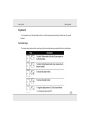
The system never goes into
a power saving mode.
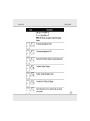
The Wireless LAN/
Bluetooth modules cannot
be detected.
is lit, then Num Lock is turned ON.
The system’s power saving features have timed-out. Use the AC/DC
adapter, press the sleep (Fn + F12) key combination, or press the power
button if no LEDs are lit.
Power Options features are not enabled. Go to the Windows Power
Options menu and enable the features you prefer. Make sure you have
enabled Hibernate mode from the control panel.
The modules are off. Check the LED indicator and/or function key
indicator to see if the WLAN/Bluetooth switch is on or off. If the LED
indicator is off, then press the Fn + F1 (WLAN) & Fn + F2 (BT) key
combination(s) in order to enable the modules.
5-6