1
Features and Functions: HD-Format:
Some machines will have Hard Drives (Service Parts) provided blank. In this case, there will be an HD-Format data
file that can be used with this Tool to prepare the HD for the System Software installation. The HD-Format data file
will actually be common to all devices that utilize the procedures documented in this section. Since the file is common
across models, it will register in the Service Support Tool under iRXXXX or iRCXXXX. As mentioned in the Device
Specific Notes section, there are different methods for getting machines into a download mode to accept data. For the
devices supporting the HD-Format files, there are two methods. In the Device Specific Notes section, these are
referred to as Download Modes C (holding down 2 & 8 while powering on the device) and E (Fixed IP Mode, then
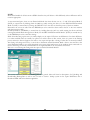
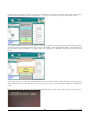
accessed within Service Mode on the device). Each mode allows a different level of access to the HD using HDFormat. Mode E allows limited access and can only format certain partitions – it does not allow for a complete format
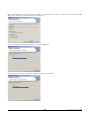
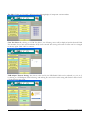
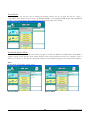
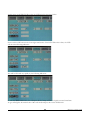
of the drive. Mode C allows for a complete format. Screenshots to account for both of these modes will be shown.
NOTE:
Some models allow partition (Mode E) formatting ONLY through Service Mode – not through the Service Support
Tool.
NOTE:
Some Partition format processing actually takes place on the subsequent startup cycle of the unit. This will cause the
startup to take a greater amount of time than usual. This will only affect the first startup after formatting - subsequent
startups will return to the normal length of time. Additionally, MEAP enabled devices will need some extra time as
well on first startup - once the MEAP arrow appears active on the LCD, the process is complete. Do NOT power off
the device while this extra processing is happening as this can result in corruption of the HDD.
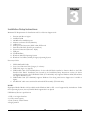
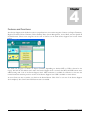
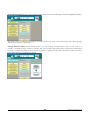
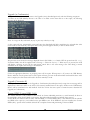
To format the HDD in a unit
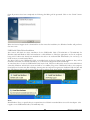
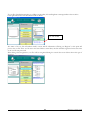
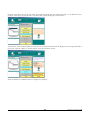
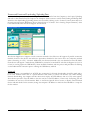
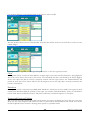
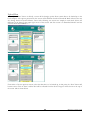
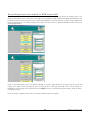
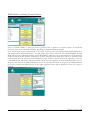
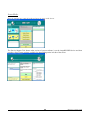
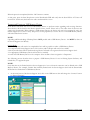
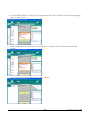
1. Select the appropriate model in the “Connect” area.
2. Select the “Single” option.
3.
Click on the “Start” button to continue.
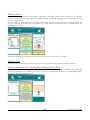
HDD without System Software (service part)
NOTE:
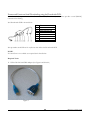
Service Support Tool v3.04 or later is REQUIRED in this situation. If Service Support
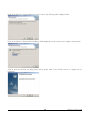
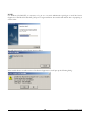
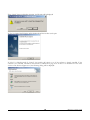
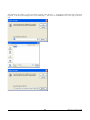
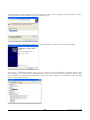
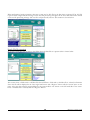
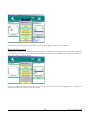
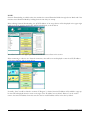
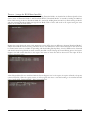
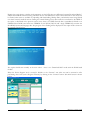
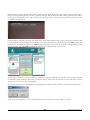
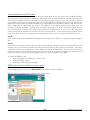
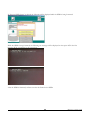
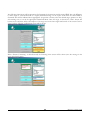
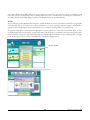
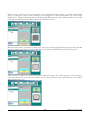
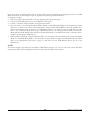
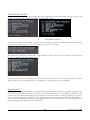
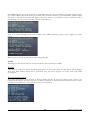
The following will be displayed after clicking on the “Start” button:
59
Revision 0 - January, 2012