1
TK-78K0R/KG3 User’s Manual
Contents
CHAPTER 1 PREPARATION.....................................................................................................................................................8
1.1 Development Tools / Software .....................................................................................................................9
1.2 Installation of Development Tools ............................................................................................................. 10
1.2.1 Installation Package.................................................................................................................. 10
1.2.2 Installation of Development Tools ...................................................................................... 10
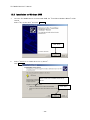
1.3 Installation of USB Driver ............................................................................................................................. 16
1.3.1 Installation on Windows XP.................................................................................................... 17
1.3.2 Installation on Windows 2000................................................................................................ 20
1.3.3 Completion of USB Driver Installation .............................................................................. 23
1.4 Sample Programs.............................................................................................................................................. 24
1.4.1 Preparation of Sample Programs ........................................................................................ 24
1.4.2 Overview of Sample Programs............................................................................................. 27
CHAPTER 2 EXPERIENCES................................................................................................................................................... 28
2.1 Start PM+ ............................................................................................................................................................ 30
2.2 What is PM+........................................................................................................................................................ 31
2.3 Load Workspace (project) ............................................................................................................................. 33
2.4 Set Linker Options........................................................................................................................................... 35
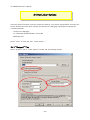
2.4.1 "Output1" Tab............................................................................................................................ 35
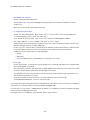
2.4.2 "Output2" Tab............................................................................................................................ 37
2.5 Set Compiler Options ..................................................................................................................................... 38
2.5.1 "Extend" Tab .............................................................................................................................. 38
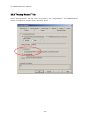
2.5.2 "Startup Routine" Tab............................................................................................................ 39
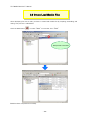
2.6 Create Load Module Files ............................................................................................................................. 40
2.7 Check Debugger Settings ............................................................................................................................. 42
2.8 Check Board Settings .................................................................................................................................... 44
2.9 Start Debugger (ID78K0R-QB) ................................................................................................................... 45
2.10 Run Programs.................................................................................................................................................. 48
2.11 Stop Programs ................................................................................................................................................ 50
2.12 Close Debugger (ID78K0R-QB)................................................................................................................ 51
2.13 Quit PM+ ........................................................................................................................................................... 52
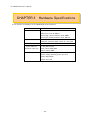
CHAPTER 3 HARDWARE SPECIFICATIONS .................................................................................................................. 53
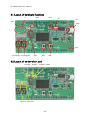
3.1 Layout of hardware functions...................................................................................................................... 54
3.2 Layout of solder-short pad .......................................................................................................................... 54
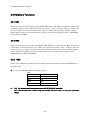
3.3 Hardware Functions ........................................................................................................................................ 55
3.3.1 SW1 ................................................................................................................................................. 55
3.3.2 SW2 ................................................................................................................................................. 55
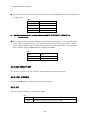
3.3.3 SW3 ................................................................................................................................................. 55
3.3.4 SW4 (RESET SW) ...................................................................................................................... 56
3.3.5 LED1 (POWER)........................................................................................................................... 56
3.3.6 JP1.................................................................................................................................................. 56
-4-