1
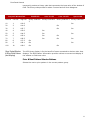
Rear Panel I/O
Rear Panel I/O
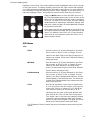
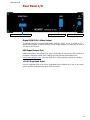
Digital RGB/YCbCr Video Output
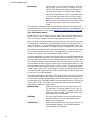
USB Input/Output Port
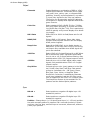
+6V DC Regulated Input
Digital RGB/YCbCr Video Output
The HDMI connector provides RGB-Video, RGB-PC, YCbCr 4:4:4, or YCbCr 4:2:2
digital video signals. A passive HDMI to DVI output adapter or cable can be used to
connect to DVI inputs.
USB Input/Output Port
USB input/output. Use a Type A to Type A USB cable to connect the DVG-5000 to a
computer. Requires a DVG-5000 USB driver that can be downloaded from
http://www.accupel.com. (See the DVG-5000 USB Interface manual for details.)
+6V DC Regulated Input
Use the supplied DVG-5000 6V DC regulated power module only. Use of any other
power module invalidates the DVG-5000 warranty.
19