1
Clarity Data Import ToolTM – User Manual
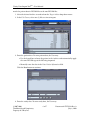
match an existing patient in Archive or enter patient information manually. For
more information on the Edit tab, see Section ??.
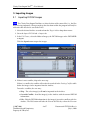
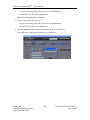
5. Send the images to the Archive by clicking the Import button.
The results of the DICOM send are shown in the Sent tab.
3.2
Importing Non-DICOM Images
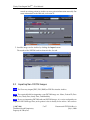
Note The User may import JPEG, PNG, BMP, or PDF files into the Archive.
Note The required fields for importing a non-DICOM image are: Name, Patient ID, Date
of Birth, Sex, Study Date, Study Time, and Modality.
Note If you are importing DICOM and non-DICOM images, it is easier and quicker to
import the DICOM images first, so the patient’s data is already in the archive. You can then
c
2007-2009
Confidential and Proprietary
Property of iCRco, Inc.
5 of 7
Document # CDIT-01A Rev A
July 8, 2010