1
Advanced use
Installing GFI FAXmaker in a Microsoft Exchange cluster
environment
To install GFI FAXmaker in a Microsoft Exchange cluster environment,
you need to do the following:
1. Install GFI FAXmaker on a machine that does not form part of the
cluster.
NOTE: The Microsoft Exchange cluster can either be Active/Active or
Active/Passive.
2. On each cluster node you will need to setup an Exchange SMTP
connector as described in the 'Installing the connector on a remote
Exchange server machine' section of the 'Installing GFI FAXmaker'
chapter.
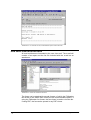
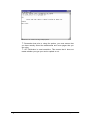
The send log and receive log file
GFI FAXmaker logs all incoming and outgoing faxes in the following
two files: Sendlog.txt and Rcvlog.txt. The files are located in the GFI
FAXmaker ‘System’ directory. By loading these files in Microsoft
Excel, you can create advanced reports.
Send log file
The following information is stored for each outgoing fax:
Date,Time,SenderEmail,SenderName,BillingCode,RemoteId,Recipient
Name,RecipientCompany,RecipientNumber,CallDuration,PagesTransf
erred,Result,Info,Port,FilesInArchiveDir.
For example:
"22/12/96","22:18:16","nick@gfitest","nick","","88888888","nick","gfi","n
ick_gfi_23 <fax@gfitest>","00:30","1","SUCCESS","Fax has been sent
successfully","COM2",""
Receive log file
The following information is stored for each incoming fax:
Date,Time,RemoteID,CallDuration,PagesReceived,Result,Info,Port,Fil
eInArchiveDir,RoutedTo.
For example;
"21/12/96","20:14:03","88888888","00:39","1","SUCCESS","Fax
received","COM2","","nick@gfitest,alexm@gfitest,bart@gfitest"
GFI FAXmaker for Exchange/SMTP Manual
Advanced use • 147