1
Chapter 3: Using the display and keypad
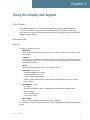
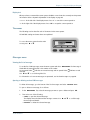
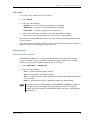
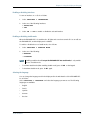
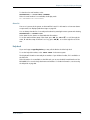
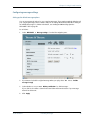
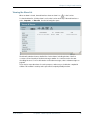
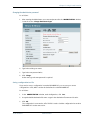
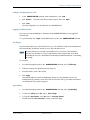
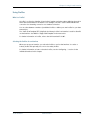
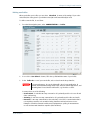
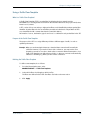
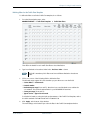
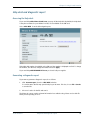
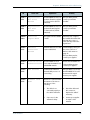
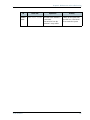
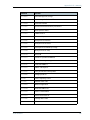
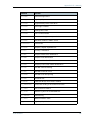
Menu drawing
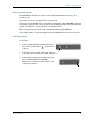
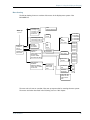
The below drawing shows an overview of the menus in the display menu system of the
EXPLORER 527.
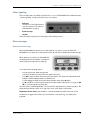
Start up
PIN Code
<message 1>
<message 2>
<message 3>
<message 4>
DELETE ALL
OPEN
DELETE MESSAGE
START
STOP
<streaming profile 1>
<streaming profile 2>
<streaming profile 3>
MESSAGES
CONNECT
CALLS
SETTINGS
PROPERTIES
HELP DESK
MISSED
RECEIVED
OUTGOING
SATELLITE
DISPLAY
AUDIO INDICATOR
INTERFACES
STEALTH MODE
RESTORE SETTINGS
IOR
AOR
POR
AUTO
BACKLIGHT
CONTRAST
ON
OFF
TIMED
SET LEVEL
AUTOMATIC
SET LEVEL
MESSAGES
ALARM
GPS STATUS
TERMINAL
MOBILE NUMBERS
VOICE MAIL NUMBER
ALARM LIST
IP ADDRESS
HARDWARE
SOFTWARE
IMEI
2 SECONDS
5 SECONDS
10 SECONDS
30 SECONDS
60 SECONDS
LEVEL
LEVEL
LEVEL
LEVEL
LEVEL
LEVEL
LEVEL
1
2
3
4
5
6
7
LEVEL
LEVEL
LEVEL
LEVEL
LEVEL
LEVEL
LEVEL
1
2
3
4
5
6
7
PHONE/FAX
LAN
ON
OFF
ENABLED
DISABLED
ON
OFF
UNIT SER. NO.
MAIN PCB NO.
PSM PCB NO.
MAC
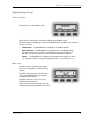
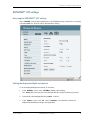
The next section shows an overview of the start-up sequence before entering the menu system.
The menus are further described in the following sections of this chapter.
TT 98-123789-D
28