1
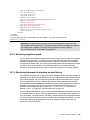
8.2.1 Snapshots with VERITAS Volume Manager
In many cases, a user makes a copy of a volume so that the data can be used by a different
system. In other cases, a user might want to make the copy available to the same system.
VERITAS Volume Manager assigns each disk a unique global identifier. If the volumes are on
different systems, this does not present a problem. However, if they are on the same system,
you must take some precautions. For this reason, the steps that you must take are different
for the two cases.
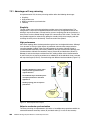
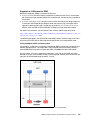
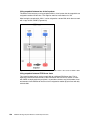
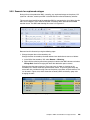
Snapshot to a different server
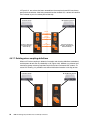
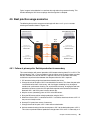
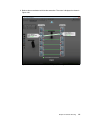
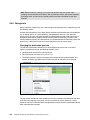
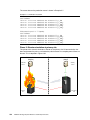
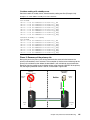
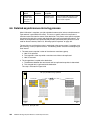
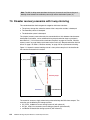
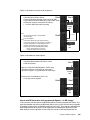
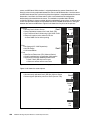
One common method for making a snapshot of a VxVM volume is to freeze the I/O to the
source volume, make the snapshot, and import the new snapshot onto a second server. In
general, use the following steps:
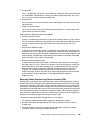
1.
2.
3.
4.
5.
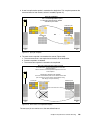
Unmount the target volume on Server B.
Freeze the I/O to the source volume on Server A.
Create a snapshot.
Thaw the I/O to the source volume on Server A.
Mount the target volume on Server B.
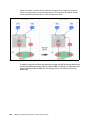
Snapshot to the same server
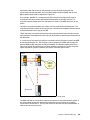
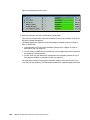
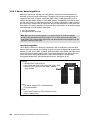
The simplest way to make the copy available to the source system is to export and offline the
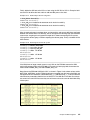
source volumes. In Example 8-6, volume lvol is contained in Disk Group vgsnap. This Disk
Group consists of two devices (xiv0_4 and xiv0_5). When those disks are taken offline, the
snapshot target becomes available to the source volume, and can be imported.
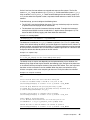
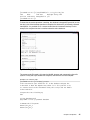
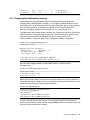
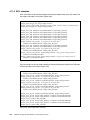
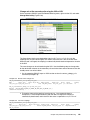
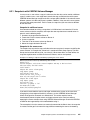
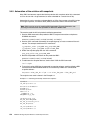
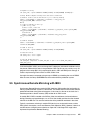
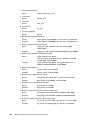
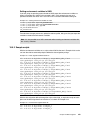
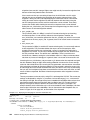
Example 8-6 Making a snapshot available by exporting the source volume
#halt I/O on the source by unmounting the volume
umount /vol1
#create snapshot, unlock the created snapshot and map to the host here
#discover newly available disks
vxdctl enable
#deport the source volume group
vxdg deport vgsnap
#offline the source disk
vxdisk offline xiv0_4 xiv0_5
#now only the target disk is online
#import the volume again
vxdg import vgsnap
#recover the copy
vxrecover -g vgsnap -s lvol
#re-mount the volume
mount /dev/vx/dsk/vgsnap/lvol
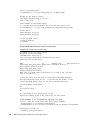
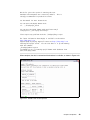
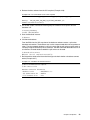
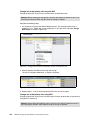
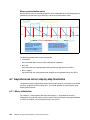
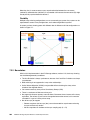
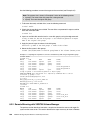
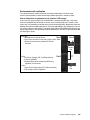
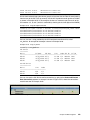
If you want to make both the source and target available to the system at the same time,
changing the private region of the disk is necessary, so that VERITAS Volume Manager
allows the target to be accessed as a different disk. This section explains how to
simultaneously mount snapshot source and target volumes to the same host without
exporting the source volumes when using VERITAS Volume Manager. Check with VERITAS
and IBM on the supportability of this method before using it.
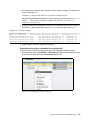
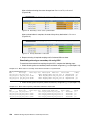
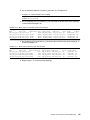
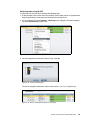
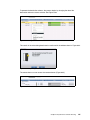
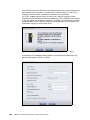
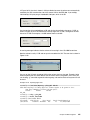
The assumption is that the sources are constantly mounted to the Solaris host, the snapshot
is created, and the goal is to mount the copy without unmounting the source or rebooting.
Chapter 8. Open systems considerations for Copy Services
237