1
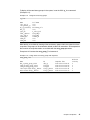
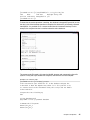
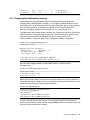
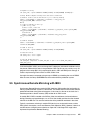
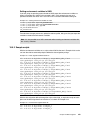
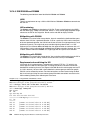
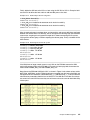
Machine Type and Model......2105800
Serial Number...............00FFCA33
root@dolly:/mnt# lscfg -vpl hdisk4 | egrep "Model|Serial"
Machine Type and Model......2105800
Serial Number...............010FCA33
root@dolly:/mnt# lscfg -vpl hdisk5 | egrep "Model|Serial"
Machine Type and Model......2105800
Serial Number...............011FCA33
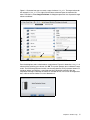
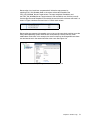
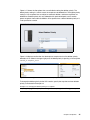
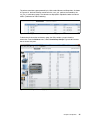
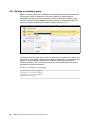
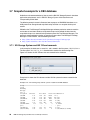
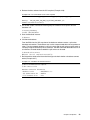
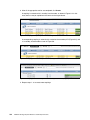
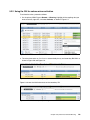
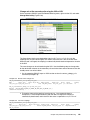
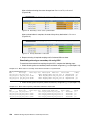
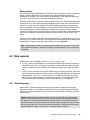
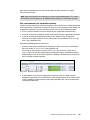
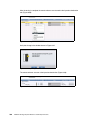
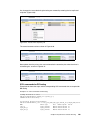
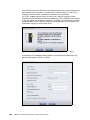
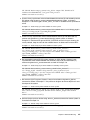
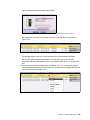
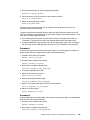
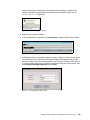
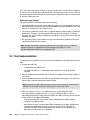
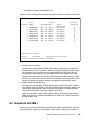
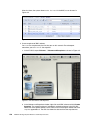
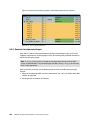
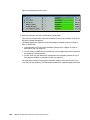
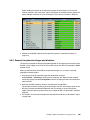
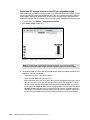
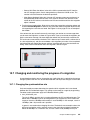
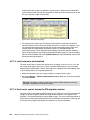
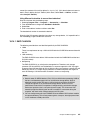
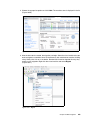
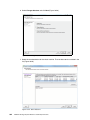
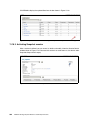
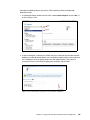
These volumes are currently allocated from an IBM ESS 800. In Figure 10-67, use the ESS
web GUI to confirm that the volume serial numbers match with those determined in
Example 10-17 on page 368. The LUN IDs here are those used by ESS 800 with AIX hosts
(IDs 500F, 5010, and 5011). They are not correct for the XIV and will be changed when you
remap them to the XIV.
Figure 10-67 LUNs allocated to AIX from the ESS 800
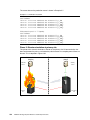
Because you now know the source hardware, you can create connections between the ESS
800 and the XIV and the XIV and Dolly (your host server). First, in Example 10-18, identify the
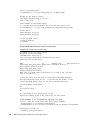
existing zones that connect Dolly to the ESS 800. You have two zones, one for each AIX HBA.
Each zone contains the same two ESS 800 HBA ports.
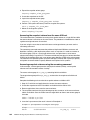
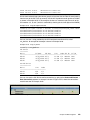
Example 10-18 Existing zoning on the SAN Fabric
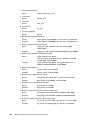
zone:
ESS800_dolly_fcs0
10:00:00:00:c9:53:da:b3
50:05:07:63:00:c9:0c:21
50:05:07:63:00:cd:0c:21
zone: ESS800_dolly_fcs1
10:00:00:00:c9:53:da:b2
50:05:07:63:00:c9:0c:21
50:05:07:63:00:cd:0c:21
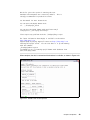
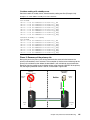
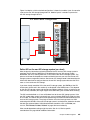
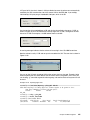
Create two new zones. The first zone connects the initiator ports on the XIV to the ESS 800.
The second and third zones connect the target ports on the XIV to Dolly (for use after the
migration). These are shown in Example 10-19. All six ports on the XIV clearly must have
been cabled into the SAN fabric.
Example 10-19 New zoning on the SAN Fabric
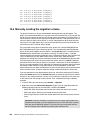
zone:
ESS800_nextrazap
50:05:07:63:00:c9:0c:21
50:05:07:63:00:cd:0c:21
50:01:73:80:00:23:01:53
50:01:73:80:00:23:01:73
Chapter 10. Data migration
369