1
Table of Contents
Table of Contents ...................................................................................................................................... 3
Chapter 1 .................................................................................................................................................................. 4
Welcome to SMARTfit™ Trainer Installation for Stud Walls ..................................................................... 4
Introduction .......................................................................................................................................... 4
Contents of Boxes ................................................................................................................................. 4
Tools Required ...................................................................................................................................... 5
Additional Equipment Required............................................................................................................ 5
Stud Wall Mounting Kit ......................................................................................................................... 5
Site Dimensions......................................................................................................................................... 6
Site Preparation .................................................................................................................................... 6
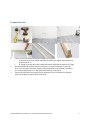
Prepare the site..................................................................................................................................... 7
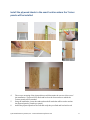
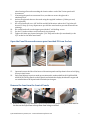
Open the Panel Boxes and remove panel marked P1 from the box ..................................................... 9
Remove the lens from the front of Panels ............................................................................................ 9
Create Templates for marking up and setting the panels .................................................................. 10
Use Templates to Mark up location of drill holes ............................................................................... 10
Install the first panel marked P1A....................................................................................................... 10
Install #P1B above P1A........................................................................................................................ 12
Install the rest of the stations ............................................................................................................. 12
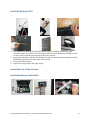
Install the Master Control Box ............................................................................................................ 12
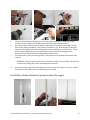
Install Wire Mold and Run the Speaker Cables Through it ................................................................. 13
Install the Speaker Cables ................................................................................................................... 15
Install the Speakers ............................................................................................................................. 15
Connect the panel wiring to the Master Control and snap the conduit closed ................................. 16
Complete the wire mold and Power up the system ........................................................................... 16
Replace all the lenses .......................................................................................................................... 17
Clean the lenses .................................................................................................................................. 17
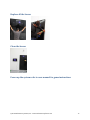
Power up the system refer to user manual for game instructions ..................................................... 17
Apply Flooring Tape ............................................................................................................................ 18
© 2015 Multisensory Fitness, Inc. • www.multisensoryfitness.com
3