1
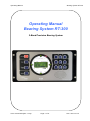
Operating Manual
3.2
Bearing System RT 300
Operating the Bearing System RT 300
19
3.2.1
3.2.1.1
3.2.1.2
3.2.1.3
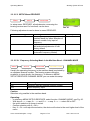
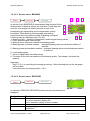
Switching On and Off, Key 1: On/Off
Switching On:
Switching Off:
External Switching On/Off
19
19
19
19
3.2.2
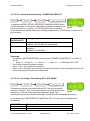
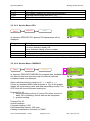
Switching the Band, Key 16 <Band>
19
3.2.3
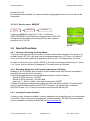
Selection of Frequency / Channel, Key 15 <Channel / Frequ.>
20
3.2.4
3.2.4.1
3.2.4.2
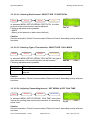
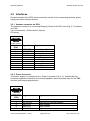
Squelch Function, Key 14 <Squelch>
Common Remark
Adjusting the Squelch
20
20
21
3.2.5
Volume Key 5 <Vol.+> and 10 <Vol –>
21
3.2.6
3.2.6.1
3.2.6.2
„Selective Squelch“, Key 4 <ELT only>
Common Remark
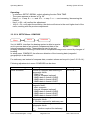
Activating / Deactivating „Selective Squelch“
22
22
22
3.2.7
3.2.7.1
3.2.7.2
Scan function Key 12 <Scan>
Common Remarks
Scanfunktion Activating / Deactivating Scanning Function
23
23
23
3.2.8
Function Repeat Key 3 <Repeat>
23
3.2.9
Funktion Live Key 8 <Live>
24
3.2.10
Function Clear Key 9 <Clr>
24
3.3
3.3.1
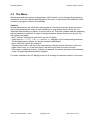
The Menu
25
The Menu Structure
26
3.3.2
The Main Menu
3.3.2.1
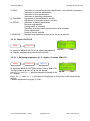
Menu LIGHT/LCD
3.3.2.1.1
Adjusting brightness of LC- display: Function DIM LCD
3.3.2.1.2
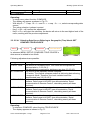
Adjusting Brightness of Kkeyboard lighting: Function DIM LEGEND
3.3.2.1.3
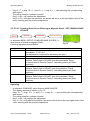
Adjusting brightness of LED-circle: Function DIM CIRCLE
3.3.2.1.4
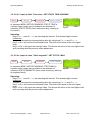
Adjusting contrast of the LC-display: Function LCD CONTRAST
3.3.2.2
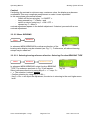
Menu: BEARING
3.3.2.2.1
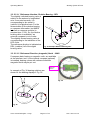
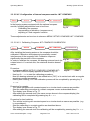
Selecting bearing reference direction: Selecting Function BEARING
TYPE
30
3.3.2.2.2
Display Bearing Parameters: VIEW BEARING SETUP
3.3.2.3
Menu: INFO
3.3.2.3.1
INFO Beacon
3.3.2.3.2
INFO Receiver
3.3.2.3.3
INFO DCU (Display Control Unit)
3.3.2.3.4
INFO Statistics
3.3.2.4
Menu: SOUNDS
Issue: 2013/03/04 [Rev 1.03.a]
Page 4 of 72
12-9-1-0013-3-1-61
27
28
28
29
29
29
30
33
33
33
34
34
34
35