1
XG2130 E1/Datacom Tester
1
Overview
Overview
This chapter briefly describes the relevant icons, E1/Datacom
tester overview, product compositions, functional keyboard, LED
alarm and status indications and LCD icon indications in this
operation manual.
1.1. Relevant icon information
1.2. Product overview
1.3. Product compositions
1.4. Functional keyboard
1.5. LED indicators
1.6. LCD icon indications
1.1
Icon Description
Some important information and items requiring special
attention in this manual are described with following icons.
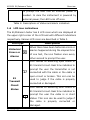
“Note” symbol: indicates some details that should be
dealt with special caution when operating the
instrument and reminds user’s attention.
“Info” symbol: indicates some relevant information
that user still need be told to know about after
finishing some operating descriptions.
“Warning” symbol: indicates that user should refer to
the manual instruction in order to protect the
apparatus against damage.
The information after these icons in the operation manual must
be noted to ensure the right and safe operation of this
72-0027-03A
4