1
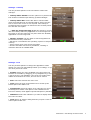
Task information dialog
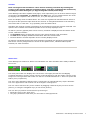
This dialog is accessed by issuing the Information command when the Programs view is
displayed.
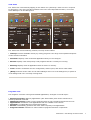
The Manage tab allows setting the following options for the selected program:
• Include in End all: Toggle the participation of the selected task in the End all tasks command.
Exclude those tasks that you want to keep running when a manual or automatic End all tasks
command is issued. Note that the Reclaim memory command does not obey these exclusions. In
addition, exclusions set in Swiss Manager can not protect programs from being closed by the
operating system.
• Hide icon over: When this option is checked, Swiss Manager hides the Status icon
automatically whenever you bring the selected application to the foreground. Hiding the icon may
be useful if you experience a conflict when the icon is displayed a certain program. The icon will
be visible again as soon as you switch to another application.
• Favorite: Include the application in the list of Favorites, for easy access from the Task menu.
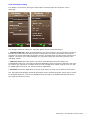
The Information tab displays technical information for the selected program, which may be useful
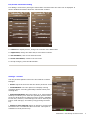
for analytical purposes. Click on any displayed item to bring up an additional dialog that shows
the respective item text in full.
CellPhoneSoft – Swiss Manager Pro Documentation
7