1
This parameter is available only if the 3 Point Animation was enabled in the Main Setup section.
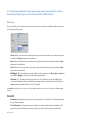
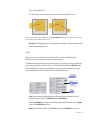
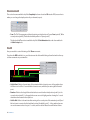
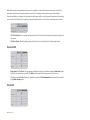
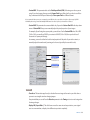
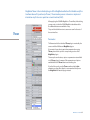
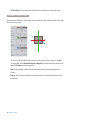
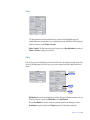
• Duration : Refers to the length of time that it takes to move from the second position (point B), to
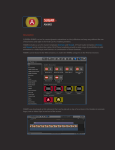
the final position (point C). - In the graphic above we can see the darker green bar reflecting the 1.25
seconds of duration we have entered in the input box.
This parameter is available only if the 3 Point Animation was enabled in the Main Setup section.
SETTINGS
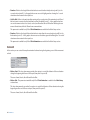
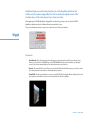
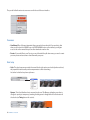
In this section you can control the way the animation behaves during the beginning or end of the movement
or both.
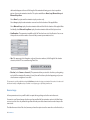
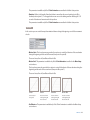
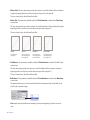
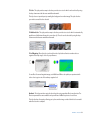
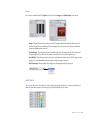
• Motion-Start : This drop down menu provides four options to control the behavior of the acceleration
during the beginning and the end of the move (from point A to point B).
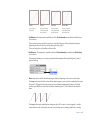
These are: Linear, Ease-In, Ease-Out and Ease In-Out.
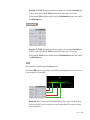
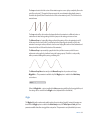
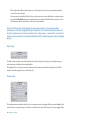
• Motion-End : This parameter is available only if the 3 Point Animation is enabled in the Main Setup
section above.
This drop down menu also provides four options to control the behavior of the acceleration during the
beginning and the end of the second move (from point B to point C).
These are: Linear, Ease-In, Ease-Out and Ease In-Out.
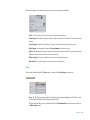
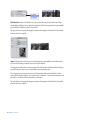
Linear
Ease-In
Ease-Out
Ease In-Out
Constant speed
throughout
Smooth acceleration
in the beginning and
linear at the end.
Linear acceleration
at the beginning and
smooth at the end.
Smooth acceleration
at the beginning and
smooth at the end.
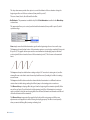
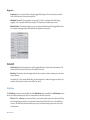
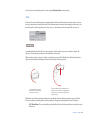
• End Behavior : This parameter is available only if the 3 Point Animation is enabled in the Main Setup
section above.
MagiMoto
21