1
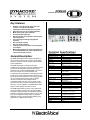
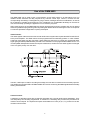
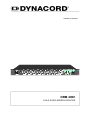
DCS
Digital Control Expansion System
•
•
•
•
4 position Phoenix type connector for power
supply.
2 LED’s on the front indicating power.
Internal backplane with system bus.
Internal self-resetting fuses.
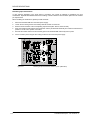
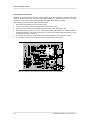
DCS 401R CONTROL MODULE
General Description:
DCS 400 Series modules increase the ProAnnounce
system's control capabilities in many ways. The DCS
system can be expanded at any time after installation
for increased functionality. The DCS control system
consists of the following components:
•
•
•
•
•
•
•
•
DCS 400 main module chassis
DCS 401R primary system control module.
DCS 405R extension module.
DCS 408R relay module.
DCS 409R relay module.
DCS 412R logic input module.
DCS 416R analog I/O module.
DCS 420 monitor unit.
The ProAnnounce operating system defines the total
amount of supported control inputs and outputs. A
ProAnnounce installation allows integrating a maximum
of up to 8 DCS 401R control modules. A single control
module can host up to 12 relay boards of the types
DCS 408R / DCS 409R in any sequence. In addition, it
is possible to connect up to 5 logic input modules, 2
analog I/O modules, and 2 rotary encoders. In total,
the ProAnnounce system can manage up to following
amounts of different DCS cards:
8 DCS 401R control modules.
48 DCS 408 / DCS 409 relay modules.
10 DCS 412 logic input module.
8 DCS 416 Analog I/O module
1 DCS420 Monitor Unit
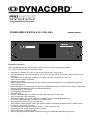
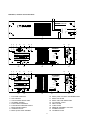
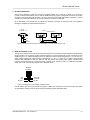
DCS 400 19″ RACK FRAME
The DCS 400 is a 19” base unit with a height of 2 HU.
It can host a control module as well as several relay
modules, logic input modules, and analog I/O modules
that are connected via internal backplane.
•
10 slots for the insertion of DCS modules.
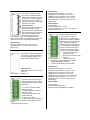
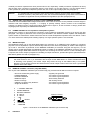
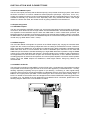
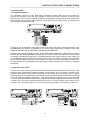
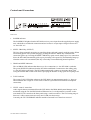
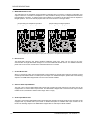
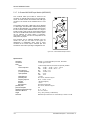
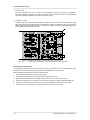
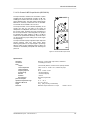
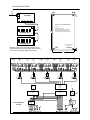
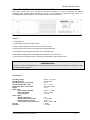
The module represents the
interface for relay boards, logic
boards, analog level I/O-boards, a
monitor module, and rotary
encoders. It is inserted into slot 1
(the slot all the way on the left) on
the rear of the DCS 400 rack
frame. It is controlled from the DPM
4000 via RS-485 remote interface.
Maximally 12 relay modules (DCS
408R / DCS 409R / DCS 408 /
DCS 409), 5 logic input modules
(DCS 412R, DCS 412), 2 analog
I/O modules (DCS 416R / DCS
416), 2 rotary encoders and 1
monitor module DCS 420 can be connected to a single
DCS 401R control module.
•
•
•
•
•
•
•
•
•
•
Two RJ-45 sockets for connecting the DPM 4000
and cascading several DCS 401R or DCS 401
modules.
Galvanic isolated RS-485 port.
Connector for 2 rotary encoders.
Connector for DCS 420 monitor module.
Monitoring via watchdog circuitry.
Service-functions and testing-software for all
connected modules.
6 binary switches for setting addresses and
selecting service-functions
1 pen-tip pushbutton – test start.
3 LED’s - red, yellow, green for test mode and
status.
A maximum amount of 8 modules DCS 401R or
DCS 401 can be cascaded.
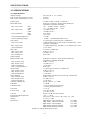
Specifications:
Operating voltage 24 V DC, -10 / +30%
Operating current 25 mA to 65 mA
Operating current at 24 V 35 mA
Operating temperature range +5° C to +40°C
Dimensions (W x H x D) 37.5 x 80.6 x 245 mm
Weight 207 g
DCS 405R EXTENSION MODULE
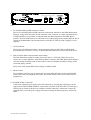
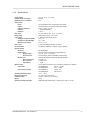
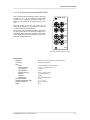
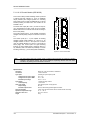
The module is used to provide
connection to another DCS 400
rack frame and /or other DCS 400
boards. This is useful in situations
where there are more cards on a
given DCS 401R than a single DCS
400 frame can support.
Installation Notes
In the first DCS 400 rack frame the
DCS 405R extension module
always needs to be installed in the
first empty slot (the slot right of any
other modules installed). In the
DCS 400 extension unit – the
second unit installed – the DCS 405R extension
module always needs to be installed in slot 1 (the slot
all the way on the left, instead of the DCS 401R).
Specifications:
Operating voltage 24V DC, -10% / +30%
Operating current, all relays on 37 to 54 mA
Operating current, all relays on at 24 V 42 mA
Operating temperature range +5° C to +40° C
Dimensions (W x H x D) 37.5 x 80.6 x 245 mm
Weight 163 g
Relay Contacts:
Contacts DPDT
Contact material AgPd + 10µ Au
Contact load (real) 1A / 24V DC, 0.5A / 120V AC
Contact current max. 2A
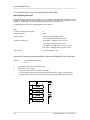
DCS 408R / 409R CONTROL RELAY MODULES
Specifications:
Operating temperature range +5° C to +40° C
Dimensions (W x H x D) 37.5 x 80.6 x 245 mm
Weight 115 g
DCS 406R SHIELDING MODULE
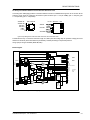
The module is meant for insertion on
the rear of the DCS 400 rack frame
providing shielding between DCS
408R and DCS 409R modules.
•
•
Specifications:
Dimensions (W x H x D) 37.5 x 80.6
x 245 mm
Weight 71 g
DCS 407R CONTROL RELAY MODULE
The module provides switching for
audio signals (line level) or control
outputs independent from the DCS
400 system.
• 4 LF-relays, each with 2 SPDT
switching contacts.
• Gold-plated double-contacts for
improved contact.
• Phoenix type connector for all
contacts and coils.
• 4 relay control-LED’s.
• Configuring the audio distributor is
possible through separating wirebridges.
• Switchable monitor bus link.
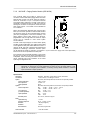
These modules provide relay
contact closures for use in
switching audio or other control
functions. The 408R is capable of
switching of 70v or 100V speaker
lines. The 409R is capable of
switching line level audio signals
or control outputs. The 408R can
also be used to provide contact
closures where higher voltages
and/or current may be involved.
•
5 line relays, each with 2
switching contacts.
•
Phoenix type connector for all
contacts.
•
5 relay control-LED’s.
Configuring the signal distributor is possible
through separating wire-bridges.
12 DCS relay modules can be cascaded.
Specifications:
Operating voltage 24V DC, -10% / +30%
Operating current, relays off 5.2 mA to 7.8 mA
Operating current, relays off at 24 V 5.5 mA
Operating current, all relays on 55-130 mA
Operating current, all relays on at 24 V 60-96 mA
Operating temperature range +5° C to +40° C
Dimensions (W x H x D) 37.5 x 80.6 x 245 mm
Weight 225 g
Relay Contacts:
Contacts DPDT
Contact material AgNi 90/10
Contact load (real) 408R-2000 VA, 409R-1A
DCS 412R LOGIC INPUT MODULE
The module provides inputs for
control lines, pushbuttons,
switches, and sensors, allowing
the evaluation of their individual
status (ON / OFF) in the DPM
4000 system.
•
•
•
•
•
•
12 inputs.
Selectable polarity of each
input.
Floating inputs can be
realized via the separation of
wire bridges.
Separate connections for
power supplies of
pushbuttons, contacts and
sensors.
Phoenix type connector for all inputs.
Maximally 5 DCS412R / DCS412 modules can be
cascaded.
Specifications:
Operating voltage 24V DC, -10 / +30%
Operating current, all inputs open 2.6 mA to 8.2 mA
Operating current, all inputs at 24V 60 mA to 83 mA
Operating temperature range +5° C to +40°C
Dimensions (W x H x D) 37.5 x 80.6 x 245 mm
Weight 175 g
Input Level:
Input voltage for off (Low) UIN < ±5 V
Input voltage for on (High) UIN > ±10 V
Input current at UIN = 24 V IIN = 4.8 mA
Input voltage max. UIN max = ±31 V
Output source voltage 24V DC
Output source current max. 90 mA
DCS 416R ANALOG I/O MODULE
•
•
•
The module provides analog input
and output interfacing capabilities
for use in monitoring and control
functions. Both inputs and outputs
are capable of handling 0 to 10V
DC with 256 distinct levels.
Potentiometers for volume control
can be interfaced using the
provided reference voltage output.
•
8 analog inputs.
•
Voltages of 0 to 10V DC or a
potentiometer to each input.
•
Output for reference voltage
10V DC.
8 analog outputs 0 to 10V DC.
Phoenix type connector for all inputs and outputs.
Maximally 2 DCS 416R / DCS 416 modules can
be cascaded.
Specifications:
Operating voltage 24V DC, -10 / +30%
Operating current (max.) 160 mA
Operating temperature range +5° C to +40°C
Dimensions (W x H x D) 37.5 x 80.6 x 245 mm
Weight 170 g
Inputs:
Voltage range (min. to max.) 0 V to 10 V DC
Impedance range ext. (min. to max.) 0 to10 kOhm
Maximum input voltage 50 V DC
Outputs:
Voltage range (min. to max.) 0 V to 10 V DC
Output impedance 47 Ohm
Maximum load 2k Ohm
Resolution of Inputs / Outputs 8 Bit
Reference output voltage 10 V DC
Reference output current 30 mA (max.)
DCS 420 MONITOR STATION
The DCS 420 Monitor Manager is a 2RU unit offering
acoustic control and visual level metering of audio in
the system. Switching and displaying of up to 250
audio signal sources, as well as, controlling the volume
is carried out via front panel control switches.
THE DCS420 receives its audio feed from the monitor
output of the DPM4000. DCS420 system control
functions are carried out through a connection to the
DCS401 controller module. The front panel controls of
the DCS420 offer audio level and line control switching
of either the input signal or the output signal of the
system amplifiers.
With several external sound sources connected,
switching is performed through the DCS 409R module.
When using remote-amplifiers, switching audio signals
to the monitor bus is accomplished directly inside the
amplifier. The signals are transmitted via remote
interconnection cables
Architecture & Engineering
Specifications:
The expansion system is designed for use with the
ProAnnounce system and shall enable the use of a
variety of system control and output routing devices.
The system shall consist of a 2RU system rack frame
accommodating any one of a series of 6 expansion
control modules, which slide in the rear of the unit.
The rack frame shall hold up to 10 expansion cards. It
shall be powered from a 24V DC source supply
through a dual spade lug terminal connection. The
system shall be equipped with internal self-resetting
fuses. The system shall enable the use of analog or
digital controls; expand the system operation to include
relay operated switching and remote monitoring. The
system shall also offer the ability to add a rack
mounted monitor unit for in place control and
monitoring of any channel.
The expansion system shall be the Dynacord
ProAnnounce DCS digital control system.
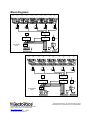
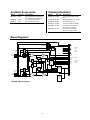
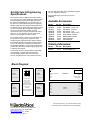
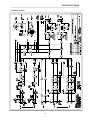
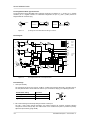
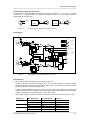
Block Diagrams:
Available Accessories:
Model
NRS90240
Cat. No. Description
121742 Volume Shaft Encoder
Ordering Information:
Model
DCS420
DCS400
DCS401R
DCS405R
DCS406R
DCS407R
DCS408R
DCS409R
DCS412R
DCS416R
Cat. No. Description
121753
121773
121774
121775
121776
121777
121778
121779
121780
121782
Monitoring Unit
19" Frame for DCS Modules
Controller Module
Extension Module
Shield Module
AF-Relay Module w/Ext Control
Lines-Relay Module
AF-Relay Module
Logic Input Module
Analog I/O Module
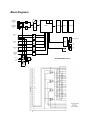
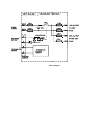
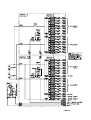
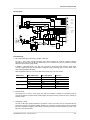
Block Diagrams:
DC
DPM4000
or DCS401
+5V
Reset
DC
Watch
dog
CN2
1
CPU
DPM4000
or DCS401
CN1
EPROM
SRAM
EEPROM
RS485
1
DCS416
CN9
DCS401-Address
S1
DCS412
CN8
INIT
S2
Test
DCS408/9
TP1
CN7
LED1
LED2
2 x Rotary
Encoder
CN12
B
+24VKL
A
t
DC
+5V
DC
CN4
C
-24VKL
D
1
Jumper
CN3, CN5
BLOCKDIAGRAM DCS 401
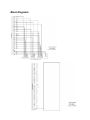
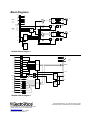
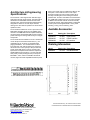
Block Diagrams:
+24VCN
OUTPUT
CN13
INPUT
CN7
t
B
A
DC
DC
+18VA
Q
+5VA
A
DC
DC
Q
A
+5VA
A
A
Ident
ADC
+5VA
A
+5VA
+5VA
+5VA
A
A
+18VA
+18VA
+18VA
A
A
Input 8
0...10V
Input 1
0...10V
Output 8
0...10V
Output 1
0...10V
CN8
Jumper
CN8, CN9
B
D
S
R
+5VB
D
DAC
+18VA
Output
10VRef
INPUT
A
C
DC
DC
Q
Q
S
R
Board select
-24VCN
+24VCN
B
D
A
DC
DC
CN7
+24VCN
DATA ADC
EN ADC
CLK
DATA AD/DA
EN DAC
RES PCB SEL
DAT PCB SEL
B
+18VA
OUTPUT
EN PCB SEL
+5VB
B
+24VCN
+24VOUT -24VOUT
EN MONITOR
EN MONITOR
EN PCB SEL
DAT PCB SEL
RES PCB SEL
EN DAC
DATA AD/DA
CLK
EN ADC
DATA ADC
-24VCN
+24VCN
CLK
DATA
EN
CLK
DATA
EN
+24V
CN6
+24VKL -24VKL
CN10
B
Jumper
CN9
BLOCK DIAGRAM
DCS 412
t
A
+24V
DC
DC
P/S
P/S
+24V
t
+5V
ID
BR13
BR14
B
A
B
A
B
A
B
A
B
A
B
A
B
A
B
A
B
A
B
A
B
A
B
A
Input 1
Input 2
Input 3
Input 4
Input 5
Input 6
Input 7
Input 8
Input 9
Input 10
Input 11
Input 12
Block Diagrams:
+24VKL -24VKL
CN10
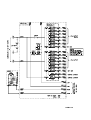
DCS416
Block Diagram
12000 Portland Av. South, Burnsville, MN 55337
Phone: 952-887-4051, Fax:952-887-0043
www.electrovoice.com
Telex Communications Inc 11/2002
Part Number 38109-xxx Rev A
OUTPUT
CN2
INPUT
+24VCN
CLK
DATA
DATA
CN1
t
Jumper
CN3
B
A
+24V
DC
DC
S/P
+5V
Relay
Driver
+24V
+24V
+24V
B
A
Br
Ba
Ar
Aa
B
A
Br
Ba
Ar
Aa
B
A
Br
Ba
Ar
Aa
B
A
CN4
Output 1
CN5
Input 1
CN7
Output 2
CN6
Input 2
CN8
Output 3
CN9
Input 3
CN10
Output 4
CN11
+24VCN
DATA
DATA
CLK
EN S/P
EN P/S
RESET
CN1
EN S/P
ID
Br
Ba
CN15
INPUT
EN P/S
RESET
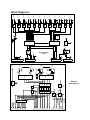
BLOCK DIAGRAM
DCS 409
+24V
P/S
+24V
Input 4
CN12
Output 5
CN2
CLK
DATA
DATA
EN S/P
Ar
Aa
B
A
CN13
OUTPUT
Br
Ba
Input 5
CLK
DATA
t
B
A
Jumper
CN3
+24V
BLOCK DIAGRAM
DCS 408
EN P/S
RESET
+24V
Ar
Aa
DATA
EN S/P
EN P/S
RESET
+24V
DC
DC
S/P
P/S
+5V
Relay
Driver
ID
+24V
+24V
+24V
+24V
+24V
C
B
A
Ar
Aa
Br
Ba
C
C
B
A
Ar
Aa
Br
Ba
C
C
B
A
Ar
Aa
Br
Ba
C
C
B
A
Ar
Aa
Br
Ba
C
C
B
A
Ar
Aa
Br
Ba
C
CN4
100V
Output 1
CN5
100V
Input 1
CN7
100V
Output 2
CN6
100V
Input 2
CN8
100V
Output 3
CN9
100V
Input 3
CN10
100V
Output 4
CN11
100V
Input 4
CN12
100V
Output 5
CN13
100V
Input 5
Block Diagrams:
+24VKL -24VKL
+24VKL -24VKL
CN15
USA and Canada Only. For customer orders contact
Customer Service at: 800/392-3497 Fax: 800/955-6831
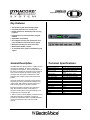
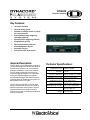
DMM4650
Digital Message Manager
Key Features:
• Self-monitoring with fault message output
• Password protection over several levels
• RS-232 interface for data backup and servicing
purposes
• Integrated service and maintenance program
software
• Expandable flash-memory
• Direct digital recording and reproduction of at
least 100 different sound and speech signals.
• Maximum recording time up to 16 minutes.
• Maximum bandwidth is 16 kHz.
• 15 acoustical alarm signals and 6 different gong
signals
General Description:
Technical Specifications:
The DMM 4650 is a signal processor, capable of audio
recording and playback, as well as, audio signal
generation such as alarms. The main application is for
PA racks, but stand-alone applications are possible as
well. The audio signals can consist of alarm, gong,
messages and also random combinations. These
programs were created by Dynacord and stored as
presets.
Operating Voltage
Power consumption max.
Input voltage
Max. Input voltage
The audio quality of the messages can be selected
depending on memory extension and different user
requirements. With maximum memory extension, a
total recording time of 16 minutes is possible.
Password protection is provided. The operation is
easy, like cassette recorders or CD players. A
computer interface allows saving and loading of unit
configurations and message data.
In order to ensure function reliability, a self-test and an
audio data verification is installed. The alarm is
provided via a dedicated output. The DMM 4650 does
not require maintenance due to its use of flash
memory.
Input impedance
Output voltage
Max. Output voltage
Output impedance
Frequency response
Signal-to-noise ratio
THD
Data format AD/DA converter
DSP internal
Sampling rate
Control inputs
21.6 - 31.2V DC
18 watts (without retrofitting kits 90204)
0.775V/0dBu
3.8V/+14dBu (Mic INPUT 50mV/ 24dBu)
20kOhm (Mic INPUT 1.4kOhm)
0.775V/0dBu
3.8V/+14dBu (Phones 9V/+21dBu)
(bal.) 136 Ohm, (unbal.) 68 Ohm
20Hz-20kHz -3/0dB
>108dB (A-weighted)
< 0.03% (at 1kHz)
16 bit linear
24 bit
35kHz
< ± 5V = Low, > ±10V = High
Dimensions
Weight
483 X 43.6 X 225 (W x H x D) 19in, 1HU
4kg
Architecture & Engineering
Specifications:
The message delivery unit shall provide universal
generation and control of audio signals. The main
application shall be for PA racks, but stand-alone
applications are possible as well. The audio signals
shall consist of alarm, gong, messages and also
random combinations. The audio quality of the
messages shall be selected depending on memory
extension and different user requirements. With
maximum memory extension, a total recording time
shall be 16 minutes.
In order to ensure function reliability, a self-test and an
audio data verification shall be installed. The fault
alarm shall take place via a dedicated output. The
utilize flash memory so as to be maintenance free.
allowing for saving and loading of unit configurations
and message data.
Available Accessories:
Model
NRS90204
NRS90205
NRS90210
Cat. No.
121647
121648
121650
Description
Extension module 4 x I/O
Memory expansion module
Output transformer
Ordering Information:
Model
Cat. No.
DMM4650
121675
Description
Digital Message Manager
Password protection shall be provided. The operation
shall be simple, similar to cassette recorders or CD
players. A computer interface shall be provided
USA and Canada Only. For customer orders contact
Customer Service at: 800/392-3497 Fax: 800/955-6831
12000 Portland Av. South, Burnsville, MN 55337
Phone: 952-887-4051, Fax:952-887-0043
www.electrovoice.com
Telex Communications Inc 11/2002
Part Number 38109-xxx Rev A
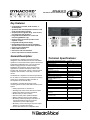
DPA4120/40
Remote Control Power Amplifiers
Key Features:
• 200 or 400 watt output power is available.
• 70v or 100v capability for constant voltage
speaker lines.
• Full remote control and monitoring functions
available.(when used with optional remote
modules).
• Integrated standby power supply.
• Remote-start function for mains and battery
operation with inrush current limiter protection.
• Power-on noise attenuation.
• Status-LED indicators.
• LED meters with CLIP indication.
• Active, temperature-controlled ventilation.
General Description:
The DPA4120/40 amplifiers have been specially
designed to ensure durable performance and reliable
operation of sound reinforcement systems with several
independent loudspeaker lines. The units are best
suited for paging and pre-recorded message
installations, alert systems, and for general music
applications in industrial enterprises, offices, multifunction halls, sport arenas, schools, churches, hotels,
hospitals, super markets, cruise ships, and similar
venues.
The DPA4120/40 amplifiers can either be operated on
the AC mains or connected to an external 24 V battery
power source. Switching to battery operation is
accomplished via an internal relay.
The DPA4120 and 4140 provides the following remote
monitoring functions when used with the remote
modules in a ProAnnounce system:
•
•
•
•
•
•
•
Setting input levels
Reading level values of the audio level controls.
Setting level offsets via virtual controllers.
Mute function (via level control).
Remote control power operation ON/OFF.
Battery operation remote control ON/OFF.
Monitoring and fault message transmission of
thermal overload warnings on the mains
transformer or power output stages.
• Monitoring of the functioning of the power output
stages via pilot tone signal.
• Ground fault detection for loudspeaker lines.
Technical Specifications:
Nominal output power with mains supply
Input characteristics:
Nominal input level
Power output characteristics:
Nominal output voltage -AC supply
Nominal output voltage - battery supply
at 24 V DC
Nominal load impedance
Noise (A-weighted)
THD
Frequency response
Distortion-limited response (PA
NOMINAL -3dB, kS = 1 %)
Crosstalk
MONITOR output characteristics:
MONITOR nominal output voltage
MONITOR nominal load impedance
MONITOR frequency response
Operating temperature range
Dimensions
Installation depth without external
connectors
Installation depth incl. external
connectors (max.)
Weight
Color
1 x 200 or 1x400 W
Electronically balanced
775 mV = 0 dBu / 10 k ohms
Balanced, floating
100 V / 70 V / 50 V / 20 V
79 V / 56 V / 40 V / 16 V
100 ohms (50 / 25 / 4 ohms)
-56 dBu
<1 %
60 Hz to 20 kHz
60 Hz to 5 kHz
80dB at 1 kHz
Electronically balanced
2 V = + 8.2 dBu
600 ohms
60 Hz to 20 kHz
+5 °C to +40 °C
(W x H x D) 19“ (483 mm) x
3HU (132 mm) x 345 mm
340 mm
400 mm
22.5 kg
Anthracite
Architecture & Engineering
Specifications:
NRS90222 Remote Input Module
This single-channel input module
provides DPA 4120 or DPA 4140
power amplifiers with remote
functionality.
The module allows connecting
balanced XLR-input and XLRthru lines as well as connection
to the remote control bus of the
DPM 4000 (RS-485). Prior to
connecting the amplifier to the
operating voltage, the unit’s
address has to be set using the
switches “A” and “B” (A=low
value part)
The following remote functions
are available:
Control:
Level control, Mute, Monitor
activation (Input / Output), Mains
operation ON/OFF, Battery operation ON/OFF, Pilot
tone ON/OFF (optionally available)
The following messages are available : Output level,
Pilot tone detection, Ground fault detection, Thermal
overload amplifier / mains transformer, Configuration,
Measured values of current and voltage at the power
output, Extension-kits
The remote control amplifier unit shall provide the
following remote monitoring functions:
Setting input levels, reading level values of the audio
level controls, setting level offsets via virtual
controllers, mute function (via level controls), remote
control power operation ON/OFF, battery operation
remote control ON/OFF, monitoring and fault message
transmission of thermal overload warnings on the
mains transformer or power output stages, monitoring
of the functioning of the power output stages via pilot
tone signal, and ground fault detection for loudspeaker
lines.
The amplifier shall either be powered by AC mains or
connected to an external 24 V battery power source.
Switching to battery operation shall be accomplished
via an internal relay.
The amplifier shall be 3 RU in height and provide,
1x200, or 1x400 watt operation depending on the
model. The output channel must be driven through onboard transformers.
The amplifier shall be the Dynacord ProAnnounce
DPA4120 or DPA4140.
Available Accessories:
Model
NRS90206
NRS90222
NRS90225
NRS90207
NRS90208
2
Cat. No.
121639
121674
121677
121799
121641
3
Ordering Information:
Description
Pilot Tone Monitor module
Remote Input Module
Standard Input Module
Ground fault monitor module
Input transformer
4
Model
DPA4120
DPA4140
5
12
Cat. No. Description
121792 1x200 Power Amplifier
121793 1x400 Power Amplifier w/remote
11
9
8
7
6
1
13
1
2
3
4
5
6
7
DC INPUT 24 V =
POWER ON switch
AC MAINS INPUT connector
Mains fuse
VOLTAGE SELECTOR switch
REMOTE CONTROL connectors
Signal pass-thru
10
8
9
10
11
12
13
INPUT connector
INPUT level
POWER OUTPUT
Device output configuration label field
Air outlets
CIRCUIT GROUND TO CHASSIS GROUND SWITCH
USA and Canada Only. For customer orders contact
Customer Service at: 800/392-3497 Fax: 800/955-6831
12000 Portland Av. South, Burnsville, MN 55337
Phone: 952-887-4051, Fax:952-887-0043
www.electrovoice.com
Telex Communications Inc 11/2002
Part Number 38109-xxx Rev A
DPA4410/11
400 watt 4 Channel Power Amplifier
Key Features:
• Configurable as a 2x200, 2x100 & 1x200, or
4x100 amplifier.
• Operation with 70V loudspeaker networks or 4/8
ohms low-impedance systems
• Outputs protected against idling, short-circuits,
over-temp and load variations.
• Integrated Remote Module for control and
monitoring (DPA4411 only)
• Routing switch for parallel operation of the
amplifier’s inputs
• Integrated Standby Power Supply
• Remote-Start function for mains and battery
operation with inrush current limiter protection.
• Power-on noise attenuation.
• Status-LED indicators.
• LED meters with CLIP indication.
• Active, temperature-controlled ventilation.
General Description:
The DPA4410/11 amplifiers have been specially
designed to ensure durable performance and reliable
operation of sound reinforcement systems with several
independent loudspeaker lines. The units are best
suited for paging and pre-recorded message
installations, alert systems, and for general music
applications in industrial enterprises, offices, multifunction halls, sport arenas, schools, churches, hotels,
hospitals, super markets, cruise ships, and similar
venues.
The DPA4410/11 amplifiers can either be operated on
the AC mains or connected to an external 24 V battery
power source. Switching to battery operation is
accomplished via an internal relay.
The DPA4411 provides the following remote
monitoring functions when used within a ProAnnounce
system:
•
•
•
•
•
•
•
Setting input levels on channels 1-4
Reading level values of the audio level controls.
Setting level offsets via virtual controllers.
Mute function (via level controls).
Remote control power operation ON/OFF.
Battery operation remote control ON/OFF.
Monitoring and fault message transmission of
thermal overload warnings on the mains
transformer or power output stages.
• Monitoring of the functioning of the power output
stages 1 to 4 via pilot tone signal.
• Ground fault detection for loudspeaker lines.
Technical Specifications:
Nominal output power with mains supply
Input characteristics:
Nominal input level
Power output characteristics:
Nominal output voltage -AC supply
Nominal output voltage - battery supply
at 24 V DC
Nominal load impedance
Noise (A-weighted)
THD
Frequency response
Distortion-limited response (PA
NOMINAL -3dB, kS = 1 %)
Crosstalk
MONITOR output characteristics:
MONITOR nominal output voltage
MONITOR nominal load impedance
MONITOR frequency response
Operating temperature range
Dimensions
Installation depth without external
connectors
Installation depth incl. external
connectors (max.)
Weight
Color
4 x 100 W
Electronically balanced
775 mV = 0 dBu / 10 k ohms
Balanced, floating
100 V / 70 V / 50 V / 20 V
79 V / 56 V / 40 V / 16 V
100 ohms (50 / 25 / 4 ohms)
-56 dBu
<1 %
60 Hz to 20 kHz
60 Hz to 5 kHz
80dB at 1 kHz
Electronically balanced
2 V = + 8.2 dBu
600 ohms
60 Hz to 20 kHz
+5 °C to +40 °C
(W x H x D) 19“ (483 mm) x
3HU (132 mm) x 345 mm
340 mm
400 mm
22.5 kg
Anthracite
accomplish these operation mode changes. The
output channels must be driven through on-board
transformers.
Architecture & Engineering
Specifications:
The amplifier shall be the Dynacord ProAnnounce
DPA4411 or DPA4410.
The remote control amplifier unit shall provide the
following remote monitoring functions:
•
•
•
•
•
•
•
•
•
Available Accessories:
Setting input levels on channels 1-4
Reading level values of the audio level
controls.
Setting level offsets via virtual controllers.
Mute function (via level controls).
Remote control power operation ON/OFF.
Battery operation remote control ON/OFF.
Monitoring and fault message transmission of
thermal overload warnings on the mains
transformer or power output stages.
Monitoring of the functioning of the power
output stages 1 to 4 via pilot tone signal.
Ground fault detection for loudspeaker lines.
Model
NRS90206
NRS90207
NRS90208
Cat. No.
121639
121799
121641
Description
Pilot Tone Monitor module
Ground fault monitor module
Input transformer
Ordering Information:
Model
DPA4410
DPA4411
The amplifier shall either be powered by AC mains or
connected to an external 24 V battery power source.
Switching to battery operation shall be accomplished
via an internal relay.
Cat. No. Description
121792 4x100 Power Amplifier
121793 4x100 Power Amplifier w/remote
The amplifier shall be 3 RU in height and be
configurable for 2x200, 1x200 & 2x100, or 4x100 watt
operation. Jumpers located on the unit chassis shall
2
3
4
5
14
13
11
6
7
8
9
1
15
1
2
3
4
5
6
7
8
DC INPUT 24 V =
POWER ON switch
AC MAINS INPUT connector
Mains fuse
VOLTAGE SELECTOR switch
REMOTE CONTROL connectors
STATUS indicator
INPUT connectors 1-4
12
9
10
11
12
13
14
15
10
ROUTING switch for INPUT 1-4
Device address label field
ADDRESS selector switch
POWER OUTPUT
Device output configuration label field
Air outlets
CIRCUIT GROUND TO CHASSIS GROUND SWITCH
USA and Canada Only. For customer orders contact
Customer Service at: 800/392-3497 Fax: 800/955-6831
12000 Portland Av. South, Burnsville, MN 55337
Phone: 952-887-4051, Fax:952-887-0043
www.electrovoice.com
Telex Communications Inc 11/2002
Part Number 38109-xxx Rev A
DPC4000 Series
Microprocessor Controlled Paging Stations
Key Features:
• All functions are processor-controlled
• Configuration data stored in non-volatile flash
memory
• Condenser microphone including pre-amplifier
and compressor / limiter
• Programmable key-assignment
• Easy labeling of keys via label-strips and MS
WORD templates
• Monitoring of the analog circuitry via integrated
pilot-tone oscillator
• Line-monitoring via pilot-tone and polling
• Covered alarm key (except at the DPC 4106)
• Set-up mode allows altering parameter settings
directly at the paging station
• Two-line LCD display
DPC4520 Paging Station
General Description:
The ProAnnounce system includes 5 different paging
station models and one paging station extension of the
DPC 4000 - series. All paging stations employ
gooseneck microphones, 6 or 8 function keys, and a
covered alarm key. An additional key as well as a keylock switch can be retrofitted. All paging stations are
available with 10, 20, 30, or 50 selection keys. All
models come with an LCD display (2 lines with 16
characters each).
The available models are:
•
DPC 4106 with 6 function keys
•
DPC 4510 with 8 function keys, 10 selection
keys and an alarm key
•
DPC 4520 with 8 function keys, 20 selection
keys and an alarm key
•
DPC 4530 with 8 function keys, 30 selection
keys plus an alarm key
•
DPC 4550 includes 8 function keys, 50
selection keys and one alarm key
•
DPC 4350 paging station extension unit
provides 50 additional selection keys to any
paging station above.
Technical Specifications:
DPC MODEL
4106
4510
4520
4530
4550
Operation
24 V DC (21,6 V – 31,2 V)
voltage
Power cons. (24 80
80
85
90
90
V) mA
Min. operation
15 V DC
voltage
Max. pwr cons.
120
120
120
120
135
(15 V) mA
Audio input external
Line (default)
0 dBu
PTT –
-52 dBu
microphone
Audio output
+6 dBu
Alarm Key
Opt.
Yes
Display
2 x 16 digits (LCD)
Connection
RJ-45
Cord length (ft.)
3.2
Enclosure DxH
160 x 65 mm
Enclosure Width 170
225
270
320
405
Weight
1.0
1.5
1.7
1.8
2.5
Finsih
Gray-White RAL9002, microstructure
4350
90
95
N/A
N/A
1.6
335
1.9
Architecture & Engineering
Specifications:
Available Accessories:
Model
NRS90209
NRS90232
NRS90231
NRS90230
The paging stations shall be processor-controlled and
provide several monitoring functions. The units shall
provide configuration data storage using non-volatile
flash memory. The paging microphone shall be of the
condenser type and include pre-amplifier and
compressor / limiter. The paging station keys shall be
programmable. The paging station keys shall be easy
to label via label-strips and MS-WORD templates. The
units must contain integrated watchdog circuitry to
monitor the processor system while the audio section
is guarded by the signal of a switchable pilot tone
oscillator. Additionally, the internal supply voltage shall
be constantly measured. Once it drops below a critical
threshold, a warning signal must be being transmitted.
Line-monitoring for the audio-cabling as well as for all
RS-485 control-lines allows shall provide early
recognition and signaling of line-interrupts and shortcircuits. The configuration of the paging stations shall
be accomplished via ProAnnounce Designer software.
The software shall be a graphical, dialog-oriented userinterface allowing the setting of all key-functions,
priorities, options, and several other parameters.
Cat. No.
121718
121722
121721
121720
Description
Monitor speaker
I/O Transformer
Keyed Switch
Button/Switch
Ordering Information:
Model
Cat. No.
DPC4106
DPC4510
DPC4520
DPC4530
DPC4550
DPC4350
121762
121623
121624
121622
121625
121626
Description
6 key paging console
8 Function 10 key console
8 Function 20 key console
8 Function 30 key console
8 Function 50 key console
50 key expansion console
11
1
2
3
4
5
6
7
8
9
10
11
12
13
14
15
16
17
18
19
20
12
ALARM
10
D P C 45 5 0
21
22
23
24
25
26
27
28
29
30
31
32
33
34
35
36
37
38
39
40
13
7
8
9
41
42
43
44
45
46
47
48
1
1
2
3
4
5
6
7
Selection keys (up to 50 depending on model)
All key with LED
Cancel key
“Gong” or “Chime” key
Text key for prerecorded messages
Talk button with “busy” LED
On key
49
LÖSCHEN
ON
ALLE
GONG
TEXT
SPRECHEN
4
5
6
50
ESC
2
8
9
10
11
12
13
STOP
3
PROGRAM
BU SY
Stop key
Program key
Alarm Key (covered)
Space for optional keys
Microphone
LCD display
USA and Canada Only. For customer orders contact
Customer Service at: 800/392-3497 Fax: 800/955-6831
12000 Portland Av. South, Burnsville, MN 55337
Phone: 952-887-4051, Fax:952-887-0043
www.electrovoice.com
Telex Communications Inc 11/2002
Part Number 38109-xxx Rev A
DPM Modules
For DPM 4000 Matrix Manager
2-Channel Paging Station Module (NRS 90215)
This 2-channel audio input module
is meant for the connection of DPC
4000 Series paging consoles. Each
DPC 4000 IN
of the two input channels provide
RJ-45 sockets allowing the
A
connection of up to 4 paging
stations plus paging station
extensions per input. The
DPC 4000 IN
microphone terminals are
interconnected via 6-conductor
B
parallel cables. The module can be
installed in slot 1 and slot 2.Next to
the electronically balanced audio
input, each input connector
90215
provides a serial RS-485 interface
port and the power supply connection for the paging
stations (see also: pin-assignment of the RJ-45
connector). The paging stations' power supply employs
an electronic, programmable fuse, through which the
maximum output current can be matched to meet
actual system accommodations. This prevents the
entire installation from malfunction, in case of shortcircuit occurring in a single paging station only. Input
channels can be switched separately onto the monitor
bus and you can monitor the audio signal via
headphones or loudspeaker, either which is connected
to the monitor output. Automatic pilot tone surveillance
of the entire input stage is integrated as well. If
necessary, retrofitting the audio inputs with
transformers is possible.
DPM - PCI
General Description:
The DPM 4000 allows for audio connections and
system expansion through the use of interface card
modules. There are three basic types of modules
available for the DPM4000. They are:
•
•
•
Audio Input Modules
Audio Output Modules
GPIO Control Modules
Slots 1 and 2, located on the far right of the DPM 4000
(as viewed from the rear), are the DPM 4000's audio
input module slots providing two audio inputs per slot.
Each slot can be equipped with any suitable audio
input module. The DPM 4000 is shipped with no audio
input modules installed.
Slots 3 and 4, located to the left of slots 1 and 2, are
the DPM 4000's audio output slots providing two audio
outputs per slot. Each slot can be equipped with a 2channel audio output module. The DPM 4000 is
shipped with a 2-channel audio output module installed
in slot 3 with slot 4 being left empty.
Slot 5, located to the left of slots 3 and 4, is a control
slot, which can be equipped with control modules for
general control and query purposes. Control modules
provide different kinds of control inputs and outputs.
The DPM 4000 is shipped with one 8 channel I/O
control module installed.
In addition, an extension slot allows retrofitting
additional serial ports, which can be used for the intercommunication amongst DPM 4000 managers or to
connect additional external devices. For detailed
information, please refer to the owner’s manuals of the
individual extensions or modules.
Specifications:
connection
inputs
nominal input level
max. input level
input impedance
input balancing
frequency response
S/N ratio
distortion
A/D-conversion
control interfaces
power supply outputs
for the DPC 4000
supply voltage
nominal current
power consumption
dimensions W x H x D
weight
2 x RJ-45 sockets
2, electronically balanced
0 dBu / 775 mV
+12 dBu / 3 V
20 kΩ
> -30 dB
20 Hz ... 20 kHz, ± 0.5 dB
> 100 dB (A-weighted)
< 0.01 %
18-bit linear, Sigma-Delta
2 x RS-485 standard
2, short-circuit-proof, electronically
programmable fuses
24 V DC (21.6 ... 31.2 V DC)
330 mA, 660 mA, 990 mA
(adjustable, electronic fuse)
2W
37.5 x 81 x 248 mm
152 g
MIC/LINE + 2 AUX Input Module (NRS 90216)
2-Channel MIC/LINE Input Module (NRS 90217)
This 2-channel audio input
module is meant for the
connection of external audio
sources of any kind. Channel A
AUX
employs two switched AUXIN 1
inputs with 4 RCA-type
A
connectors (2 x L / R) for CD
AUX
players, tape decks, tuners,
IN 2
DAT decks, etc. The MIC /
L
R
LINE-input of channel B is
provided through an XLR Ftype connector allowing the
B
connection of microphones,
MIC/
LINE
mixers and other similar
IN
sources. The module can be
GAIN
inserted in slot 1 and slot
2.Input levels of both AUX90216
inputs can be separately
adjusted via internal potentiometers in a range
between –10 dBu to +12 dBu. The MIC / LINE-input's
sensitivity can also be adjusted through an internal
MIC / LINE switch (PAD) providing 30 dB attenuation.
The GAIN-control on the appliance's rear panel offers
additional control within a range of 40 dB. The MIC /
LINE input is electronically balanced and can be
retrofitted with a transformer. Phantom power can be
switched via a jumper. If necessary, it is also possible
to incorporate a compressor/limiter into the audio path
via jumper setting. The input channels can be switched
separately to the monitor bus and you can listen to the
signal via headphones or loudspeaker, either which is
being connected to the monitor output. Automatic pilot
tone surveillance of the entire input stage is integrated
as well.
This 2-channel audio input
module is meant for the
connection of external audio
sources, like microphones,
mixers, etc. Both channels are
furnished with XLR F-type
A
connectors. The module can be
M IC/
LINE
installed into slot 1 and slot
IN
2.The sensitivity of the MIC /
LINE inputs can be adjusted in
a wide range. The internal MIC
/ LINE switches (PADs) provide
B
30 dB attenuation. The
M IC/
separate GAIN-controls for
LINE
IN
each channel provide
additional control in a range of
GAIN
40 dB. The MIC / LINE inputs
90217
are electronically balanced and
can be retrofitted with transformers. Phantom power
can be switched via jumper setting. If necessary,
compressors / limiters can also be incorporated in the
audio paths via jumpers. Input channels can be
switched separately onto the monitor bus and you can
listen to the signal via headphones or loudspeaker,
either which is being connected to the monitor output.
Automatic pilot tone surveillance of the entire input
stage is integrated as well.
DPM - MLA
DPM - MLI
GAIN
Specifications:
connections
audio
inputs
nominal input level
Specifications:
Connections
Input A
nominal input level
max. input level
input impedance
input B
nominal input level
max. input level
(im limiter operation)
input impedance
input balancing
phantom power
frequency response
S/N ratio
distortion
A/D-conversion
power consumption
dimensions W x H x D
weight
1 x XLRF-type / 4 x RCA-type
connectors
2 x AUX, unbalanced, internally
summed
-10 dBu ... +12 dBu / 250 mV ... 3 V
+12 dBu / 3 V
10 kW
MIC/LINE, electronically balanced
MIC: -54 dBu ... -14 dBu / 1.5 mV
... 155 mV
LINE: -24 dBu ... +16 dBu / 50 mV
... 5 V
MIC: +5 dBu / 1.4 V
LINE:+30 dBu / 25 V
MIC: 3.6 kW, LINE: 10 kW
> -30 dB
24V / 20 mA, switched via jumper
20 Hz ... 20 kHz, ± 0.5 dB
> 95 dB (A-weighted)
< 0.01 %
18-bit linear, Sigma-Delta
2.3 W
37.5 x 81 x 252 mm
160 g
-2-
max. input level
(in limiter operation)
input impedance
Input balancing
phantom power
frequency response
S/N ratio
Distortion
A/D-conversion
phantom power
power consumption
dimensions W x H x
D
weight
2 x XLRF-type connectors
2 x electronically balanced
MIC:-54 dBu ... -14 dBu / 1.5 mV ...
155 mV
LINE:-24 dBu ... +16 dBu / 50 mV
... 5 V
MIC:+5 dBu / 1.4 V
LINE:+30 dBu / 25 V
MIC:3.6 kW
LINE: 10 kW
> -30 dB
24V / 20 mA, switched via jumper
20 Hz ... 20 kHz, ± 0.5 dB
> 95 dB (A-weighted)
< 0.01 %
18-bit linear, Sigma-Delta
24V / 20 mA, switched via jumper
3W
37.5 x 81 x 252 mm
160 g
2-Channel AUX Input Module (NRS 90228)
MIC/LINE + Paging Station Module (NRS 90234)
This 2-channel audio input
module provides 8 RCA-type
connectors (4 x L / R) for
connecting external audio
AUX
sources such as CD-players,
IN 1
tape decks, tuners, DAT
A
decks, etc. The module can
AUX
be installed into slot 1 and
IN 2
slot 2.The input levels of the
L
R
four AUX inputs can be
independently adjusted in a
AUX
range between -10 dBu and
IN 3
+12 dBu via internal trimB
potentiometers. Input
AUX
channels can be switched
IN 4
separately to the monitor bus
and you can listen to the
signal via headphones or
90228
loudspeaker, either which
being connected to the monitor output. Automatic pilot
tone surveillance of the entire input stage is integrated
as well.
This 2-channel audio input
module is meant for the
connection of DPC 4000
Series paging stations and
other external audio sources.
The RJ-45 socket of channel
A allows the connection of up
to 4 microphone terminals
plus paging station
extensions. The MIC / LINE
input of channel B is
furnished through an XLR Ftype connector allowing the
connection of microphones,
mixers and other audio signal
sources. The module can be
installed into slot 1 and slot
2.Next to the electronically
balanced audio input, the
DPC 4000 input connector
provides a serial RS-485 interface and the power
supply for the connected paging consoles (see also
pin-assignment of the RJ-45 connector). The MIC /
LINE input employs an internal switch (PAD) providing
30 dB of attenuation. The GAIN-control located on the
appliance's rear panel offers additional control in a
range of 40 dB. The input is electronically balanced
and prepared for retrofitting a transformer. Phantom
power can be switched via jumper. If necessary, a
compressor / limiter circuit can be incorporated in the
audio path.
DPM - AUX
Specifications:
connections
inputs
nominal input level
max. input level
input impedance
frequency response
S/N ratio
distortion
A/D-conversion
power consumption
operational
temperature range
dimensions W x H x D
weight
8 x RCA-type connectors
4 x AUX, unbalanced, internally
summed
-10 dBu ... +12 dBu / 250 mV ... 3
V
+12 dBu / 3 V
10 kW
20 Hz ... 20 kHz, ± 0.5 dB
> 100 dB (A-weighted)
< 0.01 %
18-bit linear, Sigma-Delta
1.4 W
+5 °C ... +40 °C
37.5 x 81 x 252 mm
150 g
Specifications:
connections
input A
nominal input level
max. input level
input impedance
input B
nominal input level
max. input level
(in limiter operation)
input impedance
Phantom power
input balancing
frequency response
S/N ratio
distortion
A/D-conversion
control interface
supply output for the
DPC 4000
supply voltage
nominal current
dimensions W x H x D
weight
-3-
1 x RJ-45 socket; 1 x XLR F-type
connector
DPC 4000, electronically balanced
0 dBu / 775 mV
+12 dBu / 3 V
20 kW
MIC/LINE, electronically balanced
MIC: -54 dBu ... -14 dBu / 1.5 mV
... 155 mV
LINE:-24 dBu ... +16 dBu / 50 mV
... 5 V
MIC: +5 dBu / 1.4 V
LINE:+30 dBu / 25 V
MIC:3.6 kW
LINE:10 kW
24V / 20 mA, switched via jumper
> -30 dB
20 Hz ... 20 kHz, ± 0.5 dB
> 95 dB (A-weighted)
< 0.01 %
18-bit linear, Sigma-Delta
1 x RS-485 standard
1, short-circuit-proof, electronic,
programmable fuse
24 V DC (21.6 ... 31.2 V DC)
330 mA, 660 mA, 990
37.5 x 81 x 252 mm
165 g
2-Channel LINE Output Module (NRS 90218)
8 I/O Control Module (NRS 90219)
The output module is meant
for the connection of power
amplifiers with an input
sensitivity of 0 dB or +6 dB.
Two XLR M-type connectors
allow the connection of up to
20 power amplifiers each.
A
The audio signal is
LINE
electronically balanced; if
O UT
necessary, transformers can
0/+6 dBu
be retrofitted. The module
can be installed in slot 3 or
slot 4. The output channels
can be switched separately
B
to the monitor bus and you
LINE
can listen to the signal via
O UT
0/+6 dBu
headphones or loudspeaker,
either which is connected to
the monitor output.
Automatic pilot tone
90218
surveillance of the two output
channels is also integrated. The jumpers for adjusting
the output voltage to 0 dB or +6 dB are located on the
printed board assembly. At the same time you have to
alter the jumper setting of the monitor signal
correspondingly. The output module employs
integrated output relays that prevent switching noise
from being heard. When switching the system on, the
output signal is put through after the system is been
initialized (power-on delay); the contacts are
immediately interrupted when switching the power off.
This control module provides
8 floating control inputs and 7
floating logic level outputs (0
V, 24 V). An additional output
provides pole change
impulses for controlling slave
system clocks. Contact is
established via 4 x RJ-45
sockets providing 8 contacts
each. The module can be
installed in slot 5. The slave
clock output (NU, OUT 1) is
short-circuit proof; up to
approximately 40 slave
clocks can be connected.
Please make sure to connect
all slave clocks according to
their correct polarity. The
control outputs (OUT 2 - 8)
are capable of switching
voltages of either polarity and
up to a maximum current of 1 A. The control inputs (IN
1 - 8) are capable of handling voltages of either polarity
between -31 V and +31 V; for voltages between 0 and
5 V the inputs are not active (low), for voltages
between 10 V and 31 V the inputs are active (high).
The control inputs can ignite switching functions or
macros either during a change of state or in any
stationary state. This offers the possibility to monitor
line idling currents (e. g. in fire alert system
installations).
Specifications:
Specifications:
DPM - OUT
connections
outputs
nominal output level
output impedance
frequency response
dynamic range
S/N ratio
distortion
D/A-conversion
power consumption
dimensions W x H x D
weight
2 x XLRM-type connectors
2, electronically balanced,
transformers are optionally
available
0 dBu / 775 mV or +6 dBu / 1.55
V, switched via jumper
115 W
20 Hz ... 20 kHz, ± 0.5 dB
> 97 dB (A-weighted)
> 109 dB (A-weighted)
£ 0.005 %
20-bit linear, Sigma-Delta
1.5 W
37.5 x 81 x 247 mm
160 g
-4-
connections
logic inputs
voltage when the input is
LOW
voltage when the input is
HIGH
maximum input voltage
logic outputs
contact capacity
slave clock output
output voltage
maximum output current
power consumption
dimensions W x H x D
weight
4 x RJ-45 sockets
8, floating via opto-coupler,
bi-polar
UIN < ± 5 V
UIN > ± 10 V
UIN max = ± 31 V
7, floating via relay contacts
1 A / 24 V DC
pole change impulse /
turning impulse
24 V DC
500 mA, electronically
protected against overload
3.2 W
37.5 x 81 x 247 mm
195 g
Available Accessories:
Ordering Information:
Model
Model
Cat. No. Description
Cat. No. Description
NRS90215 121665
NRS90208 121641
Output Transformer Line Balanced
Line Balanced Input Transformer
(1 pc. required per channel)
NRS90216 121666
2 Input Paging Station Module
DPC
Input Module: Mic/Line + 2 x Aux
NRS90233 121682
Input Transformer Mic/Line
NRS90217 121667
Input Module: Mic/Line
NRS90218 121668
2 Channel Output Line Module
NRS90228 121680
Input Module: 2 Channel Aux
(RCA Phono Connectors)
Input Module: Combination
Mic/Line + Paging Console
NRS90227 121679
NRS90234 121736
Block Diagrams:
ELECTRONIC
PROGRAMMABLE
FUSES
+U24
+12V
ANALOG
SUPPLY
-12V
+5V
DPC 4000
IN A
24V
RS-485
AUDIO
DIGITAL
SUPPLY
RX485
TX485
NRS 90208
INTERNAL MONITOR
MON A
PILOT
MCLK
A
PILOT A
BCLK
WCLK
D
DIN
PILOT B
BOARD
CONTROL
MON B
4
SPI
DPC 4000
IN B
RES
24V
RS-485
AUDIO
NRS 90208
BOARD
STATUS
& ID
NRS90215 Block Diagram 1
-5-
2 CHANNEL
DIGITAL
AUDIO
Block Diagrams:
+24V
AUX 1
GAIN
L
+12V
AUX 1
-12V
AUX 1
R
+5V
IN A
DIGITAL
SUPPLY
INTERNAL MONITOR
AUX 2
GAIN
L
ANALOG
SUPPLY
MON A
PILOT
AUX 2
AUX 2
R
MCLK
A
IN B
MON B
3
4
MIC/
LINE
PILOT B
MIC
LINE
1
2 CHANNEL
DIGITAL
AUDIO
DIN
+24V
1
2
WCLK
D
PILOT A
JP1
BCLK
BOARD
CONTROL
4
SPI
GAIN
2
3
RES
NRS 90233
JP2
LIN
COMP
LINE
MIC
BOARD
STATUS
& ID
JP1
5 6
COMPRESSOR /
LIMITER
NRS90216 Block Diagram 1
+24V
JP1
1
2
3
4
MIC/
LINE
IN A
+24V
MIC
LINE
1
+12V
GAIN A
2
3
ANALOG
SUPPLY
-12V
NRS 90233
JP3
+5V
LIN
COMP
DIGITAL
SUPPLY
PILOT
INTERNAL MONITOR
MON A
COMPRESSOR /
LIMITER
MCLK
A
PILOT A
MIC/
LINE
IN B
1
2
MON B
3
4
BOARD
CONTROL
PILOT B
MIC
LINE
1
WCLK
DIN
+24V
JP2
BCLK
D
4
SPI
GAIN B
2
RES
3
NRS 90233
JP4
LIN
COMP
JP1
MIC / LINE A
5 6
MIC / LINE B
5 6
JP2
COMPRESSOR /
LIMITER
NRS90217 Block Diagram 1
-6-
BOARD
STATUS
& ID
2 CHANNEL
DIGITAL
AUDIO
Block Diagrams:
+24V
AUX 1
GAIN
L
+12V
AUX 1
-12V
AUX 1
R
+5V
IN A
DIGITAL
SUPPLY
INTERNAL MONITOR
AUX 2
GAIN
L
ANALOG
SUPPLY
MON A
PILOT
AUX 2
AUX 2
R
MCLK
A
BCLK
WCLK
D
PILOT A
2 CHANNEL
DIGITAL
AUDIO
DIN
MON B
4
BOARD
CONTROL
PILOT B
SPI
AUX 3
GAIN
L
AUX 3
RES
AUX 3
R
BOARD
STATUS
& ID
IN B
AUX 4
GAIN
L
AUX 4
AUX 4
R
NRS90228 Block Diagram 1
ELECTRONIC
PROGRAMMABLE
FUSE
+U24
+12V
ANALOG
SUPPLY
-12V
+5V
DPC 4000
IN A
24V
RS-485
AUDIO
DIGITAL
SUPPLY
RX485
TX485
NRS 90208
INTERNAL MONITOR
MON A
PILOT
MCLK
A
PILOT A
BCLK
WCLK
D
+24V
JP1
MIC/
LINE
IN B
1
2
MON B
3
4
BOARD
CONTROL
PILOT B
MIC
LINE
1
DIN
4
SPI
GAIN
2
3
RES
NRS 90233
JP2
LIN
COMP
LINE
MIC
COMPRESSOR /
LIMITER
NRS90234 Block Diagram 1
-7-
JP1
5 6
BOARD
STATUS
& ID
2 CHANNEL
DIGITAL
AUDIO
Block Diagrams:
+U24
R3
2
+12V
1
OUT A
1
OUT B
3
ANALOG
SUPPLY
NRS 90227
-12V
DIGITAL
SUPPLY
+5V
+6dB
0dB
R2
JP1.A
INTERNAL
MONITOR
0dB
+6dB
MCLK
2 CHANNEL
DIGITAL
AUDIO
JP2.A
D
BCLK
WCLK
MUTE A
MON A
A
R5
DOUT
2
3
NRS 90227
SPI
4
+6dB
BOARD
CONTROL
0dB
R4
JP1.B
+6dB
RES
0dB
MUTE B
MON B
JP2.B
BOARD
ID
NRS90218 Block Diagram 1
+U24
IN1
IN2
+5V
DIGITAL
SUPPLY
IN3
IN4
INPUT
REGISTER
DATA BUS
D8 - D15
IN5
IN6
IN7
CONTROL
IN8
BOARD
CONTROL
SLAVE
CLOCK
4
SPI
OUT2
RES
OUT3
OUT4
OUTPUT
REGISTER
BOARD
STATUS
& ID
OUT5
OUT6
OUT7
OUT8
NRS90219 Block Diagram 1
USA and Canada Only. For customer orders contact
Customer Service at: 800/392-3497 Fax: 800/955-6831
12000 Portland Av. South, Burnsville, MN 55337
Phone: 952-887-4051, Fax:952-887-0043
www.electrovoice.com
Telex Communications Inc 11/2002
Part Number 38109-xxx Rev A
DPM4000
4x4 Audio Processor/Router
Key Features:
•
•
•
•
•
•
•
•
•
•
•
Digital 4 x 4 audio mixing matrix with level
controls in all inputs and outputs
Parametric 3-band equalizer for all 4 inputs
Delay processor for all 4 outputs (optional)
Multi-chime gong signal (optional)
Alarm generator (optional)
Signal generator and evaluation used for pilot
tone surveillance
Voice message recording and playback
(optional)
General purpose inputs
General purpose outputs
Linking of internal and external control inputs
and outputs
Monitoring facility for all inputs and outputs as
well as DPA 4000 Series power amplifiers and
other external audio sources.
General Description:
The DPM 4000 represents the paging management /
control unit of the ProAnnounce system incorporating
all primary functions that are needed in advanced PAsystem installations.
The DPM 4000 employs a digital audio matrix
providing four inputs and four outputs. Additional matrix
junctions for the integrated gong and alarm signal
generators, the vocal recording/playback unit, and the
lock-on of the pilot tone and its evaluation are
incorporated. All input signals and internally generated
signals can be mixed inside the matrix and sent to the
four output channels. Simple four-zone paging systems
can be constructed using direct routing of output
channels to dedicated zone amplifiers. More
complicated (larger than four zone) systems can be
constructed by using a system controlled relay matrix
either pre- or post- amplifier. The DPM 4000 provides
priority control of pages and other functions.
The DPM 4000 provides a variety of tone generators
for the generation of gong, alarm, and pre-recorded
messages. Signal generation is realized through DSPalgorithms, which are extremely flexible in use, so that
they can be adjusted to match nearly any possible
application. Factory presets include 6 different gong
signals and 17 different alarm signals.
Technical Specifications:
Supply voltage
Nominal power cons.
Maximum power cons.
Frequency Response
S/N ratio
Distortion
24 V output
Ready output
Logic inputs
Maximum input voltage
RS-232 interface
Serial port
Supply output
Supply voltage
Nominal current
Monitor input
Nominal input level
Max. input level
Input balance
Monitor output
Output level
Output power handling
Operating temp.
Dimensions W x H x D
Installation depth
Weight
24 V DC (21.6 ... 31.2 V DC)
500 mA
6.7 A
20 Hz ... 20 kHz, ± 0.5 dB
> 100 dB (A-weighted)
< 0.01 %
24 V DC / 400 mA max. (21.6 ... 31.2 V
DC)
Floating relay contacts, 1 A / 24 V DC
2, floating via opto-coupler, bi-pole
UIN max = ± 31 V
19,200 Baud, 8 data bits, 1 stop bit, no
parity, Xon/Xoff
RS-485 standard
Short-circuit protected, electronically
programmable fuse
24 V DC (21.6 to 31.2 V DC)
330 mA, 660 mA, 990 mA (selectable,
electronic fuse)
Electronically balanced
+2.2 dBu / 1 V
+10 dBu / 2.5 V
> -30 dB
6.3 mm phone jack, either for the
connection of headphones or speakers
Headphones:650 mV / -1.5 dBu,
Loudspeakers:1.8 V / 7.2 dBu
Headphones:50 mW / 8 Ω,
Loudspeakers: 380 mW / 8 Ω
+5 °C to +40 °C
19“, 2 HU 483 x 88 x 337 mm
340 mm (410 mm incl. connectors)
6.4 kg
Architecture & Engineering
Specifications:
The unit shall employ a digital audio matrix providing
four inputs and four outputs. Additional matrix junctions
for the integrated gong and alarm signal generators,
the vocal recording/playback unit, and the lock-on of
the pilot tone and its evaluation shall be incorporated.
All input signals and internally generated signals shall
be capable of being mixed inside the matrix and sent to
any of four channels. More complicated (larger than
four zone) systems shall be capable of being
constructed by using a system controlled relay matrix
either pre- or post- amplifier. The unit shall provide
priority control of pages and other functions.
The unit shall provide a variety of tone generators for
the generation of gong, alarm, and pre-recorded
message signals. Signal generation shall be realized
through DSP-algorithms, which are extremely flexible
in use, so that they can be adjusted to match nearly
any possible application. The unit shall provide factory
presets which will include 6 different gong signals and
17 different alarm signals.
The unit shall also be able to be expanded through the
use of an expansion accessory.
The unit shall be the Dynacord ProAnnounce
DPM4000.
Available Accessories:
Model
NRS90215
NRS90216
NRS90217
NRS90228
NRS90234
NRS90218
NRS90205
NRS90227
NRS90208
Cat. No.
121665
121666
121667
121680
121736
121668
121648
121679
121641
Description
Input module – 2 DPC
Input module – mc/line + aux
Input module – 2 mic/line
Input module – 2 aux
Input module – mic/line + DPC
Output module – XLR line
Message Memory module
Output transformer
Input transformer
Ordering Information:
Model
DPM4000
Cat. No. Description
121795
4x4 Digital Matrix CPU
The unit shall accept a variety of different input cards,
which enable it to function with microprocessor,
controlled paging stations, stereo line level input
sources, and balanced mic / line level input sources.
Block Diagram:
+
IN A Pag. Console
LINE OUT A
SLOT 1
SLOT 3
NRS 90215
NRS 90218
IN B Pag. Console
LINE OUT B
DC INPUT
24V =
RS-232 PC INTERFACE
OPTION PORT
INTERFACE
+ 24V =
READY
DCF 77
INP 1
REMOTE CONTROL
INP 2
MONITOR OUT
AUDIO MATRIX 4x4
AUX1
IN A
AUX2
SLOT 2
NRS 90216
INPUT FILTERS
OUTPUT DELAYS
CHIME / ALARM
SIGNAL GENERATOR
MESSAGE RECORDER
SYSTEM TIMER
CALENDAR
CONTROL / SUPERVISION
POWER MANAGEMENT
IN B MIC / LINE
LINE OUT A
SLOT 4
NRS 90218
LINE OUT B
IN 1
SLAVE CLOCK OUT 1
IN 2
OUT 2
OUT 3
IN 3
IN 4
SLOT 5
OUT 4
IN 5
NRS 90219
OUT 5
IN 6
OUT 6
IN 7
OUT 7
IN 8
OUT 8
USA and Canada Only. For customer orders contact
Customer Service at: 800/392-3497 Fax: 800/955-6831
12000 Portland Av. South, Burnsville, MN 55337
Phone: 952-887-4051, Fax:952-887-0043
www.electrovoice.com
Telex Communications Inc 11/2002
Part Number 38109-xxx Rev A
DRM4000
8x2 Matrix Central System Mixer/Router
Key Features:
• 4 XLR MIC/LINE input channels, 4 stereo RCAtype AUX input channels.
• 2 XLR audio outputs.
• Level and tone control (Lo/Hi) in all input
channels.
• Input channels can be independently assigned to
the output channels and controlled via contact
closures.
• Direct outputs for all MIC/LINE and AUXchannels. Pre/Post internally configurable.
• Priority control (ducking function) in the inputs
MIC/LINE 1 and 2.
• Limiter in the inputs MIC/LINE 1 and 2 with
internally selectable threshold.
• Separate summing controls for both outputs.
• VCA’s in both output channels.
• Remote control via 8 external contacts:
• Optional RS-485 or RS-232 serial interface for
connecting the DPM 4000 or a PC.
General Description:
The DRM 4000 is a rack-mixer and/or audio signal
router offering eight audio inputs and two audio
outputs. The inputs are divided into 4 MIC/LINE
channels and four AUX channels. Each input channel
can be freely assigned to either one or both output
channels, offering mono two-channel operation, as well
as, stereo operation modes.
The DRM 4000 can be used as a pre-mixer for the
DPM 4000, expanding the amount of available input
channels. DRM 4000 and DPM 4000 can be linked via
an RS-485 remote-interface. Priority functions, preset
switching and routing are easy to configure and
operate.
The DRM 4000 Mixer & Router can also be used as
stand-alone unit for simple sound reinforcement tasks,
e.g. in a multimedia set-up, as well as for
straightforward paging installations. Typical
applications include the use as a mixer for sound
reinforcement systems in conference rooms, multipurpose facilities, clubs, restaurants, houses of
worship, etc.
Technical Specifications:
Supply Voltage
Nom. Power Consumption
Max. Power Consumption
Audio Inputs
MIC/LINE Inputs
Nom. Input Level
Max. Input Level
Input Impedance
Common Mode Rejection
Limiter Operating Range
AUX Inputs
Nom. Input Level
Max. Input Level
Input Impedance
MIX Input
Nom. Input Level
Max. Input Level
Input Impedance
Audio Outputs
Master Output
Nom. Output Level
Max. Output Level
Output Impedance
Nom. Load Impedance
Send Output
Nom. Output Level
Max. Output Level
Output Impedance
Direct Outputs
Nom. Output Level
Max. Output Level
Output Impedance
Frequency Response
S/N Ratio
THD MIC/LINE
THD AUX
Tone Control
Low Cut
Environmental temperature
Dimensions
Weight
24 V DC (21.6 to 31.2 V DC)
(24 V) 700 mA
(24 V) 975 mA
4 x MIC / LINE, 4 x AUX, 1 X MIX IN
XLR-type connectors
MIC: -60 to -10 dBu / 0.8 mV to 245 mV
LINE: -30 to +20 dBu / 25 mV to 7.75 V
MIC: +11 dBu / 2.75 V
LINE: +30 dBu / 24.5 V
MIC: 3.6 k ohms
LINE: 10 k ohms
> 50 dB
-10 dBu to +20 dBu (MIC/LINE 1 & 2)
2 x RCA-type connectors each, unbalanced
-6 dBu respectively +4 dBu / 390 mV
respectively 1.23 V
+15 dBu respectively +25 dBu / 4.4 V
respectively 13.8 V
> 19 k ohms
2 x RCA-type connectors, unbalanced
0 dBu / 775 mV
+21 dBu / 8.7 V
22 k ohms
A/B XLR-type connectors
0 dBu / 775 mV
+21 dBu / 8.7 V
< 120 ohms
600 ohms
2 x RCA-type connectors, unbalanced
0 dBu / 775 mV
+21 dBu / 8.7 V
< 100 ohms
Phoenix type terminal, unbalanced
0 dBu / 775 mV
+21 dBu / 8.7 V
< 100 ohms
20 Hz - 20 kHz (- 1.0 dB)
> 100 dB
< 0.03 %
< 0.01 %
LO ± 15 dB / 60 Hz
HI ± 15 dB / 13 kHz
85 Hz / 12 dB per octave slope
+5°C to +40°C
483 x 43.6 x 351 (W x H x D in mm), 19",
1HU
10.4 lbs / 4.7 kg
Architecture & Engineering
Specifications:
The rack-mixer / audio signal router shall offer eight
audio inputs and two audio outputs. The inputs will be
divided into four MIC/LINE channels and four AUX
channels. Each input channel shall be independently
assignable to either one or both output channels,
offering mono two-Channel operation as well as stereo
operation modes.
The unit shall be enabled for use as a pre-mixer for the
DPM 4000, expanding the amount of available input
channels. The DRM 4000 shall be capable of RS-485
communications with the DPM 4000. Priority functions,
preset switching and routing shall be easy to configure
and operate.
The unit shall also be enabled for use as a stand-alone
unit for simple sound reinforcement tasks, e.g. in a
multimedia set-up, as well as, for straightforward
paging installations. The unit shall have four AUX
input channels: each with two RCA-type connectors,
volume and tone control (Lo/Hi) in all input channels,
signal / peak LEDs (green / red) for monitoring the
input level in all input channels and direct outputs for
all MIC/LINE and AUX-channels. The unit shall also
have priority control (ducking function) in the inputs
MIC/LINE 1 and 2; and be controllable via external
contacts, signal level with adjustable threshold (on the
front) or via remote control, indicated via LED’s on the
front panel. There shall be VCA’s in both output
channels providing two VCA control inputs A / B for
remotely controlling the volume setting via external
potentiometer, and also controllable via serial interface
(PC, DPM 4000, media-control) or via control contacts.
In addition there shall be remote control functionality
via external contacts: eight independently configurable
control inputs for ducking MIC/LINE 1 and 2, preset
switching, routing, volume switching, mute.
Available Accessories:
Model
NRS90227
NRS90233
NRS90256
NRS90258
Catalog No.
121679
121682
121785
121790
Description
Output xformer
Input xformer
RS435 interface
PC interface
Ordering Information:
Model
DRM4000
Catalog No. Description
121784
8x2 Mixer/Router
USA and Canada Only. For customer orders contact
Customer Service at: 800/392-3497 Fax: 800/955-6831
12000 Portland Av. South, Burnsville, MN 55337
Phone: 952-887-4051, Fax:952-887-0043
www.electrovoice.com
Telex Communications Inc 11/2002
Part Number 38109-xxx Rev A
DTI2000
Telephone Interface
Key Features:
•
100 zones available
•
Up to 20 calling groups
•
Selection of multiple zones or groups
for announcements
•
Prerecorded message triggering
(message playback)
•
Special function triggering (macros)
•
Programmable priority
•
Two-level password protection
•
Acknowledgement signals
•
Automatic hang-up
•
Front panel audio level control
General Description:
The DTI 2000 is a microprocessor-controlled,
configurable telephone interface that allows a
ProAnnounce System to be connected to a
telephone installation or the phone network.
The DTI 2000 provides the user with a full
functioning paging interface over a standard
analog line. Remote triggering of signals,
prerecorded messages and control functions
(macros) within the ProAnnounce system are
also possible via the DTI 2000.
The DTI 2000 uses DTMF tones and audio
beeps to interact with the user. Two levels of
password protection are provided to prevent
unauthorized access to system functions.
Audio from the caller is metered and adjusted
from the front panel.
Technical Specifications:
Audio Output Level
S/N-Ratio
Frequency Response
Telephone Jack Socket
DPM 4000 Interface
Power Requirements
Dimensions (W x H x D)
0 dBu to + 20dBu
> 60 dB
300 Hz- 3.8 kHz (+0 / -6 dB)
2 x RJ-11 (Loop-Thru)
RJ-12, DB-9 female
100-240 VAC, 50/60 Hz, 1 A
8.19 x 1.73 x 7.99 inches
208 x 44 x 203 mm
Weight
4.41 lb (2.0 kg)
Architecture & Engineering Specs:
Ordering Information:
The telephone paging interface shall provide the same
functions and programmability as a DPC 4000 series
paging station. It shall connect to a standard analog
(POTS) line or equivalent service. It shall have audio and
RS-485 connections that use the standard DPC connector
on the DPM 4000PA paging controller. The unit shall
provide password protection. It shall provide
acknowledgement signals and control via DTMF tones. It
shall automatically hang-up after a call is completed. The
interface shall be configurable for various telephone
systems. The unit shall be the DTI 2000 telephone
interface.
Model
DTI-2000
MCP1
MCP2
Description
Main Unit
Dual Rack Mount
Single Rack Mount
Cat. No.
121813
90027728000
90027728001
Block Diagram:
+5 VDC
S201
TIP
RING
SEIZE / DROP
Telephone Hybrid
&
DTMF Encoder/
Decoder
ADDRESS
CPU
S202
RING
COUNT
RS-485
S203
TIMEOUT
DATA +
DATA -
Audio
Meter
AUDIO +
AUDIO -
Dimension Drawings:
7.99∀
(203 µµ)
8.19∀
(208 µµ)
1.73∀
(44 µµ)
Φροντ ςιεω
Σιδε ςιεω
19.00∀
(482.6 µµ)
7.15∀
(182 µµ)
Φροντ ςιεω (ΜΧΠ−2 Ινσταλλεδ)
Σιδε ςιεω (ΜΧΠ−2
USA and Canada Only. For customer orders contact
Customer Service at: 800/392-3497 Fax: 800/955-6831
12000 Portland Av. South, Burnsville, MN 55337
Phone: 952-887-4051, Fax:952-887-0043
www.electrovoice.com
Telex Communications Inc 11/2002
Part Number 38109-xxx Rev A
ELA-MODULE-SYSTEM
OWNER’S MANUAL
DEM 316 Batterie-MODULE 24 V / 38 Ah
DEM 317 Batterie-MODULE 24 V / 65 Ah
Features of the battery modules
— 19 “ drawer-type chassis with 3 HU, 4 HU and 2x4 HU
— Rated voltage 24 V
— Energy storage
completely maintenance-free, universal-location lead batteries with grid plates and fixed electrolyte,
suitable for cycle operation, continuous battery power supply and trickle charge.
— Exhaustive discharge protection relay controlled by DEM 313 charger
— Charging input and battery outputs via AMP flat pin terminals 6.3 x 0.8 mm
charging input and all battery outputs fused.
— Temperature tracking of charging voltage at standby charge depending on the battery temperature
with integrated temperature sensor.
— Batteries with VdS-registration and UL recognition.
— The technical specifications comply with the requirements issued by the “Leistungsgemeinschaft
Beschallungstechnik”, pertaining to the professional association for audio and video technology in
the ZVEI.
Table of Contents
1.
Emergency power supply of alarm apparatus
2.
Commissioning the battery module
2.1
Battery module DEM 316/DEM 317
2.2
Battery module DEM 317 A and DEM 317 B
2.3
Fusing the inputs and outputs
2.4
BATTERY CONTROL connection
2.5
Connection for battery charging
3.
Notes for the user
3.1
Use of the battery is to be avoided in the following locations
3.2
Regulations for battery use
3.3
Storage and additional charging
3.4
Transport
3.5
Battery life
3.6
Battery recycling
4.
Registrations and Standards
5.
Testing and inspecting alarm devices
6.
Explanation of terms
7.
Specifications Battery Modules DEM 316 / DEM 317
8.
Block Diagram
1. Emergency power supply of alarm devices
Alarm devices require 2 independent energy sources, both of which must be able to power the alarm
device alone. One of the energy sources must be the general mains supply or a similar network in non-stop
operation. The other must be part of the apparatus (e.g. a battery) or an equivalent network fused
separately. If the mains power supply is interrupted, the second source of energy must guarantee constant
non-stop operation automatically and without interruption. If the energy source belonging to the alarm
device consists of a battery, the user must ensure that the batteries used are suitable for stationary and
floating operation. The power supply for alarm devices must not be used to supply other apparatus or
parts. However, electrical equipment which serves to pass on messages may also be powered by the
said source. An automatic charging device is required to charge and maintain the battery. It must be able
to charge a battery which is discharged to its discharge voltage up to 80% max. of its rated capacity within
24 hours. The battery capacity must be sufficient to guarantee the fixed alarm duration at the end of the
stored energy time. When selecting new batteries, the user should make sure that their capacity is
sufficient to compensate the capacity loss due to natural ageing of the batteries during the prescribed
service life.
2. Commissioning the battery module
2.1 Battery module DEM 316/DEM 317
The following points must be observed:
— The battery may only be connected to the charging apparatus without load (i.e. all types of
consumers must be disconnected) and when the mains is switched OFF.
— The battery must be charged directly after discharging. The battery must not be left uncharged. It
becomes impossible to maintain a charge if the battery is left uncharged for any length of time.
— Please ensure that the temperature inside the rack is always within the admissible temperature
range specified in the data sheet.
2.2 Battery module DEM 317 A and DEM 317 B
The following points must be observed:
— The insulated screw terminals on the rear side of the battery module DEM 317 are directly
connected to the battery poles and are live.
— Before removing the insulating caps, all the connections of the battery modules DEM 317A and
DEM 317B are to be disconnected.
— When connecting the cables, the insulating caps on the battery poles should never be removed at
the same time because this could cause a short. After the cables have been connected they should
be replaced immediately.
— The cables between the battery modules DEM 317A and DEM 317B connect the pole B+ with B+,
M with M and B- with B-. When connecting the cables, the lock washer is to be mounted between
the cable lug and the nut to secure the screw.
2.3 Fusing the inputs and outputs
The batteries have individually fused outputs for the load connections. Thus all plus and minus lines are
protected against excess currect and short. Different line cross-sections for consumers with low and high
current can be connected to a battery at the same time, providing that the fuse values of their individual
outputs are chosen accordingly. The maximum value of the fuses must not, however, exceed 20 A.
The total amount of the currents of all the output fuses in a fuse block must not exceed 50 A.
If the fuse values are changed, the current values printed on the units above the fuse switch are to be
covered with the enclosed sticky labels. The fuse values for the appropriate plus and minus outputs must
always be the same.
If any outputs are not used, the fuses are to be removed and and fuse values above the fuse switches
are to be covered over with the enclosed blank sticky labels.
The output secured with 3 A is intended for connection of the control module DEM 207.
The cross-sections of the lines connected must be correctly dimensioned for the fuse value
selected. Please note that lines laid in cable channels have a lower permissible current loading due to
lower heat dissipation.
The following are guidelines for bundled lines
Number of lines
Reduction factor
2 to 5
6 to 15
16 to 30
0.8
0.7
0.5
Module type
Current consumption at Ebat = 24 V
Standby
rated power
rated power
-10 dB wert
Fuse value
DEM 287 power amp. 125 W
DEM 288 power amp. 250 W
DEM 289 power amp. 400 W
with NRS 90 144
10 mA
10 mA
10 mA
7.5 A
10 A
20 A
Table I
2.5 A
3.5 A
7A
5.7 A
10.6 A
19.7 A
Fuse values of the battery outputs for connection of power amplifiers
Table II shows the maximum currents which can be drawn from the batteries. These must not be exceeded.
This gives the maximum number of power amplifiers which can be powered by the batteries.
Battery
type
DEM 316
DEM 317
I max
in A
max. number of power amplifiers*
DEM 287
DEM 288
DEM 289
100
150
17
25
5
7
9
13
Table II Maximum currents and number of power amplifiers
* The number of power amplifiers which can be directly connected to the battery drawers can be lower
than the values specified in Table II (see number of outputs, section 8, specifications). The values specified
in the Table only refer to the connection of one amplifier type to one battery type. As long as the maximum
current drawn is observed, however, various types of amplifier can be supplied by one type of battery.
Circuit diagram of the battery connection to the charging device.
2.4. BATTERY CONTROL connection
The battery drawers are equipped with a exhaustive discharge protection which is controlled by the
monitoring module in the charging device DEM 313. The monitoring circuit checks whether the battery’s
discharge voltage has been reached when the batteries are discharged. If the battery voltage is less than
19.5 V, measured at the battery poles, the consumers are disconnected from the battery and the battery
is thus reliably protected from exhaustive discharge.
Note!
If the 15-pole plug connector BATTERY CONTROL has not been correctly connected with
the charging device, or if the battery voltage is lower than the discharge voltage, the battery
outputs are not live
The connection of the temperature sensor for the temperature tracking of the battery voltage takes place
via contact 5 (+temp) and contact 6 (-temp) of the 15-pole plug connector BATTERY CONTROL to the
charging device DEM 313. If the connection is faulty, the temperature tracking does not work and the
battery will not charged. (Also see the operating instructions for the charging device).
In the case of the battery module DEM 317, the temperature sensor is located in the module DEM 317A.
2.5 Connection for battery charging
Connection of the charging device to the battery takes place via the flat pin connector CHARGE
CURRENT. The plus pole of the charging device is to be connected to the plus pole of the battery, and
the minus pole of the charging device is to be connected to the minus pole of the battery. (Please also
see the operating instructions of the charging devices).
3. Notes for the user
3.1 Use of the battery is to be avoided in the following locations.
— areas exposed to direct sunlight
— areas with excessive radioactivity, infrared radiation or ultra-violet radiation
— areas with organic solvent vapours, dust, salt or corrosive gases
— areas with abnormal vibration.
3.2 Regulations for battery use
— Do not throw batteries into the fire. Do not place batteries in the proximity of fires.
— Do not short battery poles.
— Do not tamper with or open batteries.
— If the battery has been damaged and diluted sulphuric acid comes into contact with skin or clothing,
rinse immediately with plenty of water. If diluted sulphuric acid gets into the eyes, consult a doctor
immediately.
— Always re-charge a battery after discharging.
— Never use batteries with different capacities, different degree of discharge or a mixture of old and
new batteries together. The manufacturing dates should be within one month of each other.
— Batteries should be stored at as low a temperature as possible. If batteries are stored at normal
temperatures, additional charging is necessary once every six months.
3.3 Storage and additional charging
During storage the capacity is reduced due to self-discharge. The battery should be stored in a cool, dry
place.
If the average monthly temperature is between 20°C and 30°C, one additional charging procedure is
necessary every 8 months. If the average monthly temperature is less than 20°C, one additional charging
procedure is necessary every 12 months.
If a stored battery is used, one charging procedure should always be carried out before use.
3.4 Transport
If the battery is transported, it should never be exposed to excessive jolting or knocks.
If a battery is connected to a device during transport, it must be secured well and the current circuit must
be interuppted.
3.5 Battery service life
Generally speaking, the battery service life in standy parallel operation amounts to 3 - 5 years and
approximately 260 cycles at 100% discharge depth or more in cyclic operation. The actual service life is
reduced if the appropriate operating conditions are not maintained, (i.e. charging, discharging, working
temperature and storage).
We recommend charging the battery at an ambient temperature of between 5°C and 35°C to minimize
detrimental effects on its service life.
3.6 Battery recycling
The batteries are marked with a recycling symbol as illustrated below. At the end of their service life, the
batteries should be returned to the manufacturer or supplier or taken to a special collection centre so that
they can be recycled.
4. Registrations and Standards
— VdS registration
The batteries have been tested and recognized by the VdS (Verband der Sachversicherer) and
comply with the following standards:
DIN 57 510 / VDE 0510 Akkumulatoren und Batterien, ortsfeste Batterien
DIN 43 534 “Wartungsfreie” verschlossene Akkumulatoren mit festgelegtem Elektrolyt
DIN 43 539 part 5 Prfungen “wartungsfreie” verschlossene Akkumulatoren mit festgelegtem
Elektrolyt
— UL approval
The batteries have received recognition from the Underwriters Laboratories Inc. and have been
registered under the number MH 15705.
— IATA classification
The batteries have been cleared by the International Air Transport Association (IATA) for transport
in aircrafts and have received the classification “leak-proof”.
5. Testing and inspecting alarm devices
In order to gurantee that the alarm device is in working condition, qualified personnel must carry out
inspections and servicing regularly.
Inspections must be carried out at least once every 3 months at approximately equal intervals to comply
with DIN VDE 0833 part 1.
Servicing must be carried out at least once per year, in accordance with the manufacturer’s instructions.
The annual services may be linked with the quarterly inspections if so desired, meaning that all sections
of the apparatus are inspected within one year.
For the battery of an alarm device this means:
quarterly tests and annual malfunction simulations of the operating duration with the consumers.
We recommend carrying out the battery capacity test in accordance with DIN 43 539 part 1, whereby the
battery manufacturer’s instructions are to be observed.
Please see section 3.2 for instructions on how to treat maintenance-free lead accus.
7. Explanation of terms:
— Continuous battery power supply
In this mode, the battery is constantly kept in full charge. It only gives off current if the DC source,
supplied by the mains, fails.
— Nominal capacity:
The nominal capacity is the value in ampere-hours for a 20-hour even, uninterrupted discharge
with I20 up to the discharge voltage of 1.75 V/cell at a temperature of 22°C.
— Capacity:
The capacity of a battery is the amount of electricity which can be extracted under the conditions
in question. It depends on the discharge current, the discharge voltage and the temperature.
— Service life
For batteries in alarm apparatus and emergency announcing systems, the end of a battery’s servive
life is reached when the capacity is less than 80% of the rated capacity.
— Stored energy time
This is the time span between recognizing a failure in the mains supply and remedying this
failure.
— Alarm duration
The alarm duration is the time during which the alarm signal is given off.
— Emergency announcement duration
This is the time during which announcements are made to clear the building or section of a
building.
8. Specifications battery modules
Batterie-Module
DEM 316
DEM 317
Nominal voltage
24 V
24 V
Discharge voltage at 25°C (1)
19,5 V
19,5 V
Nominal capacity for 20 hr
38 Ah
65 Ah
Nominal discharge current I20
1.9 A
3.25 A
Capacity for 5 hr (2)
33 Ah
55 Ah
Capacity for 1 hr (3)
23 Ah
39 Ah
Capacity for 1 C (4)
20 Ah
33 Ah
Discharge current for 5 hr (2)
6.6 A
11 A
Discharge current for 1 hr (3)
23 A
39 A
Discharge current for 1 hr (4)
38 A
65 A
Max. discharge current
100 A
150 A
Standby current at mains failurel
200 mA
300 mA
Number of outputs
14
21
Innenwiderstand für 7.5 A Ausgang
ca.50 mOhm
ca. 50 mOhm
End-of-charge voltage in standby operation at 20 °C
(Continuous battery power supply)
27.3 V
27.3 V
Temperature adaption
-40 mV/°C
-40 mV/°C
Nominal charging current
4A
4A
Dimensions (W x D)
Height
Weight approx.
483 mm x 370 mm
178 mm
2x178 mm
36.1 kg
30.0 kg (A)
30.5 kg (B)
(1) Discharge voltage at 25°C: 1.75 V/cell x 12 cells = 21.0 V
(2) Capacity at 5 hours discharge with discharge current for 5 hr
(3) Capacity at 1 hour discharge with discharge current for 1 hr
(4) Capacity at discharge with the current in A corresponding with the nominal capacity in Ah
Block diagram
DEM 316
DEM 317A
DEM 317B
GARANTIE
Das Werk leistet Garantie für alle nachweisbaren Material- und Fertigungsfehler für die
Dauer von 36 Monaten ab Verkauf. Garantieleistungen werden nur dann anerkannt,
wenn gültige, d.h. vollständig ausgefüllte
Garantieunterlagen vorliegen. Von der Garantie ausgenommen sind alle Schäden,
die durch falsche oder unsachgemäße Bedienung verursacht werden. Bei Fremdeingriffen oder eigenmächtigen Änderungen
erlischt jeder Garantieanspruch.
WARRANTY
The factory grants warranty covering all verifiable material and manufacturing faults for
a period of 36 months after purchase. Warranty claims will only be upheld if valid, i.e.
fully completed warranty forms, are submitted. This warranty shall not cover damage
caused by incorrect or improper operation.
Any claim to warranty shall become null and
void in the event of modifications to the
equipment being made by third parties or the
purchaser himself.
GmbH • Hirschberger Ring 45 • 94315 Straubing •Telefon (09421) 706-0 •Telefax (09421) 706-265
Änderungen vorbehalten. Subject to change without prior notice.
Printed in Germany 29. 03. 1999 / 347 030
Internet: http:// www.dynacord.de
OWNER’S MANUAL
DMM 4650
Description
The DMM 4650 is a signal processor which allows for an universal generation and control of audio signals.
Its main purpose is the installation in electro-acoustic rack systems, but stand-alone applications are
possible as well. The audio signals can consist of alarm, gong, voice messages but also of random
combinations of these sources. The programs were created by Dynacord (preset). Anyway, it is possible
for the user (consulting company, etc.) to modify those programs and store them as user-programs. The
audio input can be mixed with the DMM 4650 internally generated audio signals (e.g. gong signals with
announcements), or given out as priority at the audio output (programmable).
The audio quality of the messages can be selected, depending on memory extension and different user
requirements. With maximum memory extension, a total recording time of 16 minutes is possible.
Password protection for various operation levels is provided. For “EASY-USER”, the provided operation
features are similar to those known from cassette recorders or CD players. The control of the programs
is performed via floating inputs and floating outputs provide status messages. The priorities and functions
of these lines can be programmed individually (Setup). A computer interface facilitates saving and loading
of the unit’s configuration and its message data.
In order to ensure functional reliability, self-surveillance and audio data verification are employed. The
alarm is ignited via internal fault-output while all warnings are logged. The DMM 4650 is maintenance-free
since no serviceable parts, batteries or accumulators are to be found inside the appliance.
CONTENTS
INSTALLATION INSTRUCTIONS . . . . . . . . . . . . . . . . . . . . . . . . . . . . . . . . . . . . . . . . . 5
FRONT PANEL . . . . . . . . . . . . . . . . . . . . . . . . . . . . . . . . . . . . . . . . . . . . . . . . . . . . . . . 6
REAR PANEL. . . . . . . . . . . . . . . . . . . . . . . . . . . . . . . . . . . . . . . . . . . . . . . . . . . . . . . . . 7
USE OF THE DMM 4650 . . . . . . . . . . . . . . . . . . . . . . . . . . . . . . . . . . . . . . . . . . . . . . . . 8
Audio functions . . . . . . . . . . . . . . . . . . . . . . . . . . . . . . . . . . . . . . . . . . . . . . . . . . 8
Control functions. . . . . . . . . . . . . . . . . . . . . . . . . . . . . . . . . . . . . . . . . . . . . . . . . 8
Sequence functions . . . . . . . . . . . . . . . . . . . . . . . . . . . . . . . . . . . . . . . . . . . . . . 9
OPERATION OF THE DMM 4650 . . . . . . . . . . . . . . . . . . . . . . . . . . . . . . . . . . . . . . . . . 10
General . . . . . . . . . . . . . . . . . . . . . . . . . . . . . . . . . . . . . . . . . . . . . . . . . . . . . . . .
Stand-by mode . . . . . . . . . . . . . . . . . . . . . . . . . . . . . . . . . . . . . . . . . . . . . . . . . .
Password, user password . . . . . . . . . . . . . . . . . . . . . . . . . . . . . . . . . . . . . . . . .
Password, entry, operation end . . . . . . . . . . . . . . . . . . . . . . . . . . . . . . . . . . . . .
Priority function . . . . . . . . . . . . . . . . . . . . . . . . . . . . . . . . . . . . . . . . . . . . . . . . . .
Menu structure . . . . . . . . . . . . . . . . . . . . . . . . . . . . . . . . . . . . . . . . . . . . . . . . . .
Operation menu diagram . . . . . . . . . . . . . . . . . . . . . . . . . . . . . . . . . . . . . . . . . .
10
10
10
10
10
11
11
MESSAGE . . . . . . . . . . . . . . . . . . . . . . . . . . . . . . . . . . . . . . . . . . . . . . . . . . . . . . . . . . . 12
General . . . . . . . . . . . . . . . . . . . . . . . . . . . . . . . . . . . . . . . . . . . . . . . . . . . . . . . .
Message number, preset . . . . . . . . . . . . . . . . . . . . . . . . . . . . . . . . . . . . . . . . . .
Operation menu message . . . . . . . . . . . . . . . . . . . . . . . . . . . . . . . . . . . . . . . . .
Soft key “edt” . . . . . . . . . . . . . . . . . . . . . . . . . . . . . . . . . . . . . . . . . . . . . . . . . . .
Title . . . . . . . . . . . . . . . . . . . . . . . . . . . . . . . . . . . . . . . . . . . . . . . . . . . . . . . .
Priority . . . . . . . . . . . . . . . . . . . . . . . . . . . . . . . . . . . . . . . . . . . . . . . . . . . . . .
Play all. . . . . . . . . . . . . . . . . . . . . . . . . . . . . . . . . . . . . . . . . . . . . . . . . . . . . .
Release . . . . . . . . . . . . . . . . . . . . . . . . . . . . . . . . . . . . . . . . . . . . . . . . . . . . .
Free space . . . . . . . . . . . . . . . . . . . . . . . . . . . . . . . . . . . . . . . . . . . . . . . . . .
Info . . . . . . . . . . . . . . . . . . . . . . . . . . . . . . . . . . . . . . . . . . . . . . . . . . . . . . . .
Checksum . . . . . . . . . . . . . . . . . . . . . . . . . . . . . . . . . . . . . . . . . . . . . . . . . . .
Delete . . . . . . . . . . . . . . . . . . . . . . . . . . . . . . . . . . . . . . . . . . . . . . . . . . . . . .
Level adjustment, record level . . . . . . . . . . . . . . . . . . . . . . . . . . . . . . . . . . . . . .
Remote recording . . . . . . . . . . . . . . . . . . . . . . . . . . . . . . . . . . . . . . . . . . . . . . . .
Audio quality, recording time . . . . . . . . . . . . . . . . . . . . . . . . . . . . . . . . . . . . . . .
Message memory extension. . . . . . . . . . . . . . . . . . . . . . . . . . . . . . . . . . . . . . . .
Asterisk (*) after displayed running time. . . . . . . . . . . . . . . . . . . . . . . . . . . . . . .
12
12
12
13
13
13
13
13
13
13
13
13
14
14
14
14
14
GONG. . . . . . . . . . . . . . . . . . . . . . . . . . . . . . . . . . . . . . . . . . . . . . . . . . . . . . . . . . . . . . . 15
General . . . . . . . . . . . . . . . . . . . . . . . . . . . . . . . . . . . . . . . . . . . . . . . . . . . . . . . .
Gong presets . . . . . . . . . . . . . . . . . . . . . . . . . . . . . . . . . . . . . . . . . . . . . . . . . . .
Operation menu gong . . . . . . . . . . . . . . . . . . . . . . . . . . . . . . . . . . . . . . . . . . . . .
Load . . . . . . . . . . . . . . . . . . . . . . . . . . . . . . . . . . . . . . . . . . . . . . . . . . . . . . .
Edit . . . . . . . . . . . . . . . . . . . . . . . . . . . . . . . . . . . . . . . . . . . . . . . . . . . . . . . .
Title . . . . . . . . . . . . . . . . . . . . . . . . . . . . . . . . . . . . . . . . . . . . . . . . . . . . . . . .
Priority . . . . . . . . . . . . . . . . . . . . . . . . . . . . . . . . . . . . . . . . . . . . . . . . . . . . . .
Save . . . . . . . . . . . . . . . . . . . . . . . . . . . . . . . . . . . . . . . . . . . . . . . . . . . . . . .
List of available gong parameters. . . . . . . . . . . . . . . . . . . . . . . . . . . . . . . . . . . .
15
15
15
15
15
15
15
15
16
ALARM . . . . . . . . . . . . . . . . . . . . . . . . . . . . . . . . . . . . . . . . . . . . . . . . . . . . . . . . . . . . . . 17
General . . . . . . . . . . . . . . . . . . . . . . . . . . . . . . . . . . . . . . . . . . . . . . . . . . . . . . . .
Alarm presets . . . . . . . . . . . . . . . . . . . . . . . . . . . . . . . . . . . . . . . . . . . . . . . . . . .
Operation menu alarm . . . . . . . . . . . . . . . . . . . . . . . . . . . . . . . . . . . . . . . . . . . .
Load . . . . . . . . . . . . . . . . . . . . . . . . . . . . . . . . . . . . . . . . . . . . . . . . . . . . . . .
Edit . . . . . . . . . . . . . . . . . . . . . . . . . . . . . . . . . . . . . . . . . . . . . . . . . . . . . . . .
Title . . . . . . . . . . . . . . . . . . . . . . . . . . . . . . . . . . . . . . . . . . . . . . . . . . . . . . . .
Priority . . . . . . . . . . . . . . . . . . . . . . . . . . . . . . . . . . . . . . . . . . . . . . . . . . . . . .
Save . . . . . . . . . . . . . . . . . . . . . . . . . . . . . . . . . . . . . . . . . . . . . . . . . . . . . . .
List of available alarm parameters . . . . . . . . . . . . . . . . . . . . . . . . . . . . . . . . . . .
17
17
17
17
17
17
17
17
18
ANNOUNCEMENT . . . . . . . . . . . . . . . . . . . . . . . . . . . . . . . . . . . . . . . . . . . . . . . . . . . . 20
General . . . . . . . . . . . . . . . . . . . . . . . . . . . . . . . . . . . . . . . . . . . . . . . . . . . . . . . . 20
Operation menu announcement . . . . . . . . . . . . . . . . . . . . . . . . . . . . . . . . . . . . . 20
2
TRIGGER . . . . . . . . . . . . . . . . . . . . . . . . . . . . . . . . . . . . . . . . . . . . . . . . . . . . . . . . . . . . 21
General . . . . . . . . . . . . . . . . . . . . . . . . . . . . . . . . . . . . . . . . . . . . . . . . . . . . . . . .
Operation menu trigger. . . . . . . . . . . . . . . . . . . . . . . . . . . . . . . . . . . . . . . . . . . .
Trigger detection. . . . . . . . . . . . . . . . . . . . . . . . . . . . . . . . . . . . . . . . . . . . . . . . .
Examples trigger adjustments . . . . . . . . . . . . . . . . . . . . . . . . . . . . . . . . . . . . . .
21
21
22
22
SEQUENCE . . . . . . . . . . . . . . . . . . . . . . . . . . . . . . . . . . . . . . . . . . . . . . . . . . . . . . . . . . 23
General . . . . . . . . . . . . . . . . . . . . . . . . . . . . . . . . . . . . . . . . . . . . . . . . . . . . . . . .
Sequence Presets . . . . . . . . . . . . . . . . . . . . . . . . . . . . . . . . . . . . . . . . . . . . . . .
Operation menu sequence . . . . . . . . . . . . . . . . . . . . . . . . . . . . . . . . . . . . . . . . .
Load . . . . . . . . . . . . . . . . . . . . . . . . . . . . . . . . . . . . . . . . . . . . . . . . . . . . . . .
Priority . . . . . . . . . . . . . . . . . . . . . . . . . . . . . . . . . . . . . . . . . . . . . . . . . . . . . .
Stop trigger . . . . . . . . . . . . . . . . . . . . . . . . . . . . . . . . . . . . . . . . . . . . . . . . . .
Step list . . . . . . . . . . . . . . . . . . . . . . . . . . . . . . . . . . . . . . . . . . . . . . . . . . . . .
Title . . . . . . . . . . . . . . . . . . . . . . . . . . . . . . . . . . . . . . . . . . . . . . . . . . . . . . . .
Save . . . . . . . . . . . . . . . . . . . . . . . . . . . . . . . . . . . . . . . . . . . . . . . . . . . . . . .
Sequence example . . . . . . . . . . . . . . . . . . . . . . . . . . . . . . . . . . . . . . . . . . . . . . .
List of available step functions in a sequence . . . . . . . . . . . . . . . . . . . . . . . . . .
23
23
23
23
23
23
23
24
24
24
25
SETTINGS . . . . . . . . . . . . . . . . . . . . . . . . . . . . . . . . . . . . . . . . . . . . . . . . . . . . . . . . . . .
General . . . . . . . . . . . . . . . . . . . . . . . . . . . . . . . . . . . . . . . . . . . . . . . . . . . . . . . .
Operation menu settings . . . . . . . . . . . . . . . . . . . . . . . . . . . . . . . . . . . . . . . . . .
Contrast. . . . . . . . . . . . . . . . . . . . . . . . . . . . . . . . . . . . . . . . . . . . . . . . . . . . .
Backlight . . . . . . . . . . . . . . . . . . . . . . . . . . . . . . . . . . . . . . . . . . . . . . . . . . . .
Headphones . . . . . . . . . . . . . . . . . . . . . . . . . . . . . . . . . . . . . . . . . . . . . . . . .
Priority . . . . . . . . . . . . . . . . . . . . . . . . . . . . . . . . . . . . . . . . . . . . . . . . . . . . . .
Password . . . . . . . . . . . . . . . . . . . . . . . . . . . . . . . . . . . . . . . . . . . . . . . . . . .
Outputs . . . . . . . . . . . . . . . . . . . . . . . . . . . . . . . . . . . . . . . . . . . . . . . . . . . . .
Bypass . . . . . . . . . . . . . . . . . . . . . . . . . . . . . . . . . . . . . . . . . . . . . . . . . . . . .
Sum gain . . . . . . . . . . . . . . . . . . . . . . . . . . . . . . . . . . . . . . . . . . . . . . . . . . . .
Init DMM 4650. . . . . . . . . . . . . . . . . . . . . . . . . . . . . . . . . . . . . . . . . . . . . . . .
Format Flash . . . . . . . . . . . . . . . . . . . . . . . . . . . . . . . . . . . . . . . . . . . . . . . . .
Flash space. . . . . . . . . . . . . . . . . . . . . . . . . . . . . . . . . . . . . . . . . . . . . . . . . .
Software . . . . . . . . . . . . . . . . . . . . . . . . . . . . . . . . . . . . . . . . . . . . . . . . . . . .
Language . . . . . . . . . . . . . . . . . . . . . . . . . . . . . . . . . . . . . . . . . . . . . . . . . . .
Backup . . . . . . . . . . . . . . . . . . . . . . . . . . . . . . . . . . . . . . . . . . . . . . . . . . . . .
Restore . . . . . . . . . . . . . . . . . . . . . . . . . . . . . . . . . . . . . . . . . . . . . . . . . . . . .
RS 232 . . . . . . . . . . . . . . . . . . . . . . . . . . . . . . . . . . . . . . . . . . . . . . . . . . . . .
Clock . . . . . . . . . . . . . . . . . . . . . . . . . . . . . . . . . . . . . . . . . . . . . . . . . . . . . . .
SELF-TEST . . . . . . . . . . . . . . . . . . . . . . . . . . . . . . . . . . . . . . . . . . . . . . . . . . . . . . . . . .
26
26
26
26
26
26
26
26
26
26
27
27
27
27
27
27
27
28
28
28
29
General . . . . . . . . . . . . . . . . . . . . . . . . . . . . . . . . . . . . . . . . . . . . . . . . . . . . . . . . 29
Operation menu self-test . . . . . . . . . . . . . . . . . . . . . . . . . . . . . . . . . . . . . . . . . . 29
CONNECTIONS. . . . . . . . . . . . . . . . . . . . . . . . . . . . . . . . . . . . . . . . . . . . . . . . . . . . . . . 30
Control inputs and control outputs Port A - D. . . . . . . . . . . . . . . . . . . . . . . . . . .
General . . . . . . . . . . . . . . . . . . . . . . . . . . . . . . . . . . . . . . . . . . . . . . . . . . . . .
Control levels and currents . . . . . . . . . . . . . . . . . . . . . . . . . . . . . . . . . . . . . . . . .
Inputs . . . . . . . . . . . . . . . . . . . . . . . . . . . . . . . . . . . . . . . . . . . . . . . . . . . . . .
Outputs . . . . . . . . . . . . . . . . . . . . . . . . . . . . . . . . . . . . . . . . . . . . . . . . . . . . .
Installation example . . . . . . . . . . . . . . . . . . . . . . . . . . . . . . . . . . . . . . . . . . . . . .
Inputs . . . . . . . . . . . . . . . . . . . . . . . . . . . . . . . . . . . . . . . . . . . . . . . . . . . . . .
Outputs . . . . . . . . . . . . . . . . . . . . . . . . . . . . . . . . . . . . . . . . . . . . . . . . . . . . .
Audio inputs and outputs . . . . . . . . . . . . . . . . . . . . . . . . . . . . . . . . . . . . . . .
Remote, RS 232 connection, data backup. . . . . . . . . . . . . . . . . . . . . . . . . . . . .
General . . . . . . . . . . . . . . . . . . . . . . . . . . . . . . . . . . . . . . . . . . . . . . . . . . . . .
Connection REMOTE/RS 232 . . . . . . . . . . . . . . . . . . . . . . . . . . . . . . . . . . .
Interface settings. . . . . . . . . . . . . . . . . . . . . . . . . . . . . . . . . . . . . . . . . . . . . .
Backup, Restore commands, priority . . . . . . . . . . . . . . . . . . . . . . . . . . . . . .
List of REMOTE commands . . . . . . . . . . . . . . . . . . . . . . . . . . . . . . . . . . . . .
Terminal programs . . . . . . . . . . . . . . . . . . . . . . . . . . . . . . . . . . . . . . . . . . . .
3
30
30
30
30
31
31
31
31
32
33
33
33
33
33
34
34
FACTORY PRESETS . . . . . . . . . . . . . . . . . . . . . . . . . . . . . . . . . . . . . . . . . . . . . . . . . . 36
Factory presets, defaults . . . . . . . . . . . . . . . . . . . . . . . . . . . . . . . . . . . . . . . . . .
List of trigger signals. . . . . . . . . . . . . . . . . . . . . . . . . . . . . . . . . . . . . . . . . . . . . .
List of factory preset sequences. . . . . . . . . . . . . . . . . . . . . . . . . . . . . . . . . . . . .
List of factory preset gong signals . . . . . . . . . . . . . . . . . . . . . . . . . . . . . . . . . . .
List of factory preset alarm signals . . . . . . . . . . . . . . . . . . . . . . . . . . . . . . . . . . .
36
36
37
45
46
APPENDIX . . . . . . . . . . . . . . . . . . . . . . . . . . . . . . . . . . . . . . . . . . . . . . . . . . . . . . . . . . . 47
Troubleshooting . . . . . . . . . . . . . . . . . . . . . . . . . . . . . . . . . . . . . . . . . . . . . . . . .
FAQ’s, hints . . . . . . . . . . . . . . . . . . . . . . . . . . . . . . . . . . . . . . . . . . . . . . . . . . . .
Examples for alarm texts . . . . . . . . . . . . . . . . . . . . . . . . . . . . . . . . . . . . . . . . . .
Block diagram . . . . . . . . . . . . . . . . . . . . . . . . . . . . . . . . . . . . . . . . . . . . . . . . . . .
Dimensions . . . . . . . . . . . . . . . . . . . . . . . . . . . . . . . . . . . . . . . . . . . . . . . . . . . . .
Specifications . . . . . . . . . . . . . . . . . . . . . . . . . . . . . . . . . . . . . . . . . . . . . . . . . . .
Warranty . . . . . . . . . . . . . . . . . . . . . . . . . . . . . . . . . . . . . . . . . . . . . . . . . . . . . . .
4
47
48
50
51
52
53
54
Installation instructions
The appliance has to be protected against:
- drip or splash water
- direct sunlight
- high ambient temperature or direct influence of heat sources
- high humidity
- heavy dust deposits
- extreme vibrations
In case the appliance is transported directly from a cold environment to a warm location, dampness can
precipitate on the inner parts. Operating the device is only admissible after waiting for approximately one
hour until the aparatus has gained the ambient temperature.
Should objects or liquids get into the enclosure, disconnect the unit from the mains immediately and have
the appliance checked by a DYNACORD service center, before further use.
Do not use any sprays to clean the unit, because they could lead to severe damage and/or perhaps cause
sudden fire hazard.
5
FRONT PANEL
1. INPUT MIC
7. RECORDER
XLR-socket for the connection of a microphone when
recording a message. By using a short test-sample, the
level is automatically adjusted and the setting is saved.
Keys for …
TITLE skip back, REWIND, PLAY/STOP, REC, FAST
FORWARD, TITLE skip forward.
This input can also be used for making announcements.
8. EXIT
2. INPUT LINE
Key for exiting the edit mode in order to prevent unauthorized operation. Each pressing of the key switches
back one menu stage.
RCA-type sockets for the connection of stereo or
monaural audio signal sources (tape deck, CD player)
when recording a message. A wired in parallel 0dBu
socket on the rear panel is also provided. By using a
short test-sample, the level is automatically adjusted
and the setting is saved.
9. POWER
The LED lights whenever the DMM 4650 is ready for
operation. In case the LED BLINKS you should contact
a DYNACORD service center.
This input can also be used for making announcements.
3. PHONES
Stereo phone jack 1/4" (6.3 mm) to pre-listen to messages, gong and alarm signals via headphones. Wired in
parallel, a 0dBu socket is provided on the rear panel.
4. Multi-function Display
Back-lit LC display, 2 lines with 16 characters, each.
The display lights up by pressing any key.
The display is dimmed whenever the EXIT-key gets
pressed or no key is pressed for at all within a short
while.
5. SOFT KEY
Depending on the selected operation mode, the soft
keys are used in various ways. The according function
is indicated on the display.
6. CURSOR
CURSOR-keys to control the cursor on the display and
for modifying data.
6
REAR PANEL
1O. 24 V DC power supply
12. PORT A
2 flat-pin plugs 1/4" (6.3 mm) for connection to emergency power supply (battery) or other external power
sources. Please mind the correct polarity (+-).
4 control inputs and 4 trigger outputs
1 fault output (alarm on defect of the appliance)
1 ±24V DC, 90 mA power source
11. REMOTE
13. PORT B
The 9-pole D-SUB connector “Remote-Control RS-232"
is a serial computer interface for data transfer and
service functions.
Control inputs, trigger outputs and ±24 V DC
14. PORT C
PORT A-D
Control inputs, trigger outputs and ±24 V DC
All inputs and outputs are provided in 2-pole floating
design and isolated from the DMM 4650 circuitry and
adjacent lines.
* optionally retrofitted
Each input is realized as an AC opto-coupler (AC floating polarity).
15. PORT D
Each output has a floating relay contact.
* optionally retrofitted
Control inputs, trigger outputs and ±24 V DC
Each port connector (DB 25) has 4 inputs, 4 outputs,
and per port +24 V line and ground potential conductors.
16. PRE-OUT
By means of the 24 V DC voltage, it is possible to
connect external floating control keys as well as contacts directly.
RCA-type socket, pre-listen
All inputs and outputs and their corresponding functions
can be freely assigned or a factory preset can be
recalled instead.
17. REC-INP
RCA-type socket, recording, announcement
18. OUTPUT
3-pole XLR-type connector (audio output) electronically
balanced (transformer can be retrofitted).
19. INPUT
3-pole XLR-type connector (audio input) electronically
balanced (transformer can be retrofitted).
7
Use of the DMM 4650
The DMM 4650 can be used in both, incorporated in a rack shelf system or as stand-alone unit. The
installer should automate the daily sequences by external control keys, sensors, contacts and the
corresponding unit settings. This applies for gongs, alarms, messages and their combinations, as well as
for recordings of variable announcements. This contributes to a considerable advantage in the ease of
use since manually operating the appliance is not necessary anymore.
Often used functions of the DMM 4650 are directly implemented as factory presets and can be utilized
without any additional programming effort. By editing the default values and storing them into a user preset
a customer-optimized configuration is quickly developed.
Audio function
The audio signals of the electro-acoustic sound reinforcement system are looped via INPUT and OUTPUT
to the power amplifier. The SUM control can be programmed for this stand-by position. In case of failure
a stand-by relay takes over the connection. When starting a sequence via control line, the desired audio
signal gets generated (DMM SIGNAL) and fed to the OUTPUT via the programmable DMM-control. The
controls (DMM, SUM) defined within the sequence determine, whether the two audio signals are merged
or the one gains priority over the other.
The MIC, LINE input is used for recording a message and can also be used for announcement purposes.
The headphones outputs PRE-LISTEN and PRE-OUT are for monitoring the DMM signals without actually
starting a transmission.
Control function
A maximum of 16 floating inputs are provided for integration into a sound reinforcement installation. Their
use and polarity can be freely programmed. A maximum of 16 floating relay contacts are provided to be
used as control outputs. The inputs and outputs are divided into 4 Ports (A, B, C, D,); where Port A also
contains a fault contact.
8
Each of the 4 ports also supplies a power source in order to facilitate the connection of floating contacts.
The ground and earthing conditions are shown in the above diagram. The strict separation of control and
audio signals guarantees the trouble-free installation.
Sequence function
The following example shows in sequence the necessary steps from closing the contact of an external
switch to listening to the audio signal:
A switch is connected to one of the DMM 4650’s control inputs (A1 - D4). The desired input is selected
in the trigger menu. Logic level (high, low), delay, and function (dyn, stc, latch) can be set. The desired
sequence (Sxx) gets chosen here as well.
For this sequence, the actions of the DMM 4650 are programmed step by step. Standard sequences are
provided as factory presets. They can be modified as need arises and stored as user presets.
Example of a sequence: set output (lamp indicator), audio control SUM off, audio control DMM -3 dB, wait
for input release, after release start alarm, delay 10 sec. (alarm duration), end.
This sequence is entered line-by-line with special commands (list page 25) and - including name and
priority - stored as a preset. If an appliance uses unaltered functions on a regular basis, it is also possible
to save these sequences via the RS 232 interface.
9
OPERATING THE DMM 4650
General
All adjustments carried out at the appliance remain in memory even if the appliance is not connected to
a power source (EPROM).
Pressing the EXIT-key lets you step back and forth through the levels of the operation menu tree (page
11). The stand-by mode is entered by pressing the EXIT-key when in the “main menu”.
If no key is pressed within a period longer than 5 minutes, the appliance enters the stand-by mode
automatically (except during recording and restore).
Stand-by
When the DMM 4650 is connected to a power source, the green POWER-LED lights, the display is
dimmed, and the relay outputs are set to their pre-programmed states according to the system’s
configuration. This stand-by status is remained until a control input starts a sequence. The display shows
the sequence’s name and number for the duration of the sequence. After completion of the sequence,
the DMM 4650 re-enters stand-by mode.
The states of the control “outputs”, the audio relay “bypass”, and the “sum level” setting during stand-by
operation are set in the operation menu“System setup” (page 26).
Password
Password-protection prevents the DMM 4650 from unauthorized operation. Three distinct user levels are
available which can be accessed by entering the respective password. As factory defaults, “1111" is
programmed for Level 1 (easy operation), ”2222" for Level 2 and “3333" for Level 3 (installer). Individual
modification for each user is possible. The menu tree diagram (page 11) shows which access is assigned
to the respective user level.
Password entry, operation end
Pressing any key on the DMM 4650’s front panel, “Password ?” appears on the display. Using the cursor
keys you have to enter a 4-digit number and confirm it with the menu key ok. After entering the correct
4-digit password, the display shows the number of your user level. Using the cursor keys you are able to
select the desired menu. The EXIT-key cancels the operation and the appliance is protected against
unauthorized use.
Priority function
With the DMM 4650 provides the opportunity to set priorities from 0 to 99; where 99 represents the highest
priority level. Setting the priority level leads in different results.
The priority of a sequence is defined by its free programmable priority setting (menu “sequence” “priority”).
This determines, whether e.g. a fire alarm sequence cancels a gong control sequence. Not the control
line of an input, but the priority number of the triggered sequence determines its priority. With equal
priorities, the sequence that had been started first remains valid.
The selected user level states the priority for the operation on the appliance. User level 1 = priority no.
33, user level 2 = priority no. 66, and user level 3 = priority no. 99. Modifying the default for lower user
levels is performed within the menu “System setup” “priority’”. The setting of the user priority controls,
whether an operator gets interrupted by an important sequences (sequence priority).
Users are able to modify messages, gongs, and alarms and save them as user presets. Depending on
the actual user level, the programs are automatically provided with the corresponding user priority
numbers (see above). They are maintained for the case that the original preset’s priority is lower. In this
way it is guaranteed that user 1 cannot modify the presets of user 2. In order to allow access for other
users, the priority allocation can be modified downwards (lower priority) by the respective user before
storing a preset
(menu: “message > priority", gong" > “priority”, “alarm" > ”priority")
If recording a message via remote recording, the priority number of the recording sequence is transferred
to the message.
10
Passwort
Hauptmenue
Main-Menue
Einstellung
System-Setup
1
Helligkeit
Backlight
1
Priorität
Priority
2
Ausgänge
Outputs
3
Summenpegel
Sum-Gain
3
init DMM 4650
init DMM 4650
3
Flash Platz
flash space
1
Sprache
Language
3
Restore
Restore
3
Uhr
Clock
1
Durchsage
Announcement
1
Message
Message
1
Gong
Gong
1
Alarm
Alarm
1
Sequenz
Sequence
2
Auslöser
Trigger
3
Kontrast
Contrast
1
Play/record
edit
1
laden
load
1
laden
load
1
laden
load
2
Kopfhörer
Phones
1
Titel
title
1
Editor
edit
1
Editor
edit
1
Priorität
priority
3
Passwort
Password
1
Priorität
priority
1
Titel
title
1
Titel
title
1
Stoppbedingung
stop-trigger
3
Bypass
Bypass
3
Play alle
play all
3
Priorität
priority
1
Priorität
priority
1
Schrittliste
step-list
2
Abschwächer
Attenuator
3
freigeben
release
3
sichern
save
1
sichern
savel
1
Titel
title
2
format Flash
format Flash
3
Leerblocks
free space
1
Software
Software
1
Info
info
3
Backup
Backup
2
bestätigen
confirm
3
RS232
RS232
2
Checksumme
checksum
3
löschen
delete
1
sichern
save
3
1 = Easy use
= User 1
2 = Normal use = User 1 +2
3 = Special use = User 1 + 2 +3
Selbsttest
Selftests
3
MESSAGE
General:
Messages are audio signals, stored in the DMM 4650 as information, alarm announcements or other often
used texts. Recording a message can be performed directly at the DMM 4650 or by means of remote
recording. Playback via sum output is achieved by starting a message (Mxx) within a suitable sequence
(see “Trigger”, “Sequence”).
For test purposes the message can be listened to via the Pre-listen outputs using the recorder keys
PLAY/STOP. The functions are similar to a cassette recorder, with the difference that the audio data is
saved digitally in maintenance-free flash memories. Depending on individual needs, different audio
qualities are selectable. The maximum recording time depends on the selected audio quality and the
installed memory (see table, page 14).
A backup of all message audio data is possible through analog recording (cassette deck, DAT recorder)
or as a digital backup on a computer via the remote interface (RS 232).
Message number, Preset
Up to 100 distinct messages (M00 to M99) including title, name, and priority can be saved.
The DMM 4650 is shipped without any pre-recorded messages, since - depending on individual user
requirements and custom applications – variations would be numerous. Some factory preset sequences
use M00, M01, and M02 (see list of preset sequences). Thus, they have to be recorded for incorporating
them in the respective applications. Some text examples are to be found at the end of this manual.
Operation menu “message”
Confirming the menu selection “message” by using the soft key “ok”, the number of the message appears
in the display together with its title and playback time (hours : minutes . seconds). The DMM 4650 is now
in the recording/playback mode and can be operated using the transport-keys as follows:
Note:
This mode only allows playback via the PRE-listen/Phone outputs!
Title skip backwards, selects the previous actually recorded message. During playback
the selected message starts playing immediately.
Rewind, skips back one message, during playback fast rewind enables the user to listen
to a specific part several times.
Play/Stop starts or stops the playback of the selected message. Recording is stopped by
pressing the stop key.
Recording, pressing this key once switches the selected message into recording stand-by.
In case a previously recorded message exists, the question “delete?” is displayed and
leaving you the choice to record a new message with “Y=Yes” or cancel the command
with“N=No”. If you choose delete, the record key has to be pressed again after completion
of the procedure. If this message is not supposed to be deleted, you have to select an empty
location. The items “Recording type ”and “Recording level” are explained later. The display
now shows “record Mxx” and “pause” with a bargraph, indicating the current signal level.
Pressing the record key again starts the recording and “play time” replaces “pause”.
Pressing the Stop/Play-key terminates the recording.
Fast forward, skips to the next message, forwarding during playback enables the user to
listen to parts of a longer message.
Title skip forward, selects the next actually recorded message, during playback this next
message is immediately audible.
Using the cursor keys lets you select the previous or next message number.
Soft key “vl” accesses the volume setting dialog for the phone and pre-listen outputs using
the cursor keys.
Soft key “edt” accesses the menu level for title editing, etc. (see following paragraph).
12
Soft key “edt”
Using the “edt” key in playback mode provides the opportunity to edit and manage your message structure.
The keys are used to select the following menu items.
Title
Confirming “Title” with the soft key “ok” the selected message’s current name appears on the display.
Using the cursor keys lets you enter a name which can consist of up to 8 characters. The soft keys “A-a”
are used to toggle between between the upper and the lower letter case while “spc” inserts a blank. After
pressing “EXIT” (one menu level down) the question “store y, n” appears, in order to prevent any
inadvertent alteration of the name.
Priority
Confirming “Priority” with the soft key “ok”, the priority number of the selected message appears on the
display and, by using the cursor keys, providing the user with the possibility to alter the number from 00
up to the his/her priority level. A higher priority prevents unauthorized alteration of this preset by users
with lower priority. After pressing “EXIT” (one menu level down) you have to choose on the appearance
of the question “store y, n”, whether you want to make your changes permanent.
Play all
Confirming “Play all” with the soft key “ok”, the name of the first message gets displayed. Using the
PLAY/STOP-key lets you start or stop the playback of all recorded messages. Mostly, this menu item
serves for transferring all recorded messages onto an analog audio tape deck or DAT recorder via the
phone/pre-listen outputs.
Release
Confirming “Release” with the soft key “ok”, the display shows that the search for lost blocks in the flash
memory (sound memory) has been engaged. Whenever such blocks are found, the memory structure
gets repaired which is also indicated on the display. This menu’s operation is used to release memory
that has been mistakenly reserved.
Free space
Confirming “Free space ” with the soft key “ok”, the number of available flash memory chips and the overall
free sound memory capacity are displayed in %.
Info
Confirming “Info” with the soft key “ok”, shows the audio quality setting and the used space for the
previously selected message.
Confirm
The audio data of a message is constantly monitored. In case an inaccurate data structure (see also
self-surveillance page 29) is detected, the corresponding message is marked with an asterisk (*). Anyway,
if the erroneous data does not affect the audible result of the sound reproduction, “confirming” with the
soft key “ok” omits the marking (*). From now on, the actual data is utilized as test pattern and you are
given the possibility to acknowledge the fault indication (Power-LED blinks) within the menu “self-test”
(page 29).
Check sum
Confirming “Check sum” with the soft key “ok”, the check sum of the previously selected message appears
on the display. In case of fault, this value is used as a reference for erroneous messages.
Delete
Confirming “delete” with the soft key “ok”, shows the question “delete?” on the display. Using the soft keys
“y=yes, n=no” lets you erase the previously selected message.
13
Recording level
An integrated, electronic control automatically adjusts the input sensitivity of the DMM 4650’s (Mic, Line,
Rec. Inp) inputs. This level setting remains unchanged, until the question “Select new recording level?”
is answered by using the soft key “y=yes” before starting a new recording. By using a short test signal
marks the new setting of the control which is automatically stored. Pressing the soft key “ok” exits the
recording level menu.
Adjusting the recording level only becomes necessary when the connected signal source is changed or
major level changes occur.
Remote recording
It is possible to activate a recording via one of the control inputs (ports A .. D). An example given in the
list of factory sequences (S29, S30) on the pages 40-41. The message defined within the sequence is
automatically erased before the new recording starts. The example employs an indication lamp for start
recording (= deleting end) and the maximum recording time is set to 10 seconds.
Adjusting the recording level corresponds to the description in the previous paragraph. The message’s
audio quality setting stays unaltered as well. The priority number of the sequence gets copied to the priority
of the message.
Audio quality, recording duration
Prior to recording a message, “recording type” is shown on the display. The cursor keys are used to alter
the audio cutoff frequency (16 kHz, 8 kHz, 4 kHz) and the signal quality (CD = 16 bit linear, long = 8 bit,
µ-Law). The factory default setting is “8 kHz long” for all messages. The newly set audio quality is
maintained and individual adjustment for each message is possible.
Table for recording time (minutes) versus audio quality and installed sound memory extension (NR 90205).
Accuracy
CD
long*
bandwidth
4 kHz
8 kHz
16 kHz
4 kHz
8 kHz
16 kHz
without NR 90205
2 min
1min
0,5 min
4 min
2 min
1 min
1x NR 90205
4 min
2 min
1 min
8 min
4 min
2 min
2x NR 90205
6 min
3 min
1,5 min
12 min
6 min
3 min
3x NR 90205
8 min
4 min
2 min
16 min
8 min
4 min
* The specified times for the"long" recording mode are minimum values since the active data reduction
recognizes pauses in the audio signal. Pauses are defined as passages where the signal level drops -70
dBu below full modulation.
Message memory extension
It is possible to extend the sound memory capacity of the appliance by incorporating up to three additional
plug-in boards (extension kit NR 90205). The corresponding recording times are specified in the table
above. The flash memories have to be formatted after insertion (see menu “system setup” > “format
flash”).
Asterisk (*) behind message duration
An asterisk * behind the message recording time display signals that the corresponding data has been
corupted. The error is shown by the blinking Power-LED. In case you decide that the audio quality is
sufficient, after listening to the recording, you have to enter the menu “confirming” (page 13) to delete the
*-sign. If the result is not tolerable, the only solution is re-recording the message. To omit the blinking
Power-LED you have to acknowledge error no. 14 in the “self-test” menu (page 29).
14
GONG
General:
Gong Presets are audio signals that can be started within a sequence. Order and parameters of a gong
sequence can be edited. For test purposes the sound can be started in the “gong > editor” menu by use
of the PLAY/STOP keys. It is audible via the Pre-Listen outputs.
Gong Presets
20 freely programmable presets (user preset) are available; from G00 - G19. Starting with G20 and going
to G26 factory preset gong sequences are programmed. The corresponding functions are explained in
the table on page 45. Erasing the factory presets is not possible. Creating your own gong sequence is
easiest accomplished by modifying an existing, possibly similar gong (user or factory preset) and storing
it under a new number together with its new title and priority.
Operation menu gong
Confirming the menu selection “gong” with the soft key “ok”, the cursor keys < > allow selecting the
following sub menus.
Load
Confirming “load” with the soft key “ok”, “Gxx ‘Title ‘and the soft keys ”yes, no" appear on the display.
Using the cursor keys the gong number xx is modified while the corresponding name is being displayed.
“y” lets you load the selected gong into memory and modification is performed in the “editor” menu.
Editor
The “editor” menu allows modification of gong sequences, envelopes, repetition amounts and several
other parameters (see parameter listing). Testing the gong’s sound properties is possible by starting the
gong sequence, using the PLAY/STOP key. The audio signal is presented at the pre-listen outputs.
Parameter modifications are audible after performing a restart. Pressing the RECORD key stops the gong.
After pressing the “EXIT” key (previous menu level), the question “store yes, no?” appears on the display.
Acknowledging this question lets you save your new settings in a user preset.
Title
Confirming “Title” with the soft key “ok”, the name of the currently loaded gong sequence appears on the
display. Using the cursor keys you are able to enter a new name that consists of up to 8 characters. The
soft keys “A-a” are used to shift between the upper and the lower character case while “spc” inserts a
blank character. After pressing the “EXIT” key (previous menu level), the question “store yes, no?” appears
on the display. Acknowledging this question lets you save your new settings in a user preset.
Priority
Confirming “Priority” with the soft key “ok”, the priority number of the selected gong preset gets displayed.
Using the cursor keys, the priority number can be set starting from 00 up to the user priority. A higher
priority protects against unauthorized alteration of this preset by users with lower priority level. All factory
presets are provided with a priority of 00, because they cannot be overwritten, anyway. This offers any
user the possibility to use them as prototype sequences.
After pressing the “EXIT” key (one menu level down), the question “store yes, no?” appears on the display.
Acknowledging this question lets you save your new settings in a user preset.
Save
Confirming “save” with the soft key “ok”, the currently selected gong number gets displayed. Using the
cursor keys, the desired gong number can be entered. Storing a preset has to be confirmed with the soft
key “y = yes”. With“save” all modifications in the above mentioned menu items are saved into the selected
user preset. Thus, individually saving the parameters is not necessary, since they remain in memory until
another gong is being loaded.
15
List of available gong parameters
Type four-stroke, three-stroke
bar1:
attack1:
release1:
first gong stroke, A highest sound, B, C, to D deepest sound
attack rate from 00ms (hard) to 99ms (soft)
fading sound from XXL (long, several seconds.), XL, L, M, S, XS, XXS (short, approx. 1sec)
start 2:
bar2:
attack2:
release2:
start delay of the second gong stroke in seconds. (min 00.0s, max 99.9s)
second gong stroke, A highest sound, B, C, to D deepest sound
attack rate from 00ms (hard) to 99ms (soft)
fading sound from XXL (long, several seconds.), XL, L, M, S, XS, XXS (short, approx. 1sec)
start 3:
bar3:
attack3:
release3:
start delay between second and third gong stroke in seconds. (min 00.0s, max 99.9s)
third gong stroke, A highest sound, B, C, to D deepest sound
attack rate from 00ms (hard) to 99ms (soft)
fading sound from XXL (long, several seconds.), XL, L, M, S, XS, XXS (short, approx. 1sec)
start 4:
bar4:
attack4:
release4:
start delay between third and fourth gong stroke in seconds. (min 00.0s, max 99.9s)
fourth gong stroke, A highest sound, B, C, to D deepest sound
attack rate from 00ms (hard) to 99ms (soft)
fading sound from XXL (long, several seconds.), XL, L, M, S, XS, XXS (short, approx. 1sec)
Type two-stroke, one-stroke
bar1:
attack1:
release1:
first gong stroke, A highest sound, B, C, to D deepest sound
attack rate from 00ms (hard) to 99ms (soft)
fading sound from XXL (long, several seconds.), XL, L, M, S, XS, XXS (short, approx. 1sec)
start 2:
bar2:
attack2:
release2:
start delay of the second gong stroke in seconds. (min 00.0s, max 99.9s)
second gong stroke, A highest sound, B, C, to D deepest sound
attack rate from 00ms (hard) to 99ms (soft)
fading sound from XXL (long, several seconds.), XL, L, M, S, XS, XXS (short, approx. 1sec)
repetition:
number of repetitions of the gong sequence (min 1x, max 9999x), 0000 corresponds to
infinite repetition.
rep-del:
time between two gong sequences in seconds (min 00.1s, max 99.9s).
Remarks regarding parameter setting:
Although the above mentioned parameters are extensively variable, the gained results not always
represent a good sound. E. g.: attacks for low frequency bar strokes are acoustically quite different from
the gong A sound.
Since a maximum of 2 gong strokes can be simultaneously processed, starting the third gong too early
will abruptly end the first one and lead to unpleasant sound cut-off knacks. Effects like these resulting
from extreme parameter settings are of physical reason and should be optimized by listening tests, first.
16
ALARM
General:
Alarms are audio signals that can be started within a sequence. The alarms are square wave forms
providing the possibility for various parameters to be adjusted. For test purposes, it is possible to start the
alarms signals in the “alarm editor” menu using the PLAY/STOP key. They are present on the pre-listen
outputs.
Alarm Presets
20 freely programmable presets (user presets) are available; from A00 to A19. The factory presets are
pre-programmed on the preset numbers A20 - A34. The corresponding functions are explained in the
table on page 46. Erasing these presets is not possible. In order to create your own alarm preset, modifying
an existing, possibly similar alarm (user or factory preset) and storing it under a new number together with
its new title and priority, is the easiest way to accomplish this task.
Operation menu alarm
Confirming the menu selection “Alarm” with the soft key “ok” lets you select the following sub menus using
the cursor < > keys .
Load
Confirming “load” with the soft key “ok”, Axx ‘Title’ and the soft keys “yes, no” appear on the display. Using
the cursor keys lets you edit the alarm number xx while the corresponding name is displayed. “Y” loads
the selected alarm into memory while further editing is performed in the “editor” menu.
Editor
The menu “editor” allows modification of audio frequencies, envelopes, duty-factors and several other
parameters (see parameter listing). Testing the alarm’s sound properties is possible by starting the alarm
sequence using the PLAY/STOP key. The sound is presented via the pre-listen outputs. Parameter
modifications are audible after performing a restart. The RECORD-key stops the alarm.
After pressing the “EXIT” key (previous menu level), the question “store yes, no?” appears on the display.
Acknowledging this question lets you save your new settings in a user preset.
Title
Confirming “Title” with the soft key “ok”, the name of the currently loaded alarm is displayed. Using the
cursor keys lets you enter a name of up to 8 characters. The soft keys “A-a” shifts between the upper and
the lower character case while “spc” inserts a blank character.
After pressing the “EXIT” key (previous menu level), the question “store yes, no?” appears on the display.
Acknowledging this question lets you save your new settings in a user preset.
Priority
Confirming “Priority” with the soft key “ok”, the priority number of the selected alarm preset appears on
the display. Using the cursor keys, the priority number can be set starting from 00 up to the user priority.
A higher priority protects against unauthorized alteration of this preset by users with lower priority level.
All factory presets are provided with a priority of 00, because they cannot be overwritten, anyway. This
offers any user the possibility to use them as prototype sequences.
After pressing the “EXIT” key (one menu level down), the question “store yes, no?” appears on the display.
Acknowledging this question lets you save your new settings in a user preset.
Save
Confirming “save” with the soft key “ok”, the currently selected alarm number is displayed. Using the cursor
keys, you are able to enter the number of the desired alarm. Storing a preset has to be confirmed with
the soft key “y = yes”. With“save”, all modifications in the above mentioned menu items are saved into
the selected user preset. Thus, individually saving the parameters is not necessary, since they remain in
memory until another gong is being loaded.
17
List of available alarm parameters
Type Uni-sweep
frequency1:
pitch at sound-start in Hz (min 40Hz, max 9999Hz) is swept until frequency2 is reached.
frequency2:
pitch at sound-stop in Hz (min 40Hz, max 9999Hz).
time:
duration of the sweep - Freq1 to Freq2 - in seconds., (min 0.01s, max 99.99s).
ratio:
duty-cycle of the square wave in percent, (min 1%, max 50%)
repeat:
number of repetitions of the sweep Freq1. > Freq2 (min 1x, max 9999x).
0000 corresponds to infinite repetition.
Values in parenthesis ( ), example DIN alarm, A20
Type Bi-sweep
frequency1:
pitch at sound-start in Hz (min 40Hz, max 9999 Hz) is swept until frequency2 is reached.
frequency2:
reverse frequency of the sound in Hz (min 40Hz, max 9999Hz) is swept until frequency1
is reached.
time:
sweep duration from freq1 to inversion point in sec., (min 0.01s, max 99.99s).
The duration of the sweep freq1> inversion point > freq1 is symmetrical.
ratio:
duty-cycle of the square wave in percent, (min 1%, max 50%)
repeat:
number of repetitions of the sweep Freq1.> inversion point (min 1x, max 9999x).
0000 corresponds to infinite repetition.
Values in parenthesis ( ), example siren, A22
Type continuous sound
frequency:
pitch of the sound in Hz (min 40Hz, max 9999Hz)
ratio:
duty-cycle of the square wave in percent, (min 1%, max 50%)
time:
duration in sec., (min 0.01s, max 99.99s). 0.00s corresponds to infinite duration.
Values in parenthesis ( ), example BZB all clear signal, A25
18
Type Jump sound
frequency1:
time1:
frequency2:
time2:
ratio:
repeat:
pitch at sound-start in Hz (min 40Hz, max 9999Hz) jumps after time1 to frequency2
duration for which freq1 is heard in sec., (min 0.01s, max 99.99s).
pitch of the sound in Hz (min 40Hz, max 9999Hz) jumps after time2 to frequency1
duration for which freq2 is heard in sec., (min 0.01s, max 99.99s).
duty-cycle of the square wave in percent, (min 1%, max 50%)
number of repetitions of one frequency (min 1x, max 9999x).
0000 corresponds to infinite repetition.
Values in parenthesis ( ), example Post, A23
Type burst
Frequency:
on-time:
off-time:
Ratio:
repeat:
pitch of the sound in Hz (min 40Hz, max 9999Hz)
duration for which the sound is heard in sec., (min 00.01s, max 99.99s).
duration of the pause in sec., (min 00.01s, max 99.99s).
duty-cycle of the square wave in percent, (min. 1%, max. 50%)
number of repetitions of the sound (min 1x, max 9999x).
0000 corresponds to infinite repetition.
Values in parenthesis (), example ship2, A31
19
Announcement
General:
Using the announcement function provides the possibility to assign incoming audio signals from the
recording inputs (Mic, line, Rec-Inp) directly to the sum output. Especially in stand-alone applications this
option is particularly useful, since it will possibly save one microphone amplifier. Starting the function is
either performed in the DMM 4650’s operation menu or remotely controlled via a control line. For external
operation a sequence is provided as factory preset S32 (page 42) which is easily adapted according to
individual requirements.
Operation menu announcement
Confirming the menu selection “announcement” with the soft key “ok”, “select new input level?” and the
soft keys “yes, no” are displayed. Adjusting the electronic input level control is performed here. After
recording a short test signal, the control’s new setting is automatically stored and stays. This value is
independent of the recording level in Massage recording. Pressing the soft key “ok” cancels the level
adjustment menu and the DMM 4650 returns into announcement mode.
The display shows the message “Announcement” and a bargraph for optical control of the correct input
level setting. The soft key “vl” allows modifying the pre-listen outputs’ volume setting while “end” closes
the announcement function.
Setting the recording level a new is required only when the connected signal source is changed or any
other large scale alterations of the input level take place.
20
Trigger
General
The menu trigger allows to assign the connection of a control input to a function of the DMM 4650
(sequence start) while various control inputs can initiate a single sequence. The separate logic control
settings for each input provide the possibility to optimally match the requirements of an installation.
Pressing the soft key “set” stores the new trigger and it remains in memory even during periods when the
mains or battery power is missing.
The control inputs’ technical specifications are to be found in the chapter CONNECTIONS as well as in
the APPENDIX.
Operation menu trigger
Confirming the menu selection “trigger” with the soft key “ok”, using the cursor keys provides the possibility
to make the following settings:
1 Using the cursor keys selects a control input. Possible selections are the Ports A, B, C, D and their
corresponding input numbers 1, 2, 3, 4.
2 The logic control level gets also selected using the cursor keys: H=high (flowing current), L=Iow (no
current), X=H or L (variable currents) and selecting “off” switches the sequence start of the selected
line off.
3 Using the cursor keys sets a bounce time between 0.0 and 25.0 seconds. The logic control level
selected in point 2 has to be present (stable) at the control input at least for this time value, so that
the prerequisite for a sequence start is fulfilled.
4 The cursor keys provide the possibility to choose of a selection of three distinct conditions for a
sequence to be started. A valid start attempt is initiated only, if the conditions 2 and 3 are fulfilled.
The switch “dyn” = dynamic tries to start the stated sequence and simultaneously deletes the start
command. A currently running sequence with equal or higher priority prevents the sequence start
command from being initiated.
The switch “stc” = static tries to start the selected sequence as long as the conditions 2 and 3 deliver a
true result. This allows the periodic repetition of a sequence, as long as the conditions are fulfilled (e.g. a
key is kept depressed). In case a sequence with equal or higher priority is currently running, the start of
a new sequence is only possible after completion of the first sequence and, if the trigger conditions at this
moment are still fulfilled.
The switch “lat” = latched stores the start command and tries to initiate the selected sequence continuously
until its launch has been successful. A new triggering of this input is stored only after completion of the
sequence. All16 control inputs are separately stored and the sequences are launched in the succession
of their priorities.
5 The sequence which is supposed to be started with this control line can be selected with the cursor
keys.
6 Pressing the soft key “set” stores the above mentioned settings and actives them immediately.
21
Trigger recognition
The level of the control inputs are periodically monitored by the processor. The sampling time (Ts = sample
rate) is typically Ts typ = 30 msec. The maximum monitor interval can be set to Ts max = 100 msec. Thus,
shorter impulses, spikes or quick AC voltages are recognized inaccurate or with a delay (undersampling).
The bi-polar control inputs evaluate both half-waves of AC voltages.
Examples for trigger settings
Ts = sample delay, Ts typ = 30 msec, Ts min = 0 msec, Ts max = 100 msec
If the control input is ON for at least 0.6 seconds (Tdel + Ts max) and no other sequence with a higher
priority is currently running, the sequence 23 is started once. The end of the starting impulse is arbitrary.
Sequence 21 is initiated when the control input is without power for at least 0.2 seconds and no other
sequence with a higher priority is currently running. Since the control input is still low at the end of the
sequence, S21 starts once again.
If this control line’s (watchdog) level is not altered for a period longer than 1.0 seconds, the sequence 02
is launched. If a sequence with a higher priority is currently running, the newly selected sequence will only
be initiated after completion of the sequence with the higher priority. Please be aware of the fact, that the
truthful recognition of level alterations is only possible when they are applied for a longer period than 100
msec (see trigger recognition).
22
SEQUENCES
General:
Sequences are a series of single steps, determining the functions of the DMM 4650 step by step. Thus,
providing the possibility to define signal sequences, volume levels, trigger outputs, time sequences, loops,
etc. Triggering an input (“trigger”) normally starts a sequence. However, for test purposes it is possible to
start a sequence via menu command. A sequence preset can consist of maximally 50 single steps.
Sequence Presets
20 freely programmable presets (user presets) from S00 - S19 are provided. The functions of the factory
presets S20-S37 are explained in tables on the pages 36 - 44. Erasing the factory presets is not possible.
Probably the easiest way to create your own sequences is to modify already existing, possibly similar
sequences (user or factory presets) and store them under different numbers together with their new titles
and priorities.
Operation menu sequence
Confirming the menu selection “sequence” with the soft key “ok”, using the cursor keys lets you select the
following sub menus:
Load
Confirming “load” with the soft key “ok”, “Sxx ‘title ‘and the soft keys ”yes, no" appear on the display.
Modifying the sequence number xx is possible by use of the cursor keys; the corresponding name is
displayed. The selected sequence is loaded into memory with “y” offering the possibility for editing in other
menus.
Priority
Confirming “Priority” with the soft key “ok”, the display shows the priority number of the selected sequence.
Using the cursor keys it can be altered in the range of 00 up to 99.
After pressing the “EXIT” key (previous menu level), the question “store yes, no?” appears on the display.
Acknowledging this question lets you save your new settings in a user preset.
Stop trigger
When confirming “stop trigger” with the soft key “ok”, a menu is displayed which allows trigger settings
for an input control line. Possible choices are described in the chapter“trigger”. The stop trigger function
is only available when the sequence commands “if stop” or “wt stop” are included.
After pressing the “EXIT” key (previous menu level), the question “store yes, no?” appears on the display.
Acknowledging this question lets you save your new settings in a user preset.
Step list
When confirming “step list” with the soft key “ok”, a menu is displayed which allows the indication of all
individual steps of a sequence. In caes the listing of a certain sequence is supposed to be edited, the
sequence has to be loaded into memory, first (menu “load”). The cursor keys are used to modify the step
number and its corresponding function (see list of available step functions). The soft keys “d = delete” and
“i = insert” simplify the editing of step listings by deleting or inserting complete rows of steps at the currently
displayed step number.
In order to test the functionality of a sequence before the actual storing process is performed, it is possible
to launch the sequence including all audio signal and control line results by pressing the PLAY/STOP and
RECORD-(stop trigger) keys. Pressing the EXIT key immediately cancels the test function.
After pressing the “EXIT” key (previous menu level), the question “store yes, no?” appears on the display.
Acknowledging this question lets you save your new settings in a user preset.
23
Title
Confirming “title” with the soft key “ok”, the name of the currently loaded sequence appears on the display.
Using the cursor keys offers the possibility to enter a name of maximally 8 characters. The soft keys “A-a”
and “spc” shift between the upper and the lower character case or enter a blank character, respectively.
After pressing the “EXIT” key (previous menu level), the question “store yes, no?” appears on the display.
Acknowledging this question lets you save your new settings in a user preset.
Save
Confirming “save” with the soft key “ok” displays the number of the currently selected sequence. The
cursor keys are used to enter the desired sequence number. Saving has to be confirmed using the soft
key “y= yes”. Choosing “save” stores all modifications made in the above mentioned menu items into the
selected user preset. Thus, individual saving the parameters in not necessary, since they remain in
memory until another sequence is loaded.
If a factory preset sequence (S20, S21,...) is chosen for saving, only the ‘stop trigger" is stored.
Sequence example
Via “sequence” > “load” > S28 > “step list” the step function listing of sequence S28 with the name
‘Message 2’ is being selected, which shall serve as a simple example. The purpose of this sequence is
the indication of a lamp signal and the playback of a previously recorded message to its end.
Step number
command
parameter
Function
1:
Out
C.1 set
indication lamp ON (relay C1)
2:
Sum=
off
input signal off
3:
DMM=
-2dB
volume DMM signal -2 dB
4:
Start
M02
start message M02
5:
wt
Audio
wait until message end
6:
End
Ende sequenz > stand-by
24
List of available step functions in sequences
Command
parameter
Function
Nop
-no operation
End
-ending the running sequence
Out
X.Y set
X.Y clr
X.Y inv
-Output Y (1 ..4) of the I/O module X (A..D) is set to 1 (contact closed)
-Output Y (1 ..4) of the I/0 module X (A..D) is set to 0 (contact open)
-Output Y (1 ..4) of the I/O module X (A..D) is inverted
Start
Axx
Gxx
Mxx
Ann.
-ends a currently running audio signal immediately and starts the alarm preset xx
-ends a currently running audio signal immediately and starts the gong preset xx
-ends a currently running audio signal immediately and starts the message xx
-ends a currently running audio signal immediately and starts the announcement
Break
-ends a currently running audio signal immediately
Finish
-requests the end of the running audio signal. Gong, alarm fade out, messages and
announcements are finished, recording is stopped.
DMM=
-xx dB
-controls of the DMM 4650 audio signal is set to -xx dB (*0 dB default)
Sum=
-xx dB
-control of the input - output XLR connection is set to -xx dB
Bypass
set
clr
inv
-analog bypass relay, direct connection XLR input - output closed
-analog bypass relay, no relay connection XLR input - output
-inverted analog bypass relay
Audio
prl
sum
-switches the started DMM audio signals to pre-listen outputs (Pre-Listen only)
-switches the started DMM audio signals to pre-listen and sum outputs (*default)
Record
Mxx
-ends a currently running audio signal immediately and starts the recording of the
message xx. At first this message is being erased and then recording starts at the last
adjusted recording level. Audio quality and name of this message stay unchanged.
The message priority is identical with the sequence priority. The execution time lasts
until End Delete Message (start of recording).
Dly=
ttt,t s
-sets a timer to ttt,t seconds and starts measuring this time (sand glass).
Count=
xxxx
-sets a counter (event counter) to a starting value xxxx. With every “if count”-command
the counter is decremented by 1 until 0 is reached.
Jump
xx
-resumes the sequence at step number xx.
if
Delay
wt
Delay
-waits until the delay time is elapsed
Audio
-waits until the last started audio signal is finished
In X,Y Z -waits until the desired level Z (H or L) is applied at input Y (1 ..4) of the I/O
module X (A..D).
Stop
-waits until the stop trigger condition of this sequence is fulfilled.
-only executes the next step number if the delay time has elapsed (see command Dly).
Otherwise the next step number is being skipped.
Count
-the counter is decremented by 1. The next step number is executed only if the counter
has reached 0 (see command Count). If the counter value is greater than 0, the next
step number is being skipped.
Audio
-executes the next step number only if the audio signal started at last is finished
(see command start), otherwise the next step number is being skipped.
In X,Y Z -executes the next step number only if the desired level Z (H or L) is applied at input
Y (1 ..4) of the I/O module X (A..D). If this condition is not fulfilled, the next step number
is being skipped.
Stop
-executes the next step number only if the stop trigger condition of this sequence is
fulfilled. Otherwise the next step number is being skipped.
* setting which is utilized, if a command is not used
25
System setup
General
Basic functions are defined in the menu system setup. Examples are: behaviour during stand-by,
language, data backup, etc. The factory defaults are explained in the table on page 36. Modifications are
automatically saved and remain in memory even without supply voltage.
Operation menu system setup
Confirming the menu selection “system setup” with the soft key “ok”, the following sub menus can be
selected using the < > cursor keys .
Contrast
Confirming “contrast” with the soft key “ok”, the display shows “LCD contrast’ and the soft key ”norm".
The display’s contrast is adjusted in +-% using the cursor keys while “norm” sets the value to 0%. The
EXIT key switches to the prior menu level.
Backlight
Confirming “backlight” with the soft key “ok”, the display shows“L CD backlight” and the soft key “norm”.
Using the cursor keys, the display’s backlight intensity can be set in a range of 0 % to 100%. The EXIT
key switches to the prior menu level.
Headphones
Confirming “headphones” with the soft key “ok”, the display shows“headphones” and the soft key “norm”.
Using the cursor keys, the value for the volume of the Phone/Pre-Listen outputs can be set in a range of
0 % to 100 % while"norm" sets it to 75%. This setting can also be modified with the soft key “vl” in the
menus “Message,Gong, and Alarm". The EXIT key switches to the prior menu level.
Priority
Confirming “priority” with the soft key “ok”, the display shows“Change User prio” and the soft key “ok”.
This menu allows fixing user priorites, that are lower than the current user level. The cursor keys are used
to assign a user number and its priority. The new setting is only effective after confirming the entry with
the soft key “ok”(“new priority stored’). The EXIT key switches to the prior menu level.
Password
Confirming “password” with the soft key “ok”, the display shows“password change” and the soft key “ok”.
This menu provides the possibility to change all user passwords, that are lower than the current user level;
including your own password. A user number and its password is set with the cursor keys (4 numbers,
each from 0-9). The new setting is only effective after confirming the entry with the soft key “ok” (“new
password stored”). The EXIT key switches to the prior menu level.
Outputs
Confirming “outputs” with the soft key “ok”, the name of a control output (relay contact) is displayed. This
menu allows the settings of all 16 outputs, which are valid in the stand-by mode (no sequence running).
With the cursor keys one output (A1 to D4) is selected and set to “low” (contact open) or “high” (contact
closed) depending on the application. This modification is effective immediately.
This menu item can also be used to test the functions of the DMM 4650’s outputs during the installation.
The EXIT key switches to the prior menu level.
Bypass
Confirming “bypass” with the soft key “ok”, the message “bypass is off” or on appears on the display. This
menu item allows the setting of the audio relay’s state (input > output) when in the stand-by mode (no
sequence running). The cursor keys are used to change the status. This change is immediately effective.
The EXIT key switches to the prior menu level.
26
Sum level
Confirming “sum level” with the soft key “ok”, enables the setting of the digital audio control “SUM” (see
audio functions). Using the cursor keys this value in “dB”-steps can be changed and is effective at the
audio output in stand-by mode (no sequence running); presuming that the bypass relay is off.
A currently running sequence can change the SUM setting. Anyway, when this sequence is finished
(stand-by status), the level that was selected previously in this menu is automatically reestablished. The
EXIT key switches to the prior menu level.
Attenuation
Confirming “attenuation” with the soft key “ok”, provides the possibility to set an attenuation level in the
range of 0 dB to 10dB for the following audio signals: “Alarms”, “Gongs”, and “Announcements”. The
setting effects all audio signals of the corresponding group.
This menu provides the opportunity to match the DMM 4650’s output level to different amplifiers and
loudspeaker systems. The EXIT key switches to the prior menu level.
init DMM 4650
Confirming “init DMM 4650" with the soft key ”ok", the message “DMM 4650 init sure?” and the soft keys
“y=yes, n=no” appear on the display. If this menu item is confirmed with “yes”, the safety query “sure?”
appears again, before a complete initialization of the DMM 4650 to its factory default is performed. All
user settings are lost!!! Important user presets, stored in the unit, should be transferred into a PC in
advance, as described in the menu “backup”.
The contents of preset memory (EPROM) and message memory (Flash) are deleted or reset to their
factory pre-set defaults (see list Factory presets). The number of sound memories is detected automatically. At the end of this procedure the number of bad flash memory blocks is indicated. Afterwards the
display shows “Soft Reset” together with soft key “ok”. After pressing this soft key the initialization process
is complete.
The start “init DMM 4650" is reserved for basic software updates and for applications where the unit is
used differently.
format Flash
Confirming “format Flash” with the soft key “ok”, the message “format Flash, bank X’” and the soft key
“ok” appear on the display. A bank number can be selected using the cursor keys and “ok”, together with
the question “sure?”, are displayed in order to avoid inadvertent formatting. Formatting deletes all the
audio data of the selected memory chip!!! Important message data that is stored in the unit, should be
saved in advance (“message edit play all”, or “System setup back up”). After starting the procedure with
the soft key “ok”, the memory chip passes different tests. Faulty blocks are marked and upon conclusion
of the tests their number is indicated on the display.
This menu item is necessary for the installation of memory extensions (NR 90205) into the DMM 4650
and updating the internal message management. The sound memory bank 0 is firmly soldered at the
circuit board (Pos. U135). Bank 1 is the retrofit pcb at position CN110, bank 2 = CN111, and bank 3 =
CN112. After inserting the board and starting the“format Flash” procedure, the newly installed message
memory is accessable. In case several extensions are installed, it is necessary to individually format each
one them.
Flash space
Confirming “Flash space” with the soft key “ok”, the number of available flash memory chips and the free
space of the sound memory in % appear in the display.
Software
Confirming “software” with the soft key “ok”, the display shoes “Dynacord DMM 4650" and the actual
software revision number.
Language
Confirming “language” with the soft key “ok”, using the cursor keys provides the possibility to choose
between “German” and “English”. The EXIT key switches to the prior menu level.
Backup
Confirming “Backup” with the soft key “ok” displays“Backup, excl. Msg” and the soft key “send”. The cursor
keys are used to select"Exclusive message“ (= device status + gong preset + alarm preset + sequence
27
preset), “update” (equivalent to exclusive message + message management) or “inclusive message”
(equivalent to update + audio data). The soft key “send” starts the data output via the REMOTE/RS232
connector.
This menu item is meant for data transfers into a computer. This function can also be executed via
command at the RS232 interface. A precise description of the necessary control steps and data formats
is to be found on the pages 33 - 35. The EXIT key switches to the prior menu level.
Restore
Confirming “Restore” with the soft key “ok”, the display shows"Restore release". This mode provides the
possibility to restore preset data which previously had been saved using the “Backup” procedure via the
REMOTE/RS232 interface. Since only user 3 has access to the“Restore” command, unauthorized
modification of the DMM 4650 via the remote interface and other sequences (priority) interrupting a
“Restore” process in progress is impossible.
A precise description of the necessary control steps and data formats is to be found on the pages 33 35. The EXIT key terminates this mode (returning to the prior menu level).
RS232
Confirming “RS232" with the soft key ”ok", displays the current baud rate of the REMOTE/RS232 interface.
With the cursor keys the desired data rate can be set and is effective immediately. Normally, this
adjustment is necessary before “Backup” or “Restore” and remains in memory. This function can also be
executed via command at the RS232 interface. A precise description of the necessary control steps and
data formats is to be found on the pages 33 - 35. The EXIT key switches to the prior menu level.
Clock
Confirming “clock” with the soft key “ok”, date and time together with soft key “set” appear on the display.
After pressing “set”, date and time are set anew using the cursor keys. The clock has no power reserve
at missing supply voltage and is necessary only for the error log in “self test”. With Power-ON the clock
always starts from the same value.
Setting date and time is also be achieved via command at the RS232 interface. A precise description of
the necessary control steps and data formats is to be found on the pages 33 -35. The EXIT key switches
to the prior menu level.
28
Self test
General
In stand-by mode the DMM 4650 runs a number of test routines in order to detect device faults at an early
stage. Errors are indicated by the flashing of the green POWER LED. On fatal errors or on a higher
occurence of errors, the flashing gets faster and the fault relay drops. At the same time the audio input is
connected directly to the output via the bypass relay. This menu allows to locate the cause for a device
break-down.
Operation menu self test
Confirming the menu selection “self test” with the soft key “ok” displays an error number (“Er#xx”), the
amount and a scrolling text in the lower line on the display. Using the cursor keys lets you select individual
error numbers. The actual meaning of these numbers is explained in the table on page 47. The number
shows how often a specific error has occurred. The scrolling text records the first and last occurence of
the error (see “setting clock”). The EXIT key terminates this menu (return to the prior menu level).
Note: Error no.1 only counts the switching “on” and “off” of the DMM 4650, but does not lead to an external
error display (Power On Reset).
In case that error no.14 leads to the blinking of the green POWER LED, the data of one or more messages
has been corrupted. The corresponding message(s) is(are) marked with an asterisk (*) (see also page
14).
29
CONNECTIONS
CONTROL INPUTS AND CONTROL OUTPUTS PORTS A - D
General:
Operation see page 21
(PORTS C, D are optional)
Each of the 4 ports (A, B, C, D) have 4 inputs and 4 outputs and a power source for supplying floating
control keys or contacts.
The inputs and outputs are galvanic insulated from the DMM 4650 and the adjacent control lines.
Port A has an additional fault output (relay contact) which, during normal operation, is always closed.
The DMM 4650 provides port connection through 25-pole sub-D connectors (male).
Pin assignment for ports A, B, C, D:
@ corresponds to A, B, C, D
pin
name
pin
name
1
- Batt.
7-20
OUT @1
14
- Batt.
8-21
OUT @2
2-15
INP @1
9-22
OUT @3
3-16
INP @2
10-23
OUT @4
4-17
INP @3
11
- Batt.
5-18
INP @4
24
- Batt.
6
- Batt.
12-25
Fault Out !!Only PORT A
19
- Batt.
13
+ Batt. (max. 90 mA)
Control levels and currents:
Power source -Batt. / +Batt. corresponds to a supply voltage of (20V - 31V) of the DMM 4650. For current
limitation (fuse), a PTC resistor (positive temperature coefficient resistor) is provided at the +Batt
connection of each port.
Inputs:
The polarity of the control inputs is random.
L = low corresponds to
H = high corresponds to
max. Uinp = ±31V
UINP < ± 5V (0-5V)
UINP > ± 10V (10-31V)
30
IINP < 1mA (0-1mA)
IINP > 1.8mA (1.8-7mA)
Outputs:
Max. output current (relay contacts):
1A
0.5A
at
24VDC
50VDC
Installation example:
Installation example with factory presets: see also “Factory preset sequences” page 36 - 44
INPUTS:
All input signals must be applied longer than 200 msec. in order to be securely recognized. Modifying this
default is possible in the menu “Trigger”.
A1
Release signal:
Input for re-confirmation signal, whether the unit (power amplifiers) is ready
A2
General Stop:
Input (impulse); interrupts all currently running sequences
A3
Alarm text:
Input (impulse) for playback alarm message (M00)
A4
DIN alarm:
Input (impulse) for infinite DIN alarm (siren 1200 Hz - 500 Hz).
B1
DIN alarm:
Key pressed for DIN alarm on, key released terminates the alarm
B2
DIN alarm text:
Key pressed starts sequence, DIN alarm, 1 sec pause, alarm text (M00),
1 sec pause, DIN alarm, etc., key released terminates the sequence.
B3
4-tone gong:
Input (impulse) starts a 4-tone gong (G20).
B4
Pre-gong:
Input (static), key pressed starts pre-gong and enables announcement via
DMM 4650, key released terminates the sequence.
OUTPUTS:
All outputs are floating relay contacts.
A1
System on:
Switches on the electro acoustics sound reinforcement system.
A2
Alarm text running:
Signaling contact for alarm text active.
A3
Alarm signal running:
Signaling contact for alarm signal active.
A4
4-tone gong running:
Signaling contact for 4-tone gong active.
B1
Pre-gong running:
Signaling contact for pre-gong active.
B2
Mandatory relay E:
Switches the sound reinforcement system to mandatory reception (E).
B3
Mandatory relay D:
Switches the sound reinforcement system to mandatory reception (D).
B4
Program off:
Switches current music program off.
31
Audio inputs and outputs
The XLR inputs and outputs are electronically balanced and wired according to the IEC 268 standards.
If unbalanced XLR connection is desired, PIN1 and PIN3 have to be bridged using a jumper. Specifications
are to be found in the appendix on page 53.
If balanced, floating connection is necessary, the extension kit NR 90211 has to be installed for the INPUT
and NR 90210 for the OUTPUT.
PIN 1: SHIELD
PIN 2: a,+
PIN 3: b,-
32
Remote, RS 232 interface, data backup
General
Data backup should be performed prior to new installations and programming modifications of the DMM
4650. This ensures that replacing an appliance for service purposes takes the least effort, immediately
providing identical functions on the replacement unit. When setting-up systems with similar functions more
often, the programming data can be copied using a ready-made data carrier.
For data backup a PC with serial interface and a terminal program is necessary. Please note that the
guidelines of the manufacturer of data media (disks, tapes etc.) are to be observed for maximum data
safety, since they guarantee data integrity for a limited period of time only.
Using a medium transfer baud rate, the backup of a device status including its gong, alarm, sequences
and trigger (“backup”) presets lasts about 10 seconds. If the audio data of the message memory(“backup
message”) is supposed to be saved additionally, the duration depends on the length of the recorded
messages and can last several minutes (short message) up to some hours (memory completely used).
Thus, it is recommended to perform an audio data backup via the menu “message edit Play all” onto a
DAT recorder or tape deck.
Connection REMOTE/RS 232
DMM 4650
9pin D-SUB connector (male)
Extension cord 1:1
e.g. Modem connection
Interface settings
Baud rate
Data bits
Parity
Stop bit
Protocol
300 to 38400
8
none
1
Xon/Xoff
The baud rate can be set at the DMM 4650 (“System setup > RS232"),
as well as via the interface with command (see list REMOTE commands).
After pressing the Return key on the PC (Line Feed), the unit returns
“DMM 4650" (communication test).
The baud rate is factory preset to 9600 baud.
Backup, Restore commands, Priority
The “backup” command can be given both, from the DMM 4650 menu “System setup > backup”, as well
as via the REMOTE interface. After starting the backup procedure, the desired data is transmitted in the
previously determined format via the REMOTE interface. The PC’s terminal program receives the data
and creates a corresponding file. The terminal program’s configuration is not to be set for any conversion
of the received data.
Part of backup file:
RESTORE A00: data
RESTORE G00: data
RESTORE s20: data
RESTORE TA.1:
RESTORE U: data
RESTORE is needed for data re-storing, A00 = alarm preset 00, G=gong,
S=sequences, s=stop trigger, TA.1 =trigger PortA Input1, M=message and
U=basic settings. This text file can be altered using an editor, e.g. by altering
A00 into A05 or deleting whole presets including all data belonging to them.
:Data consist of the character string which belongs to the preset and which
may not be altered. (! word processor software like WORD or Word Pad
should not be used to perform the described alterations, since they add they
own format strings to the text.)
33
The Backing-up process runs with lowest priority and can be interrupted by other sequences at any time.
If this is supposed to be avoided, interrupting sequences are blocked by entering the user3 password
(high priority). If the backup is expected to take very long (“backup message”), start “System setup >
Restore > ok” after entering the password, in order to prevent the time-dependent switching-off of the
operation.
RESTORE stores the data received via the DMM 4650’s REMOTE interface into the stated preset
memory. In order to prevent the current memory from being inadvertently overwritten, it is necessary to
previously allow this mode in the menu “System setup > Restore > ok”. The DMM 4650 confirms the
successful restoration by displaying the message “Preset xx restored”.
List REMOTE - commands
Separation command - parameters are separated by a blank character.
The execution takes place after a line feed command (Return) at the end of a line.
Parameter in [ ] are optional
Bold characters describe factory default settings
Cancel the data transfer with Strg+C
Command
Parameter
Function
backup
[ ] [status]
The DMM 4650 sends device status (System setup), preset gong, alarm, sequences,
stop trigger, trigger
backup
message
The DMM 4650 sends device status (System setup), preset gong, alarm, sequences,
stop trigger, trigger and the audio data stored in the message memory (flash memory)
baud
[ ] [ nnnnn]
shows current baud rate, or sets the DMM 4650’s baud rate to a new value
date
[ ] [TT.MM.JJ]
shows the current date, or sets the date to a new value
list
Axx
Gxx
...
The DMM 4650 transfers the selected presets’ data to the PC in plain text.
For documentation, it is possible to print the presets’ contents via the PC
for further information see help command
Restore
Axx cccccccc
Gxx cccccccc
...
The DMM 4650 stores the data into the stated memory (the correct format is
determined by the backup)
for further information see help command
time
[ ] [hh:mm:ss]
shows current time, or sets the time to a new value
ver
The DMM 4650 transmits the the software revision number
*
ubsequent characters are ignored by the DMM 4650 (comment)
answer
[ ] [on] [off]
the answer of the DMM 4650 is switched on or off, or the current status is being displayed
echo
[ ] [on] [off]
the output of the received characters is switched on (echo) or off, or the current status is
being displayed
linefeed
[ ] [on] [off]
the output of an “empty line” after command execution is switched on or off, or the current
status is being displayed
prompt
[ ] [on] [off]
tlhe output of the character string “*DMM 4650" after command execution is switched
on or off, or the current status is being displayed
?
Help function, displays a listing of the commands
Help
Help function, displays a listing of the commands
Definitions:
nnnnn
DD.MM.YY
xx
ccccccc
hh:mm:ss
300 in steps up to 38400
day.month.year
preset number
data
hours : minutes : seconds
34
Terminal programs
The utilized terminal software has to be configured for data transfers (send and receive) with a word length
set to 8-Bit and no data conversion.
Setting examples for the program “Terminal”, coming together with Windows 3.lx package:
Start the terminal software, click the window ‘configuration’ ‘data transmission’, set the values for the
configuration as described in the paragraph interface settings (see above), and confirm your settings with
‘ok’. Select ‘conversions no’ in window ‘configuration’ ‘terminal settings’ and conclude your settings with
acknowledging the ‘ok’ key.
Enter command backup (do not hit the return key yet), then select the menu ‘transmission’ ‘receive text
file’. Activate ‘receive control character’ in this window and, after entering the desired file name, confirm
with ‘ok’. The terminal program is now waiting for data that is going to be stored in the selected file.
The data transmission starts after pressing the “return” key. The received data is displayed on the PC’s
screen. After the transmission is finished, select “Cancel” on the lower left-hand side to terminate the data
transfer.
Upon completion of the data backup, the contents of the file can be checked using the “read text file”
command or any text editor. If necessary, the later allows to change the data (only inserting or deleting
whole text lines, see backup, Restore commands above). The text editor should not decode and re-code
any characters.
If the backup data is supposed to be loaded back into the DMM 4650, the function Restore has to be
activated first (see backup, Restore commands).
After configuring the PC’s interface settings (configuration’ ‘data transfer’), the filename has to be entered
in the window ‘transmission’ ‘send text file’. Upon conclusion confirming with “ok” starts the transmission.
The DMM 4650’s echo gets displayed on the PC screen and upon reception of a complete preset “restored”
appears on the screen.
35
FACTORY PRESETS
The installed software v 1.2 provides pre-stored factory presets for sequences, alarms and gongs. Also
defined are basic settings (menu “System setup”) as well as input and output lines. For direct use of these
presets, installation examples are to be found on page 31.
Factory settings, defaults
The user can edit these defaults according to individual requirements.
The data of the menus “outputs” “standby” and “sum level” determines the status of the DMM 4650 in
stand-by mode (no sequence running). A running sequence could lead to a modification of the outputs.
Upon completion of the sequence, the outputs are switched back to their previous status (stand-by mode).
Menu
Parameter 2
Parameter 1
Contrast
0%
Backlight
50%
Parameter 3
Phones
75%
Priority
Prio1 33
Prio2 66
Prio3 99
Password
Prio1 1111
Prio2 2222
Prio3 3333
Outputs
all Low (relay open), except B4 = High
Bypass
off (relay open)
Sum Gain
0 dB
Attenuation
alarms 0dB
Language
German
RS 232
9600 Baud
gongs 0dB
messages 0dB
Parameter 4
announcements 0dB
List of trigger signals
Input Level
A1
Off
A2
high
Delay Trigger starts
sec.
type
sequence
utilization
Function (see sequence)
release, S21 to S25, S31 and S33 to S37 wait for High at A1, return message
for system ready, upon release the signal output starts
>00,1
dyn
S20
stops each running sequence
A3
high
>00,1
dyn
S21
start alarm message M00
A4
high
>00,1
dyn
S22
start DIN alarm, pulse trigger
B1
high
>00,1
dyn
S23
start DIN alarm, high = start, low = stop,
B2
high
>00,1
dyn
S24
start alarm text sequence, high = start, low = stop,
B3
high
>00,1
dyn
S25
4-tone gong, pulse trigger
B4
high
>00,1
dyn
S26
Pre-gong (2-tone), pulse trigger
C1
high
>00,1
dyn
S27
start message M01, pulse trigger
C2
high
>00,1
dyn
S28
start message M02, pulse trigger
C3
high
>00,1
dyn
S29
remote recording M01, pulse trigger, first pulse = start, second pulse = stop
C4
high
>00,1
dyn
S30
remote recording M02, pulse trigger, first pulse = start, second pulse = stop
D1
high
>00,1
dyn
S31
D2
Off
start DIN alarm with announcement key at D2, pulse trigger
announcement in S31, high = announcement, low = alarm
D3
high
>00,1
dyn
S32
start announcement DMM 4650 Mic, high = start, low = stop
D4
high
>00,1
dyn
S36
Morse key
36
List of factory preset sequences
Sequence Nummer
S 20
Step
Command Parameter
1:
Break
2:
End
Command Parameter
1:
Out
A1 set
2:
wt
In A1 High
3:
Out
B4 clr
4:
Out
B2 set
5:
Out
B3 set
6:
Out
A2 set
7:
Sum=
off
8:
DMM=
-2dB
9:
Start
M 00
10:
wt
Audio
11:
End
Sequence Nummer
S 22
Step
Command
Priority
99
Stopp trigger
off
Stops all running sequences
Description: Stops all running sequences with low priorities (all
factory presets). Upon completion the DMM 4650 returns to the
stand-by mode.
Sequence Nummer
S 21
Step
Title
“stop all”
Parameter
1:
Out
A1 set
2:
wt
In A1 High
3:
Out
B4 clr
4:
Out
B2 set
5:
Out
B3 set
6:
Out
A3 set
7:
Sum=
off
8:
DMM=
-5dB
9:
Start
A 20
10:
wt
Audio
11:
End
Title
“Alarmtxt”
Priority
97
Stopp trigger
off
Start alarm text (message 00) once
Description: Turns the sound reinforcement system on (relay A1)
and waits for acknowledgment (input A1 = system ready). When
the system is ready, the output B4 (music program off) is opened
and B2, B3 (mandatory reception E, D) is closed. After closing
the signaling contact (A2 = alarm text running) the audio controls
are set to alarm text priority. The alarm text (M00) is given out.
After the transmission of the message is completed, the sequence is finished and the device returns to the stand-by mode,
i. e. all line and relay contact settings re-enter the status, prior to
the start of the sequence.
Title
“DIN-Alrm”
Priority
93
Stopp trigger
off
Start continuous DIN alarm (siren 1200 Hz - 500 Hz, per
second)
Description: Turns the sound reinforcement system on (relay A1)
and waits for acknowledgment (input A1 = system ready). When
the system is ready, the output B4 (music program off) is opened
and B2, B3 (mandatory reception E, D) is closed. After closing
the signaling contact (A3 = alarm signal running) the audio
controls are set to alarm text priority. The alarm signal (A20) is
outputted and runs continuously until it is stopped by a sequence
with a higher priority (e.g. S20). The control of the settings and
relay contacts is taken over by the stop sequence and upon
completion the DMM 4650 returns to stand-by mode.
37
Sequence Nummer
S 23
Step
Command
Parameter
1:
Out
A1 set
2:
wt
In A1 High
3:
Out
B4 clr
4:
Out
B2 set
5:
Out
B3 set
6:
Out
A3 set
7:
Sum=
off
8:
DMM=
-5dB
9:
Start
A 20
10:
wt
Stop
11:
End
Sequence Nummer
S 24
Step
Command
Parameter
1:
Out
A1 set
2:
wt
In A1 High
3:
Out
B4 clr
4:
Out
B2 set
5:
Out
B3 set
6:
Out
A3 set
7:
Out
A2 set
8:
Sum=
off
9:
DMM=
-5dB
10:
Start
A 34
11:
wt
Audio
12:
Dly=
001,0s
13:
wt
Delay
14:
DMM=
-2dB
15:
Start
M 00
16:
wt
Audio
17:
Dly=
001,0s
18:
wt
Delay
19:
if
Stop
20:
End
21:
Jump
22:
End
Title
“DIN-Alrm”
Priority
95
Stopp trigger
B1 Low > 00,1s stc
Start DIN alarm (key B1 ON), Stop with key B1 OFF
Description: Turns the sound reinforcement system on (relay A1)
and waits for acknowledgment (input A1 = system ready). When
the system is ready, the output B4 (music program off) is opened
and B2, B3 (mandatory reception E, D) gets closed. After closing
the signaling contact (A3 = alarm signal running) the audio
controls are set to alarm text priority. The output of the alarm
signal (A20) is started. This sequence is terminated when the
input B1 is Low (no current). Upon completion, the DMM 4650
returns to stand-by mode.
Title
“Alrm-Txt”
Priority
91
Stopp trigger
B2 Low > 00,1s stc
DIN alarm > alarm text > DIN alarm sequence, (start key B2
ON), Stop with key B2 OFF
Description: Turns the sound reinforcement system on (relay A1)
and waits for acknowledgment (input A1 = system ready). When
the system is ready, the output B4 (music program off) is being
opened and B2, B3 (mandatory reception E, D) gets closed. After
closing the signaling contacts (A3 = alarm signal, A2 = alarm text)
the audio controls are set to alarm priority. The output in sequence is: alarm signal 5 sec (A34) 1 sec. pause alarm text
(M00) 1 sec. pause alarm signal 5 sec. (A34) 1 sec. pause, etc.
until the input B2 = Low (no current) terminates the sequence.
Upon termination the DMM 4650 returns to stand-by mode.
09
38
Sequence Nummer
S 25
Title
“Vierklng”
Priority
89
Stopp trigger
off
Parameter
4-tone gong
1:
Out
A1 set
2:
wt
In A1 High
Description: Turns the sound reinforcement system on (relay A1)
and waits for acknowledgment (input A1 = system ready). When
the system is ready, the output B4 (music program off) is being
opened and B2, B3 (mandatory reception E, D) gets closed. After
closing the signaling contact (A4 = gong runs) the audio controls
are set to gong priority. The gong signal is being output and
fades. After the fade-out the DMM 4650 returns to stand-by
mode.
Step
Commend
3:
Out
B4 clr
4:
Out
B2 set
5:
Out
B3 set
6:
Out
A4 set
7:
Sum=
off
8:
DMM=
-5dB
9:
Start
G 20
10:
wt
Audio
11:
End
Sequence Nummer
S 26
Step
Command
Parameter
1:
Out
B4 clr
2:
Out
B2 set
3:
Out
B1 set
4:
Sum=
-3dB
5:
DMM=
-5dB
6:
Start
G 24
7:
Dly=
004,0 s
8:
wt
Delay
9:
Out
B1 clr
10:
wt
Audio
11:
wt
Stop
12:
End
Sequence Nummer
S 27
Stepp Command Parameter
1:
Out
C1 set
2:
Sum=
off
3:
DMM=
-2dB
4:
Start
M 01
5:
wt
Audio
6:
End
Title
“Vorgong”
Priority
87
Stopp trigger
B4 Low >00,1s stc
Start Pre-gong (key B4 on), end of announcement with key
B4 off
Description: The output B4 (music program off) is opened and in
succession B2 (mandatory reception E) is being closed. After
closing the signaling contact (B1 = pre-gong runs) the audio
controls are set to audio input/pre-gong mix. After 4 seconds the
signaling contact (B1, ready for announcement) is being opened.
The audio controls remain unchanged until control input B4
terminates the sequence. Afterwards, the DMM 4650 re-enters
the stand-by mode.
Title
“Message1”
Priority
80
Stopp trigger
off
Start Message 1
Description: After closing the signaling contact (C1 = message
runs) the audio controls are set to prioritize this message. After
the message is finished the DMM 4650 re-enters the stand-by
mode.
39
Sequence Nummer
S 28
Step
Command Parameter
1:
Out
C1 set
2:
Sum=
off
3:
DMM=
-2dB
4:
Start
M 02
5:
wt
Audio
6:
End
Sequence Nummer
S 29
Step
1:
Command
Out
Parameter
C3 set
2:
Record
M 01
3:
Out
C2 set
4:
Dly=
010,0 s
5:
if
Stop
6:
Nop
7:
if
Stop
8:
Jump
14
9:
if
Delay
10:
Jump
14
11:
if
Audio
12:
End
13:
Jump
14:
Finish
Title
“Message2”
Priority
80
Start Message 2
Description: Closing the signaling contact (C1 = message runs)
switches the audio controls to the priority of the message. After
the message is finished the DMM 4650 returns to the stand-by
mode.
Title
“EasyRec1”
Priority
80
15:
Out
C2 clr
Jump
11
Stopp trigger
C3 High >00,1s lat
Starts the recording of Message 01 (remote recording),
starts by briefly pressing the input C3 button (menu trigger),
stops by pressing the input C3 button again
Description: Closing the signaling contact (C3 = remote recording
runs) starts erasing the message. After successful erasing the
signaling contact C2 (=start recording) is being closed. The
recording is terminated by switching the control input C3 (current
input C3 on). If the termination of the recording mode is not
recognized, the maximum duration is limited to 10 sec. Name and
priority of the message stay unaltered and the DMM 4650 returns
to the stand-by mode.
07
16:
Stopp trigger
off
40
Sequence Nummer
S 30
Step
1:
Command
Out
Parameter
C3 set
2:
Record
M 02
3:
Out
C2 set
4:
Dly=
010,0 s
Stop
5:
if
6:
Nop
7:
if
Stop
8:
Jump
14
9:
if
Delay
10:
Jump
14
11:
if
Audio
12:
End
13:
Jump
14:
Finish
15:
Out
C2 clr
Jump
11
Sequence Nummer
S 31
1:
Command
Out
Priority
80
Stopp trigger
C4 High >00,1s lat
Starts the recording of Message 02 (remote recording),
starts by briefly pressing the input C4 button (menu trigger),
stops by pressing the input C4 again
Description: Closing the signaling contact (C3 = remote recording
runs) starts erasing the message. After successful erasing the
signal contact C2 (=start recording) is being closed. The recording is terminated by switching the control input C4 (current input
C4 on). If the termination of the recording mode is not recognized,
the maximum duration is limited to 10 sec. Name and priority of
the message stay unaltered and the DMM 4650 re-enters the
stand-by mode.
07
16:
Step
Title
“EasyRec2”
Parameter
A1 set
2:
wt
In A1 High
3:
Out
B4 clr
4:
Out
B2 set
5:
Out
B3 set
6:
out
A3 set
7:
DMM=
-5dB
8:
Sum=
off
9:
Start
A 20
10:
wt
In D2 High
11:
Break
12:
Sum=
0 dB
13:
wt
In D2 Low
14:
Jump
07
15:
End
Title
“Fire-Mic”
Priority
98
Stopp trigger
off
Starts a continuous DIN-alarm, pressing the key “fire microphone” allows for an announcement via audio input, after
the key is being released the alarm is continued.
Description: Turns the power of the electro-acoustics sound
reinforcement system on (relay A1) and waits for acknowledgment (input A1 = system ready). When the system is ready,
the output B4 (music program off) is opened and B2, B3 (mandatory reception E, D) gets closed. Closing the signaling contact
(A3 = alarm signal running) switches the audio controls to priority
for the alarm signal. The alarm signal (A20) is being outputted
and runs continuously until the alarm is interrupted by a high
signal (=current) at the control input D2 (=fire announcement).
As long as the high potential is present at D2, priority is given to
the audio input. The alarm continues (infinitely) as long as the D2
potential is low.
A sequence with a higher priority (e. g. S 20) stops this sequence.
The control over settings and relay contacts is taken over by the
stop sequence. After the stop sequence ends the DMM 4650
returns to the stand-by mode.
41
Sequence Nummer
S 32
Step
1:
Command
Out
Parameter
D3 set
2:
Sum=
-20dB
3:
DMM=
-3dB
4:
Start
Ann.
5:
wt
Stop
6:
End
Sequence Nummer
S 33
Step
Command
A1 set
In A1 High
3:
Out
B4 clr
4:
Out
B2 set
5:
Out
B3 set
6:
Out
A3 set
7:
Sum=
off
8:
DMM=
-5dB
9:
Count=
0003
10:
Start
A 27
11:
wt
Audio
12:
Dly=
012,0s
13:
wt
Delay
14:
if
Count
15:
Jump
17
16:
Jump
10
17:
Dly=
006,0s
18:
wt
Delay
19:
Count=
0003
20:
Dly=
012.0s
21:
wt
Delay
22:
Start
A 27
23:
wt
Audio
24:
if
Count
25:
End
Jump
Announcement via recording input DMM 4650 as long as the
key is being pressed (System input -20 dB).
Description: Closing the signaling contact (D3 = announcement
running) switches the audio controls of the sum input to -20 dB
and the controls of the announcement to -3dB. After the correct
level was set once in the operation menu (announcement), the
announcement is made via one of the DMM 4650’s recording
inputs. When the message has ended the DMM 4650 returns to
the stand-by mode.
Title
“BZB-ABC”
Priority
95
Stopp trigger
off
Description: Turns the sound reinforcement system’s power on
(relay A1) and waits for acknowledgment (input A1 = system
ready). When the system is ready, the output B4 (music program
off) is opened and B2, B3 (mandatory reception E, D) is closed.
Closing the signaling contact (A3 = alarm signal running) switches the audio controls to the alarm signal’s priority. The signal
sequence is defined as follows: 1 minute siren interrupted by two
breaks (=5 * l2sec, siren = 330 - 420 Hz), break 30 seconds and
repeating of the signal sequence (total duration 150 sec.); the
utilized alarm preset is A 27 = 12 sec. siren. Afterwards the DMM
4650 returns to the stand-by mode.
Out
wt
End
Stopp trigger
D3 Low >00,1s stc
BZB ABC alarm
1:
27:
Priority
80
Parameter
2:
26:
Title
“Ansage”
20
42
Sequence Nummer
S 34
Step
Command
Parameter
1:
Out
A1 set
2:
wt
In A1 High
3:
Out
B4 clr
4:
Out
B2 set
5:
Out
B3 set
6:
Out
A3 set
7:
Sum=
off
8:
DMM=
-5dB
9:
Start
A 30
10:
wt
Audio
11:
Start
A 31
12:
wt
Audio
13:
Jump
09
14:
End
Sequence Nummer
S 35
Step
Command
Parameter
1:
Out
A1 set
2:
wt
In A1 High
3:
Out
B4 clr
4:
Out
B2 set
5:
Out
B3 set
6:
Out
A3 set
7:
Sum=
off
8:
DMM=
-5dB
9:
Start
A 32
10:
wt
Audio
11:
Start
A 31
12:
wt
Audio
13:
Jump
09
14:
End
Title
“gen-emgc”
Priority
95
Stopp trigger
off
Ship alarm “General Emergency”
Description: Turns the sound reinforcemnet system’s power on
(relay A1) and waits for acknowledgment (input A1 = system
ready). When the system is ready, the output B4 (music program
off) is opened and B2, B3 (mandatory reception E, D) gets closed.
Closing the signaling contact (A3 = alarm signal running) switches the audio controls to the alarm signal’s priority. The signal
sequence is defined as follows: 7 packages 1.5 sec. 800 Hz tone
with 1.5 sec. break (A30) followed by a 4.5 sec. tone with 1.5 sec.
break (A31). The sequence runs continuously until it is stopped
by a sequence with a higher priority (e. g. S 20). The control of
settings and relay contacts is taken over by the stop sequence.
After the stop sequence ends, the DMM 4650 returns to stand-by
mode.
Title
“fireship”
Priority
95
Stopp trigger
off
Ship alarm “Fire”
Description: Turns the sound reinforcement system’s power on
(relay A1) and waits for acknowledgment (input A1 = system
ready). When the system is ready, the output B4 (music program
off) is opened and B2, B3 (mandatory reception E, D) is closed.
Closing the signaling contact (A3 = alarm signal running) switches the audio controls to the alarm signal’s priority. The signal
sequence is defined as follows: 1 package 1.5 sec. 800 Hz tone
with 1.5 sec. break (A32) followed by a 4.5 sec. tone with 1.5 sec.
break (A31). The sequence runs continuously until it is stopped
by a sequence with a higher priority (e. g. S 20). The control of
settings and relay contacts is taken over by the stop sequence.
When the stop sequence ends, the DMM 4650 returns to standby mode.
43
Sequence Nummer
S 36
Step
Command
Parameter
1:
Out
A1 set
2:
wt
In A1 High
3:
Out
B4 clr
4:
Out
B2 set
5:
Out
B3 set
6:
Out
A3 set
7:
Sum=
off
8:
DMM=
-5dB
9:
wt
In D4 High
10:
Start
A 33
11:
wt
In D4 Low
12:
Break
13:
Jump
14:
End
Command
Parameter
1:
Out
A1 set
2:
wt
In A1 High
3:
Out
B4 clr
4:
Out
B2 set
5:
Out
B3 set
6:
Out
A3 set
7:
Sum=
off
8:
DMM=
-5dB
9:
Count
0005
10:
Start
A 28
11:
wt
Audio
12:
Dly=
004,0s
13:
wt
Delay
14:
if
Count
15:
End
16:
Jump
17:
End
Priority
95
Stopp trigger
off
Ship alarm “Manual Morse key”
Description: Turns the sound reinforcement system’s power on
(relay A1) and waits for acknowledgment (input A1 = system
ready). When the system is ready, the output B4 (music program
off) is opened and B2, B3 (mandatory reception E, D) is being
closed. Closing the signaling contact (A3 = alarm signal running)
switches the audio controls to the alarm signal’s priority. A
continuous tone (800 Hz = A33) starts when a current is present
at the control input D4 and stops after releasing the key. The
sequence runs continuously until it is stopped by a sequence with
a higher priority (e. g. S 20). The control of settings and relay
contacts is taken over by the stop sequence. After the stop
sequence ends, the DMM 4650 returns to stand-by mode.
09
Sequence Nummer
S 37
Step
Title
“ManMorse”
Title
“Telefon”
Priority
95
Stopp trigger
off
Telephone bell
Description: Turns the sound reinforcemnet system’s power on
(relay A1) and waits for acknowledgment (input A1 = system
ready). When the system is ready, the output B4 (music program
off) is opened and B2, B3 (mandatory reception E, D) is closed.
Closing the signaling contact (A3 = alarm signal running) switches the audio controls to the alarm signal’s priority. The signal
sequence is defined as follows: 1 sec. signal (A28), 4 sec. break.
It is being repeated five times. Using different signal periods
offers the opportunity to realize a code call system. When the call
signal ends, the DMM 4650 returns to stand-by mode.
10
44
List of factory preset gong signals
gong no.
G20
G21
G22
title
Vierklng
Dreiklng
Zweiklng
prior.
type
00
00
fourtone
threetone
00
twotone
bar
attack
release
start
repeat cnt
rep-del
1=A
2=B
3=C
4=D
04 ms
06 ms
07 ms
10 ms
XL
XL
XL
XL
no
1,5 sec
1,5 sec
1,5 sec
no
no
1=A
2=B
3=C
04 ms
06 ms
07 ms
XL
XL
XL
no
1,5 sec
1,5 sec
no
no
1=A
2=B
04 ms
06 ms
XL
XL
no
1,5 sec
0001
8,0 sec
G23
Einklang
00
onetone
1=A
04 ms
XL
no
0001
8,0 sec
G24
Vorgong
00
twotone
1=A
2=B
04 ms
06 ms
XL
XL
no
0,5 sec
0001
9,0 sec
1=A
2=B
3=A
4=B
04 ms
06 ms
07 ms
10 ms
M
M
XL
XL
no
0,5 sec
0,5 sec
0,5 sec
no
no
1=A
2=B
04 ms
06 ms
M
M
no
0,5 sec
endless
0,5 sec
G25
G26
Türgong
Alrmgong
00
00
Definitions for the “gong table”:
fourtone
twotone
bar A = high frequency, to bar D = low frequency
no = parameter not available
attack = bar attack (ms)
release = bar release (XXS = short, to M = middle to XXL = long)
start = time (sec.) to bar x attack counting from previous bar
repeat cnt = counter of how many times the gong period gets repeated
rep-del = time between two gong periods
45
List of factory preset alarm signals
Alarmnumber
Title
Priority
Freq. 1
Hz
Type
Freq. 2
Hz
time
sec
Ratio
repeat
A20
DIN-Alrm
00
Uni-Sweep
1200
500
1,00
14%
endless
A21
slow Whp
00
Uni-Sweep
500
1200
1,00
14%
endless
A22
Sirene
00
Bi-sweep
400
800
2,00
14%
endless
A24
BZB-Luft
00
Bi-sweep
330
420
2,00
14%
30x
A27
BZB-ABC
00
Bi-sweep
330
420
2,00
14%
6x
A34
DIN-Alrm
00
Uni-Sweep
1200
500
1,00
14%
5x
Alarmnumber
Title
A23
Priority
Type
Freq. 1
Hz
Post
00
jumptone
925
A28
Telefon
00
jumptone
440
Alarmnumber
Title
A26
BZB-Fire
00
Burst
420
A29
AbndnShp
00
Burst
A30
Schiff1
00
A31
Schiff2
A32
Schiff3
Alarmnumber
Freq. 2
Hz
time 2
sec
0,50
1075
0,50
14%
endless
0,0
5494
0,05
50%
20x
time 1
sec
repeat
offtime
sec
Ratio
12,00
12,00
14%
5x
800
12,00
1,50
14%
endless
Burst
800
1,50
1,50
14%
14x
00
Burst
800
4,50
1,50
14%
2x
00
Burst
800
1,50
1,50
14%
2x
Priority
Title
Type
Priority
Frequency ontime
Hz
sec
Ratio
Type
Frequency in Hz
time in sec
Number
Ratio
A25
BZB-Entw
00
tone
420
60,00
14%
A33
800Hertz
00
tone
800
endless
14%
46
APPENDIX
Troubleshooting
In stand-by mode the DMM 4650 runs a number of test routines in order to detect device faults at an early
stage. Errors are indicated by the flashing of the green POWER LED. With fatal errors or when errors
start to appear more often the blinking of the LED gets faster and the fault relay drops. At the same time,
the audio input is connected directly to the output via the bypass relay.
The menu “self test” provides a listing of error numbers and occurence of the following messages:
No:
Error Name
Function test
1
Reset
Power-On counter, no message displayed
2
Software
faulty micro processor interrupt
3
Modul-ID
changing number and activity of control ports (A-D) during power-on
4
+/- 15V
tests internal supply-voltage ± 15V
5
Bypass
function of audio bypass relay (hardware and software)
6
Fault
function of fault relay (hardware and software)
7
User-mem
data error of passwords and their priorities
8
Trig-mem
data error in trigger settings
9
Sequ-mem
data error in user presets of sequences
10
Stop-mem
data error in user settings of stop triggers
11
Alrm-mem
data error in alarm user presets
12
Gong-mem
data error in gong user presets
13
Msg-dir
data error in message file management
14
Msg-chsu
data error in message audio data (see also “message” on page 14 “*”)
15
ARS-RAM
communication error in DSP processor
16
ARS-mod
software error in DSP processor
17
Flash
tests for a changed number of flash memory cards
18
Block
faulty blocks in flash memory has been occurred later
19
EEPROM
error at writing into EEPROM
20
ROM
data modification of the microprocessor’s EPROM
47
User questions, hints
This chapter tries to explain some of the DMM 4650’s functions that first may seem somewhat surprising
for the user and to provide the amended solution.
Question:
Recording a message is suddenly interrupted by the DMM 4650?
Explanation: a)
An external contact initiated a sequence with a higher priority (e. g. alarm) than the one of current
user. This reaction is necessary and intended, since no user with a priority level 1 or 2 should
be able to block the alarm functions.
Solution: a)
Record the message with the same number (delete? = yes) after the priority sequence ends.
Explanation: b)
Audio memory overrun.
Solution: b)
Deleting message numbers that are no longer needed re-provides memory, or install additional
audio memory (user 3) in case of need.
Explanation: c)
During recording the DMM 4650 has recognized a defect memory address, which is marked as
bad and is no longer available for future recordings (bad block).
Solution: c)
Start a new recording using the same message number (delete? = yes).
Question:
The message number xx cannot be recorded. The message “access denied” is displayed.
Explanation: a)
The number has been assigned to a user with higher priority. You cannot delete this message.
Solution: a)
Select another message number.
Explanation: b)
This also happens during a remote recording, if the desired sequence for the message mistakenly
has been recorded by the installer, without programming access for users with a lower priority.
Solution: b)
User 3 has to delete this message.
Question:
How can I test a sequence (only user 3), without audio transmission?
Explanation:
The “System setup” > “Bypass” menu provides the possibility to switch the audio bypass relay to
direct connection (input > output) for the duration of the test. This procedure interrupts the audio
connection DMM signals > output; except when the test sequence itself switches off the relay again.
Question:
What happens when the operation voltage of 24 volts drops for several seconds during the
transmission of an alarm sequence?
Solution:
In case one of the factory preset alarm signals (trigger A3, A4, B1, or B2) was used re-starts the
sequence as long as the alarm button is still pressed.
Question:
What do I have to do when the green POWER LED on the front panel blinks?
Solution:
The flashing LED is caused by the DMM 4650’s self-test routine. The LED blinks whenever an
error is being detected. Detailed information on the cause of the error are only available to the
service provider (user 3) (see also on page 29). Enter the user 3’s password in the “self-test”
menu, write down the displayed error messages, and using the soft key “quit” you have to delete
all errors one by one.
If the LED starts blinking again, this shows that the error is still present. Look for the cause that
generates the problem and try to solve it - otherwise send the appliance to the manufacturer for
servicing.
48
Question:
How do I replace a 4-tone gong signal by a 3-tone gong? In accordance to the factory presets,
the trigger is connected to the control input B3 and it should stay that way.
Solution:
Performing the following changes is only possible for user 3!
The sequence S 25 which initiates the 4-tone gong signal G 20 is being started using the input B3.
The selected 4-tone gong signal G 20 has to be changed to the 3-tone gong signal G21 by
altering line 9 of sequence S 25 (see also on page 39). After selecting an unused user program
memory number (e. g. S 05), the displayed question “store?” has to be answered with “yes” to
store the new settings. Select the trigger B3 in the “trigger” menu and change the start sequence
from S 25 to S 05. Using the soft key “set” activates the new trigger setting.
Question:
I would like to use the start/stop function of the factory presets S 28, S 30 for playback and
remote recording of the message M 02 ( see also on page 36, 40/41). My installation should
include the inputs B3 and B4 instead of the inputs C3 and C4 reserved in the preset.
The indication lamps are not needed which makes retrofitting the port C not necessary.
Solution:
Performing the following changes is only possible for user 3!
For when the indication signals are not needed, the steps of the sequences S 28 (play message
M 02) and S 30 (record M 02) stay unaltered. Only the button C4’s stop operation is altered into
B4 in the sequence S 30. The new setting is re-stored under S 30. The trigger B3 is selected in
the “trigger” menu and the start sequence is changed from S 25 into S 28. Confirming the soft
key “set” activates this new setting (play M 02). Now, you have to select the trigger B4 and
change the start sequence S 26 into S 30. Afterwards confirm your settings (record M 02)
using the soft key “set”.
49
EXAMPLES FOR ALARM TEXTS
Caution:
The following examples are not programmed in the message memory. They only serve
as examples.
Technical malfunction 1
“Ladies and gentlemen, unfortunately we are experiencing a technical problem.
There is no reason to be concerned. Please stay calm, we are working on the solution."
Technical malfunction 2
“Ladies and gentlemen, we are experiencing a technical malfunction.
For the sake of safety we ask you to please leave the hall using the marked exits."
Technical malfunction 3
“Ladies and gentlemen, may we have your attention, please.
Because we are experiencing some technical difficulties we kindly ask you, to leave the hall
immediately using the marked exits.
Please remain calm and follow the instructions of the authorized personal."
Fire
“Attention, fire alarm.
Please use the marked exits to leave the hall immediately. Follow the instructions of the
authorized personal.
“Attention, fire alarm: please remain calm.”
End of the performance
“Ladies and gentlemen, today’s convention is coming to its end.
The exits will soon be closed for the public. We sincerely hope you had a pleasant stay and are
looking forward to your return."
50
Specifications DMM 4650
Operating Voltage
Power consumption
21.6 - 31.2VDC
max. 18 watts (without retrofitting kits 90204)
Input voltage
Input
0.775V/0dBu
*Line Input
0.775V/0dBu
*Rec Input
0.775V/0dBu
*Mic Input
1.4mV/ -54dBu at 600 ohms
Max. Input voltage
Input
3.8V/+14dBu
*Line INPUT
30V/+32dBu
*Rec INPUT
30V/+32dBu
*Mic INPUT
50mV/ -24dBu at 600 ohms
* Using several inputs simultaneously results in a change of the stated voltages.
Input impedance
Input(bal.)
20kOhm
Input (unbal.)
10kOhm
Line Input
20kOhm
REC Input
20kOhm
Mic INPUT
1,4kOhm
Output voltage
Output
Pre-Output
Phones
0.775V/0dBu
3.2V/+12dBu
3.2V/+12dBu
Max. Output voltage
Output
Pre-Output
Phones
3.8V/+14dBu
9V/+21dBu
9V/+21dBu
Output impedance
Output (bal.)
Output (unbal.)
Pre-Output
Phones
136 Ohm
68 Ohm
220 Ohm
220 Ohm
Frequency response
Input > Output
Mic Input
Others
20Hz-20kHz -3/0dB
20Hz-16kHz -18/3dB
20Hz-16kHz +0/-3dB
Signal-to-noise ratio
Input > Output
Message
> 108dB (A-weighted)
> 90dB (A-weighted)
THD
Input > Output
Message
< 0.03% (at 1kHz)
< 0.05% (at 1kHz)
Data format
AD/DA converter
DSP internal
16 bit linear
24 bit
Sampling rate
35kHz
Control inputs
Ein < ±5V = Low
Ein > ±10V = High
Control outputs
floating relay contacts
Dimensions
483 X 43.6 X 225 (W x H x D) 19in, 1HU
Weight
4kg
Retrofitting kits
Port C or D
1A at 24VDC
NRS 90204
4 control inputs and outputs
Memory extension
NRS 90205
message memory extension
Output transformer
NRS 90210
Input transformer
NRS 90211
53
WARRANTY
The factory grants warranty covering all verifiable material and manufacturing faults for a period of 36
months from the original date of purchase on. Warranty claims will only be upheld if valid, i. e. fully
completed warranty forms, are submitted. This warranty shall not cover damage caused by incorrect or
improper operation.
Any claim to warranty shall become null and void in the event of modifications to the equipment being
made by third parties or the purchaser himself.
54
POWER AMPLIFIER DPA 4120 / DPA 4140
OWNER'S MANUAL
DPA 4140
40 0 WATT S POWER AMPL IF IER
CLIP
T EST
0dB
- 13dB
READY
STANDBY
GROUND
FAULT
PROT ECT
Performance Features
Power amplifier with 200 W or 400 W output power according to the IEC 283-3 standard within a
19“ - cabinet (3 HU) providing the following functions:
•
•
•
•
•
•
•
•
•
•
•
•
•
•
•
•
supported are 115/230V AC mains as well as 24V DC emergency power source
power amplifiers DPA 4120 providing 200 W or DPA 4140 providing 400 W output power, idling and short-circuit
protection
output transformer for balanced, floating 100 V speaker networks of optionally 70 V, 50 V or
4 ohms for low-impedance operation
optional input modules:
standard operation INPUT MODULE with level control, electronically balanced input and MONITOR output with
optional transformer or
REMOTE MODULE for controlling and monitoring the PROMATRIX system, electronic level controls, electronically
balanced input and MONITOR output with optional transformer
integrated stand-by power supply
mains POWER ON/OFF switch
ground lift switch
remotely controllable mains and battery operation with initial current inrush limiter
power-on switching noise suppression
status-LED indicators for operation (READY), STANDBY, thermal overload (PROTECT) and
occurrence of GROUND FAULT conditions at the power output
fault message according to the IEC 849 standard
TEST button to switch between system and average operation, respectively a RESET button to restart after the
occurrence of ground fault conditions
LED level meter instrument with a display range of -13 dB to 0 dB and CLIP
integrated relays for single call and obligatory reception
active, temperature controlled ventilation
pilot tone and ground fault surveillance module according to the DIN/VDE 0800 standard (optional)
23
24
Indicators, controls and connections
1 2
DPA 4140
4 0 0 WATT S PO WE R AM P L IFI ER
TES T
3
R EAD Y
STAN DBY
G RO UN D
FAUL T
4
PR OTE CT
C LIP
0dB
-1 3 d B
5
8
A
9
10
A
11
T4A FOR 230V
T8A FOR 115V
P OWER
12
7 6
13
A
B
NOUSER SERVICEABLE PARTS INSIDE. REFERSERVICING
TO QUALIFIED SERVICE PERSONNEL.
VOLTAGE
SELECTOR
115V
230V
DPA 4140
121629
AC MAI NS I NPUT
115V / 230V AC 50-60 Hz
INPUT
14
THRU
15
MADE IN GERMANY
CAUTION: FOR CONTINUED PROTECTION AGAINST RISK OF FIRE
REPLACE WITH SAME TYPE AND VALUE FUSE INDICAT ED.
ATTENTION: REMPLACER PAR UN FUSIBLE DE MEME TYPE
COMME INDIQUE.
B
C AUTION
A
ADDRESS
RISK OF ELECTRICSHOCK
DO NOT OPEN
3
2
1
OUT PUT
VO LTAG E
0
WARNING: TO REDUCE THE RISK OF FIRE ORELECTRIC SHOCK,
CIRCUIT T O
CHASSIS SWITCH
A
9
A
VO R ÖF F NEN DES G ER ÄTES NET Z ST ECKER Z IEHEN
19
10
T4A FOR 230V
T8A FOR 115V
1 2 3 4 5
18
11
POWER
16
POWER OUTPUT
GROUNDED
UNGROUNDED
20
10
REMOTE
CONTROL
AVIS: RISQUE DE CHOCELECTRIQUE. NE PAS OUVRIR.
+
7
8
9
LEVEL
DO NOT EXPOSE THIS APPLIANCE TO RAINOR MOISTURE.
DC I NPUT 24V
4 5 6
12
90225
17
B
15
A
VOLTAGE
SELECTOR
115V
230V
NO USER SERVICEABLE PARTS INSIDE. REFER SERVICING
TO QUALIFIED SERVICE PERSONNEL.
B
INPUT
DPA 4140
14
121629
AC MAINS INPUT
115V /230V AC 50-60 Hz
ADDRESS
M ADE IN GERMANY
A
CAUTION: FORCONTINUED PROT ECTIONAGAINST RISK OF FIRE
REPLACE WITHSAME TYPE AND VALUE F USE INDICATED.
ATTENTION: REMPLACERPARUN FUSIBLE DE MEME TYPE
COMME INDIQUE.
B
B
CA UTION
AD DRESS
RISK OF ELECTRIC SHOCK
DO NOT OPEN
THRU
IN
O UT PUT
VO LTAGE
WARNING: TO REDUCE THE RISK OF FIRE OR ELECTRICSHOCK,
REMOTE
CONTROL
DONOT EXPOSE THIS APPLIANCE TO RAIN ORMOISTURE.
22
AVIS: RISQUE DE CHOC ELECTRIQUE. NE PAS OUVRIR.
DC INPUT 24V
+
20
1
2
3
4
5
6
7
8
9
CIRCUIT TO
CHASSIS SWITCH
GROUNDED
UNGROUNDED
19
21
A
P OWER OUTPUT
OUT
23
STATUS
VO R Ö FF NEN DES G ERÄTES NET Z STECKER Z IEHEN
18
1 2 3 4 5
17
level meter instrument
CLIP indicator
Test and Reset button TEST
STANDBY indicator
Fault indicator PROTECT
Fault indicator GROUND FAULT
Mode indicator READY
Ventilation louvres
Mains power switch POWER
10
11
12
13
14
15
16
17
18
25
90222
B
Mains power connector AC MAINS INPUT
Mains fuse FUSE
Mains VOLTAGE SELECTOR
Input LEVEL control
INPUT socket
THRU socket
REMOTE CONTROL connector
POWER OUTPUT
Ventilation louvres
19
20
21
22
23
A
CIRCUIT ⊥ TO CHASSIS SWITCH
DC INPUT 24V = (battery)
IDENT ADDRESS switch
REMOTE CONTROL connectors
STATUS indicator
locking screws power supply printed board
B
locking screws INPUT MODULE
Contents
Performance Features......................................................................................................................... 23
Indicators, controls and connections .................................................................................................... 25
1.
Utilization ......................................................................................................................................... 27
2.
Installation ........................................................................................................................................ 27
3.
Before the first operation ..................................................................................................................... 27
3.1 Mains operation .......................................................................................................................... 27
3.2 Battery operation 24V DC ............................................................................................................. 28
4.
INPUT ............................................................................................................................................... 28
5.
Outputs ............................................................................................................................................. 29
5.1 POWER OUTPUT........................................................................................................................ 29
5.2 POWER OUTPUT for 100V (70V or 50V) loudspeaker systems........................................................ 29
5.3 SINGLE CALL and obligatory reception relays OVERRIDE BYPASS................................................ 29
5.4 POWER OUTPUT for low impedance loudspeaker systems............................................................. 29
5.5 MONITOR output ......................................................................................................................... 30
5.6 REMOTE CONTROL connector (only NRS 90225) .......................................................................... 30
6.
Indicators .......................................................................................................................................... 30
6.1 STANDBY indicator...................................................................................................................... 30
6.2 READY indicator.......................................................................................................................... 30
6.3 PROTECT indicator...................................................................................................................... 30
6.4 GROUND FAULT indicator............................................................................................................ 30
6.5 Aussteuerungskontrolle und CLIP-Anzeige ..................................................................................... 31
7.
Switching the output voltage ................................................................................................................ 31
8.
Enhanced application field................................................................................................................... 32
8.1 General input module NRS 90225.................................................................................................. 32
8.2 Remote module NRS 90222.......................................................................................................... 32
8.3 NRS 90208 input transformer for the floating, balanced input ............................................................ 33
8.4 NRS 90227 output transformer for the floating, balanced monitor output ............................................ 33
8.5 NRS 90224 pilot tone and ground fault surveillance.......................................................................... 35
8.5.1 Pilot tone surveillance.......................................................................................................... 35
8.5.2 Ground fault surveillance...................................................................................................... 35
9.
19"-case and 19“-rack shelf system installation..................................................................................... 38
10.
Ground lift switch CIRCUIT ⊥ TO CHASSIS SWITCH.............................................................................. 38
11.
Fuses................................................................................................................................................ 38
11.1 Fuses in the DPA....................................................................................................................... 38
11.2 Fuses in the DPA....................................................................................................................... 38
12.
Power amplifier specifications .............................................................................................................. 42
12.1 DPA 4120 power amplifier 200 W................................................................................................. 42
12.2 DPA 4140 power amplifier 400 W................................................................................................. 43
13.
Extension specifications ..................................................................................................................... 44
13.1 NRS 90225 general input module................................................................................................. 44
13.2 NRS 90222 remote module ......................................................................................................... 44
13.3 NRS 90208 input transformer for floating, balanced input ................................................................ 44
13.4 NRS 90227 output transformer for floating, balanced monitor output ................................................ 44
13.5 NRS 90224 pilot tone and ground fault surveillance........................................................................ 44
14.
Block diagrams .................................................................................................................................. 67
14.1 Power amplifiers DPA 4120 / DPA 4140 ........................................................................................ 67
14.2 NRS 90225 general input module................................................................................................. 68
26
15.
14.3 NRS 90222 remote module ......................................................................................................... 69
14.4 NRS 90224 pilot tone and ground fault surveillance........................................................................ 70
Warranty ........................................................................................................................................... 72
1.
Utilization
The amplifiers DPA 4120 and DPA 4140 are specially designed for the power-consistent and reliable operation of PAsystems. The DPA 4120 and DPA 4140 are intended to be used in company intercom, alarm and background music
transmission installations, offices and commercial areas, congregation and sport centers, schools, churches, hotels,
hospitals, shopping malls and super markets, cruise ships, and other similar applications.
2.
Installation
When installing the amplifiers, it is important to assure that for ventilation reasons the front-to-rear air circulation is
guaranteed (for details on 19"-case or 19“-rack shelf installation please refer to paragraph 9).
To maintain EMC it is necessary that all input, output, and control lines – except for the power cords – are shielded.
Within metal housings or closed rack shelf systems, unshielded output and control cabling is allowable. Shielding is
accomplished by connecting the individual cable screens to the enclosure or rack shelf ground potential.
The amplifier has to be protected from:
- water drops or splashes
- direct sunlight
- high ambient temperatures and the direct radiation of heat sources
- high humidity and moisture
- heavy dust
- massive vibrations
Moving the amplifier from a cold into a warm environment can result in the occurrence of condensation on inner parts.
Operating the appliance is only permissible after it has accommodated to the altered temperature (approximately after
one hour).
Should it happen that foreign solid parts or liquids inadvertently intrude the enclosure, unplug the device from the
power source and have it checked by a DYNACORD service center, before using it again.
Cleaning the appliance should not be performed using chemical solvents or sprays, as this might damage the finish
and moreover could cause hazard fire.
3.
Before the first operation
These power amplifiers are designed to be operated with different input modules. The general input module NRS
90225 is meant for all conventional applications. It allows to remotely start the amplifiers via control lines, monitor their
operation by use of the incorporated fault relay, and monitor the transmitted audio signals through the monitor output.
Using the remote control module NRS 90222, the amplifiers are connected to the PROMATRIX manager DPM 4000
via RS-485 remote interface providing complete remote operation and surveillance. The desired input module has to be
inserted into the module shaft on the rear of the power amplifier. It has to be tightened using the two locking screws
(B) (refer also to the paragraphs 8.1 and 8.2).
3.1 Mains operation
For normal AC mains operation, the included mains cord has to be connected to a 230V or 115V 50/60Hz wall outlet.
On the appliance itself, the cord has to be connected to the 3-pole mains socket (10).
Caution
The appliance is factory preset to 230V AC. Switching to 115V AC is accomplished using the voltage
selector (12).
27
DPA 4120: For 115V AC operation, the mains fuse (11) has to be replaced by a slow blowing
4 ampere type, labeled "T4A" (see also paragraph 11.1).
DPA 4140: For 115V AC operation, the mains fuse (11) has to be replaced by a slow blowing
8 ampere type, labeled "T8A" (see also paragraph 11.2).
If the appliance is correctly connected and mains is present the green STANDBY indicator (4) will light. To remotely
start the amplifier when it is being operated on the mains, it is necessary to interconnect the contacts 3 - POWER
REMOTE and 2 - GROUND STANDBY on the pin terminal strip REMOTE CONTROL (16) (see also paragraph 5.6).
The main power switch POWER (9) on the rear of the appliance is meant for service and maintenance purposes. This
allows bridging the mains switching relay, which provides the possibility to operate the amplifier without remote start.
Note
The main power switch POWER (9) on the appliance's rear is only meant for maintenance. Remotely
switching off the device is not possible when the POWER switch is engaged.
Both amplifiers, the DPA 4120 and the DPA 4140, employ power-on switching delays of approximately 3 sec. After
this time, the green READY indicator lights and the READY fault message relay picks up when no error is being
detected (see also paragraph 6.2).
3.2 Battery operation 24V DC
The amplifiers, DPA 4120 and DPA 4140, use the mains or alternatively an external 24V battery as power source.
Switching to battery is performed via integrated relays.
The battery has to be connected on the rear of the amplifiers (20) using insulated 6.3x0.8 mm AMP flat plug
connectors. The amplifiers are protected against polarity-mismatch. Each, the positive and negative conductors are
internally protected by fuses, located on the printed board assembly 85270 (DPA 4120) respectively 85268 (DPA
4140) (see also paragraph 11, figure 10 and 11).
The cable used for battery connection has to be at least 1.5 mm2 in diameter (DPA 4120) respectively 2.5 mm2 (DPA
4140). Using these diameters, the cable length for the one way distance should not exceed 4.0 m (max. voltage drop
<1V).
Caution
The DPA 4120 and DPA 4140 are to be operated only using ungrounded batteries or batteries with
grounded negative pole. Operation with grounded positive pole is not permissible.
4.
INPUT
The electronically balanced INPUT (14) providing a sensitivity of 775mV = 0dBu is meant for the connection of control
amplifiers. In case it is intended to supply several power amplifiers with identical input signals, these signals can be
taken from the THRU connector (15) (see also figure 1 and 2).
The input is prepared to be retrofitted with a input transformer. In case a floating input is needed, it is necessary to
install the optional extension NRS 90208 (see also paragraph 8.3).
On the general input module NRS 90225 the input level is set with the level control (13). For the remote control
module NRS 90222 the input level is determined by the setting of the internal electronic level control of the
PROMATRIX manager DPM 4000 (please also refer to the PROMATRIX handbook).
28
figure 1 connections of the input sockets
figure 2 LF cable for coupling two amplifiers DPA 41xx
5.
Outputs
5.1 POWER OUTPUT
The power output is balanced and off-ground potential. The output is factory-configured for the connection of 100V
loudspeaker systems. Connection has to be performed by inserting the supplied 5-pole plug into the power output
socket (17). Switching the output voltage to 70V, 50V or to low impedance operation (4 ohms) is possible using the
plug-in bridge B411 on the printed board assembly 84187 (DPA 4120) respectively 84175 (DPA 4140) (see also
paragraph 7).
figure 3 connection of the power output
5.2 POWER OUTPUT for 100V (70V or 50V) loudspeaker systems
If the distance between the amplifier and the loudspeakers exceeds 50 m, it is recommended to operate the speaker
systems using 100V matching transformers, to reduce line attenuation. This additionally offers a simple way of
distributing the output power capacity. In this way it is possible to connect a maximum of as many loudspeaker
systems as it takes until the total power consumption of the entire speaker network equals the power output capacity
29
of 200W (connection impedance 50 ohms) with the DPA 4120, respectively 400W (connection impedance 25 ohms)
with the DPA 4140. Connection is performed using the 100V output (17) (see also figure 3). In a few special cases it
is also possible to operate the loudspeaker systems with 70V or 50V output voltage (see also paragraph 7).
Caution
It is possible that during operation shock-hazard output voltages can be present at the POWER
OUTPUT connector (>34V peak value). Thus, the connected loudspeaker groups have to be installed in
accordance to applicable security standards and regulations (see also paragraph 8.5.2).
5.3 SINGLE CALL and obligatory reception relays OVERRIDE BYPASS
Combined with the PROMATRIX manager DPM 4000 or other external controls it is also possible to transmit single or
collective calls with obligatory reception; i. e. bridging of possibly existing volume controls of the loudspeaker
systems. For details on how to connect the outputs, please refer to figure 3; for the connection of relays, please refer
to paragraph 5.6 respectively the PROMATRIX handbook.
5.4 POWER OUTPUT for low impedance loudspeaker systems
Switching the output to 4 ohms allows the connection of low impedance loudspeaker systems (4-16 ohms) (see also
paragraph 7 and figure 3). Because of the occurring line attenuation, the distance between amplifier and loudspeaker
system should not exceed 50m. Please make sure that the overall loudspeaker impedance does not decline a value
of 4 ohms and that the stated power handling capacity of a single speaker system is not exceeded.
5.5 MONITOR output
The MONITOR output (16) on the NRS 90225 allows the connection of an additional power amplifier for monitoring
purposes. The low impedance output is electronically balanced, which offers the possibility to achieve cable lengths of
up to 200 m. Connection is performed via the REMOTE CONTROL pin-connector strip (see also figure 4). For the
remote control module NRS 90222, the MONITOR output is located on the REMOTE CONTROL connector (22). The
PROMATRIX manager DPM 4000 switches the signal to the according the monitor channel. In case a floating output
is required, the monitor output is prepared for retrofitting an output transformer; provided through the optional extension
NRS 90227 (please also refer to paragraph 8.4).
Note:
Functioning changes in the models DPA 4120 (starting with serial numbers: 100 11) and DPA 4140 (starting
with serial numbers: 100 11) in association with the input module NRS 90225: To achieve reliable attenuation
of switching noise (knacks), the monitor output stays muted as long as the READY-relay is not pulled.
Because of circuit design reasons this causes that the monitor output is also muted even when a ground-fault
appears at the main output.
5.6 REMOTE CONTROL connector (only NRS 90225)
The 15-pole sub-D REMOTE CONTROL pin-connector strip (16) provides several different control in-/outputs:
- Ground of the stand-by power supply
- POWER REMOTE
- BATTERY REMOTE
- MONITOR output
- READY-message
- Obligatory reception relay D-RELAY
- Single call E-RELAY
2
3
4
5
6
7
8
15
9
10
- negative pole grounded
- via contact to ground potential
- via contact to ground potential
- electronically balanced
- with floating contact
- via contact to ground potential
- via contact to ground potential
⊥ STANDBY GROUND
POWER REMOTE
BATTERY REMOTE
D - RELAY
E - RELAY
REMOTE CONTROL
READY
+ MONITOR
- MONITOR
figure 4 connections on the REMOTE CONTROL pin-connector strip
6.
Indicators
30
6.1 STANDBY indicator
When the appliance is correctly connected and mains and/or battery power is present, the green STANDBY indicator
(4) will light.
6.2 READY indicator
Both amplifiers, the DPA 4120 and the DPA 4140, employ power-on switching delays of approximately 3 sec. to
effectively eliminate power-on switching noise. After this time, the green READY indicator (7) lights and the READY
fault message relay picks up when no error is being detected. When the power amplifier's mains transformer exceeds
a certain value or, when – with installed NRS 90224 extension – the pilot tone falls below the threshold (see also
paragraph 8.5.1), the green READY indicator (7) is not lit and the READY fault message relay drops.
6.3 PROTECT indicator
When thermal overload of the mains transformer or the power amplification stage is encountered, the red PROTECT
indicator (5) will light and the READY fault message relay drops. After the amplifier regained normal temperature, the
red PROTECT indicator (5) is automatically dimmed and the appliance returns to normal operation. High temperature
can be caused by overload, extreme ambient temperatures or faulty functioning of the system's ventilation.
6.4 GROUND FAULT indicator
If, with the NRS 90224 extension installed, a ground fault is being detected at the power output, the red GROUND
FAULT indicator (6) will light and the READY fault message relay will drop. During the occurrence of this error normal
operation is maintained. After eliminating the cause for the ground fault, pressing the TEST button (3) resets the
GROUND FAULT indicator (6) (see also paragraph 8.5.2).
6.5 Level meter and CLIP indicator
The green LED-indicators -13dB and 0dB (1) together with the red CLIP-LED (2) allow to monitor the output level,
effectively avoiding overdrive conditions that lead to distortion and overload at the power outputs which could damage
the connected loudspeaker systems.
- If the red CLIP-LED (2) shortly lights during program peaks, maximum non-distorted modulation is achieved.
- Continuous lighting or blinking of the red CLIP-LED (2) signals overdrive. In this case the input level has to be
reduced.
- If the green LED indicator (1) does not light or is only briefly lit with the red CLIP-LED blinking at the same time, this
signals the encountering of an overload or short-circuit condition at the output. In this case the impedance of the
connected load has to be checked.
Caution
During normal operation the red CLIP-LED should only light briefly and shortly!
7.
Switching the output voltage (only to be performed by a qualified service technician!)
The DPA 4120 and DPA 4140 amplifiers allow the connection of 50V, 70V, 100V or low-impedance loudspeaker
systems (4 ohms). They are factory-preset to an output voltage of 100 V. Switching the output voltage to 4 ohms, 50V
or 70V can be performed by changing the bridge B411 on the power amplifier printed board assembly 84187 (DPA
4120) or 84175 (DPA 4140):
Caution
Before opening the appliance, make sure to disconnect the mains and/or battery power source!
- To open the appliance, the top panel has to be removed.
- The bridge B411 (yellow wire) has to be removed from the contact B407 and re-attached to the desired contact (see
table 1) (see also figure 8 respectively figure 9).
- he coding-bridges S405 and S406 for the output recognition have to be inserted according to the illustration in figure
5.
(the inserted coding-bridge is marked in black)
The top panel has to be re-attached.
Note
By using a waterproof marker pen and after switching the output voltage, the newly set value
has to be marked in the filed "OUTPUT VOLTAGE" on the rear panel of the appliance.
31
output
100 V
70 V
50 V
4 ohms
bridge
B411 to
B407
B408
B409
B410
table 1 bridge B411 settings
switching the output voltage
Caution
figure 5 coding-bridges S405 / S406 settings
output recognition OUTPUT CONFIG
It is possible that during operation shock-hazard output voltages can be present at the POWER
OUTPUT connector (>34V peak value). Thus, the connected loudspeakers have to be installed in
accordance to applicable security standards and regulations (see also paragraph 8.5.2).
8.
Enhanced application field
8.1 Standard input module NRS 90225
This input module for the power amplifiers DPA 4120 and DPA 4140 is meant for insertion at the power amplifiers'
rear. It provides the following functions:
•
•
•
•
•
•
•
•
•
•
lockable XLR input connector
XLR output connector; to patch the input signal through
gain control; to be adjusted using a screwdriver
mains remote ON/OFF
battery remote ON/OFF
control of the D- and E-relays
fault messages via the READY relay contact:
- thermal overload of the mains transformer
- thermal overload of the power amplification stage
- ground fault (optional; only with installed NRS 90224)
- pilot tone signal (optional; only with installed NRS 90224)
MONITOR output; electronically balanced
input transformer for floating, balanced input; optional
output transformer for floating, balanced monitor output; optional
The input module is meant to be used with the power amplifiers DPA 4120 and DPA 4140. The module allows to
control and monitor the operation of the power amplifiers using conventional equipment or (with reservations) by the
PROMATRIX manager DPM 4000.
Caution:
Before installing the input module NRS 90225, you have to unplug the mains connector as well as a
presumably connected battery cord.
Before installing the input module, it is necessary to remove the two locking screws B on the rear panel of the
appliance. For installation the printed board assembly first has to be inserted into the guiding rails. After carefully
pushing the module in it has to be locked by using the two screws mentioned before.
32
Note:
Functioning changes in the models DPA 4120 (starting with serial numbers: 100 11) and DPA 4140 (starting
with serial numbers: 100 11) in association with the input module NRS 90225: To achieve reliable attenuation
of switching noise (knacks), the monitor output stays muted as long as the READY-relay is not pulled.
Because of circuit design reasons this causes that the monitor output is also muted even when a ground-fault
appears at the main output.
8.2 Remote module NRS 90222
This input and remote module for the power amplifiers DPA 4120 and DPA 4140 is meant for insertion at the power
amplifiers' rear. It provides the following functions:
•
•
•
•
•
•
•
•
•
•
•
•
•
lockable XLR input connector
XLR output connector; to patch the input signal through
input level; can be set via a programmable audio level control
MUTE (via level control)
mains remote ON/OFF
battery remote ON/OFF
control of the D- and E-relays
surveillance and fault messaging via the PROMATRIX manager DPM 4000 corresponding to IEC 849
- thermal overload of the mains transformer
- thermal overload of the power amplification stage
- ground fault (optional; only with installed NRS 90224)
- pilot tone signal (optional; only with installed NRS 90224)
- measurement of the output voltage / level
- measurement of the output current
- surveillance of the connected loads via current/voltage measurement
MONITOR output; electronically balanced
monitoring: input/output signals can be assigned to the monitor bus
input transformer for floating, balanced input (optional)
output transformer for floating, balanced monitor output (optional)
pilot tone signal ON/OFF (optional)
The remote module allows to remotely control and monitor the operation of the power amplifiers DPA 4120 and DPA
4140 from the PROMATRIX manager DPM 4000 (for further details please refer to the PROMATRIX handbook).
Caution:
Before installing the input module NRS 90222, you have to unplug the mains connector as well as a
presumably connected battery cord.
Before installing the input module, it is necessary to remove the two locking screws B on the rear panel of the
appliance. For installation the printed board assembly first has to be inserted into the guiding rails. After carefully
pushing the module in it has to be locked by using the two screws mentioned before.
Note
After installing the remote module NRS 90222 it is necessary to set its address according to the
description in the PROMATRIX handbook using the two "HEX-code switches" ADDRESS (21) and note
the setting within the field ADDRESS on the rear panel of the appliance using a waterproof marker pen.
8.3 NRS 90208 input transformer for the floating, balanced input
For the case that floating inputs are required, the inputs of the INPUT MODULE NRS 90225 and the REMOTE
MODULE NRS 90222 are prepared for retrofitting input transformers. If so, it is necessary to additionally install the
extension kit NRS 90208 per each input.
The installation has to be performed as follows (see figure 6 and/or figure 7):
- to remove the input module you have to loosen the two locking screws (B) on the rear panel of the appliance. Now,
the module can be easily torn out.
- before installing the input transformer you have to remove the resistors R1 and R2.
- mount the input transformer onto the printed board assembly, so that the marking located on the connector side of
the transformer matches with the one on the printed board assembly. To prevent short-circuits place the supplied
insulation disc between the transformer and the printed board assembly.
33
- re-insert the input module and tighten the locking screws (B).
8.4 NRS 90227 output transformer for the floating, balanced monitor output
In case that floating monitor outputs are required, the outputs of the INPUT MODULE NRS 90225 and REMOTE
MODULE NRS 90222 are prepared for retrofitting output transformers. If so, it is necessary to additionally install the
extension kit NRS 90227 per each output.
The installation has to be performed as follows (see figure 6 and/or figure 7):
- to remove the input module you have to loosen the two locking screws (B) on the rear panel of the appliance. Now,
the module can be easily torn out.
- before installing the output transformer you have to remove the resistors R22, R23, R32 and R33 (NRS 90225)
respectively the resistors R23, R24, R71 and R72 (NRS 90222).
- now, you can mount the output transformer onto the printed board assembly. Because of the transformer's
symmetrical design, polarity is not a critical factor.
- re-insert the input module and tighten the locking screws (B).
Input Transformer NRS 90208
34
Output Transformer NRS 90227
figure 6 printed board assembly 81338 showing the input transformer
NRS 90208 and the output transformer NRS 90 227
Input Transformer NRS 90208
Output Transformer 90 227
figure 7 printed board assembly 81339 showing the input transformer NRS 90208
and the output transformer NRS 90 227
8.5 NRS 90224 pilot tone & ground fault surveillance
The extension NRS 90224 is meant for insertion. It includes a 19 kHz tone generator and a selective 19 kHz receiver
with evaluation stage for pilot tone surveillance. Also incorporated is a monitoring circuit with fault storage and display
driver, to guard the cable network connected to the output.
8.5.1 Pilot tone surveillance:
Integration of the extension NRS 90224 provides continuous self-monitoring of the amplifier. This gets accomplished in
the way that an extremely low-level 19 kHz pilot tone signal is introduced to the signal path following the input level
control LEVEL. After passing the amplifier stages, the pilot tone signal is filtered out at the output and the result is
evaluated. If the measured signal declines the pilot tone's predetermined threshold at the output or is not present at
all, the READY indicator (7) dims and the READY fault message relay drops. When using the INPUT MODULE NRS
90225, the fault message is output as collective fault message with the floating contact of the READY fault message
relay via the REMOTE CONTROL connector (16). When using the REMOTE MODULE NRS 90222, error occurrence
is monitored and output by the PROMATRIX manager DPM 4000 (for further details, please refer to the PROMATRIX
handbook).
8.5.2 Ground fault surveillance:
When installing and operating 100V-loudspeaker networks, compliance to the VDE regulation DIN VDE 0800 is
mandatory. Especially, if 100V-loudspeaker networks are included in alarm system applications, all security
standards have to be in accordance to the security class 3 standard.
35
When off-ground potential loudspeaker cable networks are employed we recommend insulation-monitoring using the
ground fault surveillance module NRS 90224. Error recognition: An occurring ground fault either signals that one of the
cables is damaged - which most likely point towards a total line interruption in the near future - or that connections
have been carried out erroneously which may lead to malfunctioning of the entire system. The fault message
GROUND FAULT (6) is also maintained with very short (>5 sec) ground faults, as long as the amplifier is powered-on
or a loaded battery is connected. The fault message is displayed via the red GROUND FAULT indicator (6). In case of
an inserted INPUT MODULE NRS 90225, it is also outputted as collective fault message with the floating contact of
the READY fault message relay via the REMOTE CONTROL connector (16). When using the REMOTE MODULE
NRS 90222, error occurrence is monitored and output by the PROMATRIX manager DPM 4000 (for further details,
please refer to the PROMATRIX handbook).
The installation has to be performed as follows (see figure 8 and/or figure 9):
Caution
Before opening the appliance, make sure to disconnect the mains and/or battery power source!
- To open the appliance, the top panel has to be removed.
- The extension kit NRS 90224 has to be inserted with its component side to the left (from the front view) until it clicks
in place.
- Re-install the top plate of the enclosure.
NRS 90 224
S 406
S 405
36
B 411
figure 8
printed board assembly 84187 in the DPA 4120 showing the NRS 90224 pilot tone & ground fault
surveillance and the bridges B411 and S405, S406 for switching the output voltage; inserted
37
NRS 90 224
S 406
S 405
B 411
figure 9
printed board assembly 84175 in the DPA 4140 showing the NRS 90224 pilot tone & ground fault
surveillance and the bridges B411 and S405, S406 for switching the output voltage; inserted
Checking the pilot tone surveillance function:
When the NRS 90224 is installed and the power amplifier is switched on, the green READY indicator (7) has to light.
The testing and reset button TEST (3) serves as a function control for the pilot tone surveillance. With the TEST button
being engaged, the 19 kHz generator is inactive. The green READY indicator is off and the READY fault message
relay drops. Approximately 3 seconds after releasing the TEST button, the indicator has to light again. This method
can also be used to check system configurations with average-switching.
38
Checking the ground fault surveillance function:
When the NRS 90224 is installed and the power amplifier is switched on, the green READY indicator (7) has to light.
Utilizing an external switch to connect one pole of the 100V-loudspeaker network via a 47 k ohms resistor for
approximately 5 seconds to ground potential, the corresponding red GROUND FAULT indicator (6) has to light and the
READY fault message relay of the INPUT MODULE NRS 90225 drops while the green READY indicator (7) stays lit.
After releasing the button, the indication and the fault message are maintained. The TEST button (3) has to be used to
reset the ground fault surveillance function. For further details on checking the function with the REMOTE MODULE
NRS 90222 being included in your installation, please refer to the PROMATRIX handbook.
9.
19"-case and 19“-rack-shelf system installation
Note
Operation of the power amplifiers DPA 4120 and DPA 4140 with enclosure cover plates detached is
strictly prohibited.
When mounting the power amplifiers within rack-cases or rack-shelf systems make sure to provide sufficient airflow.
The space between the rear panel of the amplifier and the inner wall of the rack-case has to be at least 60 mm x 330
mm. A free space of at least 100 mm above the rack-shelf system is needed to provide sufficient air circulation. Since
it is possible that during operation the temperature inside the rack system increases by 10° C, the maximum
allowable ambient temperatures of the rest of the incorporated modules and appliances within a specific rack-shelf or
rack-case have to be taken into careful consideration.
Note
To ensure trouble-free operation of the appliance, the maximum permissible ambient temperature of
+40°C is not to be exceeded.
10. Ground lift switch CIRCUIT ⊥ TO CHASSIS SWITCH
The ground lift switch CIRCUIT ⊥ TO CHASSIS SWITCH (19) provides the possibility to separate the signal ground
from the enclosure (ground potential). This is mainly meant to eliminate noise-problems which are introduced through
ground-loops, without jeopardizing the security. In case several appliances within a single rack-case or rack-shelf are
furnished with ground lift switches, it is recommended to set all devices but one to "ungrounded“. Set one appliance to
"grounded". When set to "ungrounded", the impedance between signal ground and enclosure is : 100 k ohms // 100
nF. It is needed to maintain EMV protection.
11.
Fuses
11.1 Fuses in the DPA 4120
location
Pos.
fuse socket (11)
F601
fuse socket (11)
F601
printed board assembly F602
86243
printed board assembly F502
85270
printed board assembly F503
85270
11.2 Fuses in the DPA 4140
location
Pos.
fuse socket (11)
F601
fuse socket (11)
F601
printed board assembly F602
86243
printed board assembly F502
85268
printed board assembly F503
85268
purpose
mains fuse 230V~ AC
mains fuse 115V~ AC
mains fuse 100V - 250V
value
T2A
T4A
T1A
dimensions
5x20 mm
5x20 mm
Ø 8.5xRM 5.08mm
standard
IEC 127-2-3
IEC 127-2-3
IEC 127-3/4
battery fuse 24V DC
15A
flat fuse
DIN 72581-3
battery fuse 24V DC
15A
flat fuse
DIN 72581-3
purpose
mains fuse 230V~ AC
mains fuse 115V~ AC
mains fuse 100V - 250V
value
T4A
T8A
T1A
dimensions
5x20 mm
5x20 mm
Ø 8.5xRM 5.08mm
standard
IEC 127-2-3
IEC 127-2-3
IEC 127-3/4
battery fuse 24V DC
25A
flat fuse
DIN 72581-3
battery fuse 24V DC
25A
flat fuse
DIN 72581-3
39
F 503 F 502
figure 10 printed board assembly 85270 in the DPA 4120 showing the DC fuses F502 and F503
40
F 503 F 502
figure 11 printed board assembly 85268 in the DPA 4140 showing the DC fuses F502 and F503
41
F 601
F 602
figure 12 printed board assemblies 86243 DPA 4120 and DPA 4140 showing the AC fuses F601 and F602
Caution
Before opening the appliance, make sure to disconnect the mains and/or battery power source!
Replacing the fuses F502 and F503 (only to be carried out by the experienced service technician!)
The battery fuses F502 and F503 are located on the power supply PCBs 85270 (DPA 4120) and 85268 (DPA 4140)
behind the AMP battery connectors (see also figure 10 and/or figure 11). To replace these fuses you have to remove
the cover plate of the appliance and afterwards the power supply input PCB 86243 which is mounted to the rear panel
of the appliance. Therefore detach the yellow/green cable from the ground-connector on the appliance's rear panel.
Pressing the lock-strap of the AMP-connector together, it can be removed without applying any force. Now, you have
to remove the three screws marked "A" (refer to the diagram of the appliance's rear panel on page 2) which allows you
to twist the power supply input PCB 86243 up. Make sure not to damage any wires or any other parts. The fuses
F502 and F503 are now accessible and can be removed. To re-install the power supply input PCB 86243, these steps
have to be proceeded in the opposite order. The yellow/green cable has to be reconnected to the ground-connector on
the rear panel of the appliance. By pulling the cable make sure that it sits snugly. Then you can re-attach the cover
plate of the enclosure.
42
Caution
12.
For security reasons it is necessary to ensure that, after the installation is completed, all wiring located
beneath the power supply input PCB are within a distance of at least 6 mm to the printed board
assembly.
Specifications
12.1
DPA 4120 power amplifier 200 W
power supply:
mains operation
mains frequency
security class
mains operation
idling
normal operation (-10 dB)
alarm (-3 dB)
standard conditions
initial current inrush (mains)
mains operation
idling
normal operation (-10 dB)
alarm (-3 dB)
standard conditions
initial current inrush (mains)
115 V / 230 V~ AC, ±10 %
50 - 60 Hz
I
Umains / V Imains / A Pmains / VA
230
230
230
230
0.13
0.83
1.67
2.27
< 29 A
Pout / W
Pv / W
16
138
298
415
0
20
100
200
16
118
198
215
Pmains / W
Pout / W
Pv / W
16
138
298
415
0
20
100
200
16
118
198
215
30
191
384
522
Umains / V Imains / A Pmains / VA
115
115
115
115
Pmains / W
0.26
1.67
3.34
4.54
< 20 A
30
191
384
522
Pmains / VA = apparent power Umains*Imains ; Pmains / W = true power; Pout / W = output power; Pv / W =leakage power
battery operation
battery operation
stand-by
idling
normal operation (-10 dB)
standard conditions
initial current inrush (battery)
24 V DC, -10/+30 %
UB / V
IB / A
Pi / W
Pout / W
Pv / W
24
24
24
24
2.5m
0.43
3.74
9.10
< 3.8 A
60m
10
90
218
0
0
20
131
60m
10
90
87
Pi / W = input power UB*IB; Pout / W = output power; Pv / W = leakage power
features of the input:
nominal input level
nominal input impedance
features of the power output:
nominal output capacity during mains operation
nominal load impedance
electronically balanced
775 mV = 0 dBu
≥ 10 k ohms
balanced, floating
200 W (according to IEC 268-3)
50 ohms / 100V; 25 ohms / 70 V; 12.5 ohms / 50 V
or 4 ohms / 28 V
60 Hz .. 20 kHz
≤ 1%
≤ 1.2 mV = -56 dBu
electronically balanced
2 V = + 8.2 dBu
600 ohms
frequency response
distortion at 1 kHz and nominal output power
interfering voltage (A)
features of the monitor output:
nominal output voltage
nominal load impedance
43
ambient temperature range
dimensions (W x H x D)
depth with / without connections
weight without extensions
finish
+5 °C .. +40 °C
483 x 132 x 345 mm
max. 400 mm / max. 340 mm
13.2 kg
anthracite
12.2 DPA 4140 power amplifier 400 W
power supply:
mains operation
mains frequency
security class
115 V / 230 V~ AC, ±10 %
50 - 60 Hz
I
mains operation
idling
normal operation (-10 dB)
alarm (-3 dB)
standard conditions
initial current inrush (mains)
mains operation
idling
normal operation (-10 dB)
alarm (-3 dB)
standard conditions
initial current inrush (mains)
Umains / V Imains / A Pmains / VA
230
230
230
230
0.19
1.60
3.10
4.43
< 36 A
Pout / W
Pv / W
23
263
562
811
0
40
200
400
23
223
362
411
Pmains / W
Pout / W
Pv / W
23
263
562
811
0
40
200
400
23
223
362
411
44
368
713
1019
Umains / V Imains / A Pmains / VA
115
115
115
115
Pmains / W
0.38
3.19
6.20
8.86
< 21 A
44
368
713
1019
Pmains / VA = apparent power Umains*Imains ; Pmains / W = true power; Pout / W = output power; Pv / W =leakage power
battery operation
battery operation
stand-by
idling
normal operation (-10 dB)
standard conditions
initial current inrush (battery)
24 V DC, -10/+30 %
UB / V
24
24
24
24
IB / A
Pi / W
Pout / W
2.5m
0.62
7.1
17.3
< 3.8 A
60m
15
170
415
0
0
40
249
Pv / W
60m
15
130
166
Pi / W = input power UB*IB; Pout / W = output power; Pv / W = leakage power
features of the input:
nominal input level
nominal input impedance
features of the power output:
nominal output capacity during mains operation
nominal load impedance
electronically balanced
775 mV = 0 dBu
≥ 10 k ohms
balanced, floating
400 W (according to IEC 268-3)
25 ohms / 100V; 12.5 ohms / 70 V; 6.25 ohms /
50 V or 4 ohms / 40 V
60 Hz .. 20 kHz
≤ 1%
frequency response
distortion at 1 kHz and nominal output power
44
interfering voltage (A)
features of the monitor output:
nominal output voltage
nominal load impedance
≤ 1.2 mV = -56 dBu
electronically balanced
2 V = + 8.2 dBu
600 ohms
ambient temperature range
dimensions (W x H x D)
depth with / without connections
weight without extensions
finish
+5 °C .. +40 °C
483 x 132 x 345 mm
max. 400 mm / 340 mm
16.7 kg
anthracite
extension kits for the DPA 4120 and DPA 4140:
NRS 90208 input transformer for floating, balanced input
NRS 90222 remote module
NRS 90224 pilot tone & ground fault surveillance
NRS 90225 standard input module
NRS 90227 output transformer for floating, balanced monitor output
13.
Art. No.
Art. No.
Art. No.
Art. No.
Art. No.
121 641
121 674
121 676
121 677
121 679
Extension kit specifications for the power amplifiers DPA 4120 / DPA 4140
13.1
NRS 90225 standard input module
see specifications DPA 4120 / DPA 4140
13.2
NRS 90222 remote module
see specifications DPA 4120 / DPA 4140
13.3
NRS 90208 input transformer for floating, balanced input
frequency response
20 Hz .. 20 kHz
input impedance
≥ 10 k ohms
idling ratio
1:1
winding resistance; primary
1420 ohms at 20°C
winding resistance; secondary
1420 ohms at 20°C
13.4
NRS 90227 output transformer for floating, balanced monitor output
frequency response
40 Hz .. 20 kHz
nominal load impedance
≥ 600 ohms
idling ration
1:1
winding resistance; primary
18 ohms at 20°C
winding resistance; secondary
18 ohms at 20°C
13.5
NRS 90224 pilot tone & ground fault surveillance
13.5.1 pilot tone surveillance
pilot tone frequency
error recognition threshold
fault message output via NRS 90225
fault message output via NRS 90222
19 kHz ± 1%
≤ 12 mV
collective fault message via READY relay
PROMATRIX manager DPM 4000
13.5.2 ground fault surveillance
input loudspeaker line 4 ohms / 50V / 70V / 100V
fault message output via NRS 90225
fault message output via NRS 90222
disruptive strength
error recognition threshold
collective fault message via READY relay
PROMATRIX Manager DPM 4000
1000 Veff
≤ 50 k ohms
45
POWER AMPLIFIER DPA 4120 / DPA 4140
OWNER'S MANUAL
DPA 4140
40 0 WATT S POWER AMPL IF IER
CLIP
T EST
0dB
- 13dB
READY
STANDBY
GROUND
FAULT
PROT ECT
Performance Features
Power amplifier with 200 W or 400 W output power according to the IEC 283-3 standard within a
19“ - cabinet (3 HU) providing the following functions:
•
•
•
•
•
•
•
•
•
•
•
•
•
•
•
•
supported are 115/230V AC mains as well as 24V DC emergency power source
power amplifiers DPA 4120 providing 200 W or DPA 4140 providing 400 W output power, idling and short-circuit
protection
output transformer for balanced, floating 100 V speaker networks of optionally 70 V, 50 V or
4 ohms for low-impedance operation
optional input modules:
standard operation INPUT MODULE with level control, electronically balanced input and MONITOR output with
optional transformer or
REMOTE MODULE for controlling and monitoring the PROMATRIX system, electronic level controls, electronically
balanced input and MONITOR output with optional transformer
integrated stand-by power supply
mains POWER ON/OFF switch
ground lift switch
remotely controllable mains and battery operation with initial current inrush limiter
power-on switching noise suppression
status-LED indicators for operation (READY), STANDBY, thermal overload (PROTECT) and
occurrence of GROUND FAULT conditions at the power output
fault message according to the IEC 849 standard
TEST button to switch between system and average operation, respectively a RESET button to restart after the
occurrence of ground fault conditions
LED level meter instrument with a display range of -13 dB to 0 dB and CLIP
integrated relays for single call and obligatory reception
active, temperature controlled ventilation
pilot tone and ground fault surveillance module according to the DIN/VDE 0800 standard (optional)
23
24
Indicators, controls and connections
1 2
DPA 4140
4 0 0 WATT S PO WE R AM P L IFI ER
TES T
3
R EAD Y
STAN DBY
G RO UN D
FAUL T
4
PR OTE CT
C LIP
0dB
-1 3 d B
5
8
A
9
10
A
11
T4A FOR 230V
T8A FOR 115V
P OWER
12
7 6
13
A
B
NOUSER SERVICEABLE PARTS INSIDE. REFERSERVICING
TO QUALIFIED SERVICE PERSONNEL.
VOLTAGE
SELECTOR
115V
230V
DPA 4140
121629
AC MAI NS I NPUT
115V / 230V AC 50-60 Hz
INPUT
14
THRU
15
MADE IN GERMANY
CAUTION: FOR CONTINUED PROTECTION AGAINST RISK OF FIRE
REPLACE WITH SAME TYPE AND VALUE FUSE INDICAT ED.
ATTENTION: REMPLACER PAR UN FUSIBLE DE MEME TYPE
COMME INDIQUE.
B
C AUTION
A
ADDRESS
RISK OF ELECTRICSHOCK
DO NOT OPEN
3
2
1
OUT PUT
VO LTAG E
0
WARNING: TO REDUCE THE RISK OF FIRE ORELECTRIC SHOCK,
CIRCUIT T O
CHASSIS SWITCH
A
9
A
VO R ÖF F NEN DES G ER ÄTES NET Z ST ECKER Z IEHEN
19
10
T4A FOR 230V
T8A FOR 115V
1 2 3 4 5
18
11
POWER
16
POWER OUTPUT
GROUNDED
UNGROUNDED
20
10
REMOTE
CONTROL
AVIS: RISQUE DE CHOCELECTRIQUE. NE PAS OUVRIR.
+
7
8
9
LEVEL
DO NOT EXPOSE THIS APPLIANCE TO RAINOR MOISTURE.
DC I NPUT 24V
4 5 6
12
90225
17
B
15
A
VOLTAGE
SELECTOR
115V
230V
NO USER SERVICEABLE PARTS INSIDE. REFER SERVICING
TO QUALIFIED SERVICE PERSONNEL.
B
INPUT
DPA 4140
14
121629
AC MAINS INPUT
115V /230V AC 50-60 Hz
ADDRESS
M ADE IN GERMANY
A
CAUTION: FORCONTINUED PROT ECTIONAGAINST RISK OF FIRE
REPLACE WITHSAME TYPE AND VALUE F USE INDICATED.
ATTENTION: REMPLACERPARUN FUSIBLE DE MEME TYPE
COMME INDIQUE.
B
B
CA UTION
AD DRESS
RISK OF ELECTRIC SHOCK
DO NOT OPEN
THRU
IN
O UT PUT
VO LTAGE
WARNING: TO REDUCE THE RISK OF FIRE OR ELECTRICSHOCK,
REMOTE
CONTROL
DONOT EXPOSE THIS APPLIANCE TO RAIN ORMOISTURE.
22
AVIS: RISQUE DE CHOC ELECTRIQUE. NE PAS OUVRIR.
DC INPUT 24V
+
20
1
2
3
4
5
6
7
8
9
CIRCUIT TO
CHASSIS SWITCH
GROUNDED
UNGROUNDED
19
21
A
P OWER OUTPUT
OUT
23
STATUS
VO R Ö FF NEN DES G ERÄTES NET Z STECKER Z IEHEN
18
1 2 3 4 5
17
level meter instrument
CLIP indicator
Test and Reset button TEST
STANDBY indicator
Fault indicator PROTECT
Fault indicator GROUND FAULT
Mode indicator READY
Ventilation louvres
Mains power switch POWER
10
11
12
13
14
15
16
17
18
25
90222
B
Mains power connector AC MAINS INPUT
Mains fuse FUSE
Mains VOLTAGE SELECTOR
Input LEVEL control
INPUT socket
THRU socket
REMOTE CONTROL connector
POWER OUTPUT
Ventilation louvres
19
20
21
22
23
A
CIRCUIT ⊥ TO CHASSIS SWITCH
DC INPUT 24V = (battery)
IDENT ADDRESS switch
REMOTE CONTROL connectors
STATUS indicator
locking screws power supply printed board
B
locking screws INPUT MODULE
Contents
Performance Features......................................................................................................................... 23
Indicators, controls and connections .................................................................................................... 25
1.
Utilization ......................................................................................................................................... 27
2.
Installation ........................................................................................................................................ 27
3.
Before the first operation ..................................................................................................................... 27
3.1 Mains operation .......................................................................................................................... 27
3.2 Battery operation 24V DC ............................................................................................................. 28
4.
INPUT ............................................................................................................................................... 28
5.
Outputs ............................................................................................................................................. 29
5.1 POWER OUTPUT........................................................................................................................ 29
5.2 POWER OUTPUT for 100V (70V or 50V) loudspeaker systems........................................................ 29
5.3 SINGLE CALL and obligatory reception relays OVERRIDE BYPASS................................................ 29
5.4 POWER OUTPUT for low impedance loudspeaker systems............................................................. 29
5.5 MONITOR output ......................................................................................................................... 30
5.6 REMOTE CONTROL connector (only NRS 90225) .......................................................................... 30
6.
Indicators .......................................................................................................................................... 30
6.1 STANDBY indicator...................................................................................................................... 30
6.2 READY indicator.......................................................................................................................... 30
6.3 PROTECT indicator...................................................................................................................... 30
6.4 GROUND FAULT indicator............................................................................................................ 30
6.5 Aussteuerungskontrolle und CLIP-Anzeige ..................................................................................... 31
7.
Switching the output voltage ................................................................................................................ 31
8.
Enhanced application field................................................................................................................... 32
8.1 General input module NRS 90225.................................................................................................. 32
8.2 Remote module NRS 90222.......................................................................................................... 32
8.3 NRS 90208 input transformer for the floating, balanced input ............................................................ 33
8.4 NRS 90227 output transformer for the floating, balanced monitor output ............................................ 33
8.5 NRS 90224 pilot tone and ground fault surveillance.......................................................................... 35
8.5.1 Pilot tone surveillance.......................................................................................................... 35
8.5.2 Ground fault surveillance...................................................................................................... 35
9.
19"-case and 19“-rack shelf system installation..................................................................................... 38
10.
Ground lift switch CIRCUIT ⊥ TO CHASSIS SWITCH.............................................................................. 38
11.
Fuses................................................................................................................................................ 38
11.1 Fuses in the DPA....................................................................................................................... 38
11.2 Fuses in the DPA....................................................................................................................... 38
12.
Power amplifier specifications .............................................................................................................. 42
12.1 DPA 4120 power amplifier 200 W................................................................................................. 42
12.2 DPA 4140 power amplifier 400 W................................................................................................. 43
13.
Extension specifications ..................................................................................................................... 44
13.1 NRS 90225 general input module................................................................................................. 44
13.2 NRS 90222 remote module ......................................................................................................... 44
13.3 NRS 90208 input transformer for floating, balanced input ................................................................ 44
13.4 NRS 90227 output transformer for floating, balanced monitor output ................................................ 44
13.5 NRS 90224 pilot tone and ground fault surveillance........................................................................ 44
14.
Block diagrams .................................................................................................................................. 67
14.1 Power amplifiers DPA 4120 / DPA 4140 ........................................................................................ 67
14.2 NRS 90225 general input module................................................................................................. 68
26
15.
14.3 NRS 90222 remote module ......................................................................................................... 69
14.4 NRS 90224 pilot tone and ground fault surveillance........................................................................ 70
Warranty ........................................................................................................................................... 72
1.
Utilization
The amplifiers DPA 4120 and DPA 4140 are specially designed for the power-consistent and reliable operation of PAsystems. The DPA 4120 and DPA 4140 are intended to be used in company intercom, alarm and background music
transmission installations, offices and commercial areas, congregation and sport centers, schools, churches, hotels,
hospitals, shopping malls and super markets, cruise ships, and other similar applications.
2.
Installation
When installing the amplifiers, it is important to assure that for ventilation reasons the front-to-rear air circulation is
guaranteed (for details on 19"-case or 19“-rack shelf installation please refer to paragraph 9).
To maintain EMC it is necessary that all input, output, and control lines – except for the power cords – are shielded.
Within metal housings or closed rack shelf systems, unshielded output and control cabling is allowable. Shielding is
accomplished by connecting the individual cable screens to the enclosure or rack shelf ground potential.
The amplifier has to be protected from:
- water drops or splashes
- direct sunlight
- high ambient temperatures and the direct radiation of heat sources
- high humidity and moisture
- heavy dust
- massive vibrations
Moving the amplifier from a cold into a warm environment can result in the occurrence of condensation on inner parts.
Operating the appliance is only permissible after it has accommodated to the altered temperature (approximately after
one hour).
Should it happen that foreign solid parts or liquids inadvertently intrude the enclosure, unplug the device from the
power source and have it checked by a DYNACORD service center, before using it again.
Cleaning the appliance should not be performed using chemical solvents or sprays, as this might damage the finish
and moreover could cause hazard fire.
3.
Before the first operation
These power amplifiers are designed to be operated with different input modules. The general input module NRS
90225 is meant for all conventional applications. It allows to remotely start the amplifiers via control lines, monitor their
operation by use of the incorporated fault relay, and monitor the transmitted audio signals through the monitor output.
Using the remote control module NRS 90222, the amplifiers are connected to the PROMATRIX manager DPM 4000
via RS-485 remote interface providing complete remote operation and surveillance. The desired input module has to be
inserted into the module shaft on the rear of the power amplifier. It has to be tightened using the two locking screws
(B) (refer also to the paragraphs 8.1 and 8.2).
3.1 Mains operation
For normal AC mains operation, the included mains cord has to be connected to a 230V or 115V 50/60Hz wall outlet.
On the appliance itself, the cord has to be connected to the 3-pole mains socket (10).
Caution
The appliance is factory preset to 230V AC. Switching to 115V AC is accomplished using the voltage
selector (12).
27
DPA 4120: For 115V AC operation, the mains fuse (11) has to be replaced by a slow blowing
4 ampere type, labeled "T4A" (see also paragraph 11.1).
DPA 4140: For 115V AC operation, the mains fuse (11) has to be replaced by a slow blowing
8 ampere type, labeled "T8A" (see also paragraph 11.2).
If the appliance is correctly connected and mains is present the green STANDBY indicator (4) will light. To remotely
start the amplifier when it is being operated on the mains, it is necessary to interconnect the contacts 3 - POWER
REMOTE and 2 - GROUND STANDBY on the pin terminal strip REMOTE CONTROL (16) (see also paragraph 5.6).
The main power switch POWER (9) on the rear of the appliance is meant for service and maintenance purposes. This
allows bridging the mains switching relay, which provides the possibility to operate the amplifier without remote start.
Note
The main power switch POWER (9) on the appliance's rear is only meant for maintenance. Remotely
switching off the device is not possible when the POWER switch is engaged.
Both amplifiers, the DPA 4120 and the DPA 4140, employ power-on switching delays of approximately 3 sec. After
this time, the green READY indicator lights and the READY fault message relay picks up when no error is being
detected (see also paragraph 6.2).
3.2 Battery operation 24V DC
The amplifiers, DPA 4120 and DPA 4140, use the mains or alternatively an external 24V battery as power source.
Switching to battery is performed via integrated relays.
The battery has to be connected on the rear of the amplifiers (20) using insulated 6.3x0.8 mm AMP flat plug
connectors. The amplifiers are protected against polarity-mismatch. Each, the positive and negative conductors are
internally protected by fuses, located on the printed board assembly 85270 (DPA 4120) respectively 85268 (DPA
4140) (see also paragraph 11, figure 10 and 11).
The cable used for battery connection has to be at least 1.5 mm2 in diameter (DPA 4120) respectively 2.5 mm2 (DPA
4140). Using these diameters, the cable length for the one way distance should not exceed 4.0 m (max. voltage drop
<1V).
Caution
The DPA 4120 and DPA 4140 are to be operated only using ungrounded batteries or batteries with
grounded negative pole. Operation with grounded positive pole is not permissible.
4.
INPUT
The electronically balanced INPUT (14) providing a sensitivity of 775mV = 0dBu is meant for the connection of control
amplifiers. In case it is intended to supply several power amplifiers with identical input signals, these signals can be
taken from the THRU connector (15) (see also figure 1 and 2).
The input is prepared to be retrofitted with a input transformer. In case a floating input is needed, it is necessary to
install the optional extension NRS 90208 (see also paragraph 8.3).
On the general input module NRS 90225 the input level is set with the level control (13). For the remote control
module NRS 90222 the input level is determined by the setting of the internal electronic level control of the
PROMATRIX manager DPM 4000 (please also refer to the PROMATRIX handbook).
28
figure 1 connections of the input sockets
figure 2 LF cable for coupling two amplifiers DPA 41xx
5.
Outputs
5.1 POWER OUTPUT
The power output is balanced and off-ground potential. The output is factory-configured for the connection of 100V
loudspeaker systems. Connection has to be performed by inserting the supplied 5-pole plug into the power output
socket (17). Switching the output voltage to 70V, 50V or to low impedance operation (4 ohms) is possible using the
plug-in bridge B411 on the printed board assembly 84187 (DPA 4120) respectively 84175 (DPA 4140) (see also
paragraph 7).
figure 3 connection of the power output
5.2 POWER OUTPUT for 100V (70V or 50V) loudspeaker systems
If the distance between the amplifier and the loudspeakers exceeds 50 m, it is recommended to operate the speaker
systems using 100V matching transformers, to reduce line attenuation. This additionally offers a simple way of
distributing the output power capacity. In this way it is possible to connect a maximum of as many loudspeaker
systems as it takes until the total power consumption of the entire speaker network equals the power output capacity
29
of 200W (connection impedance 50 ohms) with the DPA 4120, respectively 400W (connection impedance 25 ohms)
with the DPA 4140. Connection is performed using the 100V output (17) (see also figure 3). In a few special cases it
is also possible to operate the loudspeaker systems with 70V or 50V output voltage (see also paragraph 7).
Caution
It is possible that during operation shock-hazard output voltages can be present at the POWER
OUTPUT connector (>34V peak value). Thus, the connected loudspeaker groups have to be installed in
accordance to applicable security standards and regulations (see also paragraph 8.5.2).
5.3 SINGLE CALL and obligatory reception relays OVERRIDE BYPASS
Combined with the PROMATRIX manager DPM 4000 or other external controls it is also possible to transmit single or
collective calls with obligatory reception; i. e. bridging of possibly existing volume controls of the loudspeaker
systems. For details on how to connect the outputs, please refer to figure 3; for the connection of relays, please refer
to paragraph 5.6 respectively the PROMATRIX handbook.
5.4 POWER OUTPUT for low impedance loudspeaker systems
Switching the output to 4 ohms allows the connection of low impedance loudspeaker systems (4-16 ohms) (see also
paragraph 7 and figure 3). Because of the occurring line attenuation, the distance between amplifier and loudspeaker
system should not exceed 50m. Please make sure that the overall loudspeaker impedance does not decline a value
of 4 ohms and that the stated power handling capacity of a single speaker system is not exceeded.
5.5 MONITOR output
The MONITOR output (16) on the NRS 90225 allows the connection of an additional power amplifier for monitoring
purposes. The low impedance output is electronically balanced, which offers the possibility to achieve cable lengths of
up to 200 m. Connection is performed via the REMOTE CONTROL pin-connector strip (see also figure 4). For the
remote control module NRS 90222, the MONITOR output is located on the REMOTE CONTROL connector (22). The
PROMATRIX manager DPM 4000 switches the signal to the according the monitor channel. In case a floating output
is required, the monitor output is prepared for retrofitting an output transformer; provided through the optional extension
NRS 90227 (please also refer to paragraph 8.4).
Note:
Functioning changes in the models DPA 4120 (starting with serial numbers: 100 11) and DPA 4140 (starting
with serial numbers: 100 11) in association with the input module NRS 90225: To achieve reliable attenuation
of switching noise (knacks), the monitor output stays muted as long as the READY-relay is not pulled.
Because of circuit design reasons this causes that the monitor output is also muted even when a ground-fault
appears at the main output.
5.6 REMOTE CONTROL connector (only NRS 90225)
The 15-pole sub-D REMOTE CONTROL pin-connector strip (16) provides several different control in-/outputs:
- Ground of the stand-by power supply
- POWER REMOTE
- BATTERY REMOTE
- MONITOR output
- READY-message
- Obligatory reception relay D-RELAY
- Single call E-RELAY
2
3
4
5
6
7
8
15
9
10
- negative pole grounded
- via contact to ground potential
- via contact to ground potential
- electronically balanced
- with floating contact
- via contact to ground potential
- via contact to ground potential
⊥ STANDBY GROUND
POWER REMOTE
BATTERY REMOTE
D - RELAY
E - RELAY
REMOTE CONTROL
READY
+ MONITOR
- MONITOR
figure 4 connections on the REMOTE CONTROL pin-connector strip
6.
Indicators
30
6.1 STANDBY indicator
When the appliance is correctly connected and mains and/or battery power is present, the green STANDBY indicator
(4) will light.
6.2 READY indicator
Both amplifiers, the DPA 4120 and the DPA 4140, employ power-on switching delays of approximately 3 sec. to
effectively eliminate power-on switching noise. After this time, the green READY indicator (7) lights and the READY
fault message relay picks up when no error is being detected. When the power amplifier's mains transformer exceeds
a certain value or, when – with installed NRS 90224 extension – the pilot tone falls below the threshold (see also
paragraph 8.5.1), the green READY indicator (7) is not lit and the READY fault message relay drops.
6.3 PROTECT indicator
When thermal overload of the mains transformer or the power amplification stage is encountered, the red PROTECT
indicator (5) will light and the READY fault message relay drops. After the amplifier regained normal temperature, the
red PROTECT indicator (5) is automatically dimmed and the appliance returns to normal operation. High temperature
can be caused by overload, extreme ambient temperatures or faulty functioning of the system's ventilation.
6.4 GROUND FAULT indicator
If, with the NRS 90224 extension installed, a ground fault is being detected at the power output, the red GROUND
FAULT indicator (6) will light and the READY fault message relay will drop. During the occurrence of this error normal
operation is maintained. After eliminating the cause for the ground fault, pressing the TEST button (3) resets the
GROUND FAULT indicator (6) (see also paragraph 8.5.2).
6.5 Level meter and CLIP indicator
The green LED-indicators -13dB and 0dB (1) together with the red CLIP-LED (2) allow to monitor the output level,
effectively avoiding overdrive conditions that lead to distortion and overload at the power outputs which could damage
the connected loudspeaker systems.
- If the red CLIP-LED (2) shortly lights during program peaks, maximum non-distorted modulation is achieved.
- Continuous lighting or blinking of the red CLIP-LED (2) signals overdrive. In this case the input level has to be
reduced.
- If the green LED indicator (1) does not light or is only briefly lit with the red CLIP-LED blinking at the same time, this
signals the encountering of an overload or short-circuit condition at the output. In this case the impedance of the
connected load has to be checked.
Caution
During normal operation the red CLIP-LED should only light briefly and shortly!
7.
Switching the output voltage (only to be performed by a qualified service technician!)
The DPA 4120 and DPA 4140 amplifiers allow the connection of 50V, 70V, 100V or low-impedance loudspeaker
systems (4 ohms). They are factory-preset to an output voltage of 100 V. Switching the output voltage to 4 ohms, 50V
or 70V can be performed by changing the bridge B411 on the power amplifier printed board assembly 84187 (DPA
4120) or 84175 (DPA 4140):
Caution
Before opening the appliance, make sure to disconnect the mains and/or battery power source!
- To open the appliance, the top panel has to be removed.
- The bridge B411 (yellow wire) has to be removed from the contact B407 and re-attached to the desired contact (see
table 1) (see also figure 8 respectively figure 9).
- he coding-bridges S405 and S406 for the output recognition have to be inserted according to the illustration in figure
5.
(the inserted coding-bridge is marked in black)
The top panel has to be re-attached.
Note
By using a waterproof marker pen and after switching the output voltage, the newly set value
has to be marked in the filed "OUTPUT VOLTAGE" on the rear panel of the appliance.
31
output
100 V
70 V
50 V
4 ohms
bridge
B411 to
B407
B408
B409
B410
table 1 bridge B411 settings
switching the output voltage
Caution
figure 5 coding-bridges S405 / S406 settings
output recognition OUTPUT CONFIG
It is possible that during operation shock-hazard output voltages can be present at the POWER
OUTPUT connector (>34V peak value). Thus, the connected loudspeakers have to be installed in
accordance to applicable security standards and regulations (see also paragraph 8.5.2).
8.
Enhanced application field
8.1 Standard input module NRS 90225
This input module for the power amplifiers DPA 4120 and DPA 4140 is meant for insertion at the power amplifiers'
rear. It provides the following functions:
•
•
•
•
•
•
•
•
•
•
lockable XLR input connector
XLR output connector; to patch the input signal through
gain control; to be adjusted using a screwdriver
mains remote ON/OFF
battery remote ON/OFF
control of the D- and E-relays
fault messages via the READY relay contact:
- thermal overload of the mains transformer
- thermal overload of the power amplification stage
- ground fault (optional; only with installed NRS 90224)
- pilot tone signal (optional; only with installed NRS 90224)
MONITOR output; electronically balanced
input transformer for floating, balanced input; optional
output transformer for floating, balanced monitor output; optional
The input module is meant to be used with the power amplifiers DPA 4120 and DPA 4140. The module allows to
control and monitor the operation of the power amplifiers using conventional equipment or (with reservations) by the
PROMATRIX manager DPM 4000.
Caution:
Before installing the input module NRS 90225, you have to unplug the mains connector as well as a
presumably connected battery cord.
Before installing the input module, it is necessary to remove the two locking screws B on the rear panel of the
appliance. For installation the printed board assembly first has to be inserted into the guiding rails. After carefully
pushing the module in it has to be locked by using the two screws mentioned before.
32
Note:
Functioning changes in the models DPA 4120 (starting with serial numbers: 100 11) and DPA 4140 (starting
with serial numbers: 100 11) in association with the input module NRS 90225: To achieve reliable attenuation
of switching noise (knacks), the monitor output stays muted as long as the READY-relay is not pulled.
Because of circuit design reasons this causes that the monitor output is also muted even when a ground-fault
appears at the main output.
8.2 Remote module NRS 90222
This input and remote module for the power amplifiers DPA 4120 and DPA 4140 is meant for insertion at the power
amplifiers' rear. It provides the following functions:
•
•
•
•
•
•
•
•
•
•
•
•
•
lockable XLR input connector
XLR output connector; to patch the input signal through
input level; can be set via a programmable audio level control
MUTE (via level control)
mains remote ON/OFF
battery remote ON/OFF
control of the D- and E-relays
surveillance and fault messaging via the PROMATRIX manager DPM 4000 corresponding to IEC 849
- thermal overload of the mains transformer
- thermal overload of the power amplification stage
- ground fault (optional; only with installed NRS 90224)
- pilot tone signal (optional; only with installed NRS 90224)
- measurement of the output voltage / level
- measurement of the output current
- surveillance of the connected loads via current/voltage measurement
MONITOR output; electronically balanced
monitoring: input/output signals can be assigned to the monitor bus
input transformer for floating, balanced input (optional)
output transformer for floating, balanced monitor output (optional)
pilot tone signal ON/OFF (optional)
The remote module allows to remotely control and monitor the operation of the power amplifiers DPA 4120 and DPA
4140 from the PROMATRIX manager DPM 4000 (for further details please refer to the PROMATRIX handbook).
Caution:
Before installing the input module NRS 90222, you have to unplug the mains connector as well as a
presumably connected battery cord.
Before installing the input module, it is necessary to remove the two locking screws B on the rear panel of the
appliance. For installation the printed board assembly first has to be inserted into the guiding rails. After carefully
pushing the module in it has to be locked by using the two screws mentioned before.
Note
After installing the remote module NRS 90222 it is necessary to set its address according to the
description in the PROMATRIX handbook using the two "HEX-code switches" ADDRESS (21) and note
the setting within the field ADDRESS on the rear panel of the appliance using a waterproof marker pen.
8.3 NRS 90208 input transformer for the floating, balanced input
For the case that floating inputs are required, the inputs of the INPUT MODULE NRS 90225 and the REMOTE
MODULE NRS 90222 are prepared for retrofitting input transformers. If so, it is necessary to additionally install the
extension kit NRS 90208 per each input.
The installation has to be performed as follows (see figure 6 and/or figure 7):
- to remove the input module you have to loosen the two locking screws (B) on the rear panel of the appliance. Now,
the module can be easily torn out.
- before installing the input transformer you have to remove the resistors R1 and R2.
- mount the input transformer onto the printed board assembly, so that the marking located on the connector side of
the transformer matches with the one on the printed board assembly. To prevent short-circuits place the supplied
insulation disc between the transformer and the printed board assembly.
33
- re-insert the input module and tighten the locking screws (B).
8.4 NRS 90227 output transformer for the floating, balanced monitor output
In case that floating monitor outputs are required, the outputs of the INPUT MODULE NRS 90225 and REMOTE
MODULE NRS 90222 are prepared for retrofitting output transformers. If so, it is necessary to additionally install the
extension kit NRS 90227 per each output.
The installation has to be performed as follows (see figure 6 and/or figure 7):
- to remove the input module you have to loosen the two locking screws (B) on the rear panel of the appliance. Now,
the module can be easily torn out.
- before installing the output transformer you have to remove the resistors R22, R23, R32 and R33 (NRS 90225)
respectively the resistors R23, R24, R71 and R72 (NRS 90222).
- now, you can mount the output transformer onto the printed board assembly. Because of the transformer's
symmetrical design, polarity is not a critical factor.
- re-insert the input module and tighten the locking screws (B).
Input Transformer NRS 90208
34
Output Transformer NRS 90227
figure 6 printed board assembly 81338 showing the input transformer
NRS 90208 and the output transformer NRS 90 227
Input Transformer NRS 90208
Output Transformer 90 227
figure 7 printed board assembly 81339 showing the input transformer NRS 90208
and the output transformer NRS 90 227
8.5 NRS 90224 pilot tone & ground fault surveillance
The extension NRS 90224 is meant for insertion. It includes a 19 kHz tone generator and a selective 19 kHz receiver
with evaluation stage for pilot tone surveillance. Also incorporated is a monitoring circuit with fault storage and display
driver, to guard the cable network connected to the output.
8.5.1 Pilot tone surveillance:
Integration of the extension NRS 90224 provides continuous self-monitoring of the amplifier. This gets accomplished in
the way that an extremely low-level 19 kHz pilot tone signal is introduced to the signal path following the input level
control LEVEL. After passing the amplifier stages, the pilot tone signal is filtered out at the output and the result is
evaluated. If the measured signal declines the pilot tone's predetermined threshold at the output or is not present at
all, the READY indicator (7) dims and the READY fault message relay drops. When using the INPUT MODULE NRS
90225, the fault message is output as collective fault message with the floating contact of the READY fault message
relay via the REMOTE CONTROL connector (16). When using the REMOTE MODULE NRS 90222, error occurrence
is monitored and output by the PROMATRIX manager DPM 4000 (for further details, please refer to the PROMATRIX
handbook).
8.5.2 Ground fault surveillance:
When installing and operating 100V-loudspeaker networks, compliance to the VDE regulation DIN VDE 0800 is
mandatory. Especially, if 100V-loudspeaker networks are included in alarm system applications, all security
standards have to be in accordance to the security class 3 standard.
35
When off-ground potential loudspeaker cable networks are employed we recommend insulation-monitoring using the
ground fault surveillance module NRS 90224. Error recognition: An occurring ground fault either signals that one of the
cables is damaged - which most likely point towards a total line interruption in the near future - or that connections
have been carried out erroneously which may lead to malfunctioning of the entire system. The fault message
GROUND FAULT (6) is also maintained with very short (>5 sec) ground faults, as long as the amplifier is powered-on
or a loaded battery is connected. The fault message is displayed via the red GROUND FAULT indicator (6). In case of
an inserted INPUT MODULE NRS 90225, it is also outputted as collective fault message with the floating contact of
the READY fault message relay via the REMOTE CONTROL connector (16). When using the REMOTE MODULE
NRS 90222, error occurrence is monitored and output by the PROMATRIX manager DPM 4000 (for further details,
please refer to the PROMATRIX handbook).
The installation has to be performed as follows (see figure 8 and/or figure 9):
Caution
Before opening the appliance, make sure to disconnect the mains and/or battery power source!
- To open the appliance, the top panel has to be removed.
- The extension kit NRS 90224 has to be inserted with its component side to the left (from the front view) until it clicks
in place.
- Re-install the top plate of the enclosure.
NRS 90 224
S 406
S 405
36
B 411
figure 8
printed board assembly 84187 in the DPA 4120 showing the NRS 90224 pilot tone & ground fault
surveillance and the bridges B411 and S405, S406 for switching the output voltage; inserted
37
NRS 90 224
S 406
S 405
B 411
figure 9
printed board assembly 84175 in the DPA 4140 showing the NRS 90224 pilot tone & ground fault
surveillance and the bridges B411 and S405, S406 for switching the output voltage; inserted
Checking the pilot tone surveillance function:
When the NRS 90224 is installed and the power amplifier is switched on, the green READY indicator (7) has to light.
The testing and reset button TEST (3) serves as a function control for the pilot tone surveillance. With the TEST button
being engaged, the 19 kHz generator is inactive. The green READY indicator is off and the READY fault message
relay drops. Approximately 3 seconds after releasing the TEST button, the indicator has to light again. This method
can also be used to check system configurations with average-switching.
38
Checking the ground fault surveillance function:
When the NRS 90224 is installed and the power amplifier is switched on, the green READY indicator (7) has to light.
Utilizing an external switch to connect one pole of the 100V-loudspeaker network via a 47 k ohms resistor for
approximately 5 seconds to ground potential, the corresponding red GROUND FAULT indicator (6) has to light and the
READY fault message relay of the INPUT MODULE NRS 90225 drops while the green READY indicator (7) stays lit.
After releasing the button, the indication and the fault message are maintained. The TEST button (3) has to be used to
reset the ground fault surveillance function. For further details on checking the function with the REMOTE MODULE
NRS 90222 being included in your installation, please refer to the PROMATRIX handbook.
9.
19"-case and 19“-rack-shelf system installation
Note
Operation of the power amplifiers DPA 4120 and DPA 4140 with enclosure cover plates detached is
strictly prohibited.
When mounting the power amplifiers within rack-cases or rack-shelf systems make sure to provide sufficient airflow.
The space between the rear panel of the amplifier and the inner wall of the rack-case has to be at least 60 mm x 330
mm. A free space of at least 100 mm above the rack-shelf system is needed to provide sufficient air circulation. Since
it is possible that during operation the temperature inside the rack system increases by 10° C, the maximum
allowable ambient temperatures of the rest of the incorporated modules and appliances within a specific rack-shelf or
rack-case have to be taken into careful consideration.
Note
To ensure trouble-free operation of the appliance, the maximum permissible ambient temperature of
+40°C is not to be exceeded.
10. Ground lift switch CIRCUIT ⊥ TO CHASSIS SWITCH
The ground lift switch CIRCUIT ⊥ TO CHASSIS SWITCH (19) provides the possibility to separate the signal ground
from the enclosure (ground potential). This is mainly meant to eliminate noise-problems which are introduced through
ground-loops, without jeopardizing the security. In case several appliances within a single rack-case or rack-shelf are
furnished with ground lift switches, it is recommended to set all devices but one to "ungrounded“. Set one appliance to
"grounded". When set to "ungrounded", the impedance between signal ground and enclosure is : 100 k ohms // 100
nF. It is needed to maintain EMV protection.
11.
Fuses
11.1 Fuses in the DPA 4120
location
Pos.
fuse socket (11)
F601
fuse socket (11)
F601
printed board assembly F602
86243
printed board assembly F502
85270
printed board assembly F503
85270
11.2 Fuses in the DPA 4140
location
Pos.
fuse socket (11)
F601
fuse socket (11)
F601
printed board assembly F602
86243
printed board assembly F502
85268
printed board assembly F503
85268
purpose
mains fuse 230V~ AC
mains fuse 115V~ AC
mains fuse 100V - 250V
value
T2A
T4A
T1A
dimensions
5x20 mm
5x20 mm
Ø 8.5xRM 5.08mm
standard
IEC 127-2-3
IEC 127-2-3
IEC 127-3/4
battery fuse 24V DC
15A
flat fuse
DIN 72581-3
battery fuse 24V DC
15A
flat fuse
DIN 72581-3
purpose
mains fuse 230V~ AC
mains fuse 115V~ AC
mains fuse 100V - 250V
value
T4A
T8A
T1A
dimensions
5x20 mm
5x20 mm
Ø 8.5xRM 5.08mm
standard
IEC 127-2-3
IEC 127-2-3
IEC 127-3/4
battery fuse 24V DC
25A
flat fuse
DIN 72581-3
battery fuse 24V DC
25A
flat fuse
DIN 72581-3
39
F 503 F 502
figure 10 printed board assembly 85270 in the DPA 4120 showing the DC fuses F502 and F503
40
F 503 F 502
figure 11 printed board assembly 85268 in the DPA 4140 showing the DC fuses F502 and F503
41
F 601
F 602
figure 12 printed board assemblies 86243 DPA 4120 and DPA 4140 showing the AC fuses F601 and F602
Caution
Before opening the appliance, make sure to disconnect the mains and/or battery power source!
Replacing the fuses F502 and F503 (only to be carried out by the experienced service technician!)
The battery fuses F502 and F503 are located on the power supply PCBs 85270 (DPA 4120) and 85268 (DPA 4140)
behind the AMP battery connectors (see also figure 10 and/or figure 11). To replace these fuses you have to remove
the cover plate of the appliance and afterwards the power supply input PCB 86243 which is mounted to the rear panel
of the appliance. Therefore detach the yellow/green cable from the ground-connector on the appliance's rear panel.
Pressing the lock-strap of the AMP-connector together, it can be removed without applying any force. Now, you have
to remove the three screws marked "A" (refer to the diagram of the appliance's rear panel on page 2) which allows you
to twist the power supply input PCB 86243 up. Make sure not to damage any wires or any other parts. The fuses
F502 and F503 are now accessible and can be removed. To re-install the power supply input PCB 86243, these steps
have to be proceeded in the opposite order. The yellow/green cable has to be reconnected to the ground-connector on
the rear panel of the appliance. By pulling the cable make sure that it sits snugly. Then you can re-attach the cover
plate of the enclosure.
42
Caution
12.
For security reasons it is necessary to ensure that, after the installation is completed, all wiring located
beneath the power supply input PCB are within a distance of at least 6 mm to the printed board
assembly.
Specifications
12.1
DPA 4120 power amplifier 200 W
power supply:
mains operation
mains frequency
security class
mains operation
idling
normal operation (-10 dB)
alarm (-3 dB)
standard conditions
initial current inrush (mains)
mains operation
idling
normal operation (-10 dB)
alarm (-3 dB)
standard conditions
initial current inrush (mains)
115 V / 230 V~ AC, ±10 %
50 - 60 Hz
I
Umains / V Imains / A Pmains / VA
230
230
230
230
0.13
0.83
1.67
2.27
< 29 A
Pout / W
Pv / W
16
138
298
415
0
20
100
200
16
118
198
215
Pmains / W
Pout / W
Pv / W
16
138
298
415
0
20
100
200
16
118
198
215
30
191
384
522
Umains / V Imains / A Pmains / VA
115
115
115
115
Pmains / W
0.26
1.67
3.34
4.54
< 20 A
30
191
384
522
Pmains / VA = apparent power Umains*Imains ; Pmains / W = true power; Pout / W = output power; Pv / W =leakage power
battery operation
battery operation
stand-by
idling
normal operation (-10 dB)
standard conditions
initial current inrush (battery)
24 V DC, -10/+30 %
UB / V
IB / A
Pi / W
Pout / W
Pv / W
24
24
24
24
2.5m
0.43
3.74
9.10
< 3.8 A
60m
10
90
218
0
0
20
131
60m
10
90
87
Pi / W = input power UB*IB; Pout / W = output power; Pv / W = leakage power
features of the input:
nominal input level
nominal input impedance
features of the power output:
nominal output capacity during mains operation
nominal load impedance
electronically balanced
775 mV = 0 dBu
≥ 10 k ohms
balanced, floating
200 W (according to IEC 268-3)
50 ohms / 100V; 25 ohms / 70 V; 12.5 ohms / 50 V
or 4 ohms / 28 V
60 Hz .. 20 kHz
≤ 1%
≤ 1.2 mV = -56 dBu
electronically balanced
2 V = + 8.2 dBu
600 ohms
frequency response
distortion at 1 kHz and nominal output power
interfering voltage (A)
features of the monitor output:
nominal output voltage
nominal load impedance
43
ambient temperature range
dimensions (W x H x D)
depth with / without connections
weight without extensions
finish
+5 °C .. +40 °C
483 x 132 x 345 mm
max. 400 mm / max. 340 mm
13.2 kg
anthracite
12.2 DPA 4140 power amplifier 400 W
power supply:
mains operation
mains frequency
security class
115 V / 230 V~ AC, ±10 %
50 - 60 Hz
I
mains operation
idling
normal operation (-10 dB)
alarm (-3 dB)
standard conditions
initial current inrush (mains)
mains operation
idling
normal operation (-10 dB)
alarm (-3 dB)
standard conditions
initial current inrush (mains)
Umains / V Imains / A Pmains / VA
230
230
230
230
0.19
1.60
3.10
4.43
< 36 A
Pout / W
Pv / W
23
263
562
811
0
40
200
400
23
223
362
411
Pmains / W
Pout / W
Pv / W
23
263
562
811
0
40
200
400
23
223
362
411
44
368
713
1019
Umains / V Imains / A Pmains / VA
115
115
115
115
Pmains / W
0.38
3.19
6.20
8.86
< 21 A
44
368
713
1019
Pmains / VA = apparent power Umains*Imains ; Pmains / W = true power; Pout / W = output power; Pv / W =leakage power
battery operation
battery operation
stand-by
idling
normal operation (-10 dB)
standard conditions
initial current inrush (battery)
24 V DC, -10/+30 %
UB / V
24
24
24
24
IB / A
Pi / W
Pout / W
2.5m
0.62
7.1
17.3
< 3.8 A
60m
15
170
415
0
0
40
249
Pv / W
60m
15
130
166
Pi / W = input power UB*IB; Pout / W = output power; Pv / W = leakage power
features of the input:
nominal input level
nominal input impedance
features of the power output:
nominal output capacity during mains operation
nominal load impedance
electronically balanced
775 mV = 0 dBu
≥ 10 k ohms
balanced, floating
400 W (according to IEC 268-3)
25 ohms / 100V; 12.5 ohms / 70 V; 6.25 ohms /
50 V or 4 ohms / 40 V
60 Hz .. 20 kHz
≤ 1%
frequency response
distortion at 1 kHz and nominal output power
44
interfering voltage (A)
features of the monitor output:
nominal output voltage
nominal load impedance
≤ 1.2 mV = -56 dBu
electronically balanced
2 V = + 8.2 dBu
600 ohms
ambient temperature range
dimensions (W x H x D)
depth with / without connections
weight without extensions
finish
+5 °C .. +40 °C
483 x 132 x 345 mm
max. 400 mm / 340 mm
16.7 kg
anthracite
extension kits for the DPA 4120 and DPA 4140:
NRS 90208 input transformer for floating, balanced input
NRS 90222 remote module
NRS 90224 pilot tone & ground fault surveillance
NRS 90225 standard input module
NRS 90227 output transformer for floating, balanced monitor output
13.
Art. No.
Art. No.
Art. No.
Art. No.
Art. No.
121 641
121 674
121 676
121 677
121 679
Extension kit specifications for the power amplifiers DPA 4120 / DPA 4140
13.1
NRS 90225 standard input module
see specifications DPA 4120 / DPA 4140
13.2
NRS 90222 remote module
see specifications DPA 4120 / DPA 4140
13.3
NRS 90208 input transformer for floating, balanced input
frequency response
20 Hz .. 20 kHz
input impedance
≥ 10 k ohms
idling ratio
1:1
winding resistance; primary
1420 ohms at 20°C
winding resistance; secondary
1420 ohms at 20°C
13.4
NRS 90227 output transformer for floating, balanced monitor output
frequency response
40 Hz .. 20 kHz
nominal load impedance
≥ 600 ohms
idling ration
1:1
winding resistance; primary
18 ohms at 20°C
winding resistance; secondary
18 ohms at 20°C
13.5
NRS 90224 pilot tone & ground fault surveillance
13.5.1 pilot tone surveillance
pilot tone frequency
error recognition threshold
fault message output via NRS 90225
fault message output via NRS 90222
19 kHz ± 1%
≤ 12 mV
collective fault message via READY relay
PROMATRIX manager DPM 4000
13.5.2 ground fault surveillance
input loudspeaker line 4 ohms / 50V / 70V / 100V
fault message output via NRS 90225
fault message output via NRS 90222
disruptive strength
error recognition threshold
collective fault message via READY relay
PROMATRIX Manager DPM 4000
1000 Veff
≤ 50 k ohms
45
OWNER’S MANUAL
DPA 4245 / DPA 4260 POWER AMPLIFIER
Features
•
2 x 450 watts output power capacity DPA 4245
•
2 x 600 watts output power capacity DPA 4260
•
floating 100 V / 70 V / 25 V power outputs (isolated outputs)
•
low impedance outputs (direct outputs)
•
bridged mode operation, switchable
•
all outputs are protected against idling and short-circuit
•
mains supply 230 V AC 50/60 Hz
•
POWER REMOTE function
•
service mains switch
•
active ventilation via 2 temperature-controlled DC-fans
•
electronically balanced inputs
•
routing switch for parallel linked operation
•
input gain controls
•
integrated audio limiters
•
power-on switching noise suppression
•
protection circuitry: DC/HF, Back-EMF, output voltage overload limiters, initial inrush current limiter,
output peak current limiter
•
18 dB/oct. LO-cut filter at 45 Hz
•
SIGNAL and LIMIT indication for optical monitoring
•
thermal overload protection for the heat sink and the internal power supply, with PROTECT-function
•
inputs transformers for balanced, floating operation are optionally available
•
XLR-type and binding post clamping input connectors
•
19" frame size, 3 HU
15
CONTENTS
Description . . . . . . . . . . . . . . . . . . . . . . . . . . . . . . . . . . . . . . . . . . . . . . . . . . . . . . . . . . .
Installation Notes . . . . . . . . . . . . . . . . . . . . . . . . . . . . . . . . . . . . . . . . . . . . . . . . . . . . . .
Rear View . . . . . . . . . . . . . . . . . . . . . . . . . . . . . . . . . . . . . . . . . . . . . . . . . . . . . . . . . . .
Inputs . . . . . . . . . . . . . . . . . . . . . . . . . . . . . . . . . . . . . . . . . . . . . . . . . . . . . . . . . . . . . . .
Outputs. . . . . . . . . . . . . . . . . . . . . . . . . . . . . . . . . . . . . . . . . . . . . . . . . . . . . . . . . . . . . .
Specifications. . . . . . . . . . . . . . . . . . . . . . . . . . . . . . . . . . . . . . . . . . . . . . . . . . . . . . . . .
Block Diagram . . . . . . . . . . . . . . . . . . . . . . . . . . . . . . . . . . . . . . . . . . . . . . . . . . . . . . . .
Dimensions . . . . . . . . . . . . . . . . . . . . . . . . . . . . . . . . . . . . . . . . . . . . . . . . . . . . . . . . . .
Warranty . . . . . . . . . . . . . . . . . . . . . . . . . . . . . . . . . . . . . . . . . . . . . . . . . . . . . . . . . . . .
17
18
19
19
20
27
43
44
48
IMPORTANT SAFETY INSTRUCTIONS
The lightning flash with arrowhead symbol, within an equilateral
triangle is intended to alert the user to the presence of uninsulated
“dangerous voltage” within the product’s enclosure that may be of
sufficient magnitude to constitute a risk of electric shock to persons.
The exclamation point within an equilateral triangle is intended to
alert the user to the presence of important operating and maintance (servicing) instructions in the literature accompanying the
appliance.
1.
2.
3.
4.
5.
6.
7.
8.
9.
10.
Read these instructions.
Keep these instructions.
Heed all warnings.
Follow all instructions.
Do not use this apparatus near water.
Clean only with a damp cloth.
Do not block any of the ventilation openings.
Install in accordance with the manufactures instructions.
Do not install near any heat sources such as radiators, heat registers, stoves, or other apparatus that produce heat.
Only use attachments/accessories specified by the manufacturer.
Refer all servicing to qualified service personnel. Servicing is required when the apparatus has been damaged in any
way, such as power-supply cord or plug is damaged, liquid has been spilled or objects have fallen into the apparatus,
the apparatus has been exposed to rain or moisture, does not operate normally, or has been dropped.
For US and CANADA only:
Do not defeat the safety purpose of the grounding-type plug. A grounding type plug has two blades and a third grounding prong.
The wide blade or the third prong are provided for your safety. When the provided plug does not fit into your outlet, consult an
electrican for replacement of the absolete outlet.
IMPORTANT SERVICE INSTRUCTIONS
CAUTION: These servicing instructions are for use by qualified personnel only. To reduce the
risk of electric shock, do not perform any servicing other than that contained in the
Operating Instructions unless you are qualified to do so. Refer all servicing to
qualified service personnel.
1. Security regulations as stated in the EN 60065 (VDE 0860 / IEC 65) and the CSA E65 - 94 have to be obeyed when
servicing the appliance.
2. Use of a mains separator transformer is mandatory during maintenance while the appliance is opened, needs to be
operated and is connected to the mains
3. Switch off the power before retrofitting any extensions, changing the mains voltage or the output voltage.
4. The minimum distance between parts carrying mains voltage and any accessible metal piece (metal enclosure),
respectively between the mains poles has to be 3 mm and needs to be minded at all times.
The minimum distance between parts carrying mains voltage and any switches or breakers that are not connected
to the mains (secondary parts) has to be 6 mm and needs to be minded at all times.
5. Replacing special components that are marked in the circuit diagram using the security symbol (Note) is only permissible
when using original parts.
6. Altering the circuitry without prior consent or advice is not legitimate.
7. Any work security regulations that are applicable at the location where the appliance is being serviced have to be strictly
obeyed. This applies also to any regulations about the work place itself.
8. All instructions concerning the handling of MOS - circuits have to be observed.
Note:
SAFETY COMPONENT (HAS TO BE REPLACED WITH ORIGINAL PART ONLY)
16
DESCRIPTION
Especially designed for permanent installations, the DPA-Series power amplifiers offer performance-consistent and reliable operation of PA-systems with 2 individual loudspeaker lines, each. Therefore,
DPA-Series power amplifiers are most suitable for company intercom, alarm and background music
transmission installations in offices and commercial areas, congregation and sport centers, schools,
houses of worship, hotels, hospitals, shopping malls and super markets, cruise ships, and other similar
applications.
Each power amplifier incorporates two high-performance output transformers. Next to 100 V, 70 V, and
25 V floating outputs, the direct outputs provide the possibility to also drive loudspeaker systems with
low-impedance down to a minimum of 4 ohms. Simultaneous operation of low-impedance speaker
systems and floating loudspeaker lines on a single output channel of the power amplifiers is possible as
well.
The integrated 45 Hz LO-cut filter with 18 dB/oct. slope protects the connected loudspeaker lines from
unwanted ultra-low frequencies.
Comparator circuitry constantly monitors the input and output signals of the power amplifiers and activates
their internal limiters whenever non-linear operation is encountered which reliably protects the connected
loudspeaker systems against overload conditions and clipping, saturation of the power supply transformers, and overvoltage at the outputs. The DPA-Series power amplifiers’ transmission and sound qualities
are absolutely superb. The employed comprehensive dimensioned power supply units with low-interference toroidal transformers ensure that the stated nominal performance specifications are accomplished,
even in most demanding and critical installations. Since the DPA-Series power amplifiers do not employ
V/I-Foldback-Limiter circuits, operation on complex loads up to ±90° phase angles is possible without a
problem.
Quick optical information on the power amplifiers’ momentary operational status is provided through easily
readable LED indicators, individually showing whether a channel is ready for operation, a signal is present
at the output, if any of the limiter circuits and/or one of the protection circuits has been activated.
The inputs are electronically balanced and carried out as XLRF-type and as binding post clamping
connectors as well. Parallel linking the two connector types at the input provides the possibility to utilize
the carried-through signals to feed additional power amplifiers, without the necessity for special split-cables. Both inputs can be optionally retrofitted with input transformers. Through Input Routing switches it is
possible to configure the DPA-Series power amplifiers for stereo, parallel-monaural, or bridged-mode
operation.
The dB-scaled level controls – extremely precise and good to operate potentiometers – are located on
the rear of the appliances. A Ground-Lift switch which helps eliminating ground noise loops by separating
the amplifier circuit ground from the common ground of the enclosure is also to be found on the rear
panels. Conveniently connecting the loudspeaker lines to the power amplifiers is provided through a
binding post strip, where all voltages – 25 V, 70 V, 100 V – and the low-impedance output are present on
individual screw-clamp connectors. The rear panel service mains switches allow turning the power
amplifiers’ power on directly. Using the provided power remote input, remote-start is also possible.
Consistent thermal stability of the power amplifiers is obtained through extremely silent running fans which
are automatically switched stepwise depending on the amplifiers’ operation mode. The front-to-rear air
circulation guarantees trouble-free operation in rack-shelf enclosures of any size.
Several other features of the DPA-Series power amplifiers are revealed within this owner’s manual.
Therefore, please take the time to carefully and entirely read the provided information.
17
Installation Notes
Generally, it is important to install the power amplifier in a way, that ensures unhindered front-to-rear air
circulation.
When installing the power amplifier in a closed rack-shelf system, please make sure that adequate air-flow
is guaranteed. The space between the rear panel of the amplifier and the inner wall of the rack-case has
to be at least 60 mm x 330 mm. A free space of at least 100 mm above the rack-shelf system is needed
to provide sufficient air circulation. Since, during operation, the temperature inside the rack system could
easily rise up to 40° C, the maximum allowable ambient temperatures of the rest of the incorporated
modules and appliances within a specific rack-shelf system have to be taken into careful consideration.
When mounting the power amplifier inside of a closed rack system, it is recommended to use special rack-rails or
optionally available rack-mount ears
NRS 90235 (112733) to prevent bending
of the appliance’s front panel.
Note
For maintained trouble-free operation of the appliance, the maximum admissible ambient
temperature of +40°C is not to be exceeded.
The amplifier has to be protected from:
- water drops or splashes
- direct sunlight
- high ambient temperatures and the direct radiation of heat sources
- high humidity and moisture
- heavy dust
- massive vibrations
Moving the amplifier from a cold into a warm environment can result in the occurrence of condensation
on inner parts. Operating the appliance is only permissible after it has accommodated to the altered
temperature (approximately after one hour).
Should any foreign solid parts or liquids inadvertently intrude the enclosure, immediately unplug the device
from the power source and have it checked at a DYNACORD service center, before further use.
Cleaning the appliance should not be performed using chemical solvents or sprays, as this might damage
the finish and could even cause hazard fire.
Before The First Operation
Before switching the amplifier’s power on, the included mains cord has to be connected to a 230 V - 50/60
Hz wall outlet. On the appliance itself, the cord has to be connected to the 3-pole mains socket.
To remotely start the amplifier, it is necessary to connect an external 24 V power source to the terminal
strip POWER REMOTE. Providing correct connection and with an external power supply being present,
the POWER ON indicator will light and the power amplifier is ready for operation.
The mains switch POWER on the rear of the appliance is meant for service and maintenance purposes
only. Through bridging the mains switching relay this option provides the possibility to operate the amplifier
without an external 24 V power supply connected.
Caution The mains switch POWER on the rear of the appliance is only meant for maintenance.
Remotely switching off the device is not possible when the POWER switch is engaged.
The DPA-Series power amplifiers employ power-on switching delays of approximately 2 seconds.
18
Inputs INPUT CHANNEL A&B
With an input sensitivity of 775 mV = 0 dBu and an input impedance of 20
k ohms, the electronically balanced inputs – INPUT CHANNEL A&B – are
meant for the connection of control amplifiers, audio controllers, mixing
consoles, etc.
Peripheral pieces of audio equipment are either connected via the XLRtype input connectors or using the parallel-linked binding posts. For the
latter option you can utilize the supplied screw-plugs. Thus, carrying the
audio signals through to feed additional power amplifiers can be conveniently achieved without the need for special split-cables.
PIN 1:
PIN 2:
PIN 3:
SHIELD
a, +
b, -
The XLR-type input connectors’ pin-assignment is in accordance to the
IEC 268 standard:
In case the controlling device does not supply balanced output connectors,
it is also possible to configure the connectors for unbalanced operation.
Therefore, the common ground (pin 1) has to be connected to the (–) input
(pin 3). The audio signal is now solely fed through the (+) input (pin 2).
So, to be able to entirely make use of all the advantages the electronically
balanced input stage offers – like the suppression of humming and
interference noise – it is beneficial to re-establish balanced input connection whenever possible.
In case floating inputs are needed, the inputs are ready to be retrofitted
with input transformers; one optional available extension kit NRS 90208
(308840) per channel is necessary.
Instructions On How To Install NRS 90208 Extension Kits
•
unplug the power amplifier from the mains
•
detach all screws holding the cover plate of the appliance
•
lift and remove the cover plate
•
disconnect the flat-wire cable of the printed board assembly 81340/1
•
detach all screws holding the printed board assembly 81340/1
•
remove the printed board assembly 81340/1 and unsolder the resistors R106 … R109
•
attach insulators to the input transformers according to the corespondent marks on the printed board
assembly
•
re-assemble the appliance by performing all steps described in the opposite order
19
figure: block diagram input channel A
figure: printed board assembly area
channel A – transformer retrofitting
Level Control
dB-scaled rotary controls for adjusting the power amplifier’s overall amplification. This control should be positioned between the 0 dB and the -6 dB
marks to prevent distortion in source devices. The labeling indicates the
actual attenuation applied to the internal specified factor of amplification.
Input Routing
If the switch is set to parallel/mono, the input connectors CHANNEL A and
CHANNEL B are electrically linked for direct parallel operation. With only
a single audio signal source connected, both channels are driven, while
their volume levels are still individually controlled via the level controls A
and B.
If the switch is set to its dual/stereo position, channels A and B are
separately amplified (two channel or stereo mode).
Power Outputs A&B
The loudspeaker cables are connected to the power amplifier through high-performance binding posts –
with the necessary screw-plugs being supplied. For connection purposes, it is possible to remove the
12-pole terminal plug. Cables with a maximum diameter of 2.5 mm2 can be utilized. To provide flexible
connections, all floating output voltages – 25 V, 70 V, and 100 V (ISOLATED OUTPUTS) – as well as the
low-impedance output (DIRECT OUTPUTS) of both channels are directly accessible.
figure: power outputs of the DPA 4260
20
Power Outputs – AUDIO TRANSFORMER OUTPUTS
The two integrated output transformers convert the power amplifier’s nominal output voltage to the
commonly used loudspeaker line voltage standards – 25 V, 70 V, and 100 V. These voltages are
simultaneously present at the correspondent floating outputs of the binding post strip. The two power
amplifier channels can be operated using any possible output voltage combination. Simultaneous
operation of low impedance loudspeaker systems and floating loudspeaker lines on a single power
amplifier channel is possible as well.
Caution
It is possible that during operation shock-hazard output voltages can be present at the
power output connectors (>34 V peak value). Therefore, the connected loudspeaker
lines have to be installed in accordance to applicable security standards and regulations.
When installing and operating 100 V-loudspeaker networks, compliance to the VDE
regulation DIN VDE 0800 is mandatory.
Especially, if a 100 V-loudspeaker network is included in alarm system applications, all
security standards have to be in accordance to the security class 3 standard. Before the
first operation of the power amplifier, the loudspeaker terminal strip has to be covered
using the supplied protection cover.
Power Outputs - Isolated Outputs 70 V and 100 V
To reduce line attenuation effects when the distance between power amplifier and loudspeaker systems
exceeds 50 meters, it is recommended to employ loudspeaker systems with 100 V or 70 V line
transformers, which also allows conveniently distributing the output power to the individual loudspeaker
systems.
It is possible to connect as many loudspeaker systems until the total power consumption of the
loudspeaker network equals the nominal power handling capacity of the power amplifier; while not
declining the nominal load impedance of the power amplifier outputs.
For details on nominal power handling capacity and nominal load impedance of the amplifier’s individual
power outputs, please refer to the specifications in the appendix.
figure:
example configuration – DPA 4260 with 100 V loudspeaker systems – maximum load
using 30 W / 100 V and 60 W / 100 V loudspeaker systems
21
Power Outputs - Isolated Outputs 25 V
The floating 25 V output is mainly used for driving low impedance loudspeaker systems (4 - 16 ohms).
Because of the effect of line attenuation, the distance between power amplifier and loudspeaker systems
should not exceed 50 meters. It is further important that the total impedance of the entire loudspeaker
network does not decline the nominal load impedance of the 25 V output. For details on the nominal load
impedance of the 25 V output, please also refer to the specifications in the appendix.
figure:
example configuration – DPA 4260 with 8 ohms and 16 ohms loudspeaker systems at
maximum load
Power Outputs – DIRECT OUTPUTS
In addition to the output transformer equipped outputs and for driving low impedance, high performance
loudspeaker systems, the power amplifier’s direct, low impedance outputs are carried out as well, offering
a minimal load impedance of 4 ohms. Each power amplifier channel is capable of simultaneously driving
loads at the direct output and at the isolated output. But it is of major importance that the overall power
consumption of the connected loudspeaker systems or lines does not exceed the output power capacity
of the power amplifier.
Example: If a loudspeaker system with 8 ohms and a nominal power handling capacity of 300 watts is
connected to the DPA 4260 channel A Direct Output, this equals exactly half of the power amplifier’s
output power capacity since the minimal load impedance for each channel is 4 ohms. That leaves the
possibility to utilizes exactly half of the nominal output power capacity of the channel A 100 V output –
which in this example equals 500 watts/2 = 250 watts – to supply a split loudspeaker line. The total
impedance of the loudspeaker line has not to decline 20 ohms*2 = 40 ohms.
figure:
example configuration – DPA 4260 channel A in mixed mode
22
Bridged Mode
Doubling the power amplifier’s output power is accomplished by engaging bridged mode operation, where
the two power amplifier output stages are linked for push-pull operation. In other words, a monaural power
amplifier is “created” offering double the output voltage and double the output power capacity of a single
channel. As a result you are provided with floating 50 V, 140 V, and 200 V as well as with a direct output
with doubled nominal output voltage.
If the BRIDGED-MODE switch is engaged, the audio input signal has to be fed via the CHANNEL A input
while the CHANNEL B input is without function. The signal is internally inverted and the power amplifier
stage B is driven by that inverted signal. The power amplifier stage A is still driven by the unaltered
incoming audio signal. Bridged mode operation is possible with using the isolated and/or the direct outputs.
When using the isolated outputs, bridging the (–) binding posts of channels A and B is mandatory,
using short cables with suitable diameter (1.5 mm2 ... 2.5 mm2)!
Careful consideration of the loudspeaker systems’ correct connection is important in preventing phase
correlation problems. Channel A carries the signal “in phase” and therefore has to be connected to the
(+)-pole of the correspondent loudspeaker system while the loudspeakers (–)-pole has to be connected
to the (+)-output connector of channel B. The output voltage of each power amplifier stage A&B is present
at the binding post strip, but utilization is not recommended because of the negative correlation.
figure:
output connection in 50 V bridged mode operation
*Caution! The bridging cable has to be at least 1.5 mm2 in diameter.
Driving 4 ohms loads at the direct output is not admissible in bridged mode operation. For details on
nominal load impedance and nominal loads of the individual outputs in bridged mode operation, please
refer to the specifications in the appendix. Also in bridged mode, the nominal load impedance is not to be
declined.
23
GROUND Lift Switch
The ground lift switch helps is a perfect means for eliminating possible ground
noise loops. In case the power amplifier is operated together with other
equipment inside of a rack shelf system, the switch should be set to its
GROUNDED position. When using the power amplifier together with other
equipment that operates on different ground potentials, the switch should be
set to UNGROUNDED.
Power On And Remote Control
When the power amplifier is operated via power remote start (standard
operation) an external 24 V power source has to be connected to the POWER
REMOTE terminal strip and the mains switch has to be set to its OFF-position. When correctly connected and with a present supply voltage, the power
amplifier is operational. The fans run for approximately 2 seconds and the
POWER ON-LED on the front panel lights. The mains switch POWER on the
rear of the appliance bridges the mains relay. It is meant for service purposes
only. This allows to operate the power amplifier without the presence of an
external 24 V power source. The current consumption at the POWER
REMOTE input is approximately 25 mA.
Limit Indicator
The indicator lights whenever the integrated limiter is activated. While short
blinking means no problem, the continuously lit LED indicates that the volume
level needs to be reduced to prevent the connected loudspeaker systems
from being damaged by overload.
The audio limiters are capable of controlling overdrive levels of up to 20 dB.
Most other power amplifiers without integrated limiters begin to clip, generating nasty distortion that not only attacks your ears but also lead to damaging
the connected loudspeaker systems by overload. The limiters are activated
only in case of the occurrence of non-linear conditions within the power
amplifier; e. g. signal clipping at the operation voltage limit. The limiters do
not affect the power amplifier’s overall dynamic range.
Signal Indicator
This indicator is lit when the audio signal exceeds –30 dB. In case short-circuits resulting from broken loudspeaker cables are detected or one of the
power amplifier’s protection circuits is activated, the signal indicator is
dimmed.
PROTECT
The PROTECT-LED lights whenever one of the power amplifier’s protection
circuits – thermal overload, RF, DC, Back-EMF – is activated. In PROTECT
mode all loudspeaker lines and output transformers are disconnected via
relays and the power amplifier’s audio inputs are short-circuited to prevent
the connected loudspeaker systems from being damaged. When the power
amplifier enters the PROTECT mode please examine first whether the
appliance is overheated. If this is the case, the front and rear ventilation
louvres are possibly covered, the nominal load impedance has fallen below
the specified minimum value, or a short-circuit occurred at the power output.
When switching the power amplifier on, the PROTECT-LED lights for approximately 2 seconds. This is normal. It signals that the protection circuitry is
in working order.
Power ON Indicator
This LED lights when the power amplifier is connected to the mains and its
power switch is set to the ON-position. If the indicator does not light although
the power amplifier is switched on, the appliance is not connected to the
mains or the primary fuse is blown.
24
Protection Circuitry
The DPA-Series power amplifiers are equipped with extensive protection circuitry:
•
initial current inrush limiter
•
power-on delay
•
RF and DC protection
•
Back-EMF protection
•
limiters for the audio signals
•
output peak-current-limiters
•
thermal overload of the heat sink
•
thermal overload of the mains transformer
•
output voltage overload limiters
High-level signals in the low frequency range can drive the output transformers of power amplifiers that
do not provide audio signal limiters into saturation, resulting in nasty distortion and high thermal load of
the power amplification stage. The audio signal limiters of the DPA-Series power amplifiers are designed
to quickly identify the occurring saturation of the core of an output transformer. The level is dynamically
reduced to a value, that stays just below the point of where the saturation starts. The Limit-LEDs on the
front panel indicate that the limiters have been activated. Despite the protection that is provided through
the audio signal limiters, the Limit-LEDs should not light over a longer period of time. Please, locate the
cause of the faulty operation – e. g. lower the LF-EQ setting at the connected mixing console when at the
same time the input level at the power amplifier is approximately +10 dB above the nominal input level.
The DPA-Series power amplifiers employ integrated Lo-Cut filters at 45 Hz with 18 dB/oct. for each
channel. They protect the loudspeaker systems that are connected via output transformers against
low-frequency audio signals, which, depending on the quality and size of the involved transformers, could
lead to problems with core saturation. In addition to the 45 Hz Lo-Cut filters, the frequency response of
the DPA-Series power amplifiers top margin is set by 30 kHz Hi-Cut filters with 12 dB/oct., preventing
unwanted high-frequency audio signals from being present at the outputs.
25
Mains Operation And Leakage Power
The mains power consumption as well as the leakage power is stated for driving the power amplifier at
different levels. All the values were measured at nominal load via the 100 V output with two channels
driven. The shown values differ only slightly when the appliance is operated at different nominal output
voltages or in the Direct Out mode.
Umains[V]
mains operation at the
100 V output
Imains [A]
Pmains [VA]
Pmains [W]
Pout [W]
Pv [W]
BTU/hr
DPA 4245
idling
230V
0,34
78
47
—
47
160
normal operation (-10 dB)
230V
2,76
635
490
70
420
1430
alarm (-3 dB)
230V
5,54
1274
1040
352
688
2347
nominal conditions
230V
7,45
1714
1420
700
720
2456
idling
230V
0,57
131
80
—
80
273
normal operation (-10 dB)
230V
3,66
842
655
101
554
1890
alarm (-3 dB)
230V
7,34
1688
1370
506
864
2948
nominal conditions
230V
9,86
2268
1900
1000
900
3070
DPA 4260
initial current inrush for both models: < 38 A
Pmains[VA] = apparent power Umains*Imains, Pmains[W] = active power, Pout[W] = output power,
Pv[W] = leakage power, 1BTU = 1055.06 W/s
Fuses
location
pos.
utilization
value
dimensions
standard
rear panel DPA 4245
—-
mains fuse 230V~ AC
T8A 250V
5 x 20 mm
IEC 127
rear panel DPA 4260
—-
mains fuse 230V~ AC
T10A 250V
5 x 20 mm
IEC 127
print 84171/1
F1
power supply
T1A 250V
5 x 20 mm
IEC 127
print 84171/1
F2
power supply
T1A 250V
5 x 20 mm
IEC 127
Extension Kits For The DPA 4245 And The DPA 4260:
NRS 90208 balanced input (input transformer for a single channel)
NRS 90235 1 pair of rack-mount ears
26
Technical Specifications: DPA 4245, DPA 4260
Amplifier at rated conditions, both channels driven, direct outputs with 8Ω loads, isolated outputs with rated load and voltage,
unless otherwise specified.
DPA4245
DPA4260
DUAL MODE
Direct Output
Isolated Outputs
Output Definition
Load impedance or rated output voltage
Rated Load Impedance
isolated outputs only
Maximum Midband Output Power
THD=1%, 1kHz
Maximum Midband Output Voltage
THD=1%, 1kHz, RMS, rated load
Rated Output Power
THD <0.2%, 45Hz ... 20kHz,
>10min. according IEC 268-3
Rated Output Voltage
THD<0.2%, 45Hz ... 20kHz
Maximum RMS Voltage Swing
THD=1%, 1kHz, no load connected
Frequency Response, -3dB, ref.1kHz
LO-Cut-Filter: 18dB/octave, 45Hz
HI-Cut-Filter: 12dB/octave, 30kHz
Voltage Gain
at 1 kHz
Input Sensitivity and Impedance
at rated condition
Slew Rate
Power Bandwith
THD=1%, ref. 1kHz, half power @ rated
load impedance
THD at rated output power,
MBW=80kHz, 1 kHz
IMD-SMPTE
60 Hz, 7 kHz
DIM30
3.15 kHz, 15 kHz
Crosstalk
ref. 1kHz, at rated output power
Input Impedance
20Hz ... 20 kHz, balanced
Damping Factor
at 100Hz / 1kHz, direct outputs only
Insertion Loss
isolated outputs only
Signal to Noise Ratio
Rated output voltage to noise, A-weighted
8Ω
100V
70V
25V
28.5Ω
14Ω
1.8Ω
4Ω
Direct Output
Isolated Outputs
8Ω
100V
70V
25V
20Ω
9.8Ω
1.25Ω
4Ω
240W
450W
410W
400W
390W
330W
600W
590W
580W
570W
44V
42.4V
108V
74.8V
26.5V
51.3V
49V
109.5V 75.4V
26.7V
230W
350W
350W
350W
350W
300W
500W
500W
500W
500W
42.9V
37.4V
100V
70V
25V
49V
44.7V
100V
70V
25V
125 V
87V
31V
121V
88V
32V
44V
45 Hz .... 30kHz
34 dB
34 dB
45 Hz.... 22kHz
42 dB
39 dB
30 dB
52V
45 Hz .... 30kHz
35 dB
35 dB
45 Hz .... 22kHz
42 dB
39 dB
30 dB
0dBu ( 775mV) / 20 kOhm
25 V/µs
45Hz ...50kHz
45Hz .... 25kHz
30 V/µs
45Hz .... 50kHz
45Hz .... 25 kHz
< 0.05%
< 0.1% < 0.2% < 0.3%
< 0.05 %
< 0.1% < 0.2% < 0.3%
< 0.08%
< 0.1% < 0.3% < 0.5%
< 0.08%
< 0.1% < 0.3% < 0.5%
< 0.03%
< 0.2% < 0.2% < 0.2%
< 0.03 %
< 0.2% < 0.3 % < 0.3%
< -80dB
20 kOhm
> 300 / > 200
> 300 / > 200
0.7 dB
0.8 dB
0.9 dB
> 100 dB
27
0.7 dB
0.8 dB
1.1 dB
BRIDGED MODE
Direct Output
Output Definition
8Ω
Load impedance or rated output voltage
Rated Load Impedance
——
isolated outputs only
Rated Output Power
560 W
THD<0.2%, 45Hz ... 20kHz
Maximum Bridged Output Power
900W
THD=1%, 1kHz
GENERELLPower Requirements
Power Consumption
at 1/8 maximum output voltage @ rated load impedance
Protections
Isolated Outputs
Direct Output
Isolated Outputs
200V
140V
50V
8Ω
200V
140V
50V
57Ω
28Ω
3.6 Ω
——-
40Ω
19.6Ω
2.5 Ω
700 W
700 W
700W
600W
1000W
1000W
1000W
820W
800W
780W
1200W 1180W
1160W
1140W
230V / 50Hz...60Hz
690 W
870 W
Audio limiters, High temperature, DC, HF, Back-EMF,
Peak current limiters, Inrush current limiters, Turn-on delay, Output Transformer Saturation Protection
Euro-style, 3pin, detachable or XLR
Euro-style, 12pin, detachable, covered
Front-to-Rear, 3-stage-fans
The appliances are in accordance with EN60065, EN50081-1, EN 50082-1
I
Input Connectors
Output Connectors
Cooling
Regulations
Safety Class
Operating Temperature Range
Mounting Depht with Connectors
Mounting Depht without Connectors
Dimensions (W x H x D)
Weight (net)
+5°C ... +40°C
437 mm
377 mm
483mm x 132.5mm x 382mm
20.5 kg
28
22.5kg
OWNER’S MANUAL
POWER AMPLIFIER DPA 4411
Features
Power amplifier with 4x100 W output power capacity according to IEC 283-3
19" - rack size (3 HU) unit that provides the following functions:
•
•
•
•
•
•
•
•
•
•
•
•
•
•
•
•
•
•
•
•
Mains operation 115/230 V AC and operation with emergency power supply of 24 V DC
Output transformers for balanced, floating 100 V loudspeaker networks: 70 V, 50 V or
4 ohms for low-impedance operation can be selected
All outputs are protected against idling and short-circuit
Integrated Remote Module for control and monitoring using the PROMATRIX Manager DPM 4000
Electronic level controls, electronically balanced inputs and electronically balanced MONITOR output
Input transformer for balanced, floating inputs can be retrofitted
Monitor output transformer for balanced, floating MONITOR output can be retrofitted
Routing switch for parallel operation of the amplifier’s inputs
Integrated Standby Power Supply
Mains function switch - POWER
Ground lift switch
Remote-Start function for mains and battery operation with inrush current limiter protection
Power-on noise attenuation
Status-LED indicators: operation (READY), STANDBY, thermal overload (PROTECT)
and GROUND FAULT at the power outputs
Fault notification according to DIN EN 60849 via the PROMATRIX Manager DPM 4000
TEST-switch for systems with average-switching or GROUND FAULT RESET
LED meters with a range from -13 dB to 0 dB plus CLIP indication
Mains voltage selector switch 115/230 V AC
Active, temperature-controlled ventilation
Modules for pilot tone surveillance and ground fault surveillance according to DIN VDE 0800 are
optionally available
19
IMPORTANT SAFETY INSTRUCTIONS
The lightning flash with arrowhead symbol, within an
equilateral triangle is intended to alert the user to the
presence of uninsulated “dangerous voltage” within the
product’s enclosure that may be of sufficient magnitude to
constitute a risk of electric shock to persons.
The exclamation point within an equilateral triangle is
intended to alert the user to the presence of important
operating and maintance (servicing) instructions in the
literature accompanying the appliance.
1.
2.
3.
4.
5.
6.
7.
8.
9.
10.
Read these instructions.
Keep these instructions.
Heed all warnings.
Follow all instructions.
Do not use this apparatus near water.
Clean only with a damp cloth.
Do not block any of the ventilation openings.
Install in accordance with the manufactures instructions.
Do not install near any heat sources such as radiators, heat registers, stoves, or other apparatus that produce heat.
Only use attachments/accessories specified by the manufacturer.
Refer all servicing to qualified service personnel. Servicing is required when the apparatus has been
damaged in any way, such as power-supply cord or plug is damaged, liquid has been spilled or objects have fallen
into the apparatus, the apparatus has been exposed to rain or moisture, does not operate normally, or has
been dropped.
For US and CANADA only:
Do not defeat the safety purpose of the grounding-type plug. A grounding type plug has two blades and a third grounding prong.
The wide blade or the third prong are provided for your safety. When the provided plug does not fit into your outlet, consult an
electrican for replacement of the absolete outlet.
IMPORTANT SERVICE INSTRUCTIONS
CAUTION: These servicing instructions are for use by qualified personnel only. To reduce the risk of
electric shock, do not perform any servicing other than that contained in the Operating
Instructions unless you are qualified to do so. Refer all servicing to qualified service
personnel.
1. Security regulations as stated in the EN 60065 (VDE 0860 / IEC 65) and the CSA E65 - 94 have to be obeyed when
servicing the appliance.
2. Use of a mains separator transformer is mandatory during maintenance while the appliance is opened, needs to be
operated and is connected to the mains
3. Switch off the power before retrofitting any extensions, changing the mains voltage or the output voltage.
4. The minimum distance between parts carrying mains voltage and any accessible metal piece (metal enclosure),
respectively between the mains poles has to be 3 mm and needs to be minded at all times.
The minimum distance between parts carrying mains voltage and any switches or breakers that are not connected
to the mains (secondary parts) has to be 6 mm and needs to be minded at all times.
5. Replacing special components that are marked in the circuit diagram using the security symbol (Note) is only permissible
when using original parts.
6. Altering the circuitry without prior consent or advice is not legitimate.
7. Any work security regulations that are applicable at the location where the appliance is being serviced have to be strictly
obeyed. This applies also to any regulations about the work place itself.
8. All instructions concerning the handling of MOS - circuits have to be observed.
Note:
SAFETY COMPONENT (HAS TO BE REPLACED WITH ORIGINAL PART ONLY)
20
Indicators, Controls And Connections
1
2
3
4
5
6
7
8
9
10
11
12
13
14
15
16
17
18
19
20
21
22
23
A
B
C
D
Rear plate screws:
heat-sink-mounting:
PCB-mounting:
socket-mounting:
LED meters with a range from -13 dB to 0 dB
CLIP indicators
TEST button for checking and reset function
STANDBY indicator
PROTECT indicator
GROUND FAULT indicator
READY indicator
Air inlets
POWER ON switch
AC MAINS INPUT connector
Mains fuse
VOLTAGE SELECTOR switch
REMOTE CONTROL connectors
STATUS indicator
INPUT connectors 1-4
ROUTING switch for INPUT 1-4
Device address label field
ADDRESS selector switch
POWER OUTPUT
Device output configuration label field
Air outlets
CIRCUIT ⊥ TO CHASSIS SWITCH
DC INPUT 24 V =
6 oval-head sheet-metal screws 3.5 x 6.5 zinc-coated DIN 7981
4 oval-head sheet-metal screws 3.5 x 9.5 zinc-coated DIN 7981
9 oval-head screws M3 x 12 nickel-plated DIN 7985
8 oval-head screws PT-KA 30 x 8 WN-1412EJOT black, zinc-coated
21
Table of Contents
Features . . . . . . . . . . . . . . . . . . . . . . . . . . . . . . . . . . . . . . . . . . . . . . . . . . . . . . . . . . . . 19
Indicators, Controls And Connectors . . . . . . . . . . . . . . . . . . . . . . . . . . . . . . . . . . . . . . 21
1. Utilization . . . . . . . . . . . . . . . . . . . . . . . . . . . . . . . . . . . . . . . . . . . . . . . . . . . . . . . . . 23
2. Installation Notes . . . . . . . . . . . . . . . . . . . . . . . . . . . . . . . . . . . . . . . . . . . . . . . . . . 23
3. Before Initial Operation . . . . . . . . . . . . . . . . . . . . . . . . . . . . . . . . . . . . . . . . . . . . . . 23
3.1 Mains Operation . . . . . . . . . . . . . . . . . . . . . . . . . . . . . . . . . . . . . . . . . . . . . . . . 23
3.2 Battery Operation 24 V DC . . . . . . . . . . . . . . . . . . . . . . . . . . . . . . . . . . . . . . . . 24
4. Inputs . . . . . . . . . . . . . . . . . . . . . . . . . . . . . . . . . . . . . . . . . . . . . . . . . . . . . . . . . . . 24
5. Outputs . . . . . . . . . . . . . . . . . . . . . . . . . . . . . . . . . . . . . . . . . . . . . . . . . . . . . . . . . . 25
5.1 POWER OUTPUT . . . . . . . . . . . . . . . . . . . . . . . . . . . . . . . . . . . . . . . . . . . . . . 25
5.2 POWER OUTPUT for the connection of 100 V loudspeaker systems . . . . . . 25
5.3 POWER OUTPUT for the connection of low-impedance loudspeaker systems 25
5.4 POWER OUTPUT 100 V - Double Output Power . . . . . . . . . . . . . . . . . . . . . . 26
5.5 MONITOR Output . . . . . . . . . . . . . . . . . . . . . . . . . . . . . . . . . . . . . . . . . . . . . . . 26
6. Integrated Remote Module . . . . . . . . . . . . . . . . . . . . . . . . . . . . . . . . . . . . . . . . . . . 26
7. Indicators And Fault Notification . . . . . . . . . . . . . . . . . . . . . . . . . . . . . . . . . . . . . . . 27
7.1 STANDBY Indicator . . . . . . . . . . . . . . . . . . . . . . . . . . . . . . . . . . . . . . . . . . . . . 27
7.2 READY Indicator . . . . . . . . . . . . . . . . . . . . . . . . . . . . . . . . . . . . . . . . . . . . . . . . 27
7.3 PROTECT Indicator . . . . . . . . . . . . . . . . . . . . . . . . . . . . . . . . . . . . . . . . . . . . . 27
7.4 GROUND FAULT Indicator . . . . . . . . . . . . . . . . . . . . . . . . . . . . . . . . . . . . . . . . 28
7.5 Meter Instruments And CLIP Indicators . . . . . . . . . . . . . . . . . . . . . . . . . . . . . . 28
7.6 STATUS Indicator . . . . . . . . . . . . . . . . . . . . . . . . . . . . . . . . . . . . . . . . . . . . . . . 28
8. Switching The Output Voltage (refer to qualified service personnel only!) . . . . . . . 28
9. Additional Functions And Features (refer to qualified service personnel only!) . . 29
9.1 NRS 90206 Pilot Tone Surveillance . . . . . . . . . . . . . . . . . . . . . . . . . . . . . . . . . 29
9.2 NRS 90207 Ground Fault Surveillance . . . . . . . . . . . . . . . . . . . . . . . . . . . . . . 30
9.3 NRS 90208 Input Transformer . . . . . . . . . . . . . . . . . . . . . . . . . . . . . . . . . . . . . 31
9.4 NRS 90227 Monitor Output Transformer . . . . . . . . . . . . . . . . . . . . . . . . . . . . . 32
10. 19"-Flightcase Or 19"-Rack System Installation . . . . . . . . . . . . . . . . . . . . . . . . . . 32
11. Ground Lift Switch CIRCUIT ⊥ TO CHASSIS SWITCH . . . . . . . . . . . . . . . . . . . . 33
12. Fuses . . . . . . . . . . . . . . . . . . . . . . . . . . . . . . . . . . . . . . . . . . . . . . . . . . . . . . . . . . . 33
13. DPA 4411 Specifications . . . . . . . . . . . . . . . . . . . . . . . . . . . . . . . . . . . . . . . . . . . . 35
14. Specifications For DPA 4411 Accessories . . . . . . . . . . . . . . . . . . . . . . . . . . . . . . . 36
14.1 NRS 90206 Pilot Tone Surveillance . . . . . . . . . . . . . . . . . . . . . . . . . . . . . . . . 36
14.2 NRS 90207 Ground Fault Surveillance . . . . . . . . . . . . . . . . . . . . . . . . . . . . . 36
14.3 NRS 90208 Input Transformer . . . . . . . . . . . . . . . . . . . . . . . . . . . . . . . . . . . . 36
14.4 NRS 90227 Monitor Output Transformer . . . . . . . . . . . . . . . . . . . . . . . . . . . . 36
15. Block Diagrams . . . . . . . . . . . . . . . . . . . . . . . . . . . . . . . . . . . . . . . . . . . . . . . . . . . 55
15.1 DPA 4411 Power Amplifier . . . . . . . . . . . . . . . . . . . . . . . . . . . . . . . . . . . . . . . 55
15.2 NRS 90206 Pilot Tone Surveillance . . . . . . . . . . . . . . . . . . . . . . . . . . . . . . . . 56
15.3 NRS 90207 Ground Fault Surveillance . . . . . . . . . . . . . . . . . . . . . . . . . . . . . 57
22
1. Utilization
The amplifier DPA 4411 has been specially designed to ensure durable performance and reliable
operation of sound reinforcement systems with several independent loudspeaker lines. The DPA 4411 is
best suited for call and message transmission installations, alert systems, and for general music
applications in industrial enterprises, offices, multi-function halls and sport arenas, schools, churches,
hotels, hospitals, super markets, cruise ships, and similar applications.
2. Installation Notes
When installing or mounting the amplifier, it is important to make sure that unhindered air-flow from the
air inlets on the front to the air outlets on the rear of the appliance is guaranteed (see paragraph 10).
To maintain EMV disturbance-free operation, the use of shielded cable for all input, output and control
lines, except for mains supply and battery cords, is mandatory. When installed inside of metal housings
or rack systems, running unshielded output and control lines is possible. Cable screens have to be
connected to the enclosure or rack system ground potential.
The amplifier has to be protected against:
- dropping or splashing water
- direct sunlight
- high environmental temperatures or direct radiation of heat sources
- high humidity and moisture
- dust
- shock or vibration
It is not permissible to place containers filled with liquids - e. g. vases - ontop of the appliance
When moving the amplifier from cold into warm environments, condensation of its inner parts can
sometimes occur. If so, the appliance can be operated again after gaining the environmental temperature
(approximately after one hour).
If a solid object has fallen or liquid has leaked into the device, disconnect all connectors and get in contact
with an authorized DYNACORD service center. Do not operate the amplifier after such accidents.
When cleaning the amplifier’s outside enclosure, never use any cleaning sprays or detergents, because
of inflamability. The use of those liquids will damage the appliance.
3. Before Initial Operation
3.1 Mains Operation
When operated on mains power, use the included mains cord to connect the amplifier to a 230 V or 115
V 50/60 Hz wall outlet. Connect the cable’s other end to the appliance’s 3-pole machine-type socket (10).
Caution
The amplifier is factory-set to 230 V AC. To change the setting to 115 V AC, use the
voltage switch (12).
For the operation with 115 V AC, the mains fuse (11) has to be replaced by an 8 Ampère
slow-blow fuse with the label print “T8AL” (see also paragraph 12).
When correctly connected and with mains power present the green STANDBY indicator (4) will light. Now,
through sending the corresponding command via the serial interface of the Remote Module, it is possible
to start the amplifier from the PROMATRIX Manager DPM 4000 (see PROMATRIX handbook).
The POWER switch (9) on the rear of the amplifier – for bridging the starting relay – is meant for service
purposes only. It offers the possibility to operate the amplifier without remote start.
Note
The POWER switch (9) on the rear of the appliance is for service purposes only. Remote
power-off is not possible with the POWER switch set to ON. In this case, the STANDBY
indicator (4) provides no function.
The DPA 4411 is equipped with a cut-in delay of approximately 3 seconds to efficiently suppress power-on
noise. After this period of time and when no fault was detected, the green READY indicators (7) will light
(see paragraph 7.2).
23
3.2 Battery Operation 24 V DC
The amplifier DPA 4411 can either be operated on the AC mains or connected to an external 24 V battery
power source. Switching to battery operation is accomplished via internal relay.
The battery has to be connected to the corresponding socket (23) on the rear panel of the appliance using
insulated AMP flat connectors 6.3x0.8 mm. The amplifier is protected against confusion of poles.
Additional internal protection is provided through two miniature fuses – F502 and F503 – one per each
conductor (+ and -), which are located on the printed board assembly 85272 (see paragraph 12, diagram
2
11). For the DPA 4411 the battery cable’s diameter should be at least 2.5 mm and the cable length for
the single distance should not exceed 4.0 m (max. drop in voltage < 1V).
Caution
Operation of the DPA 4411 is solely allowable using batteries without grounding or
batteries with grounding of the negative pole. Operation with batteries with grounding of
the positive pole is not permissible.
4. Inputs INPUT 1 to INPUT 4
The inputs INPUT 1 to INPUT 4 (15) are electronically balanced. With a sensitivity of 775mV = 0dBu they
are meant for the connection of control amplifiers. For the case that floating inputs are needed, the inputs
are prepared for retrofitting input transformers.
Note
If a switch-contact is located between the control amplifier output and the power amplifier
input, switch clicks might become audible during switching. If this is the case, incorporating
input transformers (NRS 90208 - one per input) can solve the problem (see paragraph 9.3)
Parallel operation of INPUT 1 to INPUT 4 (15) is possible when using the ROUTING
switches (16). This allows to connect the input signal through to feed several power
amplifiers with the identical program. Use a permanent marker pen to mark the
needed setting of the ROUTING switches (16) next to the ROUTING switch
push-button symbol.
diagram 1
diagram 2
input socket connection
LF-cable for coupled operation of two DPA 4411
24
5. Outputs
5.1 POWER OUTPUT
All power outputs are balanced and floating. When factory-shipped, the outputs are pre-configured for the
connection of 100 V loudspeaker systems. Connection is achieved through plugging the supplied 8-pole
socket into the connection strip (19). Switching the output transformer allows to change the output voltage
to 70 V, 50 V or 20 V (see paragraph 8). When set to 20 V, operation of low impedance speakers with a
load of 4 ohms is possible.
Caution
During operation it is possible that the outputs of the POWER OUTPUT connector may
conduct dangerous voltage (>34 V in peaks). Therefore, observing applicable safety
regulations is mandatory when connecting and installing loudspeaker lines
(see also paragraph 9.2).
5.2 POWER OUTPUT for the connection of 100 V loudspeaker systems
The use of speaker systems with 100 V matching transformers is recommended to reduce the lack in
performance when the distance between amplifier and speaker systems exceeds 50 m. This m ethod also
offers an easy way to distribute the output power. The total power consumption of the maximum amount
of the connected speakers in the network has to match the amplifier’s overall output capacity of 100 watts
(connection impedance 100 ohms). The connection is accomplished via the 100 V output (19)
(see figure 3).
diagram 3 Connection of 100 V (70 V or 50 V) loudspeaker systems
5.3 POWER OUTPUT for the connection of low-impedance loudspeaker systems
When switching the output to 20 V, low-impedance speaker systems (4-16 ohms) can be connected to
the corresponding output (see diagram 4). Because of line attenuation, the distance between amplifier
and speaker systems should not exceed 50 m. It is of further importance that the overall impedance of
the speakers does not decline 4 ohms and that the individual power handling capacity of each speaker
is not exceeded.
diagram 4 Connection of low-impedance loudspeaker systems
25
Free combination of the DPA 4411’s power output voltages, including mixed 100 V and low impedance
(4 ohms) operation, is possible.
5.4 POWER OUTPUT 100 V - Double Output Power
If the output power of one output of the DPA 4411 is not sufficient to feed all cabinets within a speaker
network and dividing the speaker chain is not an option, it is possible to double the output power by
coupling the outputs of two amplifiers. In that case the amplifier inputs have to be paralleled and the
outputs are connected in series. For the connection of inputs, please refer to paragraph 4. For the
connection of the loudspeaker network, refer to diagram 5.
Coupling is possible under the following restrictions: only identical amplifiers or power amps can be
connected. Since doubling the output voltage comes along with serial connection, it is necessary to switch
the outputs of both amplifiers to 50 V (see also paragraph 8), resulting again in an overall output voltage
of 100 V. In this case the speaker chain’s minimum load impedance is 50 ohms // 50 nF. The input level
controls of the corresponding channels of the DPA 4411 have to be set to equal values (refer also to the
PROMATRIX handbook).
This results in the following output combinations with a single DPA 4411:
4 x 100 W or 2 x 100 W + 1 x 200 W or 2 x 200 W.
diagram 5
Possible output configuration of the DPA 4411
5.5 MONITOR output
The MONITOR output of the DPA 4411 is configured as monitor bus. It gets connected to thePROMATRIX
Manager DPM 4000 via the serial port REMOTE CONTROL (13). If a floating output is needed, the output
is prepared for retrofitting a monitor output transformer. In this case the extension NRS 90227 is necessary
(see paragraph 9.4). The low-impedance monitor output is electronically balanced. Therefore, the
connected cables may be up to approx. 200 m in length.
The PROMATRIX Manager DPM 4000 (see PROMATRIX handbook) offers connection for monitor
amplifiers; which can be set to input-monitoring or output-monitoring for the desired amplifier channel.
6. Integrated Remote Module
The integrated remote module of the power amplifier DPA 4411 provides the following functions:
•
•
•
•
input levels of INPUT 1 to INPUT 4 can be set via programmable audio level controls
reading level values of the audio level controls
setting level offsets 1 to 4 via virtual controllers
mute function 1 to 4 (via level controls)
26
• mains operation remote control ON/OFF
• battery operation remote control ON/OFF
• monitoring and fault message transmission via the PROMATRIX Manager DPM 4000; in accordance
to DIN EN 60849 standard
− thermal overload of the mains transformer
− thermal overload of power output stages 1 to 4
− monitoring of the functioning of the power output stages 1 to 4 via pilot tone signal (optional, only with
NRS 90206 installed)
− ground fault detection for loudspeaker lines 1 to 4 (optional, only with NRS 90207 installed)
− measuring of input and output level peaks 1 to 4
− measuring of output voltages / levels of the power outputs 1 to 4
− measuring of output currents of the power outputs 1 to 4
− monitoring of connected loads 1 to 4 via current-voltage-measuring
− recognition of amplifier type including user-definable name
− reading of software revision of the remote module
− reading of error flags
− reading of the output configuration
− recognition of extensions NRS 90206 and NRS 90207
• switching the input monitor / output monitor 1 to 4 to the monitor bus
• pilot tone signal ON/OFF (optional, only with NRS 90206 installed)
• ground fault error flags reset
Note
Prior to the first operation of the amplifier DPA 4411, you have to set the amplifier address
using the two Hexadecimal Code switches ADDRESS (18) (refer to the PROMATRIX
handbook) and using a waterproof marker pen mark the setting in the ADDRESS label field
on the rear panel of the appliance.
By sending the corresponding command via the serial port REMOTE CONTROL (13) of the remote
module, this function is activated from the PROMATRIX Manager DPM 4000 (see PROMATRIX
handbook).
7. Indicators And Fault Notification
7.1 STANDBY Indicator
When correctly connected and with mains voltage and/or battery voltage present, the green STANDBY
indicator (4) lights.
7.2 READY Indicator
The power amplifier DPA 4411 provides a power-on delay of approximately 3 s to prevent switch clicks
from becoming audible. If after this period of time no faulty condition has been detected, the green READY
indicator (7) lights and the mute-relays pull. When thermal overload of the mains transformer or of one of
the power output stages is detected, the corresponding green READY indicator (7) will not light and the
according mute-relay drops. If, with the NRS 90206 extension installed the pilot-threshold (see paragraph
9.1) is declined, the corresponding green READY indicator (7) goes out but the amplifier stays operational
and a fault message gets transmitted to the PROMATRIX Manager DPM 4000.
7.3 PROTECT Indicator
In case of thermal overload of the mains transformer or of a power output stage is detected, the red
PROTECT indicator (5) will light. During thermal overload of the mains transformer, all mute-relays drop
while during thermal overload of a power output stage, only the according mute-relay drops. After the
mains transformer or the power amplifier have regained their normal temperature, the red PROTECT
indicator (5) automatically goes out and the appliance recovers normal operation mode. The faulty
condition could have been caused by either overload, too high environmental temperature, or by an error
in the ventilation system. A fault-message is transmitted to the PROMATRIX Manager DPM 4000.
27
7.4 GROUND FAULT Indicator
If, with built-in NRS 90207 a ground fault condition at one of the power outputs occurs, the corresponding
red GROUND FAULT indicator (6) lights and a fault-message is transmitted to the PROMATRIX Manager
DPM 4000. The power amplifier keeps up normal operation during the occurrence of this fault-type. After
solving the problem, the GROUND FAULT indicator (6) can be reset by pressing the TEST button (3) or
by sending the corresponding command via the serial port of the PROMATRIX Manager DPM 4000 (see
PROMATRIX handbook) (see paragraph 9.2).
7.5 Meter Instruments And CLIP Indicators
The green LED-indicator -13 dB and 0 dB (1) as well as the red LED-indicator CLIP (2) allow the precise
monitoring of output levels, providing the possibility to securely prevent distortion and clipping that could
lead to damaging the connected loudspeaker systems.
- When during program peaks the red CLIP-LED (2) lights briefly, the maximum distortion-free output
is gained.
- Whenever the CLIP-LED (2) lights continuously, the amplifier is driven into overdrive and the input level
should be reduced.
- Overload or short-circuit at the output is the cause for the green LED-indicator (1) to be out or only briefly
lit while at the same time the red CLIP-LED (2) blinks. In that case, please check the impedance of the
connected load.
Caution
During normal operation, the red CLIP-LED (2) should hardly light and if, than
only very briefly !
7.6 STATUS Indicator
The yellow STATUS-LED (14) that is located on the rear of the appliance lights briefly during normal
operation when the DPM 4000 addresses a query to the amplifier. For further information, please refer to
the PROMATRIX handbook.
8. Switching The Output Voltage (refer to qualified service personnel only!)
The DPA 4411 offers output voltages of either 20 V, 50 V, 70 V or 100 V. The output voltage is
factory-preset to 100 V. Switching the output voltage to 20 V, 50 V or 70 V should only be carried out by
qualified DYNACORD service personnel.
Caution
Unplug the mains cord and disconnect batteries before opening the appliance!
- for opening the appliance, please remove the 9 screws on the top of the appliance that lock the cover
plate.
- the four output transformers 356762 are located on the left hand side of the appliance. They are
numbered 1, 2, 3, and 4; starting from the rear cover plate of the appliance.
- for changing the output voltage (see diagram 6) you have to unsolder the orange wire attached to the
transformer’s soldering tab 19 (100 V) and solder it instead to the required soldering tab (70 V, 50 V or
20 V).
- closing the appliance: use the 9 screws M3 x 6 DIN 7500 to reattach the cover plate.
diagram 6
diagram 7
Switching the output voltage at the
output transformers 356762
28
Output configuration settings of the
amplifiers (rear view)
Note
diagram 8
After changing the output voltage, use a waterproof marker pen to note the correct, newly
set value on the label-field OUTPUT VOLTAGE (20) on the rear of the appliance.
Additionally note the corresponding output configuration (see diagram 5) on the label OUT
CONFIG TYPE (20).
According to the description in diagram 7, adjust the switches S801 and S802 on the printed
board assembly 89019.2 that are located next to the transformers on the bottom of the
appliance’s enclosure (refer also to paragraph 5.4 ).
Printed board assembly 89019.2 showing the position of the switches S801 and S802
9. Additional Functions And Features (refer to qualified service personnel only!)
9.1 NRS 90206 Pilot Ton Surveillance
Using the extension-kit NRS 90206 provides continuous monitoring (surveillance) of the individual
amplifier channels. This is achieved by sending an ultra low-level 19 kHz pilot tone through the device. It
enters the signal path post level controls, runs through the amplification stages and gets filtered out and
evaluated at the output. In case the result of this evaluation shows that the pilot dropped beneath a defined
threshold or is missing at all, the corresponding READY indicator AMP 1 - 4 (7) goes out but the power
amplifier upholds its normal operation. A fault-message is transmitted to the PROMATRIX Manager DPM
4000 (see PROMATRIX handbook). The extension-kit NRS 90206 comes as a plug-in board assembly
and consists of a 19 kHz tone-generator and four selective 19 kHz receivers with evaluation stage.
Caution
Unplug the mains cord and disconnect batteries before opening the appliance!
9.1.1 To Install The NRS 90206 Proceed As Follows (see diagram 9):
- for opening the appliance, please remove the 9 screws on the top of the appliance that lock the cover
plate.
- the NRS 90206 gets retrofitted on the printed board assembly 89019.1, which is located behind the input
printed board assembly 81331, in the front area, attached to the left side panel of the amplifier (in front
view).
- Be sure to first insert the included board-guides before installing the printed board assembly, assuring
the correct position of their guide grooves. The release lever of the guides marked “A” points to the top,
while the one of the guides marked “B” points downwards.
- the NRS 90206 extension-kit needs to be inserted with its printed side pointing to the top, until it firmly
locks in place. Make sure that the power resistors R917 to R920 that are located underneath the
NRS-printed board assembly do not touch this board.
- closing the appliance: use the 9 screws M3 x 6 DIN 7500 to reattach the cover plate.
29
diagram 9
Printed board assembly 89019.1 showing the position of the modules NRS 90206 and
NRS 90207
9.1.2 Checking The Function Of The NRS 90206:
With built-in NRS 90206 and powered-on amplifier, the READY-indicators (7) have to light. Use the check
and reset-button TEST (3) to check the functioning of the pilot tone surveillance. When holding the
TEST-button pressed, the 19 kHz tone-generator is switched off, the READY-indicators (7) go out and a
fault-message is being transmitted to the PROMATRIX Manager DPM 4000 (see PROMATRIX handbook). Approximately 3 seconds after releasing the TEST-button, the READY-indicators (7) have to light
again.
9.2 NRS 90207 Ground Fault Surveillance
The VDE regulation DIN VDE 0800 has to be obeyed when planning and operating 100 V sound
reinforcement systems. Especially 100 V alert systems have to be in accordance with all protection
measures for class 3 appliances.
We recommend the use of the ground fault surveillance module NRS 90207 for floating speaker network
installations, offering surveillance of the network insulation. Error registration: A ground fault message
signals that a damaged cable has been detected – possibly resulting in an upcoming cable interruption –
or a wrongly connected cable, possibly resulting in malfunctioning. The information “ground fault” is
memorized as long as the amplifier is powered on or a loaded battery is connected, even for short-term
( > 5 s) ground faults. The fault-message is transmitted to the PROMATRIX Manager DPM 4000 (see
PROMATRIX handbook).
The NRS 90207 extension comes as a plug-in printed board assembly and consists of a monitoring circuit
with error-storage and display-driver for four 100 V outputs.
Caution
Unplug the mains cord and disconnect batteries before opening the appliance!
9.2.1 To Install The NRS 90207 Proceed As Follows (see diagram 9):
- for opening the appliance, please remove the 9 screws on the top of the appliance that lock the cover
plate.
- the NRS 90207 gets retrofitted on the printed board assembly 89019.1, which is located behind the input
printed board assembly 81331, in the front area, attached to the left side panel of the amplifier (in front
view).
- Be sure to first insert the included board-guides before installing the NRS 90207, assuring the correct
position of their guide grooves. The release lever of the guides marked “C” points to the top, while the
one of the guides marked “D” points downwards.
- the NRS 90207 extension-kit needs to be inserted with its printed side pointing to the top, until it firmly
locks in place. Make sure that the power resistors R917 to R920 that are located underneath the
NRS-printed board assembly do not touch this board.
- closing the appliance: use the 9 screws M3 x 6 DIN 7500 to reattach the cover plate.
30
9.2.2 Checking The Function Of The NRS 90207:
With built-in NRS 90207 and powered-on amplifier, the READY-indicators (7) have to light. When using
an external switch to shortcut one pole of the 100 V speaker network via a 47 k ohms resistor and the
safety earthing conductor for approximately 5 seconds, the corresponding GROUND FAULT indicator (6)
has to light. The fault-message is transmitted to the PROMATRIX Manager DPM 4000 (see PROMATRIX
handbook). After releasing the external switch, indication and message have to stay present. Use the
TEST-button (3) to reset the ground fault surveillance function.
9.3 NRS 90208 Input Transformer For Floating, Balanced Inputs
In case floating inputs are needed, the inputs of the DPA 4411 are prepared for retrofitting input
transformers; a separate NRS 90208 extension-kit is needed per input.
Note
Caution
If a switch-contact is located between the control amplifier output and the power amplifier
input, switch clicks might become audible during switching. If this is the case, incorporating
input transformers can solve the problem.
Unplug the mains cord and disconnect batteries before opening the appliance!
9.3.1 Retrofitting The NRS 90208 On The Printed Board Assembly 81331:
- for opening the appliance, please remove the 9 screws on the top of the appliance that lock the cover
plate
- detach the rear panel by removing the screws marked “A” to “D” (refer to the picture of the rear panel
on page 21).
- remove the input printed board assembly 81331: (see diagram 10)
remove the 8 screws marked “D” that tighten the input sockets and detach the 6 flat cables CN1 to CN6.
For removing the printed board assembly 81331 you have to unscrew the two screws on the side panel
- before installing the input transformer, make sure to unsolder the resistors for T1: R1/R5, for T2:
R9/R13, for T3: R17/R21, for T4: R25/R29 and clean the corresponding eyelets
- place the input transformer onto the printed board assembly 81331, so that the markings on the board
and on the bottom part of the transformer are aligned. As a protection against short-circuit, place the
supplied insulating disk between the printed board and the transformer
- before re-installing the printed board assembly 81331, reconnect the flat cables CN1 to CN6. Keep in
mind that the plug of the cable leading to CN1 (AMP1+2) is marked. Now, reconnect the printed board
assembly 81331 to the amplifier’s side panel, using two screws M3 x 12
- installation of the rear panel:
first, connect the POWER OUTPUT printed board assembly to the rear panel, using two screws marked
“C”. Make sure not to squeeze any wires. Now, you can slide the rear panel underneath the four
lock-fish-plates of the input sockets. In doing so, mind that the acknowledge button of the ROUTING
switches need to be pulled through the corresponding openings
input sockets are tightened with two screws marked “D”, each
the power supply printed board assembly 85272 gets tightened using two screws marked “C”; mind the
acknowledge button of the CIRCUIT ⊥ TO CHASSIS SWITCH.
tighten the Remote Control printed board assembly with two screws marked “C”; mind the yellow
STATUS-LED
tighten the mains-input printed board assembly 86243 using three screws marked “C”; tighten the mains
connector (10) and the mains selector switch (12) with individual screws and self-securing nuts M3
reinstall the rear panel using 6 screws marked “A”
tighten the heat sink using four screws marked “B”
- closing the appliance: reconnect the cover-plate using 9 screws M3 x 6 DIN 7500
31
diagram 10 Printed board assembly 81331 showing the position of the input transformers NRS 90208
9.4 Monitor Output Transformer NRS 90227 Offering A Floating, Balanced MONITOR Output
In case a floating MONITOR output is needed, the monitor amplifier’ output is prepared for retrofitting an
output transformer. Herefore, you will need the extension kit NRS 90227.
Caution
Unplug the mains cord and disconnect batteries before opening the appliance!
9.4.1 To Install The NRS 90227 Proceed As Follows: (see diagram 10)
-
-
for opening the appliance, please remove the 9 screws on the top of the appliance that lock the
cover plate.
de-install the input printed board assembly 81331 following the description in the paragraph 9.3.1.
disconnect the resistors R95, R96, R97 and R101 before installing the monitor output transformer.
mount the monitor output transformer on the printed board assembly 81331; in doing so, polarity is
of no importance, since the transformer is balanced.
reinstall the input printed board assembly 81331 following the description in paragraph 9.3.1.
closing the appliance: use the 9 screws M3 x 6 DIN 7500 to reattach the cover plate.
10. 19"-Flightcase Or 19"-Rack System Installation
Caution
Operating the DPA 4411 without cover-plate is not admissible.
When incorporating the DPA 4411 into a 19" flightcase or 19" rack system, make sure to leave room for
sufficient air-flow. Between the amplifier’s rear plate and the inside-wall of the surrounding enclosure has
to be at least 60 mm x 330 mm of space until up to the enclosures top or its ventilation gaps. At least 100
mm of space should be left above a rack system to guarantee sufficient air circulation. Since, during the
operation of the DPA 4411 the environmental temperature within the rack closet may increase by about
10° C, minding the maximum allowable temperature values for other equipment that is installed into the
same rack system or enclosure is of major importance.
Note
For trouble-free operation of the appliance, the maximum environmental temperature
of +40 °C is not to be exceeded.
32
11. Ground Lift Switch CIRCUIT ⊥ TO CHASSIS SWITCH
Using the ground lift switch CIRCUIT ⊥ TO CHASSIS SWITCH (22) lets you separate the audio signal
ground from the enclosure ground (safety earthing). This helps to solve problems with hum or noise without
jeopardizing safety standards. If several units with ground lift switch are installed in a common enclosure
or rack system, it is recommended to set the ground lift switches of all devices but one to “ungrounded”.
Set to “ungrounded”, the impedance between signal ground and enclosure is: 100 k ohms // 100 nF. It is
necessary to maintain the immunity from EMV.
12. Fuses
Location
Pos.
Used for
Value
Dimensions
Standard
Fuse switch (11)
Fuse switch (11)
Board 86243
Board 85272
Board 85272
Board 85272
Board 85272
Board 85272
Board 85272
F601
F601
F602
F502
F503
F504
F505
F506
F507
Mains fuse 230 V~ AC
Mains fuse 115 V~ AC
Mains fuse AC
Battery fuse 24 V DC
Battery fuse 24 V DC
Power-AMP 1
Power-AMP 2
Power-AMP 3
Power-AMP 4
T4AL 250V
T8AH 250V
T1AL 250V
25AL 32V
25AL 32V
T6.3AL 250V
T6.3AL 250V
T6.3AL 250V
T6.3AL 250V
5 x 20 mm
5 x 20 mm
8.5 x 8.45 mm
Flat type fuse
Flat type fuse
5 x 20 mm
5 x 20 mm
5 x 20 mm
5 x 20 mm
IEC 127
IEC 127
IEC 127
DIN 72581-3
DIN 72581-3
IEC 127
IEC 127
IEC 127
IEC 127
Changing The Fuses F502 And F503 (see diagram 11):
Caution
Unplug the mains cord and disconnect batteries before opening the appliance!
The battery fuses F 502 and F503 are located on the mains (power supply) printed board assembly 85272
behind the AMP-battery connectors. In case they need to be replaced, commence as follows:
-
open the appliance by removing the 9 screws that lock the cover-plate
-
remove the mains input printed board assembly 86243 that is located at the rear inner wall.
Therefore, unplug the yellow/green ground conductor form the corresponding connector at the rear
inner wall. To remove the AMP-plug, press its lock-piece
-
now, you have to remove the 3 screws of the mains-input printed board assembly 86243 marked “C”
(refer to the picture of the rear panel on page 21).
-
disconnect the 6-pole flat cable between the two relays on the mains-input printed board assembly
86243 that is connected to the male multi-point connector B602
-
now, the hinged mains-input printed board assembly 86243 can be turned up. In doing so, be careful
not to damage any wiring or other parts
-
the fuses F502 and F503 are now easy to get to and can be removed to the top
-
for re-installing the mains-input printed board assembly 86243, proceed in opposite order:
tighten the mains-input printed board assembly 86243 with the 3 screws marked “C”, where each,
the mains plug (10) and the mains selector switch (12) need to be connected using individual screws
and self-securing nuts M3.
-
reconnect the 6-pole flat cable to the multi-point connector B602
-
reconnect the yellow/green ground cord to the ground connector on the rear panel; make sure that it
sits tight
-
closing the appliance: reattach the cover-plate with 9 screws M3 x 6 DIN 7500
33
Caution
diagram 11
For safety reasons make sure that after reassembling, wires running underneath the
mains-input printed board assembly 86243 are run with a minimum distance
of at least 6 mm.
Printed board assembly 85272 showing the position of the DC-fuses F502 to F507
34
13. DPA 4411 Specifications
Power supply on mains operation:
operation voltage
mains frequency range
safety class
115 V / 230 V~ AC, ±10 %
50 - 60 Hz
I
mains operation
Umains [V]
Imains [A]
Pmains [VA]
Pmains [W]
Pout [W]
Pv [W]
Standby
0idling
Normal operation (-10 dB)
Alarm (-3 dB)
Nominal conditions
230
230
230
230
230
0,016
0,29
1,64
3,25
4,39
3,7
67
377
748
1010
1,5
40
275
585
815
0
0
40
200
400
1,5
40
235
385
415
Pout [W]
Pv [W]
0
0
40
200
400
1,5
40
235
385
415
mains initial current inrush
< 36 A
mains operation
Umains [V]
Imains [A]
Pmains [VA]
Standby
0idling
Normal operation (-10 dB)
Alarm (-3 dB)
Nominal conditions
115
115
115
115
115
0,30
0,50
3,28
6,50
8,78
3,5
58
377
748
1010
mains initial current inrush
Pmains [W]
1,5
40
275
585
815
< 20 A
Pmains[VA] =apparent power Umains*Imains, Pmains[W] =true power, Pout[W] =output power, Pv[W] =leakage power
Power supply on battery operation:
operation voltage
24 V DC, -10/+30 %
battery operation
UB [V]
IB [A]
Pi [VA]
Pout [W]
Pv [W]
24
24
24
24
0,06
1,1
7,5
18
1,5
26
180
432
0
0
40
250
1,5
26
140
182
Standby
0idling
Normal operation (-10 dB)
Nominal conditions
battery initial current inrush
< 3,9 A
Pi[W] = input power UB*IB, Pout [W] = output power, Pv [W] = leakage power
input characteristics:
nominal input level
power output characteristics:
nominal output power with mains supply
nominal output voltage
with mains supply
with battery supply at 24 V DC
nominal load impedance
electronically balanced
775 mV = 0 dBu / 10 k ohms
balanced, floating
4 x 100 W (according to IEC 268-3)
100 V ( 70 V / 50 V / 20 V )
79 V ( 56 V / 40 V / 16 V )
100 ohms ( 50 / 25 / 4 ohms)
minimal allowable output impedance:
100 W output power
100 V output
70 V output
50 V output
20 V output
200 W output power
100 Ohm // 250 nF
50 Ohm // 500 nF
25 Ohm // 1000 nF
4 Ohm // 6250 nF
50 V + 50 V output
—————
—————
—————
≤ -56 dBu
≤ 1%
60 Hz .. 20 kHz
noise voltage (A-weighted)
THD at PA NOMINAL
amplification frequency response
35
50 Ohm // 500 nF
—————
—————
—————
distortion-limited response
(P A NOMINAL -3dB, kΣ = 1 %)
60 Hz .. 5 kHz
crosstalk between two channels
≥ 80dB at 1 kHz / ≥ 60dB at 10 kHz
MONITOR output characteristics:
nominal output voltage
nominal load impedance
amplification frequency response
electronically balanced
2 V = + 8.2 dBu
600 ohms
60 Hz .. 20 kHz
environmental temperature
+5 °C .. +40 °C
technical regulations:
This appliance is in accordance to the following regulations
dimensions (W x H x D)
installation depth without external connectors
installation depth incl. external connectors
weight
color
EN 55103-1, EN 55103-2, EN 55022
EN 60065, EN 60555
19“ (483 mm) x 3HU (132 mm) x 345 mm
340 mm
max. 400 mm
22.5 kg
anthracite
Extension kits for the DPA 4411:
NRS 90206
NRS 90207
NRS 90208
NRS 90227
pilot tone surveillance (for four amplifiers)
ground fault surveillance (for four outputs)
input transformer (per single input)
monitor output transformer
Order
Order
Order
Order
No.
No.
No.
No.
121
121
121
121
639
640
641
679
14. Specifications For DPA 4411 Accessories
14.1 NRS 90206 pilot tone surveillance (for four amplifiers)
pilot frequency
fault recognition threshold
fault message output
19 kHz ± 1%
≤ 12 mV
separate for each output; via
PROMATRIX Manager DPM 4000
14.2 NRS 90207 ground fault surveillance (for four outputs)
input
fault message output
loudspeaker line 20 V / 50V / 70V / 100V
separate for each output; via
PROMATRIX Manager DPM 4000
1000 Veff
≤ 50 k ohms
voltage strength
fault recognition threshold
14.3 NRS 90208 input transformer (per single input)
transmission range
input impedance
idling ratio
primary winding resistance
secondary winding resistance
20 Hz .. 20 kHz
≥ 10 k ohms
1:1
1420 ohms at 20°C
1420 ohms at 20°C
14.4 NRS 90227 monitor output transformer
transmission range
nominal load impedance
idling ratio
primary winding resistance
secondary winding resistance
40 Hz .. 20 kHz
≥ 600 ohms
1:1
18 ohms at 20°C
18 ohms at 20°C
36
OWNER’S MANUAL
PROMATRIX paging stations DPC 4000
1
2
3
4
5
6
7
8
9
10
ALARM
11
12
13
14
15
16
17
18
19
20
DPC 4550
21
22
23
24
25
26
27
28
29
30
31
32
33
34
35
36
37
38
39
40
41
42
43
44
45
46
47
48
49
50
L ÖSCHEN
EIN
STO PP
ESC
ALL E
GO NG
PROG RAMM
BUSY
TEXT
SPRECHEN
PROMATRIX System
CONTENTS
CONTENTS
18
SYSTEM OVERVIEW
20
PAGING STATION FUNCTIONS
21
CONTROL PANEL DPC 4550
22
CONNECTIONS
24
KEY LABELING
24
OPERATION
25
Selective Call
25
Collective Call
25
Direct Call
25
Gong Signal
25
Text Message
26
General Alarm
26
Selective Alarm
26
Canceling Signals
26
System ON / OFF
27
Program Routing
27
Special Functions
27
INDICATORS
28
PRIORITIES
29
DPC 4350 PAGING STATION EXTENSION
29
FACTORY SETTINGS
30
SPECIFICATIONS
31
WARRANTY
48
18
Revision 1.1
DPC 4000
PROMATRIX System
DPC 4000
Revision 1.1
19
PROMATRIX System
System Overview
The PROMATRIX system includes 5 different paging station models and one paging station extension of the DPC
4000 - series. All paging stations employ gooseneck-microphones, 6 or respectively 8 function keys, and a covered
alarm key. An additional key as well as a key-lock switch can be retrofitted. All paging stations are available with 10,
20, 30, or 50 selection keys. All models come with LC-display (2 lines with 16 characters each).
The individual models are listed in the following table:
DPC 4106
DPC 4510
DPC 4520
DPC 4530
DPC 4550
DPC 4350
6 function keys
8 function keys + 10 selection keys + alarm key
8 function keys + 20 selection keys + alarm key
8 function keys + 30 selection keys + alarm key
8 function keys + 50 selection keys + alarm key
paging station extension with 50 selection keys
The paging stations employ the following common features:
•
all functions are processor-controlled
•
non-volatile configuration data FLASH-memory
•
condenser microphone incl. pre-amplifier and compressor / limiter
•
freely programmable key-assignment
•
easy labeling the keys via label-strips and MS WORD templates
•
monitoring of the analog circuitry via integrated pilot-tone oscillator
•
monitoring of the processor system via watchdog-circuit
•
line-monitoring via pilot-tone and polling
•
covered alarm key (except at the DPC 4106)
•
prepared for retrofitting additional alarm keys or key-lock switches
•
prepared for the connection of an external PTT-type microphone or audio signal source
•
piezo-humming device for acoustic alerts
•
prepared for the installation of an optionally available loudspeaker
•
set-up mode allows altering parameter settings directly at the paging station
•
two-line LC-display
All paging stations are processor-controlled and provide several monitoring functions. The integrated watchdogcircuitry monitors the processor system while the audio section is guarded by the signal of a switchable pilot tone
oscillator. Additionally, the internal supply voltage is constantly measured. Once it drops below a critical threshold, a
warning signal is being transmitted. Line-monitoring for the audio-cabling as well as for all RS-485 control-lines allows
the early recognition and signaling of line-interrupts and short-circuits.
Easy and comfortable configuration of the paging stations is accomplished through the use of the PROMATRIX
Designer software. The graphical, dialog-oriented user-interface allows setting all key-functions, priorities, options,
and several other parameters.
Note:
20
Up to four paging stations can be connected to a single input of the central unit. However, it is
important to keep the fact in mind that in case of line interruption or short-circuit several
microphone terminals can fail at the same time. Despite, inputs allow only launching one message
at a time. All other connected paging stations are presented with a busy-message. If these
restrictions are not acceptable, every microphone terminal - or at least all directing stations and
other important paging stations - should have their own input at the central unit.
Revision 1.1
DPC 4000
PROMATRIX System
Paging Station Functions
Next to elementary messaging, the paging stations offer several additional functions that in summation are shown in
the following diagram. Which functions a microphone terminal can initiate depend on its configuration and priority
setting.
Table of all functions
announcement
selective
call
lines
groups
collective
call
all
clear
selection
direkt
call
start
signal
gong
text
general
alarm
stop
signal
selective
alarm
power
on / off
program
assignment
lines
groups, all
special
functions
start
macro
instruction
paging station
setup
address
password
clear
assignment
Pre-gong
buzzer
compressor
date / time
LCDcontrast
service
functions
Detailed information concerning the different functions is provided within the following chapters.
DPC 4000
Revision 1.1
21
PROMATRIX System
Control Panel DPC 4550
11
12
1
2
3
4
5
6
7
8
9
10
11
12
13
14
15
16
17
18
19
20
AL AR M
10
DPC 4550
21
22
23
24
25
26
27
28
29
30
31
32
33
34
35
36
37
38
39
40
13
7
8
9
41
42
43
44
45
46
47
48
49
1
1
LÖSCHEN
EIN
STOPP
PROGRAMM
ALLE
GONG
TEXT
SPRECHEN
4
5
6
50
ESC
2
3
BUSY
Selection Keys with LED’s
Depending on the individual paging station model, 10, 20, 30, or 50 selection keys with corresponding LED’s are
provided. The selection keys are used to pre-select areas or groups for the reproduction of messages, gong or
alarm signals, vocal messages, or to assign programs (first press = ON, subsequent press = OFF). The LED’s
indicate the momentary selection status (also refer to the paragraph "indications"). It is also possible to assign
special functions or no function at all (no function assigned) to the selection keys. Assigning functions is performed
during the configuration procedure via PC.
Note:
2
When shipped, these keys are factory pre-set as area selection keys, where key 1 - area 1,
key 2 - area 2, ..., key n - area n.
ALL-key with LED
This key allows the selection of all programmed areas at once for the transmission of messages, gong or alarm
signals, vocal messages, or to assign programs. One time pressing selects all areas; the corresponding LED’s and
the ALL-LED are lit. Subsequent pressing cancels the selection.
3
CANCEL-key
This key has different functions, depending on the operation or mode, e.g. canceling the call-pattern or canceling a
program assignment. Which function is carried out at times is explained in detail in the paragraph OPERATION.
4
GONG-key (ESC) with LED
Pressing this key starts a gong signal, which is being transmitted into pre-selected areas or groups. The GONGLED is lit or blinks during the transmission of a gong signal. What kind of chime signal is being transmitted is
defined during the configuration procedure. Pressing the STOP-key cancels the reproduction of the gong signal.
While being in set-up mode, this key is used to return to 'normal' user mode (ESCAPE = leaving the set-up mode).
22
Revision 1.1
DPC 4000
PROMATRIX System
5
TEXT-key (∨
∨ ) with LED
Pressing this key starts a prerecorded message (optional voice reproduction) which is transmitted into the preselected areas or groups. The TEXT-LED is lit or blinks during the transmission of a prerecorded message. The
desired text message sequence is selected during the configuration procedure. Pressing the STOP-key cancels
the text message reproduction.
While being in set-up mode, pressing the TEXT-key decreases the selected parameter value (parameter entry).
6
TALK-button with BUSY-LED
This key activates a message for pre-selected areas or groups. While a message is being transmitted, the BUSYLED is lit. The TALK-button has to be pressed until the end of a message. The BUSY-LED blinks when one or
several areas are busy or when an event with higher priority setting interrupts the outgoing message (see
paragraph indications). In the latter case, it is necessary to repeat the message.
7
ON-key (<) with LED
This key turns the system's power on or off. Turning the power on can take several seconds. The ON-LED blinks
while the system boots. The ON-LED lights steadily when the system is operational. To prevent inadvertent
erroneous operation, it is necessary to press the key for at least 1 second when turning the power off. It is also
possible to 'block' the operation of the ON-key during the configuration procedure.
In set-up mode this key is used to select the previous parameter (parameter selection).
8
STOP-key (∧
∧)
Pressing the STOP-key cancels an outgoing alarm, gong signal, or text message. An alarm signal can also be
terminated by subsequently pressing the ALARM-key. Only events that were triggered from a specific paging
station can be stopped from the exact terminal with the exception of the directing station. This console allows
canceling all signals.
While being in set-up mode, this key increases the selected parameter value (parameter entry).
9
PROGRAM-key (>) with LED
Pressing the PROGRAM-key selects the program assign mode. The selection keys are used in this mode to
assign a program (background music) to the desired areas or groups. The PROGRAM-LED light when being in
program assign mode. In this case the selection-LED’s indicates in which areas / groups the program is being
transmitted.
Keeping this key pressed and simultaneously pressing the STOP-key selects the set-up mode and the
PROGRAM-LED starts blinking. Now you can alter preferences or make other changes as described in chapter
6.2.7 Paging Station Configuration in set-up mode.
When in set-up mode, this key is used to select the following parameter (parameter selection).
10 ALARM-key with indicator
Pressing the ALARM-key starts an alarm signal that is transmitted into all areas. The alarm indicator lights as soon
as the alarm is being launched. Pressing the STOP-key or subsequently pressing the ALARM-key terminates the
alarm signal. What kind of alarm signal is being transmitted is pre-defined during the configuration procedure of
the PROMATRIX system.
11 Optional key-slots
These slots allow retrofitting an additional covered key and a key-lock switch. The front panel is already prepared
for the installation of two 18 mm pushbuttons / switches. You only have to cut suitable holes into the front panel
cover-foil. Internal fittings are also already prepared. The newly installed switches' functions are assigned during
the configuration procedure via PC, e. g.: second alarm-pushbutton for transmitting alarm signals into specific
areas (selective alarm), or assigning the system ON / OFF function to the key-lock switch.
Detailed information and installation instructions are provided in the PROMATRIX user manual.
DPC 4000
Revision 1.1
23
PROMATRIX System
12 Microphone
By pressing the TALK-button and after the BUSY-LED lights, the integrated gooseneck microphone allows making
announcements in pre-selected areas or groups. The optimum distance from the microphone is approximately 8 to
12 inches. The microphone pre-amplifier embodies a limiter to control signal peaks and protect the system against
overdrive.
A second microphone with TALK-button can be connected to the extension socket (EXT). Assigning the function
(area, group) of the external microphone is performed during the configuration via PC.
13 Display
Depending on the system’s actual operational status, the LCD display with 2 lines and 16 characters, each
provides information on time, operation mode, user notes, setting up, fault messages including precise device /
module specification, etc.
Connections
1
LAN-socket
This is the connection interface for the DPC 4000 Series paging stations to the PROMATRIX system. The 8-pole
RJ-45 connector provides power supply, control interface RS-485 and audio connections. The microphone
terminal has to be connected to a corresponding wall outlet using the supplied connection cord (3 m).
2
EXT-socket
This socket is mostly used for connecting a DPC4350 paging station extension. Use the supplied network cable
(0.5 m) to connect the DPC4350 to the microphone terminal's EXT-socket.
Additionally, when no paging station extension is connected, it is possible to utilize the EXT-socket to connect a
second microphone with TALK-button or other external audio signal sources to the paging station. Detailed
information is provided in chapter 6.2.13 Optionally Available Accessories.
Key-Labeling
Labeling the keys on the paging stations is done via label-strips, which can be inserted from the side. The label-strips
for the 6 respectively 8 function keys are slit in from the right while the selection key strips – for 10, 20, 30, or 50
selection keys – are inserted from the left. Therefore, you have to detach the corresponding side panel (2 screws) and
insert the labeled strip into the guiding rail between the front panel and the front panel foil.
The most convenient way of printing the labels is to utilize the word processing software MS-WORD. A suitable MSWORD template is supplied. Please note that with different printers, margin-settings can vary making it necessary to
adjust the template according to the specifications of your printer.
Tested printers are:
HP LaserJet 6P
HP LaserJet 5
HP LaserJet II
The recommended paper thickness is between 120 g/m2 and 200 g/m2.
Also supplied with this handbook are prepared label-strips in German, English and French as well as blank strips,
which only have to be cut out. You can label the empty strips in handwriting or by using adhesive, rub-on letters.
24
Revision 1.1
DPC 4000
PROMATRIX System
Operation
This chapter explains all functions that are available in general operation mode.
Selective Call
The user can launch calls or announcements into freely selectable areas or groups.
Pressing a single or several selection keys defines the areas or groups that a call is launched into. The individual
corresponding LED’s will light. By pressing the key of an already pre-selected line once again deactivates that line
and the corresponding LED goes out.
After you have made your selection, pressing the TALK-button ignites the actual call. Prior to that you can check via
the BUSY-LED whether all lines and the paging station input are actually free. If single lines or the terminal input are
busy with lower priority transmissions, the BUSY-LED will blink slowly. Whilst announcements are possible, they will
interrupt any other event that is momentarily transmitted. If single lines or the terminal input are busy with higher
priority signals, the BUSY-LED will vastly blink and the calling attempt is being ignored (also refer to the description of
indicators).
The BUSY-LED lights during announcements. The TALK-button needs to be pressed during the whole message. After
releasing the TALK-button, the defined selection stays memorized until the user makes any changes. Pressing the
CANCEL-key de-selects the entire selection.
Additionally and in case of a pre-gong signal has previously been programmed, the GONG-LED will light during the
transmission of the pre-gong signal.
Collective Call
The announcement is launched into all areas of an installation.
The procedure is similar to making a selective call. First, pressing the ALL-key selects all areas of the installation.
Pressing the TALK-button activates the collective call. During the outgoing call all area and/or group LED’s as well as
the ALL-LED will light (also refer to "indications"). The TALK-button has to be kept pressed down until the end of an
announcement. BUSY-LED indication and the pre-gong signal behave equivalent to what was said for the selective
call.
Direct Call
Principally it is possible to assign a direct call to any selection key (area key, group key, ALL-key) during the PCconfiguration. This allows making announcements directly by pressing the desired selection key – without the need to
press the TALK-key first. For direct calls the BUSY-LED also signals the status of correspondent areas (free, busy
with lower priority signal, busy with higher priority signal; see "indications"). When shipped, there is no factory pre-set
direct call programmed.
Gong Signal
A gong signal can be transmitted into any selectable area or group of an installation.
First, the desired areas / groups have to be selected, either using the selection keys (selective gong) or with the ALLkey (general gong). Pressing the GONG-key releases the gong signal. While the gong signal is being transmitted, the
GONG-LED lights continuously or blinks (also refer to indications). The gong's priority can be set to 6 or 7. Therefore
it has priority over announcements from any paging station, except for the directing terminal (priority 10).
Pressing the STOP-key cancels the transmission of a gong signal.
DPC 4000
Revision 1.1
25
PROMATRIX System
Text Message
A text message recorded on the optional message module or on an external recording/playback device
can be transmitted into any selectable area or group of the entire installation.
First, the desired areas / groups have to be selected either using selection keys or with the ALL-key.
Pressing the TEXT-key starts the reproduction of a prerecorded message that had been assigned during
the configuration. While the text message is being transmitted, the TEXT-LED lights steadily or blinks
(also refer to indications). The priority for text messages can be set to values between 2 and 8.
Pressing the STOP-key cancels the transmission of a text message.
General Alarm
A general alarm signal is always transmitted to all lines of an installation.
Pressing the covered ALARM-key launches the integrated alarm. The key is lit during the transmission of
an alarm signal. The priority of the alarm can be set between 7 and 9 and therefore it has priority over any
announcement or other event, except for those that were ignited from the directing paging station
(priority 10).
Pressing the STOP-key or subsequently pressing the ALARM-key cancels the alarm.
Selective Alarm
When a paging station is equipped with a second ALARM-key, which provides the option for selective
alarms, it is possible to transmit alarm signals only into particular lines.
Equivalent to the procedure for making a selective call you first have to select the areas / groups to which
the alarm signal will be transmitted. Afterwards, you have to press the covered ALARM-key to start a
selective alarm. The key is lit during the transmission of an alarm signal. You can now already enter the
lines for the following alarm.
Pressing the STOP-key or subsequently pressing the ALARM-key cancels the alarm.
When shipped, there is no factory pre-set selective alarm pre-programmed.
Note:
Launching an alarm is not related to the originating paging station’s priority. Alarms can
be launched from any microphone terminal at any time, even when the system is in
stand-by mode. A running alarm is optically and occasionally also acoustically indicated
at each and every paging station.
Canceling Signals
Pressing the STOP-key cancels alarms, gong signals and text message transmissions. Events can only
be terminated at the paging station they were launched from with the exception of the directing terminal
(paging station with the highest possible priority-setting 10). Through the directing station it is possible to
cancel any signal in progress.
26
Revision 1.1
DPC 4000
PROMATRIX System
System ON / OFF
The ON-key switches a PROMATRIX system ON or OFF. Mostly, it is not intended that all paging stations
provide this option. Thus, this function can be individually programmed for each console via PCconfiguration.
With the system being in stand-by mode, the ON-LED is off. Pressing the ON-key turns the PROMATRIX
system's power on. This can take up to 10 seconds during which the ON-LED blinks. The ON-LED lights
constantly once the system is ready for operation. This also applies for all paging stations of the entire
installation
To switch the system OFF, you have to press the ON-key for approximately 1 second. This feature is
provided to prevent inadvertently turning off the system.
Pressing an ALARM-key or igniting an alarm sequence at external terminals automatically switches the
PROMATRIX system's power on and boots the system.
Program Assignment
In case this feature has been activated, it is possible to assign programs to individual areas and groups of
an entire installation during the PC-configuration procedure.
First, by pressing the PROGRAM-key, the paging station has to be set to the program-assign mode.
Pressing a single or several selection keys assigns the outputted program (background music) to selected
areas and groups. The corresponding LED’s are lit. Program transmission has always the lowest priority
(1). The level of the audio signal is determined during the PC-configuration procedure. The assignment
stays memorized until the selection keys are pressed again. Pressing the CANCEL-key erases the entire
assignment-pattern.
Subsequently pressing the PROGRAM-key or any other function key cancels the program-assign mode. It
is also automatically canceled after approximately 15 seconds.
In single-program configuration the music reproduction in all areas of the installation needs to be
attenuated for the time of an announcement. In double-program configuration it is possible to transmit the
background music program into rooms that are not part of an actual announcement selection. If every line
incorporates its own LF-output and separate power amplifier, it is possible to freely mix announcements
and background programs.
Special Functions
Generally, it is possible to assign a function to each selection key. This allows to utilize a paging station to
control the lighting, door openers, blinds, etc.; even controlling volume settings is possible through the use
of the UP / DOWN keys.
How to program and assign special functions is explained in detail in PROMATRIX user manual. When
factory-shipped, there are no special functions assigned.
DPC 4000
Revision 1.1
27
PROMATRIX System
Indications
The following table provides an overview of the most important LED-indications.
LED
Status
Description
selection-LED
OFF
area or group not selected
(not for DPC 4106) lights green
area or group selected / special function activated /
direct call activated
ALL-LED
collective call not selected
collective call pre-selected / direct collective call
activated
BUSY-LED
OFF
system not busy, clear for call
lights green
during own message
green, slowly blinking
low priority paging station launches a call in selected
areas; interruption on cost of the momentary
microphone terminal is possible
green, vastly blinking
system is busy with a higher priority transmission
(message, gong, alarm), interruption is not possible,
already launched call is interrupted by events with
higher priority setting
OFF
no gong signal started
lights green
gong signal in progress; manually started or preprogrammed pre-gong signal
green blinking
gong signal in progress, ignited from another source or
time-controlled
OFF
system is OFF (stand-by mode)
lights green
system is ON and ready for operation
green blinking
system has been turned on and is booting
(initialization)
OFF
paging station is in message-mode
lights green
paging station is in program-assign mode
green, slowly blinking
paging station is password-protected
green, vastly blinking
paging station is in setup mode
OFF
no text message launched
lights green
manually launched text message is in progress
green blinking
text message in progress, launched from another
source or time-controlled
OFF
alarm signal not launched
lights red
alarm signal has been launched from any source
red blinking
alarm signal has already been stopped, but keeps
running until signal-end
GONG-LED
ON-LED
PROGRAM-LED
TEXT LED
ALARM
28
OFF
(not for DPC 4106) lights green
Revision 1.1
DPC 4000
PROMATRIX System
Priorities
The PROMATRIX system allows setting 10 priority levels (highest priority = 10, lowest priority = 1) that
include announcements as well as alarm and gong signals and vocal message reproduction. A higher
prioritized event principally interrupts any other event with a lower priority setting. For events with equal
priority the earlier launched signal is continued – it has priority over the latter.
Priority level
10
7-9
6-7
2-8
2-6
1
Assigned to
directing station
Description
highest priority; can ignite any type of events and
interrupt all other signals
alarm signal
can only be interrupted from the directing station but
interrupts all other signals that have not been
launched from the directing terminal
gong signal
interrupts all signals that are not coming from the
(manual / time-controlled) directing terminal. Time-controlled gong signals can
be delayed/pre-delayed by a pre-defined period of
time
recorded message
text messages can be freely assigned to these
priorities during the configuration procedure
message from a paging these priorities can be freely assigned to any 'normal'
station without / with pre- paging station. A pre-gong signal has the priority of
gong signal
the launching microphone terminal
program
background music always has the lowest priority level
DPC 4350 paging Station Extension
The DPC 4350 paging station extension provides selection keys only. It is employed whenever more than
50 loudspeaker lines need to be accessed or whenever additional group and special function keys are
required. The DPC 4350 can be easily combined with any other paging station model. The following list
shows the amounts of maximally accessible lines for various combinations:
DPC
DPC
DPC
DPC
DPC
combination
4106 + DPC 4350
4510 + DPC 4350
4520 + DPC 4350
4530 + DPC 4350
4550 + DPC 4350
max. number of lines
50
60
70
80
100
The extension is directly connected to the main paging station’s extension interface (EXT) using the
supplied 8-pole RJ-45 cable. Consequently, a paging station consists of two devices, but reports to a
common address. Therefore the central unit recognizes such a combination as a single console with a
higher number of selection keys. From the view point of the user, the two devices also act as only one
paging station; i. e. the selection keys of main and slave paging stations provide equal access to their
assigned areas, groups and special functions.
DPC 4000
Revision 1.1
29
PROMATRIX System
Factory-Shipped Configuration
When shipped, the selection keys 1 – n are assigned to the corresponding areas 1 – n. Therefore, paging
stations are ready for operation directly after connection and switching the system power ON.
CAUTION:
If several paging stations are operated within an installation, it is extremely important that
each one is set to an individual, exclusive address (1 - 16).
Paging stations provide the following factory pre-set functions and features:
Parameter
Setting / Description
address
OFF
priority
5 (priority for messages)
name
untitled DPC4xxx (type)
password
level 1 no protection
level 2 passwordprotected
pre-gong signal
OFF
buzzer
ON (acoustic alert signal)
compressor
OFF
default password level 1: 111
default password level 2:
2222
extension socket
EXT
OFF
options
2nd alarm key
not programmed
key-locked switch
not programmed
PTT-microphone
call in pre-selected areas, priority 5
selection keys 1 – n
area selection 1 – n (key 1 area 1, key 2 area 2, ..)
key-assignment
(not supported with the DPC 4106)
TALK
call in pre-selected areas, priority 5
(DPC 4106: call in all areas)
TEXT
text message in pre-selected areas; text 1, priority 2
(DPC 4106: text message in all areas)
GONG
4-stroke gong signal in pre-selected areas, priority 8
(DPC 4106: gong signal in all areas)
ALL
selecting collective call
(not supported with the DPC 4106)
CANCEL
cancel selection / call-pattern
(not supported with the DPC 4106)
ON
switching the system ON / OFF, priority 5
STOP
terminates any locally launched signal (gong, text, alarm)
PROGRAM
assigns a program to pre-selected areas
(not supported with the DPC 4106)
ALARM
DIN-alarm in all areas, priority 9
(not supported with the DPC 4106)
special functions
30
not programmed
Revision 1.1
DPC 4000
PROMATRIX System
Specifications
DPC 4106
operation voltage
power consumption (24 V)
DPC 4510
DPC 4530
DPC 4550
DPC 4350
90 mA
90 mA
90 mA
120 mA
135 mA
95 mA
24 V DC (21,6 V – 31,2 V)
80 mA
80 mA
min. operation voltage
max. power consump. (15 V)
DPC 4520
85 mA
15 V DC
120 mA
120 mA
120 mA
LF – input extern
Line (default)
PTT – microphone
(A & B bridges closed)
-52 dBu
LF-output
(electronically balanced)
+6 dBu
sealable alarm-key with cover
optional
yes
connections
RJ-45
supplied connection cords
-
3m
0,5 m
-
5 ... 40° C
170x160x6
5
225x160x6
5
gooseneck
weight
-
2 x 16 digits 2 x 16 digits 2 x 16 digits 2 x 16 digits 2 x 16 digits
environmental temperature
enclosure dimensions
(W x D x H, in mm)
-
Yes
DPC 4350 extension
connection
LC-display
-
0 dBu
270x160x6
5
320x160x6
5
405x160x6
5
-
8 x 200 mm
1,0 kg
finish
1,5 kg
1,7 kg
335x160x65
1,8 kg
2,5 kg
1,9 kg
gray-white RAL 9002, micro-structure
accessories
monitor loudspeaker
-
NRS 90209
pushbutton / switch
selectable, 18 mm
NRS 90230
key-lock switch
18 mm
NRS 90231
transformer balanced
NRS 90232
DPC 4000
Revision 1.1
-
31
OWNER’S MANUAL
DPP 4004 / DPP 4012
24V POWER SUPPLY - RACK UNIT
Performance Features
• 19" rack size with 2 HU
• primary sync switch-mode power supply; supports any 24 VDC modules in PA-systems
• covered mains switch
• status indicator LEDs (mains and battery)
• smooth initial current inrush
• short circuit protected
• forced ventilation
• mains voltage 104-127 / 207-253 VAC; internally switchable
• rernote output for the remote switching of power amplifiers
• remote output for the remote switching of the battery supply of power amplifiers
• emergency power supply via battery input connector
• switched mains output, max. 1 A
• delayed control output for the release of alarm-gong and summing modules
• direct output, 24 V max. 4 A / 12 A
• switched 24 V output for the connection of modules
• continuous emergency power supply via external battery module
• output for the connection of modules that need persistent power supply (e. g. DPM 4000/4001);
max. 4 A / 12 A
• output for power fail recognition
11
CONTENTS
Performance Features . . . . . . . . . . . . . . . . . . . . . . . . . 11
Important Safety Instructions . . . . . . . . . . . . . . . . . . . . 13
Front View . . . . . . . . . . . . . . . . . . . . . . . . . . . . . . . . . . . 14
Rear View . . . . . . . . . . . . . . . . . . . . . . . . . . . . . . . . . . . 14
Utilization. . . . . . . . . . . . . . . . . . . . . . . . . . . . . . . . . . . . 15
First Operation . . . . . . . . . . . . . . . . . . . . . . . . . . . . . . . 15
Functions. . . . . . . . . . . . . . . . . . . . . . . . . . . . . . . . . . . . 15
Switching The Mains Voltage . . . . . . . . . . . . . . . . . . . . 17
Remote Control - Connector . . . . . . . . . . . . . . . . . . . . . 18
Specifications . . . . . . . . . . . . . . . . . . . . . . . . . . . . . . . . 19
Block Diagram . . . . . . . . . . . . . . . . . . . . . . . . . . . . . . . . 30
12
IMPORTANT SAFETY INSTRUCTIONS
The lightning flash with arrowhead symbol, within an
equilateral triangle is intended to alert the user to the
presence of uninsulated “dangerous voltage” within the
product’s enclosure that may be of sufficient magnitude to
constitute a risk of electric shock to persons.
The exclamation point within an equilateral triangle is
intended to alert the user to the presence of important
operating and maintance (servicing) instructions in the
literature accompanying the appliance.
1.
2.
3.
4.
5.
6.
7.
8.
9.
10.
Read these instructions.
Keep these instructions.
Heed all warnings.
Follow all instructions.
Do not use this apparatus near water.
Clean only with a damp cloth.
Do not block any of the ventilation openings.
Install in accordance with the manufactures instructions.
Do not install near any heat sources such as radiators, heat registers, stoves, or other apparatus
that produce heat.
Only use attachments/accessoris specified by the manufacturer.
Refer all servicing to qualified service personnel. Servicing is required when the apparatus has been
damaged in any way, such as power-supply cord or plug is damaged, liquid has been spilled or objects
have fallen into the apparatus, the apparatus has been exposed to rain or moisture, does not operate
normally, or has been
For US and CANADA only:
Do not defeat the safety purpose of the grounding-type plug. A grounding type plug has two blades and a third
grounding prong. The wide blade or the third prong are provided for your safety. When the provided plug does not
fit into your outlet, consult an electrican for replacement of the absolete outlet.
IMPORTANT SERVICE INSTRUCTIONS
1. Security regulations as stated in the EN 60065 (VDE 0860 / IEC 65) and the CSA E65 - 94 have to be
obeyed when servicing the appliance.
2. Use of a mains separator transformer is mandatory during maintenance while the appliance is
opened, needs to be operated and is connected to the mains
3. Switch off the power before retrofitting any extensions, changing the mains voltage or the output
voltage.
4. The minimum distance between parts carrying mains voltage and any accessible metal piece
(metal enclosure), respectively between the mains poles has to be 3 mm and needs to be minded
at all times.
The minimum distance between parts carrying mains voltage and any switches or breakers that are not
connected to the mains (secondary parts) has to be 6 mm and needs to be minded at all times.
5. Replacing special components that are marked in the circuit diagram using the security symbol (Note) is only
permissible when using original parts.
6. Altering the circuitry without prior consent or advice is not legitimate.
7. Any work security regulations that are applicable at the location where the appliance is being
serviced have to be strictly obeyed. This applies also to any regulations about the work place itself.
8. All instructions concerning the handling of MOS - circuits have to be observed.
NOTE:
SAFETY COMPONENT (HAS TO BE REPLACED WITH ORIGINAL PART ONLY)
13
DYNACORD
PROMATRIX SYSTEM
1.)
covered mains switch
2.)
mains LED-indicator (off, when the mains switch is not engaged)
3.)
battery LED-indicator (off, when the mains switch is not engaged)
4.)
mains input connector
5.)
mains fuse (input connector)
6.)
mains output connector
7.)
mains fuse (output connector)
8.)
ground-lift switch
9.)
DC-output via flat-connector: +24 V / 4 A (DPP4004) or +24 V / 12 A (DPP4012) direct / GROUND
10.)
remote control connector – for pin-assignment refer to diagram 1
11a.) battery fuse – input – negative pole
11b.) battery fuse – input – positive pole
12.)
battery flat-connector – input – negative pole
13.)
battery flat-connector – input – +24 VDC
14.)
DC-output via flat-connector: +24 V / 4 A (DPP4004) or +24 V / 12 A (DPP4012) switched
15.)
DC-output via flat-connector – negative pole
16.)
DC-output via flat-connector for the PROMATRIX SYSTEM; persistent power supply
17.)
ventilation louvres – airflow in
18.)
ventilation louvres – airflow out
14
DYNACORD
PROMATRIX SYSTEM
1. Utilization
The switch-mode power supply rack units DPP4004/4012 are meant for the incorporation into 19" rack
shelf systems and serve to supply PA-system installations with the operational voltage of 24 V.
The switch-mode power supplies DPP4004/4012 can be operated as single units, together with the
PA-system PROMATRIX, or battery-powered, as well as together with the DYNACORD DEM-system.
Caution: It is not permissible to expose this appliance to dripping or splashing water.
2. First Operation
The switch-mode power supply rack units DPP4004/4012 are to be operated on the 230 VAC mains
supply. Internally switching the appliances to different voltages is possible (please refer to the paragraph
4: adjusting the mains voltage). Connecting the power supplies is only licit on a accurately installed 3-pole
mains outlet.
The mains outlet connector (6) is meant for convenient connection within rack shelf systems. It is possible
to connect other devices to the mains output (6), using a common mains cord. A maximum power
consumption of 1 A should not be exceeded.
3. Functions of the DPP4004/4012
The power supply rack units DPP 4004 and 4012 were designed to supply PA-systems with or without
emergency battery power supply with the necessary power. They can also be used to remotely control
(on/off) several functions. Managing the switching between mains and battery supply is performed
automatically.
Using the mains switch (1) (main switch function) on the front of the appliance, it is possible to turn the
system power off completely. To prevent inadvertent erroneous switching, a cover lid can be installed
with the switch being ion its ON-position.
When the switch is set to OFF, all outputs are without current and the MAINS (2) and BATTERY (3) LEDs
are not lit. With the mains switch being engaged, the internal 24 V power supply is provided with mains
voltage. At the same time, the mains output connector on the rear of the appliance gets mains supply
(max. 1 A), allowing the connection of external low-level power consumers (tape decks, etc.). With the
mains switch being engaged and when the appliance is correctly connected and the mains is present, the
MAINS-LED will light. Correspondingly, the BATTERY-LED is lit when a battery power source providing
24 V is correctly connected to the BATTERY IN connectors – (12) and (13) – and with the mains switch
being engaged.
The output voltage of the internal power supply is present at the DIRECT OUT (9) connector. With the
DPP 4004 this connector’s maximum power handling capacity is 4 A; the DPP 4012 provides 12 A. The
output offers internal short-circuit protection and it can be operated without load. It also serves to use the
appliance as plain power supply – without battery supply and without remote control.
The output SWITCHED OUT (16) is meant for the connection of the DPM 4000 or other external devices
that need non-interrupted emergency power supply. With the DPP 4004 this connector’s maximum power
handling capacity is 4 A; the DPP 4012 provides 12 A. The output offers internal short-circuit protection
and it can be operated without load. Usually, this output is connected to the internal switch-mode power
supply, so that the connected load is supplied with the needed voltage. In case of temporarily insufficient
mains supply, power failure, malfunctioning of the switch-mode power supply or thermal overload of the
DPP 40xx, the SWITCHED OUT (16) is switched to battery supply (when present) within fractions of a
second, providing gapless power supply to the connected devices. When the mains is present again or
after solving the problem that caused the malfunction, the appliance automatically returns with a delay of
600 ms to mains operation. If there is no battery present during the occurrence of a mains complication,
the DPP 40xx behave as if the front mains switch has been switched off; except for the fact that the MAINS
LED is still lit.
The output MODULES OUT (14) is meant for the connection of devices (relay-fields, alarm-devices, voice
reproduction, etc.) that can be switched off during a power outage – during which time the PA-system
should operate in the stand-by mode. Switching off unnecessary devices during the occurrence of a power
failure is preferable, otherwise the battery is unnecessarily strained. The output employs a “softstart”
function that controls the initial current inrush, preventing the main supply from interference by possible
15
DYNACORD
PROMATRIX SYSTEM
capacitive loads connected. This output is controlled by the inputs ON/OFF (TOGGLE) (pin 1 of the remote
control connector) or ON/OFF (MODULES) (pin 2). If the ON/OFF (MODULES) input is connected to the
ground potential, the MODULES OUT output is constantly activated; otherwise it is constantly deactivated.
The input is controlled from the DPM 4000 or from an alarm or gong signal module.
The input ON/OFF (TOGGLE) can be used for installations, where the PA-system has to be switched
“on/off” via remote control (e. g. systems that include DEM-modules). A ground potential contact of the
input switches the system “on”, another one switches the system “off”. The ON/OFF (MODULES) input’s
priority in the “on” state overrides ON/OFF (TOGGLE). The ON/OFF (TOGGLE) condition is also stored
for the time of power failure. Switching the appliance’s mains switch off always sets the TOGGLE-state
to “off” as well. When utilizing the ON/OFF (TOGGLE) and ON/OFF (MODULES), it is important to
remember that the pin-assignment of the floating inputs corresponds to the illustration in chapter 5 (figure
2).
The ON/OFF (TOGGLE) function is deactivated when the appliance is shipped from the factory. To
activate the function, the appliance has to be separated from the mains and the internal jumper has to be
set to “open”.
This input can also be used to detect whether another phase failed. The corresponding jumper must be
in place. When short-circuiting the contact and ground, the appliance reacts as if its own mains failed. In
case external phase-monitoring is not wanted, leave this input unused.
The control output (pin 4) MAINS REMOTE ON on the REMOTE socket (10) carries ground potential
when the output MODULES OUT (14) is switched on and with the mains supply being constantly present.
This output can be used to switch remotely controllable power amplifiers of the PROMATRIX and the
DEM Series to mains supply.
The control output (pin 5) BATTERY REMOTE ON on the REMOTE socket (10) carries ground potential
when the output MODULES OUT (14) is switched on and with the mains supply being unstable. This
output can be used to switch remotely controllable power amplifiers of the PROMATRIX and the DEM
Series to battery supply.
The control output (pin 6) POWER FAIL OUT on the REMOTE socket (10) signals the loss of the mains
supply (main under voltage, mains failure, temperature overload with insufficient output voltage of the
switch-mode power supply). An output voltage of +24 V indicates that the mains supply is present and
stable. The output’s internal resistance is 1 kΩ. It is meant for the connection of the DPM 4000, indicating
mains failure conditions.
The control output (pin 7) DELAY OUT on the REMOTE socket (10) is switched to +24 V with a delay of
approximately 6 seconds after activating the output MODULES OUT. This function can be used to signal
that the installation is ready for operation, after booting the system. In installations incorporating
DEM-modules, the output provides the “release” function.
Procedures with occurring mains failure
In a standard application with mains and emergency battery supply, the outputs SWITCHED OUT and
MODULES OUT are switched to battery supply when a mains failure occurs. Despite, POWER FAIL OUT
signals the loss of mains power and the connected power amplifiers are switched from mains supply to
battery supply via the outputs MAINS REMOTE ON and BATTERY REMOTE ON. When the mains
returns, these functions are reversed after a delay of approximately 600 ms.
In case the power is gone for a longer period of time, the battery serves as emergency power supply until
the cut-off voltage of 21 V is reached. When declining that threshold for the first time, all outputs are being
switched off. After the mains being present and stable again, the outputs are switched on again. This
prevents over-discharging the battery.
16
DYNACORD
PROMATRIX SYSTEM
4. Mains Voltage Selection (only to be carried out by a qualified service technician)
After adjusting the mains voltage, operating the DPP 4004/4012 power supplies with 115 V is also
possible.
The adjustment has to be carried out before the operation:
- Remove the cover plate.
- Insert the flat wire bridge on the printed board assembly 86245 into the 115V~ position (red
conductor).
- With the DPP 4004 additional switching of a switch-mode power supply is necessary. The
correspondent switch is located inside the switch-mode power supply (see yellow label). Remove
the front panel (4 screws). Using a suitable screwdriver (size 1), the mains voltage selector
switch which is located behind the perforated coverage – has to be set to the 115V~ position.
A silvery label stating different voltages is located on the right inside of the enclosure. After switching
the appliance to 115V operation, the corresponding label has to be removed and attached to the rear
panel, so that it covers the imprinted marking 230V~ below the mains connector.
The following only applies to the DPP4012:
Exchanging the mains fuses to operate the appliance with 115 V ~ AC:
- Replace the mains fuse (T2,5A/H for 230 V operation) located in the fuse socket (5) with a
T5A-type fuse. The label on the rear panel T2,5A/H which is located below the fuse socket (5) has to
be replaced by the T5A-label.
Lock the top cover plate and the front panel in place.
4.1 Fuses IEC 127, 5 x 20 mm
DPP 4012:
fuse socket (5) F501
fuse socket (5) F501
fuse socket (7) F502
fuse socket (11a) F602
fuse socket (11b) F601
230 V ~ AC mains fuse:T2,5A/H/250V
(H = high switching ability, 1500 A, has to be replaced using an
original fuse only).
115 V ~ AC mains fuse:T5A/250V
output mains fuse:
T1A/250V
(-) pole battery fuse: T15A/32V DC
(+) pole battery fuse: T15A/32V DC
DPP 4004:
fuse socket (5) F501
fuse socket (5) F501
fuse socket (7) F502
fuse socket (11a) F602
fuse socket (11b) F601
230 V ~ AC mains fuse:T2,5A/H/250V
115 V ~ AC mains fuse:T5A/250V
output mains fuse:
T1A/250V
(-) pole battery fuse: T15A/32V DC
(+) pole battery fuse: T15A/32V DC
mains selector switch
only DPP 4004
label
mains selector
DPP 4004 and DPP 4012
17
DYNACORD
PROMATRIX SYSTEM
5. Remote Control Connector
figure 1:
pin assignment of the remote control plug
1 ON/OFF (TOGGLE)
INPUT
figure 2:
example for a remotely controlled application
ON/OFF function of the supply output for the modules MODULE
OUT through the pulse contact to the negative potential. Only
functions when pin 11 carries an analogous supply voltage and
when the internal jumper J502 is set to “open”; can be used to
remotely switch the PA-system ON/OFF.
The external power-failure-recognition only functions, when the
needed supply-voltage is connected to pin 11 and when the internal
jumper J 502 is in place. It can also be used for controlling the
PA-installation whenever another phase fails. In that case, identical
functions are carried out, as if a failure in the mains supply of the
DPP 40xx would occur. Contact connected to ground is equivalent
with an ext. mains failure.
2 ON/OFF (MODULES) INPUT
ON function of the supply output for the modules MODULE OUT
through permanent contact to the negative potential. Only functions
when pin 10 carries an analogous supply voltage; can be used to
remotely switch the PA-system via the PROMATRIX System ON/OFF.
3 GND
Negative potential for the inputs 1 and 2; in case the internal supply
voltage is utilized for the remote control.
4 MAINS REMOTE ON OUTPUT
Control output for power amplifiers of the PROMATRIX SYSTEM
without network operation and for power amplifiers of the DEM
System; signals the switching-on command of the mains supply
via contact to the ground potential.
5 BATTERY REMOTE ON OUTPUT Control output for power amplifiers of the PROMATRIX SYSTEM
without network operation and for power amplifiers of the DEM
System; signals the switching-on command of the battery supply
via contact to the ground potential.
6 POWER FAIL OUT OUTPUT
Signals the stable presence of the mains as well as internal 24 V
supply voltage via 24 V output voltage; internal resistance 1 kΩ.
7 DELAY OUTOUTPUT
Signals the PA-system’s “ready for operation” state via 24 V
output voltage and can be used to control alarm / gong / summing
modules of the DEM System.
8 GND
Negative Potential for the output 7.
9 +24V OUTPUT
Supply output for the inputs 1 and 2; cannot be used for any
other purpose.
10 +24V IN (MODULES) INPUT
Supply input for the MODULES input; has either to be connected
to pin 9 or needs +24 V supply from an external source.
11 +24V IN (TOGGLE)
Supply input for the TOGGLE input; has either to be connected
to pin 9 or needs +24 V supply from an external source.
INPUT
18
DYNACORD
PROMATRIX SYSTEM
SPECIFICATIONS
DPP4004
DPP4012
Operational voltage
230 VAC ±10 %
230 VAC ±10 %
internally selectable through bridging
115 VAC ±10 %
115 VAC ±10 %
Mains frequency range
50 … 60 Hz
50 … 60 Hz
Mains power supply
Power consumption in idling mode
20 VA
Power consumption at nominal load
120 VA
20 VA
360 VA
Battery power supply
Battery voltage
24 V –10 %/+30%
24 V –10 %/+30 %
Current consumption in idling mode
0.17 A
0.17 A
Current consumption at nominal load
4.1 A
12.1 A
Current power handling capacity
with MAINS REMOTE ON
1A
1A
1A
1A
with DELAY OUT
0.1 A
0.1 A
Input current ON/OFF (TOGGLE)
> 2.2 mA = ACTIVE
< 1mA = inactive
Input current ON/OFF (MODULES)
> 2.2 mA = ON
< 1mA = OFF
Nominal output voltage
24 V
24 V
Nominal output current with forced ventilation
4A
12 A
Residual voltage standing wave d mV pp
< 100mV pp
< 100mV pp
Mains stabilization
±1 %
±1 %
Safety
EN 60065
EN 60065
Radio interference
EN 55022 (B)
EN 50082 - 1
EN 61000 4-2....4-6
ENV 50204
EN 55022 (B)
EN 50082 - 1
EN 61000 4-2....4-6
ENV 50204
EN 61000-3-2
EN 61000-3-3
Environmental temperature
+5 °C … +40 °C
+5 °C … +40 °C
Dimensions (W x H x D)
19" x 2 HU = 483 x 88 x 330 mm
Depth incl. connections
400 mm
400 mm
Weight
7 kg
7 kg
Current power handling capacity
with BATTERY REMOTE ON
Current power handling capacity
Output data
19
OWNER’S MANUAL
DRM 4000
8-IN-2 AUDIO MIXER & ROUTER
IMPORTANT SAFETY INSTRUCTIONS
The lightning flash with arrowhead symbol, within an
equilateral triangle is intended to alert the user to the
presence of uninsulated “dangerous voltage” within the
product’s enclosure that may be of sufficient magnitude to
constitute a risk of electric shock to persons.
The exclamation point within an equilateral triangle is
intended to alert the user to the presence of important
operating and maintance (servicing) instructions in the
literature accompanying the appliance.
1.
2.
3.
4.
5.
6.
7.
8.
9.
10.
11.
Read these instructions.
Keep these instructions.
Heed all warnings.
Follow all instructions.
Do not use this apparatus near water.
Clean only with a dry cloth.
Do not block any of the ventilation openings.
Install in accordance with the manufacturer’s instructions.
Install only in rack with back cover.
Only use attachments/accessories specified by the manufacturer.
Refer all servicing to qualified service personnel. Servicing is required when the apparatus has been
damaged in any way, such as power-supply cord or plug is damaged, liquid has been spilled or objects have fallen
into the apparatus, the apparatus has been exposed to rain or moisture, does not operate normally, or has
been dropped.
To completely disconnect mains power from this apparatus, the power supply cord must be unplugged
For US, CANADA and Japan only:
Do not defeat the safety purpose of the grounding-type plug. A grounding type plug has two blades and a third grounding prong.
The wide blade or the third prong are provided for your safety. When the provided plug does not fit into your outlet, consult an
electrican for replacement of the obsolete outlet.
IMPORTANT SERVICE INSTRUCTIONS
CAUTION: These servicing instructions are for use by qualified personnel only. To reduce the risk of
electric shock, do not perform any servicing other than that contained in the Operating
Instructions unless you are qualified to do so. Refer all servicing to qualified service
personnel.
1. Security regulations as stated in the EN 60065 (VDE 0860) and the CSA E60065-00 have to be obeyed when
servicing the appliance.
2. Use of a mains separator transformer is mandatory during maintenance while the appliance is opened, needs to be
operated and is connected to the mains
3. Switch off the power before retrofitting any extensions, changing the mains voltage or the output voltage.
4. The minimum distance between parts carrying mains voltage and any accessible metal piece (metal enclosure),
respectively between the mains poles has to be 3 mm and needs to be minded at all times.
The minimum distance between parts carrying mains voltage and any switches or breakers that are not connected
to the mains (secondary parts) has to be 6 mm and needs to be minded at all times.
5. Replacing special components that are marked in the circuit diagram using the security symbol (Note) is only permissible
when using original parts.
6. Altering the circuitry without prior consent or advice is not legitimate.
7. Any work security regulations that are applicable at the location where the appliance is being serviced have to be strictly
obeyed. This applies also to any regulations about the work place itself.
8. All instructions concerning the handling of MOS - circuits have to be observed.
Note:
SAFETY COMPONENT (HAS TO BE REPLACED WITH ORIGINAL PART ONLY)
1-2
CONTENTS
TABLE OF CONTENTS
PAGE
SAFETY AND SERVICE INSTRUCTIONS . . . . . . . . . . . . . . . . . . . . . . . . . . . . . . . . . .
1. INTRODUCTION . . . . . . . . . . . . . . . . . . . . . . . . . . . . . . . . . . . . . . . . . . . . . . . . . . . .
1.1 DRM 4000 Characteristics . . . . . . . . . . . . . . . . . . . . . . . . . . . . . . . . . . .
1.2 Unpacking and Warranty . . . . . . . . . . . . . . . . . . . . . . . . . . . . . . . . . . . .
2. CONTROLS AND CONNECTIONS. . . . . . . . . . . . . . . . . . . . . . . . . . . . . . . . . . . . . .
2.1 Front Panel . . . . . . . . . . . . . . . . . . . . . . . . . . . . . . . . . . . . . . . . . . . . . . .
2.2 Rear Panel . . . . . . . . . . . . . . . . . . . . . . . . . . . . . . . . . . . . . . . . . . . . . . .
3. QUICK START . . . . . . . . . . . . . . . . . . . . . . . . . . . . . . . . . . . . . . . . . . . . . . . . . . . . . .
4. INSTALLATION AND CONNECTIONS . . . . . . . . . . . . . . . . . . . . . . . . . . . . . . . . . . .
4.1 General Notes. . . . . . . . . . . . . . . . . . . . . . . . . . . . . . . . . . . . . . . . . . . . .
4.2 Input Assignment . . . . . . . . . . . . . . . . . . . . . . . . . . . . . . . . . . . . . . . . . .
4.2.1 MIC/LINE Inputs. . . . . . . . . . . . . . . . . . . . . . . . . . . . . . . . . . . . . . .
4.2.2 AUX and MIX IN Inputs . . . . . . . . . . . . . . . . . . . . . . . . . . . . . . . . .
4.3 Output Assignment . . . . . . . . . . . . . . . . . . . . . . . . . . . . . . . . . . . . . . . . .
4.3.1 MASTER Outputs . . . . . . . . . . . . . . . . . . . . . . . . . . . . . . . . . . . . .
4.3.2 SEND Outputs . . . . . . . . . . . . . . . . . . . . . . . . . . . . . . . . . . . . . . . .
4.3.3 DIRECT OUTPUT . . . . . . . . . . . . . . . . . . . . . . . . . . . . . . . . . . . . .
4.4 Control Inputs . . . . . . . . . . . . . . . . . . . . . . . . . . . . . . . . . . . . . . . . . .
4.4.1 CONTROL INPUTS . . . . . . . . . . . . . . . . . . . . . . . . . . . . . . . . . . . .
4.4.2 External VCA-Control. . . . . . . . . . . . . . . . . . . . . . . . . . . . . . . . . . .
5. INITIAL OPERATION. . . . . . . . . . . . . . . . . . . . . . . . . . . . . . . . . . . . . . . . . . . . . . . . .
5.1 Power-On Operation. . . . . . . . . . . . . . . . . . . . . . . . . . . . . . . . . . . . . . . .
5.2 Level Settings . . . . . . . . . . . . . . . . . . . . . . . . . . . . . . . . . . . . . . . . . . . . .
5.2.1 Level Adjustment for MIC/LINE Inputs . . . . . . . . . . . . . . . . . . . . .
5.2.2 Level Adjustment for AUX Inputs. . . . . . . . . . . . . . . . . . . . . . . . . .
6. SPECIAL FEATURES OF THE DRM 4000 . . . . . . . . . . . . . . . . . . . . . . . . . . . . . . .
6.1 Using Ducking Control . . . . . . . . . . . . . . . . . . . . . . . . . . . . . . . . . . . . . .
6.2 Limiter Operation . . . . . . . . . . . . . . . . . . . . . . . . . . . . . . . . . . . . . . . . . .
6.3 Cascading Several Units via MIX IN and SEND . . . . . . . . . . . . . . . . . .
6.4 Using The Unit Together With The DPM 4000. . . . . . . . . . . . . . . . . . . .
7. SOFTWARE EDITOR DRM 4000 . . . . . . . . . . . . . . . . . . . . . . . . . . . . . . . . . . . . . . .
7.1 System Requirements . . . . . . . . . . . . . . . . . . . . . . . . . . . . . . . . . . . . . .
7.2 Installation Notes . . . . . . . . . . . . . . . . . . . . . . . . . . . . . . . . . . . . . . . . . .
7.3 PC - DRM 4000 Connection . . . . . . . . . . . . . . . . . . . . . . . . . . . . . . . . . .
7.4 Software Description. . . . . . . . . . . . . . . . . . . . . . . . . . . . . . . . . . . . . . . .
7.4.1 General . . . . . . . . . . . . . . . . . . . . . . . . . . . . . . . . . . . . . . . . . . . . .
7.4.2 Menus and the Toolbar . . . . . . . . . . . . . . . . . . . . . . . . . . . . . . . . .
7.4.3 Basic Configuration . . . . . . . . . . . . . . . . . . . . . . . . . . . . . . . . . . . .
7.4.4 Control Inputs. . . . . . . . . . . . . . . . . . . . . . . . . . . . . . . . . . . . . . . . .
7.4.5 Online Control / Status. . . . . . . . . . . . . . . . . . . . . . . . . . . . . . . . . .
8. CONFIGURING THE DRM 4000 . . . . . . . . . . . . . . . . . . . . . . . . . . . . . . . . . . . . . . . .
9. INTERNAL SETTINGS / EXTENSIONS . . . . . . . . . . . . . . . . . . . . . . . . . . . . . . . . . .
9.1 Internal Configuration Possibilities . . . . . . . . . . . . . . . . . . . . . . . . . . . . .
9.1.1 Lo Cut-Filter . . . . . . . . . . . . . . . . . . . . . . . . . . . . . . . . . . . . . . . . . .
9.1.2 DIRECT OUTPUTS . . . . . . . . . . . . . . . . . . . . . . . . . . . . . . . . . . . .
9.1.3 AUX Sensitivity Selection . . . . . . . . . . . . . . . . . . . . . . . . . . . . . . .
9.2 Limiter Settings . . . . . . . . . . . . . . . . . . . . . . . . . . . . . . . . . . . . . . . . . . . .
9.3 How to install Extensions . . . . . . . . . . . . . . . . . . . . . . . . . . . . . . . . . . . .
9.3.1 How to install the Input Transformer (NRS 90233) . . . . . . . . . . . .
9.3.2 How to install the Output Transformer (NRS 90227). . . . . . . . . . .
9.3.3 How to install Interface-Boards . . . . . . . . . . . . . . . . . . . . . . . . . . .
10. SPECIFICATIONS . . . . . . . . . . . . . . . . . . . . . . . . . . . . . . . . . . . . . . . . . . . . . . . . . .
10.1 Specifications . . . . . . . . . . . . . . . . . . . . . . . . . . . . . . . . . . . . . . . . . . . .
10.2 User Configuration . . . . . . . . . . . . . . . . . . . . . . . . . . . . . . . . . . . . . . . .
10.3 Block Diagram . . . . . . . . . . . . . . . . . . . . . . . . . . . . . . . . . . . . . . . . . . .
10.4 RS-232 Interface - Programmer’s Instructions. . . . . . . . . . . . . . . . . . .
10.5 Dimensions . . . . . . . . . . . . . . . . . . . . . . . . . . . . . . . . . . . . . . . . . . . . . .
10.5 Warranty . . . . . . . . . . . . . . . . . . . . . . . . . . . . . . . . . . . . . . . . . . . . . . . .
1-3
1-2
1-4
1-4
1-5
2-1
2-1
2-3
3-1
4-1
4-1
4-1
4-1
4-2
4-2
4-2
4-2
4-2
4-3
4-3
4-3
5-1
5-1
5-1
5-1
5-2
6-1
6-2
6-2
6-2
6-3
7-1
7-1
7-1
7-1
7-2
7-2
7-2
7-3
7-5
7-6
8-1
9-1
9-1
9-2
9-2
9-3
9-3
9-4
9-4
9-5
9-6
10-1
10-1
10-2
10-4
10-5
10-7
10-8
INTRODUCTION
1. INTRODUCTION
First of all, we like to thank you for and congratulate you on buying a DYNACORD DRM 4000 8-in-2 Audio
Mixer & Router. To ensure optimal performance and to minimize the risk of damaging the appliance
through erroneous operation, please make sure to read this owner’s manual carefully before operating
the DRM 4000.
1.1 DRM 4000 CHARACTERISTICS
The DRM 4000 is a rack-mixer and/or audio signal router offering 8 audio inputs and 2 audio outputs. The
inputs are divided into 4 MIC/LINE channels and 4 AUX channels. Each input channel can be freely
assigned to either one or both output channels, offering Mono 2-Channel operation as well as Stereo
operation modes.
The DRM 4000 can be used as a pre-mixer for the DPM 4000, expanding the amount of available input
channels. DRM 4000 and DPM 4000 are linked via remote-interface. Priority functions, preset switching
and routing are easy to configure and operate. The DRM 4000 Mixer & Router can also be used as
stand-alone unit for simple sound reinforcement tasks, e.g. in a multimedia set-up, as well as for
straightforward intercom installations.
Field of Application
• Pre-mixer to the DPM 4000 for connecting several switchable audio signal sources and microphones
with priority or mixing function
• Mixer for sound reinforcement systems in conference rooms, multi-purpose halls, congregation halls,
gastronomy, houses of worship, etc.
• Straightforward calling systems with the ability for background music playback
Characteristics
•
•
•
•
•
•
•
•
•
•
•
•
•
•
•
•
4 MIC/LINE input channels: XLR, electronically balanced, transformer optionally available.
4 AUX input channels: each with 2 RCA-type connectors.
Volume and tone control (Lo/Hi) in all input channels.
Signal / Peak LEDs (green / red) for monitoring the input level in all input channels.
Input channels can be freely assigned to the output channels, controlled via control contacts, optional
RS-232 interface or from the DPM 4000.
Direct outputs for all MIC/LINE and AUX-channels. Pre/Post internally configurable.
Frontal connections: 1 MIC/LINE input (XLR) and 1 AUX-input (2 x RCA-type) connected parallel to
MIC/LINE1 and AUX1.
Priority control (ducking function) in the inputs MIC/LINE 1 and 2; controllable via external contacts,
signal level with adjustable threshold (on the front) or via remote control, indicated via LED’s on the
front panel.
Limiter in the inputs MIC/LINE 1 and 2 with internally selectable threshold.
2 audio outputs: XLR, electronically balanced, transformer optionally available.
Separate summing controls and LED-chains for both outputs.
VCA’s in both output channels. 2 VCA control inputs A / B for remotely controlling the volume setting
via external potentiometer, also controllable via serial interface (PC, DPM 4000, media-control) or via
control contacts.
Mix-input for external feeds / extension: 2 x RCA-type, unbalanced, with level control on the rear panel
Send-output for recording / extension: 2 x RCA-type, unbalanced.
Remote control via external contacts: 8 freely configurable control inputs for ducking MIC/LINE 1 and
2, Preset switching, routing, volume switching, mute.
Optional serial RS-232 interface for PC or media-control: Direct control of all routing possibilities, output
level control, configuration and storing of presets and the preset switching.
1-4
INTRODUCTION
• Optional serial RS-485 interface for connecting the DPM 4000: control of all routing possibilities, ducking
control, preset switching via macros, output level control, configuration and storing of presets via
Designer software.
• 24V power supply; optional mains adapter for 90 - 240 V AC mains supply.
• Power-on delay: relay switching to prevent audible power-on / off switching noise.
• Enclosure: 19" / 1HU.
This owner’s manual contains lots of valuable information about the DRM 4000. So please keep it at a
safe place for further reference.
1.2 Unpacking and Warranty
Carefully open the packaging and take out the DRM 4000. Next to this owner’s manual, the appliance is
shipped together with three Phoenix-type connectors and the warranty card. Please make sure that the
warranty card has been completed. Only with a fully completed warranty certificate any possible warranty
claims can be granted. The appliance comes with a 36 months warranty, which is valid starting with the
date when you had received the device from your dealer. Please keep the warranty certificate, the original
invoice and also the original packaging at a safe place for any eventual shipping.
1-5
CONTROLS AND CONNECTIONS
2. CONTROLS AND CONNECTIONS
2.1 Front Panel
1, Socket MIC/LINE 1
Electronically balanced XLR-input on the front panel for the connection of microphones or other signal
sources. This socket is connected parallel to the MIC/LINE 1 input on the appliance’s rear panel. Gain,
Pad and phantom power settings have to be performed on the rear panel.
2, Sockets AUX 1 L/R
The AUX 1 L/R RCA-type connectors on the front panel allow connecting a 2-channel audio signal source
(e.g. CD-Player). The connectors are connected parallel to the AUX 1 input on the appliance’s rear panel.
3, Signal/Peak-LED’s
The signal/peak-LED’s provide optical information about the momentary level of the corresponding input
channel. When setting the input level, make sure that the signal-LED’s blinking follows the rhythm of the
fed input signal. Otherwise, use the gain control for correctly adjusting the input level. Blinking or constant
lighting of the peak-LED indicates that the input channel is on the edge of clipping. In this case use the
gain control to reduce the level of the input signal. The signal-LED lights at approx. 30 dB and the peak-LED
at 6 dB below clipping.
4, Control MIC/LINE 1-4
Rotary controls for setting the volume level of the DRM4000’s corresponding MIC/LINE inputs. Ideally,
the rotary control is set to a value in the area of its center position (0 dB). This provides you with the
opportunity to match different levels of different input channels. Afterwards, use the master rotary controls
to set the output volume for the entire system.
5, Ducking Threshold control (DUCK THR)
This control allows separately setting the threshold of the ducking control (priority function) for MIC/LINE
1 and MIC/LINE 2. Ducking control is an automatic level detection function, which passes the audio signal
of the corresponding input channel (MIC/LINE 1 or 2) through to the pre-selected outputs, while attenuating
the audio signals of all other input channels - e.g. background music - by the pre-set value (ducking). The
ducking threshold controls allow using the ducking function even under unfavorable conditions (e.g. when
using a microphone in a noisy environment or picking up sound over wider distances). The controls are
recessed-mounted in the front panel to prevent faulty operation. Accessing the controls is possible using
a crosshead screwdriver.
2-1
CONTROLS AND CONNECTIONS
6, Tone Control LO / HI
Each of the four MIC/LINE as well as each of the four AUX inputs has its own tone control section, which
allows individually amplifying/attenuating the treble (HI) and bass (LO) by +/-15 dB. Turning the tone
controls clockwise amplifies the corresponding frequency range, while turning them counterclockwise
results in attenuating the corresponding frequency range. Avoid extreme settings. Generally, minor
corrections of the input sound signal will achieve the best result as well as the most natural sound. The
controls are recessed-mounted and can only be accessed via screwdriver, to prevent faulty operation.
7, Control AUX 1-4
Rotary controls for setting the volume level of the DRM4000’s corresponding AUX inputs. Ideally, the
rotary control is set to a value in the area of its center position (0 dB). This provides you with the opportunity
to match different levels of different input channels. Afterwards, use the master rotary controls to set the
output volume for the entire system.
8, Ducking controls A / B
These controls allow setting a value in dB by which the audio signals of the non-prioritized input channels
(e.g. background music) is attenuated when the ducking function is active. Separately setting the ducking
depth (attenuation rate) for the outputs A and B to any value between 0 dB (clockwise margin) and -40
dB (counterclockwise margin) is possible. The ducking controls are recessed-mounted and can only be
accessed via screwdriver, to prevent faulty operation.
9, Ducking indicators A / B
A lit ducking-LED indicates that the ducking function of the corresponding channel has been activated. In
other words, the audio signal of a prioritized channel (MIC/LINE 1 or 2) is connected through while the
signals of all other channels (e.g. background music) are attenuated.
10, Control MASTER A / B
These volume controls of the two main outputs Master A and B allow matching the output level of the
DRM 4000 to the input level of consecutive equipment - e.g. power amps or the DPM 4000. In this way
they are used to set the overall volume. Generally, setting the controls to their center position (0 dB) will
provide good results. If a different output level is needed, amplifying the signal by +6 dB (clockwise margin)
or attenuating the signal by any amount (counterclockwise margin) is possible.
11, LED-chain Meters A / B
The two 5-segment LED-chains indicate the actual audio signal level at the MASTER-outputs A and B in
steps of 10 dB within an indication range of 40 dB; the indicators signal the individual levels at the outputs
OUT A and OUT B in dBu. To prevent the occurrence of distortion, set the output levels of the DRM 4000
so that at the highest signal peaks the top LED’s of the chains are not lit (+20 dBu).
12, POWER-switch
Use this switch to switch the power of the DRM4000 on or off.
13, ON-LED
The ON-LED lights when the DRM4000’s power is switched on.
2-2
CONTROLS AND CONNECTIONS
2.2 Rear Panel
14, 24 V power supply
These two 6.3mm flat-connectors are utilized to supply the DRM 4000 with an operating voltage of 24 V
DC. Whenever incorporating the DRM 4000 in an intercom system, using the system’s already existing
supply voltage of 24 V is recommended. For stand-alone operation use the optionally available mains
adapter (NRS 90257). Make sure to mind the correct polarity (+ = +24V, - = Ground) when connecting
the power supply.
15, REMOTE INTERFACE port
This port allows retrofitting an optional serial interface (RS-232 or RS-485). For further detail, please refer
to chapter 9.3 “How To Install Extensions”.
16, CONTROL IN
These control inputs provide access to eight programmable internal states, including: signal routing,
ducking control (priority function), level settings, mute, etc. Connecting it to ground activates a control
input. The configuration is factory pre-set for using the DRM 4000 in a multitude of applications. Utilizing
a serial interface (optionally available) allows configuring the functions of the eight control inputs via
PC-software according to your personal needs. These setting can be saved in the DRM 4000. For details
on the pin-assignment and an example of how connection is established, please refer to chapter 4.4.1.
17, External VCA-control
These control contacts allow the connection of two external potentiometers for remotely controlling the
volume settings of Master A and B. The VCA’s of the two master outputs A or B are controlled by
DC-voltage. Please, keep in mind that audio levels of eventually prioritized microphones (Priority Override
is enabled) are not attenuated by VCA-control. For details on the pin-assignment and an example of how
connection is established, please refer to chapter 4.4.2.
18, DIRECT OUT
Each of the eight input channels (MIC/LINE single-channel and AUX two-channel) has an individual direct
output. It is possible to internally assign the direct outputs to PRE (the signal path is split prior to the tone
control and volume setting section) or POST (the signal path is split after the tone control and volume
setting section). For details on the pin-assignment, please refer to chapter 4.3.3.
19, Master Outputs OUT A / B
These are the two balanced XLR-type outputs of the DRM 4000. They can be used as L/R-stereo or as
two separate monaural outputs, depending on the configuration of the DRM4000.
2-3
CONTROLS AND CONNECTIONS
20, SEND output
The pre-master A/B audio signal of the output channels is present at these two RCA-type connectors.
Therefore, these outputs can be utilized for easy expanding / cascading several DRM 4000.
21, MIX IN input
This unbalanced stereo/dual input can be used connecting another mixer or an additional DRM 4000
allowing easy expanding / cascading.
22, MIX IN control
This control allows matching the level of the input signal to the MIX IN input. Setting the control to its
center position (0 dB) leaves the audio signal unaltered. Turning it clockwise provides amplification of up
to +10 dB while turning it counterclockwise attenuates the level accordingly.
23, AUX 1-4 RCA-type inputs
These RCA-type inputs allow connecting unbalanced Line-level signal sources, like for instance CDPlayers, Cassette Decks, Tuners, etc., to the AUX 1-4 channels.
24, Gain control
These controls allow separately setting the input levels of each MIC/LINE input channel in an amplification
range between +10 dB and +60 dB. It is recommended to set the input level so that it matches the desired
nominal level or to match the appliance’s optimum internal operation level using the gain controls. In this
way you obtain the optimum S/N-ratio. In doing so make sure that the signal-LED lights constantly while,
even at the loudest signal peaks, the peak-LED is just not lit.
25, MIC/LINE 1-4 XLR-type inputs
These XLR-type inputs allow connecting balanced signal sources to the MIC/LINE 1-4 channels. The
inputs can be matched for use with an extremely wide level range. They are designed to accept
microphone levels as well as Line-level signal sources.
26, PAD-switch
Engaging this switch attenuates the audio signals by -30 dB providing the possibility of connecting LINE
and MIC signal sources to a single connector. When the switch is not engaged, the corresponding input
is configured for the connection of microphones. Engaging the switch allows connecting a balanced
LINE-level signal source to the corresponding XLR-type connector.
27, +24V-switch
These switches allow individually activating 24 V phantom power for each MIC/LINE-channel, which
allows the connection of condenser microphones or phantom-powered paging consoles.
2-4
Q U ICK START
3. QUICK START
This paragraph describes in an overview the most important steps for a trouble-free operation of the DRM
4000 in your PA-system. For a more detailed description of specific functions when using the DRM 4000
in combination with the DPM 4000, please refer to chapter 6.4. For further details on the functioning and
the configuration of the DRM 4000, please refer to the corresponding paragraph in the handbook.
POWER SUPPLY
Connect the DRM 4000 to a 24 V DC power source via the 6.3mm flat-connectors (14) on the rear panel.
AUDIO CONNECTIONS
Before integrating and initially operating the DRM 4000 in your PA-system, you should determine which
system configuration you are using. Please refer to chapter 8 “CONFIGURING THE DRM 4000" for a
wiring example for the BASIC CONFIGURATION 8-in-2 mixer as well as for notes on how to configure
the DRM 4000. Please refer to the additional sheet ”DRM 4000 FACTORY CONFIGURATION" for an
overview of the factory pre-set assignment of the BASIC CONFIGURATION and the CONTROL INPUTS.
After doing so, connect the DRM 4000 according to the chosen configuration. Do not power-on any
connected audio signal source yet.
POWER ON OPERATION
After including the DRM 4000 in your PA-system and before operating it for the first time, please set the
input controls MIC/LINE 1-4 (4) and AUX 1-4 (7) all the way counterclockwise, so that actually no audio
signal is fed to the audio outputs. Proceed in the same way with the gain controls (24) of the input channels
MIC/LINE 1-4 on the rear panel of the appliance. Set them to +10 dB (counterclockwise margin). The
DRM 4000 is factory pre-configured to be used as 8-in-2 mixer, which is a universal configuration in stereo
mode. In case the appliance had previously been operated, it may start-up in any other configuration.
LEVEL SETTING
Set both master controls (10) to their counterclockwise margins, so that actually no audio signal is present
at the audio outputs of the DRM 4000. Now, activate the previously connected sound source. If this audio
signal source is connected to one of the MIC/LINE-inputs, carefully turn the corresponding gain control
(24) on the rear panel of the appliance in clockwise direction. The green SIGNAL-LED (3) indicates signal
presence. If the red PEAK-LED (3) lights, reducing the input amplification by turning the gain control
counterclockwise will prevent possible distortion. Now, you can turn the input control MIC/LINE (4) or AUX
(7) as well as both MASTER-controls (10) clockwise. The audio signal is present at the XLR-type output
connectors (19) on the rear panel of the DRM 4000 and the momentary level reading is indicated via the
level-meter LED-chains (11).
3-1
INSTALLATION AND CONNECTIONS
4. INSTALLATION AND CONNECTIONS
4.1 General Notes
Achieving the best results possible with your DRM 4000 is only doable when making sure that all
connections are in perfect order. For operating the appliance, connect its power supply via the flat-connectors on the rear panel to a 24 V DC power source. When incorporating the DRM 4000 in a PA or
intercom system, using the already present 24 V supply voltage is recommended. For including the DRM
4000 in other applications, please use the optionally available mains adapter (NRS 90257). The adapter
includes a universal input power supply with matching AMP-connectors, which directly fits the power
supply connection (14) of the DRM 4000.
CAUTION: When establishing the power supply connection, make sure to connect the positive
conductor (24 V) to the +24V-input of the DRM 4000 and the negative conductor (Ground) to the
negative input.
To prevent any trouble with temperature, providing sufficient ventilation is as advisable as not to operate
the DRM 4000 in environments with ambient temperatures exceeding 40°C. One Height-Unit is necessary
for rack-installation. Normally, in this case, there are no special measures, like rack blinds, for ventilation
necessary. Like with any other LF-signal processing unit, it is not recommended to install or operate the
DRM 4000 directly above or below any device that generates a massive magnetic field; e.g. power
amplifiers. In this way the risk of unwanted interference is reduced to a minimum. Before switching the
DRM 4000’s power on, make sure that all necessary connections have been established. Start with
connecting all microphones and other audio signal sources to the inputs of the DRM 4000. Then proceed
with connecting the outputs of the DRM 4000 with the inputs of any consecutive device, e.g. power
amplifier or DPM 4000. Make sure to also connect the direct-outs, if you are using them.
IMPORTANT:
- Always use high-performance, properly shielded cables.
- When establishing connections (especially input connections) make sure that the
connection cords do not exceed 10 m in length to prevent the loss of treble frequencies.
4.2 Input Assignment
4.2.1 MIC/LINE inputs
The MIC/LINE-inputs (1 and 25) are provided via XLR-type sockets. The pin-assignment for the XLR-type
plugs to be connected has to be: pin 1 = ground (shield), pin 2 = hot (+), pin 3 = cold (-). In case that the
inputs are galvanic separated via transformers (NRS 90233), do not connect the shield to the ground of
the sending device. The MIC/LINE 1-4 inputs can also be used with unbalanced signal sources. If so,
please mind the following pin-assignment: pin 1 = ground (shield), pin 2 = hot (+). For avoiding a signal
level attenuation by 6 dB, please interconnect the pins 1 and 3 inside the XLR-type plug. However, if this
causes noise interference, remove the bridge again.
The following shows examples for balanced and unbalanced pin-assignments for audio cables, like they
are commonly used with the DRM 4000.
4-1
INSTALLATION AND CONNECTIONS
4.2.2 AUX and MIX IN inputs
The four AUX-inputs (2 and 23) and the MIX IN-input (21) are provided via RCA-type jacks, which allows
the direct connection of common unbalanced audio equipment (CD-Player, Tape Deck, Tuner, etc.).
Usually, the needed connection cords are supplied together with the corresponding device. They are also
available at basically any electronics store. Especially when using unbalanced cables, cable length
matters: the shorter the cable, the smaller the risk of gaining additional noise interference.
4.3 Output Assignment
4.3.1 MASTER outputs
The two low-impedance MASTER outputs (19) are electronically balanced and provided via XLR-type
connectors, which allows the use of longer cables. All summed MIC/LINE, AUX and MIX IN input signals
are outputted via the MASTER outputs. When the DRM 4000 is used in stand-alone operation, the
MASTER outputs are typically connected to the inputs of an external power amplifier. When incorporating
the DRM 4000 in an intercom system, the MASTER outputs are connected to the inputs of the consecutive
central unit (e.g. DPM 4000 or mixer / router).
4.3.2 SEND outputs
The Pre-Fader Master A/B signals are present at the SEND outputs (20) carrying the summed audio
signals with the volume levels being independent from the setting of the MASTER controls. Therefore,
when connecting the SEND OUT to the MIX IN of a following unit, allows comfortably cascading several
DRM 4000 units, which of course doubles the amount of available input channels. For the case that
additional input channels are needed cascading up to eight DRM 4000 units is possible. Using the SEND
outputs for any other application that requires a summed signal input is possible as well. Examples for
such applications are: the connection of open reel recorders, tape decks, or DAT / Minidisc devices for
recording purposes as well as the incorporation of a monitor power amplifier or an active monitor speaker
system. Since the SEND outputs are unbalanced, cable length matters. Using long cables is not
recommended.
4.3.3 DIRECT OUTPUTS
The eight input channels provide DIRECT OUTPUTS (18) each. 12 unbalanced, low-impedance outputs
are provided via the Phoenix-type terminal on the rear of the appliance (4 x MIC/LINE and 4 x 2 AUX),
allowing separately outputting the input signals for pre-listening / monitoring or other signal-routing
purposes. Internal Jumper provide the possibility to individually select for each input channel whether its
DIRECT OUT signal path is split PRE - before entering the tone control and volume setting stage - or
POST. For details on the location of the wire-bridges that are used for PRE/POST-switching, please refer
to chapter 9.1.2. For details on the pin-assignment of the DIRECT OUT connectors, please refer to the
following diagram. Make sure to use shielded LF-cables.
4-2
INSTALLATION AND CONNECTIONS
4.4 Control Inputs
4.4.1 CONTROL INPUTS
The CONTROL INPUTS (16) are eight freely configurable control inputs, which are provided via
Phoenix-type terminals on the rear of the appliance. Closing (connection to ground) a control contact
switches to the corresponding configuration (preset). Simultaneously closing several contacts selects the
preset with the highest priority setting. When all control inputs are open (idling mode), the DRM 4000 is
set to its BASIC CONFIGURATION.
As shipped, the configurations of the eight control inputs have been factory-pre-programmed for using
the DRM 4000 in a multitude of applications. For further detail, please refer to chapter 8 and to the
additional information sheet “DRM 4000 FACTORY CONFIGURATION”.
Employing the optionally available interface boards (NRS 90256 for RS-485 or NRS 90258 for RS-232)
together with the “DRM 4000 Editor” software lets you freely configure and store the 8 control inputs
according to your personal requirements; accessible parameters are: routing, ducking control, muting and
VCA. Additionally, assigning individual priorities to each contact is possible. This allows you to establish
security-relevant settings using the “Priority Override” function; e.g. routing for alert announcements. For
an exact description of all possibilities and programming examples, please refer to chapter 7.4 “Software
Description”.
4.4.2 External VCA-Control
The two VCA-control inputs (17) that are carried out as Phoenix-type terminals on the rear panel of the
appliance allow accomplishing voltage-controlled volume setting of the two output channels, which
provides the possibility to individually and remotely set the volume levels for different rooms or areas.
Volume setting is accomplished either via externally connected potentiometers or switchable resistors or
via an externally generated DC-voltage (0V - 10V), where at 0V the output signal is not attenuated and
at 10V the output audio signal is attenuated by 90 dB. The following example shows the wiring for remotely
controlling the volume via external potentiometer as well as a second example, which shows how to
remotely control the volume setting via control voltage that is generated in an external unit (DCS 416).
4-3
INITIAL OPERATION
5. INITIAL OPERATION
5.1 Power-On Operation
The POWER-switch (12) switches the power of the DRM 4000 on. The ON-LED (13) starts to light and
after a short period of initialization (approx. two seconds), the DRM 4000 is ready for operation. When
switching the DRM 4000 on for the first time, it is factory-pre-configured for 8-in-2-mixer operation. If the
appliance had previously been operated, it may start-up in another configuration.
Make sure to set the MASTER A / B volume controls to their counterclockwise margin before switching
the appliance’s power on, to prevent unintentionally outputting extreme high signal levels or even feedback
noise. For configuring the DRM 4000 according to your system setup, please consult the enclosed
information sheet “DRM 4000 FACTORY CONFIGURATION” for a matching configuration. If so, you can
easily select the configuration by establishing the corresponding assignment of the CONTROL INPUTS
at the DRM 4000 (see chapter 4.4.1). Alternatively, you can use the DRM 4000 Editor software together
with an optionally available remote interface, to create and store y our own configurations. For further
detail, please refer to chapter 7.
5.2 Level Settings
The DRM 4000 needs to match the gain-structure of the entire audio system to achieve maximum
headroom as well as minimal noise interference. One of the most important facts is that the DRM 4000
is optimally modulated starting with its first stage. Achieving the desired output volume by use of the
MASTER controls while at the same time leaving the input channels under-modulated, means not
optimally utilizing the unit’s outstanding S/N-ratio and might lead to an increase in the audible system
noise. The following chapters explain how to optimally set the levels of MIC/LINE and AUX inputs.
5.2.1 Level Adjustment for MIC/LINE-inputs
•
•
•
•
•
•
•
•
•
The four MIC/LINE-inputs are provided via balanced XLR-type connectors. To optimally match a
signal source to a channel input, please proceed as follows:
Set the according channel control (4) on the unit’s front panel as well as its gain control (24) on the
rear of the appliance to their counterclockwise minimal positions.
When connecting a microphone, make sure that the correspondent channel’s PAD-switch (26) is not
engaged (high input gain). In case you want to connect a balanced Line-level signal source, engage
the PAD-switch (low input gain).
When utilizing a microphone that needs phantom power, engage the correspondent channel’s
+24V-switch (27). For all other cases, the 24V-switch has not to be engaged. Especially when
connecting unbalanced signal sources, do not activate phantom power. Your external units may
otherwise be damaged.
Now, connect the desired audio signal source to the DRM 4000.
Start the playback of your external signal source with the highest signal level or talk / sing into the
microphone at the loudest pitch possible, while holding the microphone as close as possible.
Use the gain control (25) to control the level, so that even at the loudest signal peaks the red
PEAK-LED just does not light, while the SIGNAL-LED lights constantly.
In doing so, you have established the basic setting, where the channel is well modulated, leaving at
the same time sufficient headroom of at least 6dB as a reserve.
Completing your settings, use the channel control (3) to adjust the desired volume of the individual
channel and use an input channel’s balance control to position the corresponding audio signal in the
stereo mix. Ideally, volume controls are set to a position somewhere in the area of their center mark
(0 dB), leaving you enough reserve for compensating level differences between the audio signals of
various input channels.
5-1
INITIAL OPERATION
NOTE: If the input signal is not present at the master outputs, check the following:
•
•
•
Are the master controls (10) open?
Has the corresponding MIC/LINE input been assigned to one or both output channels? Please mind
and compare your actual setting and the selected configuration!
Is ducking control active (see ducking indicators (9)) and does this maybe affect your input signal?
5.2.2 Level Adjustment for AUX-inputs
The four AUX-inputs are provided via two unbalanced RCA-type sockets each, which lets you connect
either one stereo signal source (e.g. CD-Player) or two monaural signal sources per input channel. For
optimally matching the signal source to the channel input, please proceed as follows:
•
•
•
•
Set the corresponding channel control (7) on the front panel of the appliance to its counterclockwise
margin.
Now, connect the desired audio signal source using common RCA-type cables.
When now playing the signal source with the highest signal level (e.g. loudest passage in a musical
piece), the SIGNAL-LED has to light and/or blink in the rhythm of the music. The AUX-inputs are
factory pre-set to a nominal sensitivity of +4 dBu, which, in combination with the channel control, is
suitable for most AUX-signal sources. In case you want to connect an extremely low-output
AUX-signal source, it may happen that the green signal-LED does not light up. Additionally it is
possible that you are not able to gain the required volume level using the channel control. In these
cases setting the AUX-input’s nominal sensitivity to -6 dBu (via internal bridges) is recommended.
This measure will increase the input’s sensitivity by 10 dB. For further detail, please refer to chapter
9.1.3 “AUX Sensitivity Selection”.
At last, the channel’s volume setting has to be achieved using the corresponding channel control (4).
Ideally, volume controls are set to a position somewhere in the area of their center mark (0 dB), leaving
you enough reserve for compensating level differences between the audio signals of various input
channels.
5-2
SPECIAL FEATURES OF THE DRM 4000
6. SPECIAL FEATURES OF THE DRM 4000
6.1 Using Ducking Control
The ducking control allows the unaltered passage of audio signals of prioritized channels (MIC/LINE 1
and / or MIC/LINE 2), while at the same time the audio signals of any other non-prioritized input channels
(e.g. background music) are attenuated to a pre-adjustable level value. The background music audio
signal fades in smoothly upon finishing the announcement.
For using the ducking function, you have to choose a configuration that includes the option PRIORITY
OVERRIDE ENABLED for one or both input channels MIC/LINE 1 and 2 (see enclosed information sheet
“DRM 4000 FACTORY CONFIGURATION”).
Owning one of the two optionally available interface boards lets you configure the DRM 4000 according
to your personal requirements.
Please keep in mind that the ducking control automatically affects the corresponding output channel(s),
to which the prioritized input channel is assigned. Using the gain control for setting the input level of a
prioritized channel and while talking into the connected microphone, depending on the channel’s routing,
you should be able to see one or both yellow ducking-LED’s (9) lighting, which indicates that the ducking
function has been activated for either output channel (A or B) or for both. Otherwise, re-adjust the ducking
control’s threshold setting via the Ducking Threshold control (DUCK THR) (5). Turning the control in the
counterclockwise direction decreases the set value while turning it clockwise increases the threshold
setting.
Once the ducking threshold has correctly been adjusted (ducking-LED lights while talking into the
microphone, but stays dimmed otherwise; i.e. is not automatically activated by environmental noise), use
the two ducking controls (8) for setting the attenuation level of the non-prioritized input channels in the
setting range between 0 dB to -40 dB. The factory pre-set value is -40 dB.
6.2 LIMITER OPERATION
The two input channels MIC/LINE 1 and 2 employ an internal limiter, which provides the extremely useful
function of automatically confining the dynamic range when using the DRM 4000 in microphone
applications. Peak levels are trimmed down to a pre-set value (threshold), effectively avoiding distortion
and clipping like it might occur in close-miking applications. The limiter threshold is factory pre-set to +5
dBu, which in return provides a maximum output level of +15 dBu (10 dB amplification with the channel’s
volume control set to its clockwise margin) at the channel output. This setting is most useful for a majority
of applications. Changing the limiter threshold in a range between -10 dBu and +20 dBu is possible via
an internal trimmer.
For further detail, please refer to chapter 9.2.
Please keep in mind that the limiter is meant for equalizing drastic dynamic changes in microphone
applications. However, correctly setting the gain control of the input stage is mandatory.
6.3 Cascading Several Units via MIX IN and SEND
Connecting the SEND output of a DRM 4000 to the MIX IN input of a second DRM 4000 doubles the
amount of available input channels. The master signal of all input channels is controlled using the master
controls at the DRM 4000 that is last in chain. The corresponding outputs are OUT A and OUT B of that
“last” DRM 4000. When employing the MIX IN input for this special purpose, set the MIX IN control to its
0 dB-mark. This ensures that the level-ratio is maintained over all units in the chain. Following this principle
it is possible to cascade up to 8 DRM 4000 units.
However, when cascading several DRM 4000 units, because of their unbalanced design, make sure not
to use long cables for connecting the SEND outputs to the MIX IN inputs. Ideally, all cascaded DRM 4000
units are installed underneath each other in a single rack.
6-1
SPECIAL FEATURES OF THE DRM 4000
6.4 Using The Unit Together With The DPM 4000
The DRM 4000 is an ideal inputs extension for the DPM 4000. Audio connections between the two units
are established using balanced cables with XLR-type connectors.
Using the optionally available RS-485 remote-interface NRS 90256 allows connecting the DRM 4000 to
the DPM 4000 for control purposes. This allows using the DPM 4000’s Designer software to comfortably
control, configure and save the following parameters: routing, ducking control, preset switching, output
levels control.
6-2
SOFTW A R E E D ITOR DRM 4000
7. SOFTWARE EDITOR DRM 4000
The Software Editor DRM 4000 is shipped together with the optionally available extension-kit RS-232
interface (NRS 90258). The DRM 4000 editor software runs under Windows and offers possibilities to
comfortably program and monitor the DRM 4000 on-line.
7.1 System Requirements
- PC with Pentium processor
- Microsoft WindowsTM 95 / 98 / ME / 2000 / NT
- 32 MB RAM
- Hard disk with at least 5 MB of free storage
- Mouse
- VGA-type monitor (The software is optimized for a monitor resolution of 1024x768 pixels)
- Graphic-board, 256 colors
- RS-232 interface for serial connection to the DRM 4000
7.2 Installation Notes
- Insert the setup disk “1" into the floppy drive ”A".
- Select “EXECUTE” in the Windows start menu.
- Enter the command “a:\DRM4000 Editor.exe”.
- Follow the instructions during the installation routine.
7.3 PC - DRM 4000 Connection
Check your PC for available COM-ports that are not assigned to any other application. The DRM 4000
Editor Software allows choosing between COM1 to COM8.
Use a custom RS-232 cable (5-pin D-type, plug-socket, 1:1) for connecting the chosen COM-port on your
computer to the RS-232 interface-port on the rear panel of the DRM 4000. Before establishing the
connection, make sure to switch off the power of both appliances. Otherwise, this could lead to severe
hardware damage.
7-1
SOFTW A R E E D ITOR DRM 4000
7.4 Software Description
7.4.1 General
The DYNACORD DRM 4000 Editor software provides an extremely easy and comfortable manner for
configuring, controlling and monitoring the DRM 4000. It is possible to load, save or transfer any number
of DRM 4000 configurations. Additionally, reading the actual configuration of a DRM 4000 and storing it
on disk is possible as well.
The software’s structure and operation is as simple as possible and mostly self-explanatory. To learn
more about every aspect of the software, please read the following parts of this manual carefully.
7.4.2 Menus And The Toolbar
File Menu
- Create a new file
- Open an already existing file
- Save a file
- Save an already existing file under a new name
- Print all parameters of the momentarily opened file
- Preview of the page to print
- Printer settings
- Open the last modified file
- Quit the program
7-2
SOFTW A R E E D ITOR DRM 4000
View Menu
- Change the status of the symbol bar - visible / invisible
- Change the status of the status bar - visible / invisible
Note:
For low-resolution monitors (800 x 600 pixels or less), turning off the display of the symbol and status
bars might be advantageous, leaving more space for displaying the main window and therefore might
lessen the need for scrolling.
Communication Menu
- Select the desired COM-port
- Open the RS-232-monitor
- Establish data-communication with the DRM 4000
- Quit data-communication with the DRM 4000
- Transfer data from the PC to the DRM 4000
- Receive data from the DRM 4000
- Display the DRM 4000’s firmware version
(only possible when in on-line mode)
About Menu
- Provides general information about the
DRM 4000 Editor software
7.4.3 Basic Configuration
The parameters to be set here represent the mixer’s basic configuration, which is always active when
none of the DRM 4000’s contact inputs are engaged. When the DRM 4000 is connected to your PC, using
the “Online Control”-soft key allows establishing any settings in real-time.
7-3
SOFTW A R E E D ITOR DRM 4000
Name and Comment
Here one can provide each contact and the basic configuration with a name and with a comment.
MIC/LINE-inputs
-
Label: provides the possibility to assign individual names to corresponding the
MIC/LINE-inputs.
-
Routing: allows assigning the microphone/Line-level input signal to output A (Mono A),
output B (Mono B), both outputs (Dual) and none of the outputs (Off).
Priority Override: the first two microphone/Line-level inputs offer the possibility for
automatically controlled attenuation of the input channels that are assigned to the identical
output (ducking control); i.e. the input signal of the first two input channels controls the
output level of the other channels. Enabling or disabling the function is possible.
-
Note:
Ducking and Priority Override settings can be made on the front panel of the DRM 4000. For further detail,
please refer to the corresponding chapter of this owner’s manual.
Aux-inputs
-
Label: provides the possibility to assign individual names to the corresponding Aux-inputs.
-
Routing: allows assigning the Aux-signal to the outputs A and B in stereo quality. Assigning
the monaural summed L/R-signals to output A (Mono A), output B or to both outputs (Dual)
is likewise possible. The input signal is not assigned at all when set to OFF.
Outputs
-
Label: provides the possibility to
assign individual names to the
corresponding outputs.
-
Mute: allows muting / un-muting
the corresponding output signal.
-
Duck: activating this function
(ducking) attenuates the levels
of the non-prioritized channels
by a value previously set value
on the front panel of the
DRM 4000.
-
7-4
Level: allows lowering a corresponding
channel’s level by a value of up to
90 dB. Setting is possible via soft
fader or using the UP/DOWN buttons.
SOFTW A R E E D ITOR DRM 4000
7.4.4 Control Inputs
This offers the possibility for individually programming the parameters of the corresponding control input
(contact 1 to contact 8). For details on individual parameters, please refer to chapter 8 “CONFIGURING
THE DRM 4000”.
Setting each control input parameter to “No Change” is also possible. When activating a control input, all
parameters that are set to “No Change” are not altered.
When the DRM 4000 is connected to your PC, using the “Online Control”-soft key allows establishing any
settings in real-time.
Priority
The possibility for assigning priorities to the control input is provided here. Priority
8 represents the highest priority setting while priority 1 represents the lowest
setting. The control input with the highest priority setting overrules the others
whenever several control inputs are active.
The BASIC CONFIGURATION always has the lowest priority (priority 0). Therefore
it is active with no control input being activated.
When assigning identical priorities to two or more control inputs, the last set
overrules the others.
7-5
SOFTW A R E E D ITOR DRM 4000
7.4.5 Online Control / Status
This window allows remotely controlling and monitoring the DRM 4000 in real-time. It also offers the
possibility to test the active control input configuration without the need for additional hardware. An active
RS-232-connection between your computer and the DRM 4000 is necessary to be able to access this
functionality. For details on individual parameters, please refer to chapter 8 “BASIC CONFIGURATION”.
Control Inputs
View Status
Activating “View Status” displays for all parameters the momentarily
active state of the DRM 4000. The green LED’s next to the corresponding
soft keys indicate the momentarily active control inputs.
Test
Activating “Test” allows the simulation of setting control inputs by pressing the according soft keys. The green LED’s next to the corresponding
soft keys indicate the momentarily active control inputs and parameter
fields as well show the actual active status of the DRM 4000. The mixer
behaves as if a control input had been set via hardware. As long as the
DRM 4000’s test mode is active, actually setting control inputs via
hardware does not show any effect. When canceling the RS-232-connection between computer and DRM 4000, automatically cancels the
test mode after approximately 3seconds. The DRM 4000 returns to
normal operation mode.
Remotely controlling the DRM 4000 is independent of the fact whether
“View Status” or “Test” has been activated or not, as long as the RS-232
connection is active.
7-6
CONFIGURING THE DRM 4000
8. CONFIGURING THE DRM 4000
The DRM 4000’s BASIC CONFIGURATION is active whenever no CONTROL INPUT is connected to
ground. The DRM 4000’s factory-pre-set BASIC CONFIGURATION is 8-in-2 mixer.
The following example shows the wiring for a typical 8-in-2 mixer application of the DRM 4000.
The freely programmable CONTROL INPUTS allow switching to other configurations. Therefore, the
corresponding CONTROL INPUT needs to be connected to ground. The eight CONTROL INPUTS are
factory-pre-set to the empirically most frequently used configurations. In most cases, using the configurations described in the additionally supplied leaflet DRM 4000 FACTORY CONFIGURATION will provide
a solution for most common applications. For individually programming BASIC CONFIGURATION and
CONTROL INPUTS, please refer to chapters 6.4 and 7.
8-1
C O N F IGURING THE DRM 4000
Legend to the table on the DRM 4000 FACTORY CONFIGURATION leaflet:
BASIC CONFIGURATION:
The BASIC CONFIGURATION is active when no CONTROL
INPUT is connected to ground. The BASIC CONFIGURATION
always has the lowest priority.
CONTACT 1-8:
The DRM 4000’s active configuration accords to the CONTROL
INPUT, which is connected to ground, as long as no other
CONTROL INPUT with a higher priority setting is connected
to ground.
PRIORITY:
Each CONTROL INPUT has an assigned PRIORITY between
1 and 8. PRIORITY 0 - the lowest priority level - relates to the
BASIC CONFIGURATION. The CONTROL INPUT with the
highest priority setting is the active one (PRIORITY 8 represents
the highest priority level) when several CONTROL INPUTS
are connected to ground.
Routing:
Mute:
Off
The input signal is not assigned to any output.
Mono A
The input signal is only assigned to output A. AUX-inputs are
summed for monaural output.
Mono B
The input signal is only assigned to output B. AUX-inputs are
summed for monaural output.
Dual
The input signal is assigned to the outputs A and B.
AUX-inputs are summed for monaural output via the outputs
A and B.
Stereo
AUX-input L is assigned to output A while AUX-input R is
assigned to output B. (this option is only available for AUX-inputs)
No Change
The control input parameters are not changed from the BASIC
CONFIGURATION.
No Mute
Mute On
The output signal is connected through to the masters A resp. B.
Output relays switch the output signal off of masters A resp. B.
No Change
The control input parameters are not changed from the
BASIC CONFIGURATION.
VCA:
The MASTER outputs A resp. B are attenuated by the according
value in dB.
Priority Override:
Enable
Disable
MIC/LINE-input activates ducking control.
MIC/LINE-input does not activate ducking control.
Ducking:
Ducking Active
Ducking control is activated by the contact.
Auto Ducking
Ducking control is automatically activated, when the level in
MIC/LINE 1 or 2 is exceeding the Ducking Threshold (automatic
level detection function). Please note, that is a precondition
routing MIC/LINE 1 or 2 to the corresponding Master output and
setting the parameter Priority Override to Enable.
No Change
The control input’s parameters are not changed from the
BASIC CONFIGURATION.
8-2
INTERNAL SETTINGS
9. INTERNAL SETTINGS / EXTENSIONS
CAUTION: The following instructions for installing and setting extensions are meat for the
qualified service technician only. In case you are not qualified for carrying out the described tasks,
please contact your dealer for further assistance.
Do not perform any maintenance that is not explained in this owner’s manual. Otherwise you will
risk injury through shock hazard. Leave all servicing and maintenance to the experienced and
qualified service technician.
To be able to make changes to internal settings or retrofit extension you have to open the DRM 4000. To
do so, please proceed as follows:
1. Switch off the power of the DRM 4000 and disconnect the mains cord.
2. Loosen the screws of the cover plate (2 frontal screws on the top plate, 2 rear screws on the top
plate) and remove the cover by lifting the rear and pulling the entire plate off in the rear direction.
3. When changing settings and/or installing extensions, painstakingly follow the provided instructions.
4. Reattach the cover plate by fitting its front while slightly lifting the rear. Now, slide the cover plate to
the front, so that it slides approximately 7 mm under the front panel. While lowering the cover plate’s
rear, make sure that the frontal lug fixes the small, upright indicators printed board assembly in place
while the cover plate’s rear notch fixes the small, upright printed board assembly in the area of the
MIC/LINE-inputs in place. Afterwards, tighten the four cover plate locking screws again.
9.1 Internal Configuration Possibilities
Several internal configurations of the DRM 4000 have to be carried out inside of the enclosure - either by
jumper setting or via Cut&Solder-bridges on the main-PCB. The following table provides an overview of
the internal configuration possibilities and corresponding factory settings.
Funktion
Settings
Factory Settings
Low Cut Filter (MIC/LINE 1 - 4)
ON / OFF
ON
DIRECT OUTPUTS (Kanäle 1 - 8)
PRE / POST
POST
AUX Empfindlichkeit (AUX 1 - 4)
-6 / +4 dBu
+4 dBu
9-1
INTERNAL SETTINGS
9.1.1 Low Cut Filter
The four MIC/LINE-inputs provide switch-able Low Cut filter (85 Hz / 12 dB per octave), which cut-off
frequencies below 85 Hz. The use of the Low Cut filters is especially recommendable for microphone
applications, effectively eliminating low-frequency feedback and ambient sound as well as popping
sounds, which results in increased vocal intelligibility. An additional side-effect is that your power amplifier
and loudspeaker systems do not have to handle unwanted low-frequency signals cluttering your entire
sound system.
The Low Cut filters in the MIC/LINE-input channels are enabled in the factory pre-set state. They can be
disabled via internal jumpers when, for instance, connecting LINE-level signal source.
MIC/LINEChannel
Jumpers
1
S1A
2
S1B
3
S1C
4
S1D
The following diagram exemplarily shows the jumper settings of the MIC/LINE 1 Low Cut filter.
9.1.2 DIRECT OUTPUTS
The DIRECT OUTPUTS of the eight input channels are factory pre-set to POST, e.g. the input signals
are present at the DIRECT OUTPUTS after passing through the corresponding channel’s control stage
(tone control, volume setting). If you would like to have the signals not being affected from the channel
controls, you may want to change the DIRECT OUTPUTS setting to PRE. To do so, refer to the diagram
on page 9.1 (overview - jumpers and Cut&Solder-bridges) for locating the corresponding jumper on the
printed board assembly and set the corresponding jumper(s) according to the following table. Refer to the
diagram below the table for an example of the PRE / POST jumper settings of AUX1-R.
Input Channel
Jumpers
MIC/LINE 1
S3A
MIC/LINE 2
S3B
MIC/LINE 3
S3C
MIC/LINE 4
S3D
AUX1
L: S1E, R: S2E
AUX2
L: S1F, R: S2F
AUX3
L: S1G, R: S2G
AUX4
L: S1H, R: S2H
9-2
INTERNAL SETTINGS
9.1.3 AUX Sensitivity Selection
If necessary, changing the sensitivity of the AUX-input channels from the factory pre-set of +4 dBu (1,23
V) to -6 dBu (0,39 V) is possible via Cut&Solder-bridges. This may be desirable when using low-level
signal sources (e.g. older open-reel tape decks). In those cases, the control range of the channel control
resulting from the factory setting may not be sufficient because the channel control is already set to its
maximum clockwise position and the outputted signal still is not loud enough. Refer to the following table
for selecting the corresponding Cut&Solder-bridge of the AUX-channel, for which you want to change the
sensitivity setting to -6 dBu. Refer to the diagram on page 9.1 (overview - jumpers and Cut&Solder-bridges)
to locate the bridge on the printed board assembly. Use a low-power soldering iron to close the
corresponding Cut&Solder-bridge. Refer to the diagram below the following table showing the Cut&Solder-bridge of AUX1-R and the two settings, +4 and -6 dBu.
Input Channel
Cut&Solder Bridges
AUX1 frontseitig
L: BR3E, R: BR4E
AUX1 rückseitig
L: BR1E, R: BR2E
AUX2
L: BR1F, R: BR2F
AUX3
L: BR1G, R: BR2G
AUX4
L: BR1H, R: BR2H
9.2 Limiter Settings
For adjusting the limiters in the input channels MIC/LINE 1 and 2, please proceed as follows:
– Open the DRM 4000 by following the description provided in the preamble to chapter 9.
– Locate the trimmers VR1D (MIC/LINE 1) and VR2D (MIC/LINE 2) on the left-hand side of the main
printed board assembly.
– Adjust the limiter threshold according to your personal requirements. Let the following points be to your
guidance:
* left margin: -10 dBu
* center position: -4dBu
* right margin: +20 dBu (Limiter deactivated)
– Reattach the cover plate by following the description provided in the preamble to chapter 9.
9-3
INTERNAL SETTINGS
9.3 HOW TO INSTALL EXTENSIONS
9.3.1 How to install the Input Transformer (NRS 90233, EDP-No. 121 682)
Contents NRS 90233:
1 x Input Transformer DCN340955
Installation Instructions NRS 90233:
1. Turn off the power of the DRM 4000 and open the cover plate as described before.
2. For installation of the transformer you first have to remove the printed board assembly 80478 (MAIN
BOARD). Start with removing the EQ-board 82228.1 by loosening its three locking-screws and tipping
the small board over to the rear. Now, loosen all screws of the printed board assembly 80478 (15
screws on the rear panel and 3 screws on the front panel, which lock the sockets in place, 7 screws
and 3 bolts on the printed board assembly itself). Also loosen the two locking screws of the front panel
on the bottom plate of the appliance. Remove the potentiometer-caps from the 8 channel controls and
the 2 master controls by pulling them off to the front. Detach the front panel. If an interface-board has
previously been installed, remove it temporarily. After slightly lifting the front of the printed board
assembly 80478, pull it to the front of the appliance so that the connectors are free of the rear panel.
Now, you are able to remove the printed board assembly 80478 so that it is accessible for installing
the transformer.
3. Remove the two resistors of the corresponding input channel (MIC/LINE 1: R1A / R2A, MIC/LINE 2:
R1B / R2B, MIC/LINE 3: R1C / R2C, MIC/LINE 4: R1D / R2D).
4. Using a suction pump, clean the holes for installing the transformer (9 holes per transformer) as well
as the holes of the previously removed resistors from soldering tin.
5. Insert the transformer into the prepared holes (position T1A for MIC/LINE 1, position T1B for
MIC/LINE 2, position T1C for MIC/LINE 3 and position T1D for MIC/LINE 4)
6. Solder the contacts of the corresponding transformer to the printed board assembly (9 soldering
points per transformer).
7. Reinsert all printed board assemblies and reattach the front panel following the opposite manner of
their removal. Make sure to fit all connectors and LED’s into the according holes in the front and rear
panel. Tighten all locking-screws. Reinsert the interface-board, if you have previously removed it.
8. Re-install the cover plate as described above.
9-4
INTERNAL SETTINGS
9.3.2 How to install the Output Transformer (NRS 90227, EDP-No. 121 679)
Contents NRS 90227:
1 x Output Transformer DCN354596
Installation Instructions NRS 90227:
1. Turn off the power of the DRM 4000 and open the cover plate as described before.
2. For installation of the transformer you first have to remove the printed board assembly 80478 (MAIN
BOARD). Start with removing the EQ-board 82228.1 by loosening its three locking-screws and tipping
the small board over to the rear. Now, loosen all screws of the printed board assembly 80478 (15
screws on the rear panel and 3 screws on the front panel, which lock the sockets in place, 7 screws
and 3 bolts on the printed board assembly itself). Also loosen the two locking screws of the front
panel on the bottom plate of the appliance. Remove the potentiometer-caps from the 8 channel
controls and the 2 master controls by pulling them off to the front. Detach the front panel. If an
interface-board has previously been installed, remove it temporarily. After slightly lifting the front of
the printed board assembly 80478, pull it to the front of the appliance so that the connectors are free
of the rear panel. Now, you are able to remove the printed board assembly 80478 so that it is
accessible for installing the transformer.
3. Remove the two resistors of the corresponding output channel (OUT A: R21R / R22R, OUT B:
R61R / R62R).
4. Using a suction pump, clean the holes for installing the transformer (10 holes per transformer)
as well as the holes of the previously removed resistors from soldering tin.
5. For OUT A insert the transformer into the prepared holes at position T1R, for OUT B insert it at
position T2R. Make sure that the transformer’s pin marked as pin 1 fits into the hole on the printed
board assembly, which is also marked as hole 1.
6. Solder the contacts of the corresponding transformer to the printed board assembly (10 soldering
points per transformer).
7. Reinsert all printed board assemblies and reattach the front panel following the opposite manner of
their removal. Make sure to fit all connectors and LED’s into the according holes in the front and
rear panel. Tighten all locking-screws. Reinsert the interface-board, if you have previously removed it.
8. Re-install the cover plate as described above.
9-5
INTERNAL SETTINGS
9.3.3 How to install Interface-Boards:
RS-485 Interface (NRS 90256, EDP-No. 121 785)
RS-232 Interface (NRS 90258, EDP-No. 121 790)
Contents NRS 90256:
1 x Notes leaflet NRS 90256
1 x Printed board assembly 80475 including blind for the rear panel and connection cord
2 x Locking-screws
Contents NRS 90258:
1 x Notes leaflet NRS 90258
1 x Printed board assembly 80479 including blind for the rear panel and connection cord
1 x 3,5" Disk with Software DRM 4000 Editor
2 x Locking-screws
Installation Instructions NRS 90256, NRS 90258:
1. Turn off the power of the DRM 4000 and open the cover plate as described before.
2. Loosen the blind on the rear panel (2 screws on the rear).
3. Install the extension printed board assembly replacing the blind.
4. Tighten the two screws on the rear panel.
5. Connect the printed board assembly to the connection board CN10 on the printed board 80478
(MAIN BOARD) using the supplied 20-pole connection cord.
6. Reinstall the cover plate as described above and switch the power on. Upon switching the power on,
the newly installed interface-board is automatically recognized.
9-6
SPECIFICATIONS
10. SPECIFICATIONS
10.1 Specifications
Supply Voltage
Nom. Power Consumption (24 V)
Max. Power Consumption (24 V)
24 V DC (21.6 .. 31.2 V DC)
700 mA
975 mA
Audio Inputs
MIC/LINE Inputs
4 x MIC / LINE, 4 x AUX, 1 X MIX IN
XLR-type connectors, electronically balanced,
transformer optionally available
-60 .. -10 dBu / 0.8 mV .. 245 mV
-30 .. +20 dBu / 25 mV .. 7.75 V
+11 dBu / 2.75 V
+30 dBu / 24.5 V
3.6 k ohms
10 k ohms
> 50 dB
-10 dBu .. +20 dBu (MIC/LINE 1 & 2)
Nom. Input Level
MIC:
LINE:
Max. Input Level
MIC:
LINE:
Input Impedance
MIC:
LINE:
Common Mode Rejection
Limiter Operating Range
AUX Inputs
Nom. Input Level
2 x RCA-type connectors each, unbalanced
-6 dBu respectively +4 dBu / 390 mV respectively 1.23 V,
internally configurable
+15 dBu respectively +25 dBu / 4.4 V respectively 13.8 V
> 19 k ohms
Max. Input Level
Input Impedance
MIX Input
Nom. Input Level
Max. Input Level
Input Impedance
2 x Cinch, unbalanced
0 dBu / 775 mV
+21 dBu / 8.7 V
22 k ohms
Audio Outputs
Master Output A/B
Nom. Output Level
Max. Output Level
Output Impedance
Nom. Load Impedance
Send Output
Nom. Output Level
Max. Output Level
Output Impedance
Direct Outputs
Nom. Output Level
Max. Output Level
Output Impedance
Frequency Response
S/N Ratio
THD MIC/LINE
THD AUX
Tone Control
LO
HI
Low Cut
Environmental temperature
Dimensions
Weight
Extensions
XLR-type connectors, electronically balanced,
transformer optionally available
0 dBu / 775 mV
+21 dBu / 8.7 V
< 120 ohms
600 ohms
2 x RCA-type connectors, unbalanced
0 dBu / 775 mV
+21 dBu / 8.7 V
< 100 ohms
Phoenix Micro-Combicon pin terminal, unbalanced
0 dBu / 775 mV
+21 dBu / 8.7 V
< 100 ohms
20 Hz - 20 kHz (- 1.0 dB)
> 100 dB
< 0.03 % (without transformer)
< 0.08 % (with transformer)
< 0.01 %
± 15 dB / 60 Hz
± 15 dB / 13 kHz
85 Hz / 12 dB per octave slope
+5°C.....+40°C
483 x 43.6 x 351 (W x H x D in mm), 19", 1HU
4.7 kg / 10.4 lbs
NRS 90233 input transformer
(121 682)
NRS 90227 output transformer
(121 679)
NRS 90257 mains adapter
(121 789)
NRS 90256 RS-485 interface
(121 785)
NRS 90258 RS-232 interface
(121 790)
Subject to change without prior notice
10-1
SPECIFICATIONS
10.2 User Configuration
10-2
SPECIFICATIONS
10-3
SPECIFICATIONS
10.3 Block diagram
10-4
SPECIFICATIONS
10.4 RS-232 Interface - Programmer’s Instructions
Controlling the DRM 4000 from a media control desk or from an intercom system is possible via the serial
RS-232 interface (NRS 90258, 121 790) using simple ASCII-commands.
The serial RS-232 interface is set to a baud rate of 19200 with 8 data bits, 1 stop bit, no parity, Xon/Xoff
protocol. The string *** DRM4000 command mode entered *** is outputted after switching the power on
and upon initialization.
The ASCII-commands are organized in a tree structure and are separated from each other by slashes (/).
Single commands can be entered using uppercase or lowercase letters. Always leave a space between
ASCII-commands and values or control words respectively. Reading out parameters is initiated by entering
an interrogation mark (?). A command line needs to be terminated with a Carriage Return / Line Feed
(CRLF) command.
In the following, please find the descriptions of appropriate commands to be used in a variety of
applications.
10.4.1 Switching Contacts Via Software
The factory pre-set configuration of the DRM 4000 (refer to the supplied leaflet: DRM 4000 FACTORY
CONFIGURATION) can be used for most applications. Next to manually switching contacts on the
hardware itself, switching contacts via the following software commands is possible as well.
In case, the DRM 4000 FACTORY CONFIGURATION does not provide any configuration example that
suits your particular application, custom configuring of the DRM 4000 is possible. Therefore, connect the
DRM 4000 to your PC and use the DRM 4000 EDITOR software, which is supplied together with each
extension-kit. For detailed explanation, please refer to chapter 7. Connect the DRM 4000 with your media
control afterwards and utilize the contact control commands as described in the following:
ASCII-command
/SERVICE/HB value
e.g.:
/SERVICE/HB OFF ;power off
/SERVICE/HB 20 ;20s timeout
/SERVICE/HB ?
;value query
/SERVICE/CC/ON value
e. g.:
/SERVICE/CC/ON 1,2-4
/SERVICE/CC/ON NONE
/SERVICE/CC/ON ?
/SERVICE/CC/OFF value
e. g.:
/SERVICE/CC/OFF 1,2,6
/SERVICE/CC/OFF NONE
/SERVICE/CC/OFF ?
Comment
Value: 60 ... 0, OFF / ?
Allows writing or reading a heartbeat-timeout-value. This function is for
monitoring the connection between central control unit and DRM 4000. It can be
compared to a watchdog function. Once the connection is interrupted or the
heartbeat is not re-triggered in time, the DRM 4000 is set back to its default
condition.
If periodically sending the heartbeat signal for monitoring the connection is not
possible or not desired, writing the value OFF at the start of a control sequence is
mandatory to deactivate the heartbeat.
Write access: enter the desired heartbeat-timeout-value(values 60 ... 0,
equivalent to 60s - 0s) or OFF
Read access: time span in seconds until the expiration of the heartbeat is
returned.
Value: NONE, 1-8 / ?
Write access: one or more hardware contacts are activated via software.
Read access: the actual status of contacts is returned.
Remark: when utilizing the heartbeat (see above), after expiration of the timeoutvalue (= value 0) the entry is automatically set to NONE.
Value: NONE, 1-8 / ?
Write access: one or more hardware contacts are deactivated via software.
Read access: the actual status of contacts is returned.
Remark: when utilizing the heartbeat (see above), after expiration of the timeoutvalue (= value 0) the entry is automatically set to NONE.
10-5
SPECIFICATIONS
10.4.2 Online-Access to all Parameters
Via RS-232 connection and using REMOTE-commands provides direct access to all DRM 4000 parameters, like routing, VCA, priority override, ducking, mute, etc. Controlling the unit is possible parallel to any
other control method (hardware contact switching, software contact switching, external VCA-control), with
any individual priority being recognized. For example, activating an external contact with a higher priority
setting overrides actual remote settings. As soon as deactivating the contact again, all previous remote
are regained.
Generally, all REMOTE-commands have the lowest priority (0) and all entries are set to NO_CHANGE.
The following table lists all REMOTE-commands and their corresponding parameter values.
Please be aware of the fact that all REMOTE-commands are transient and are set back to their default
values (NO_CHANGE, priority 0) upon switching the unit’s power on or after resetting the device.
ASCII-command
Comment
/SERVICE/HB value
Value: 60 ... 0, OFF / ?
(see above)
/SERVICE/CC/ON value
Value: NONE, 1-8 / ?
(see above)
/SERVICE/CC/OFF value
Value: NONE, 1-8 / ?
(see above)
/REMOTE/PRIO value
e. g.:
/REMOTE/PRIO 100
/REMOTE/PRIO ?
/EDIT/REMOTE/MIC_LINE1/ROUTING value
e. g.:
/EDIT/REMOTE/MIC_LINE1/ROUTING MONO_A
/EDIT/REMOTE/MIC_LINE1/ROUTING ?
/EDIT/REMOTE/MIC_LINE1/OVERRIDE value
e. g.:
/EDIT/REMOTE/MIC_LINE1/OVERRIDE ON
/EDIT/REMOTE/MIC_LINE1/ OVERRIDE ?
Value: 0 ... 255 / ? ( 0 = lowest, 255 = highest priority)
Write access: assigns a priority to REMOTE-commands.
Read access: reads a REMOTE-command’s actual priority.
Value: NO_CHANGE, OFF, MONO_A, MONO_B, DUAL / ?
Write access: sets the routing of MIC/LINE 1 via remote (mind
priorities!)
Read access: reads the routing of MIC/LINE 1, which has been set via
remote.
Value: ON, OFF / ?
Write access: activates or deactivates priority override of MIC/LINE 1
via remote (mind priorities!)
Read access: returns the actual status.
...
ROUTING for MIC_LINE2 … MIC_LINE4 see MIC_LINE1
OVERRIDE for MIC_LINE2 see MIC_LINE1
/EDIT/REMOTE/MIC_LINE4/...
...
/EDIT/REMOTE/AUX1 value
e. g.:
/EDIT/REMOTE/AUX1 STEREO
/EDIT/REMOTE/AUX1 ?
Value: NO_CHANGE, OFF, MONO_A, MONO_B, DUAL, STEREO / ?
Write access: sets the routing of AUX 1 via remote (mind priorities!)
Read access: reads the routing of AUX 1, which has been set via
remote.
...
…
/EDIT/REMOTE/AUX4 value
ROUTING for AUX2 … AUX4 see AUX1
/EDIT/REMOTE/OUT_A/MUTE value
e. g.:
/EDIT/REMOTE/OUT_A/MUTE OFF
/EDIT/REMOTE/OUT_A/MUTE ?
/EDIT/REMOTE/OUT_A/DUCK value
e. g.:
/EDIT/REMOTE/OUT_A/DUCK ON
/EDIT/REMOTE/OUT_A/DUCK ?
/EDIT/REMOTE/OUT_A/LEVEL value
e. g.:
/EDIT/REMOTE/OUT_A/LEVEL -10
/EDIT/REMOTE/OUT_A/LEVEL ?
Value: NO_CHANGE, ON, OFF / ?
Write access: sets the status output relay in the MASTER A output via
remote (mind priorities!)
Read access: reads the actual status.
Value: NO_CHANGE, ON, OFF / ?
Write access: sets the status of the ducking control in the MASTER A
output via remote (mind priorities!)
Read access: reads the actual status.
Value: NO_CHANGE, -90 ... 0 / ?
Write access: sets the VCA of the MASTER A output via remote to
the desired value (mind priorities!)
Read access: reads the actual status.
...
...
/EDIT/REMOTE/OUT_B/...
OUT_B settings see OUT_A
/EDIT/ACTUAL/...
e.g..: /EDIT/ACTUAL/MIC_LINE1/ROUTING?
Reads the actual states of the DRM 4000 like routing etc.
Only read access is recommended.
10-6
SPECIFICATIONS
10.5 Dimensions
10-7
GARANTIE
WARRANTY
Das Werk leistet Garantie für alle nachweisbaren Material- und Fertigungsfehler für die Dauer von 36 Monaten
ab Verkauf. Garantieleistungen werden nur dann anerkannt, wenn gültige, d.h. vollständig ausgefüllte Garantieunterlagen vorliegen.
Von der Garantie ausgenommen sind alle Schäden, die
durch falsche oder unsachgemäße Bedienung verursacht werden. Bei Fremdeingriffen oder eigenmächtigen
Änderungen erlischt jeder Garantie- anspruch.
The manufacturer’s warranty covers all substantial defects in materials and workmanship for a period of 36
months from the date of purchase.
Liability claims are accepted solely, when a valid – correctly and completely filled out – Warranty Registration
form is presented by the original owner of the product.
The warranty does not cover damage that results from
improper or inadequate treatment or maintenance. In
case of alteration or unauthorized repairs, the warranty
is automatically terminated.
GmbH • Hirschberger Ring 45 • 94315 Straubing •Telefon (09421) 706-0 •Telefax (09421) 706-265
Änderungen vorbehalten. Subject to change without prior notice.
Printed in Germany 16. 07. 2001 / 358 627
Internet: http:// www.dynacord.de
Owner’s Manual
DTI 2000
DIGITAL TELEPHONE INTERFACE
DTI 2000 Manual e EDITED.doc
1
Contents
*** Inhaltsverzeichnis
Introduction
This owner’s manual covers the installation, programming, and operation of DYNACORD’s DTI
2000 Digital Telephone Interface. Since operating and programming the DTI 2000 is similar to the
operation and programming of a paging console, the DPM 4000 System handbook, the DPC 4000
paging console owner’s manual, and the Help Files of the PC Designer software may also be useful
information sources.
Characteristics
The DTI 2000 is a micro processor-controlled, completely configurable telephone interface for
DYNACORD PA-systems and sound reinforcement systems. The DTI 2000 is used for connecting the
DPM 4000 System Manager to a telephone line or network to launch announcements from each
telephone set over the loudspeaker network and to trigger signals, pre-recorded text messages and
control functions (macros) of the DPM 4000 System Manager using a telephone set.
The DTI 2000 needs to be connected to an analogue phone line and is controlled via tone-dial (multifrequency dialling). Using the supplied cable, the telephone interface has to be connected to a paging
console input on the DPM 4000. The interface transmits serial control data as well as LF-audio
signals. The DTI 2000 appears at the DPM 4000 as a special paging console allowing it to be
programmed via the PC Designer Software in paging console dialog mode.
The DTI 2000 offers 100 call numbers (from 00 to 99). Any function can be assigned to any call
number. Possible functions include zone or group selection, live-announcements with preprogrammable priority and pre-chime signal, playback of pre-recorded text messages and triggering of
DPM 4000 macros. The DTI 2000 offers two different access authorisations with individual password
protection. Depending on the actual application and desired operation, the DTI 2000 allows initiating
any possible function from a standard telephone set – from making a simple announcements up to
triggering a sound reinforcement installation’s most complex sequential control procedures.
Features
·
·
·
·
·
·
·
·
·
·
·
·
·
Selection of up to 100 zones for announcements
Programming of up to 20 call groups for group calls and collective calls
Configuration of a call number organisation chart of up to 100 numbers (0 ... 99) for
announcements and arbitrary control functions
Selecting several zones or groups for announcements
Initiating the playback of pre-recorded text messages
Triggering of special functions (macros, erase zone / group selection)
Assigning priorities for announcements and message playback
Two level password protection
Acknowledgement signals for O.K., faulty entry, busy, outgoing text message, etc.
Automatic hang up: to specify the duration of announcements via internal Dip switches
Trimmer on the front panel for setting the audio signal level
Programming via PC Designer Software equivalent to DPC 4000 paging consoles
Configuration possibility for world telephone standards (country-specific settings)
DTI 2000 Manual e EDITED.doc
2
Controls and Connections
front view
1. POWER indicator
The POWER LED lights when the DTI 2000 receives power input from the supplied power supply
unit, which allows worldwide connection and use because it accepts input voltages between 85V
AC and 250V AC.
2. SEIZE / DROP key (SELECT)
This key allows manually accepting or cancelling phone calls and is mostly used for testing. When
an incoming phone call is present (ringing), pressing the SEIZE / DROP key establishes the
connection (picks up). Pressing the SEIZE / DROP key again cancels (hangs up) a live connection.
Since the DTI 2000 automatically picks up any incoming call respectively automatically hangs up
when the remote call is terminated, this key is basically not needed during normal operation.
3. DROP and SEIZE indicators
The red DROP LED indicates that there are no live connections (i.e. the DTI 2000 is on-hook).
The green SEIZE LED indicates that the DTI 2000 established a connection to the calling party
(i.e. the DTI 2000 is off-hook). The DTI 2000 automatically connects to incoming phone calls.
Using the internal DIP-switch S202 allows specifying the number of rings prior to accepting a call.
4. TALK indicator
The orange TALK LED lights whenever the DTI 2000 is in announcement mode (i.e. when an
announcement into a single or several zones of the PA-system has been initiated via telephone
connection).
5. LEVEL control / meter bars
Audio signals that are transmitted from the DTI 2000 to the DPM 4000 System Manager can be
monitored using the TO PAGING MANAGER meter bar. Level adjustment is possible via the
associated LEVEL control on the front panel using a small screwdriver. The level setting range is
between ***dB (counter clockwise stop) and ***dB (clockwise stop).
Currently, the TO TELEPHONE indicator and the associated level control are not used.
DTI 2000 Manual e EDITED.doc
3
Rear
6. TO PAGING MANAGER connectors, female
The two TO PAGING MANAGER connectors represent the interface to the DPM 4000 System
Manager. Using either the 9-pole D-Sub connector or the 6-pole RJ-12 socket (simultaneous use
of both terminals is not possible) to establish audio and data connection to the DPM 4000 is
possible. The DTI 2000 needs to be connected to one of the paging console inputs (DPC IN, RJ-45
socket) on the DPM 4000. The needed interface cable (RJ-12 to RJ-45) with a length of 3.5m is
supplied.
7. DATA indicator
The DATA LED indicates that data is being transmitted between DTI 2000 and DPM 4000
System Manager. Therefore, it serves as main monitoring indicator for correct data connections.
8. DIP switch for address and operation mode settings
The DTI 2000 allows setting an address between 1 and 16. CAUTION: Make sure never to
connect two or more appliances with identical address settings to the DPM 4000 System Manager,
since this would inevitably result in data conflicts. This also includes the address settings of the
connected paging consoles.
Please refer to the chapter DIP-switch settings for further details.
9. Phone sockets
Two telephone connectors are located on the rear panel of the DTI 2000. Connect the PHONE
LINE socket with your telephone wall outlet. The LOOP THRU socket offers connection for a
telephone set.
10. POWER SUPPLY connector
Connect the supplied power supply unit to this connector by inserting the round plug of power
supply unit into the POWER SUPPLY socket on the rear panel of the DTI 2000. Turn the plug’s
locking ring in clockwise direction to establish a reliable connection. Afterwards, connect the
supplied mains cord to the power supply unit before inserting the mains plug into a mains wall
outlet.
DTI 2000 Manual e EDITED.doc
4
Se Up and Connections
1. Unpacking
The DTI 2000 package contains the following parts:
1 DTI 2000 Digital Telephone Interface
1 power supply unit, 100 – 240V AC
1 IEC mains cord
1 interface cable for DPM 4000 connection, RJ-12 to RJ-45
1 telephone cable, RJ-11 to TAE
1 owner’s manual
Make sure that everything is complete and that nothing is damaged. Otherwise, immediately
contact your dealer or the TELEX / EVI Audio service department.
2. DIP switch settings
The DTI 2000 provides a single DIP-switch on the rear panel and two internal DIP-switches.
Theses switches are meant for making specific basic settings, which have to be made before
operating the appliance for the first time. Generally, no changes need to be made during the later
operation.
2.1 DIP switch for address and operation mode settings on the rear panel (S201)
A switch is “OFF” when it is set to its upper position. Consequently the ON-position is down.
The following table shows how to set addresses using the switches 1 – 4:
SW1
OFF
ON
OFF
ON
OFF
ON
OFF
ON
OFF
ON
OFF
ON
OFF
ON
OFF
ON
SW2
OFF
OFF
ON
ON
OFF
OFF
ON
ON
OFF
OFF
ON
ON
OFF
OFF
ON
ON
SW3
OFF
OFF
OFF
OFF
ON
ON
ON
ON
OFF
OFF
OFF
OFF
ON
ON
ON
ON
SW4 ADDRESS
OFF
1
OFF
2
OFF
3
OFF
4
OFF
5
OFF
6
OFF
7
OFF
8
ON
9
ON
10
ON
11
ON
12
ON
13
ON
14
ON
15
ON
16
CAUTION:
Make sure never to connect two or more
appliances with identical address settings to
the DPM 4000 System Manager, since this
would inevitably result in data conflicts.
This also includes the address settings of the
connected paging consoles.
Switches 5 – 7 provide no function and should be left in their OFF-position (up).
Switch 8 serves for switching between normal operation and download mode. Leave this switch
(SW8) in its OFF-position (up) for normal operation. Download mode is meant for updating the
software and loading country-specific settings by DYNACORD or one of its service centers.
SW8
OFF
ON
DTI 2000 MODE
Normal
Download
DTI 2000 Manual e EDITED.doc
5
2.2 Internal DIP switches (S202 and S203)
To make any changes to the internal DIP-switch settings, you first have to remove the cover plate
by loosening/removing the screws on the rear panel, as indicated in the diagram below.
Remove these screws
Loosen these screws
Slightly lift the cover plate at the rear and remove it. Now you are able to change the DIP-switch
settings.
For installing the cover plate back in place, first position the case top in the guidance slots of the
case bottom and slide it in as far to the front until it rests in place. Put the screws back in place and
tighten them. Do not forget to tighten the previously loosened screws.
The following picture shows the positions of DIP-switches S202 and S203:
Internal DIP-switch S202
Internal DIP-switch S203
DIP-switch S202 allows setting the ring count, which controls the number of rings before the DTI
2000 automatically picks up and establishes a connection. To change the ring count use the
switches 1 - 2. The DTI 2000 is factory pre-set to accept an incoming call after one ring (SW1 &
SW2 = OFF).
SW1 SW2
OFF OFF
ON OFF
OFF ON
ON ON
RING COUNT
1
2
4
8
Switches 3 – 8 are not used and should be left in their OFF-position.
The setting of DIP-switch S203 determines the timeout of a connection (i.e. before the DTI 2000
automatically hangs up). This ensures that phone line and PA-system are not blocked any longer
DTI 2000 Manual e EDITED.doc
6
than the specified maximum connection timeout setting allows. If the caller does not enter any
new selection during the connection timeout, the DTI 2000 automatically finishes the momentary
announcement and releases the PA-system. Afterwards, the telephone connection is disconnected
as well.
Switches 1 – 4 are used to set the maximum timeout for a connection as indicated in the following
table:
SW1
OFF
ON
OFF
ON
OFF
ON
OFF
ON
OFF
ON
OFF
ON
OFF
ON
OFF
ON
SW2
OFF
OFF
ON
ON
OFF
OFF
ON
ON
OFF
OFF
ON
ON
OFF
OFF
ON
ON
SW3
OFF
OFF
OFF
OFF
ON
ON
ON
ON
OFF
OFF
OFF
OFF
ON
ON
ON
ON
SW4 TIMEOUT
OFF
OFF
OFF
20 sec.
OFF
30 sec.
OFF
45 sec.
OFF
60 sec.
OFF
75 sec.
OFF
1.5 min.
OFF
2 min.
ON
2.5 min.
ON
3 min.
ON
3.5 min.
ON
4 min.
ON
5 min.
ON
6 min.
ON
8 min.
ON
10 min.
CAUTION:
The DTI 2000 is factory pre-set to a
maximum connection timeout of 1.5
minutes (SW1 = OFF, SW2 = ON, SW3 =
ON, SW4 = OFF).
Setting the switches 1 – 4 to their OFFposition specifies an infinite timeout, i.e. the
connection is not automatically
disconnected.
Switches 5 – 8 are not in use and should be left in their OFF-position.
3. Rack installation
There are two rack-mounting options for the DTI 2000. Use the MCP-2 rack installation kit for
installing a single DTI 2000 and the MCP-1 for installing two units next to each other in a rack
system. The following diagram shows both options.
4. Connections
4.1 Connecting the DPM 4000 System Manager
DTI 2000 Manual e EDITED.doc
7
Use one of the TO PAGING MANAGER sockets (not both simultaneously) for connecting the
DTI 2000 to the DPM 4000. The DTI 2000 needs to be connected to a paging console input (DPC
IN, RJ-45 socket) of the DPM 4000 using the supplied, 3.5m long interface cable (RJ-12 to RJ45). The following diagrams show the pin-assignment of sockets and cables. The LED labelled
DATA is located next to the sockets. This LED lights during active data transmission between
DTI 2000 and DPM 4000 System Manager providing indication of a correct connection.
TO PAGING MANAGER connector’s pin-assignment
Interface cable RJ-12 / RJ-45
4.2 Connecting Phone Lines or a Telephone set
Two phone connectors are located on the rear panel of the DTI 2000. Connect the PHONE LINE
socket with the telephone wall outlet. The LOOP THRU socket provides a connection facility for
an optional telephone set.
NOTE: The LOOP THRU signal is disconnected whenever the DTI 2000 picks up a phone call via
the PHONE LINE socket.
4.3 Power Supply
Insert the supplied power supply unit’s round plug into the POWER SUPPLY socket on the rear
panel of the DTI 2000. Turn the plug’s safety lock clockwise to establish a securely locked
connection. Afterwards, connect the supplied mains cord to the power supply unit before inserting
the mains plug into the mains wall outlet. The DTI 2000 is immediately operational upon
establishing accurate connection.
5. Adjusting the Audio Level
Adjusting the level of the audio signal that is transmitted to the DPM 4000 System Manager is
possible via the LEVEL TO PAGING MANAGER trimmer. Doing so, use a small, flat
screwdriver to first set the trimmer to its centre position. Call the DTI 2000 and speak with a
normal voice into the receiver while adjusting the audio signal level for best transmission quality.
The level meter should not indicate any signals in the red area.
The TO TELEPHONE indicator and the corresponding control are not currently used.
DTI 2000 Manual e EDITED.doc
8
6. Country settings
Different countries and regions have different telephone standards, which may differ in e.g. signal
level and dial tones. The DTI 2000 can be and should be configured to meet those individual
requirements. Not doing so can result in faulty operation of the DTI 2000.
Generally, the DTI 2000 is factory pre-set prior to shipping. In case of problems, please contact
the nearest service-centre or the technical support.
Operating the DTI 2000
First, make sure that the DTI 2000 has been correctly installed and connected, as described before. Be
sure to check the address and DIP-switch settings.
The DTI 2000 has a Default Configuration, which suits most standard applications. Custom
configuration of the DTI 2000 is possible using the PC Designer Software, which is explained in detail
in the chapter “Configuring the DTI 2000”.
DTI 2000 Default Configuration:
DTI 2000 Parameters
NAME
COMP
BUZZER
PRECHIME
GERMAN
DOSCHAR
PTTPRIO
EXT
PASSW
GROUP0
…
GROUP20
KEY1
KEY2
…
…
KEY99
KEY100
KEY101 … KEY107
KEY108
KEY109 … KEY112
Default Configuration
DTI-2000
OFF
OFF
OFF
OFF
OFF
INT
4350
111,2222
NONE
…
NONE
SELECT 1
SELECT 2
…
…
SELECT 99
SELECT 100
DISABLED
TALK,255,0,20
DISABLED
Remarks
Default Name
No meaning in the DTI 2000
No meaning in the DTI 2000
No meaning in the DTI 2000
No meaning in the DTI 2000
No meaning in the DTI 2000
No meaning in the DTI 2000
No meaning in the DTI 2000
Level 1 / Level 2 passwords
No groups programmed
Call number table:
No. 1 (01) = Zone 1
No. 2 (02) = Zone2
...
No .99 = Zone 99
No. 0 (00) = Zone 100
No meaning in the DTI 2000
Talk in actual selection with priority 2
No meaning in the DTI 2000
The DTI 2000 decodes all DTMF dial tones as well as signal tones for the recognition of incoming
phone calls, pressed keys and determination whether a connection has been dropped or if the calling
party hung up. Each one or two-digit number between 0 (00) and 99 represents an individual function,
which is assigned in a calling numbers table (either in the Default Configuration or via user
configuration). Three or four-digit numbers are used for entering passwords. The asterisk (*) and hash
mark (#) keys offer special functions; e.g. as separator, for clearing faulty entries (Clear), as talk
button, or to drop a connection.
1. Telephone call to the DTI 2000
Simply dial the number of the telephone line to which the DTI 2000 is connected. You are
presented either with a ring signal when the line is not busy, or otherwise with a busy signal when
the line is already busy. After the specified ring count (refer to DIP-switch S202) the DTI 2000
DTI 2000 Manual e EDITED.doc
9
accepts the call and establishes a connection. First, you will hear a short noise (DTI 2000 line test)
followed by different tone signals, which indicate that the DTI 2000 expects further entries.
2. Password Entry
The DTI 2000 answers an incoming phone call with different tone signals, depending on its actual
status. When not password-protected, a single tone signal indicates that the DTI 2000 is ready to
accept a function command (via entering a one or two-digit function number). If protected b a
password, the appliance answers incoming calls with a two-tone signal. Entering the password for
the desired access level is necessary. To enter access level 1 you have to enter a three-digit
password, for entering access level 2 a four-digit password is needed. While level 1 only provides
access to zone and group selection plus launching announcements via the * key, level 2 allows
accessing all functions (announcements, text message playback, macros, stop, etc.). After entering
the correct password, the DTI 2000 acknowledges a request with a single tone signal. The DTI
2000 sends a two-tone signal when entering the wrong password. After entering the incorrect
password three times in a row the DTI 2000 drops the connection.
3. Zone / Group Selection and Announcements
Once the DTI 2000 is ready to accept a command (indicated by a single tone signal) and access
level 1 (or 2) has been activated, selecting a single or several zones, groups or the ALL-group and
then making an announcement in the selected areas is possible. Selecting a single zone, group or
ALL is possible through entering the one or two-digit code that represents the according selection
function in the call number table. Selecting further zones / groups is possible by using the hash
mark key (#) as a separator before entering the next number, and so on. Numbers not representing
a selection or clear-function are ignored. Announcements are initiated via the asterisk key (*). The
DTI 2000 indicates with a single tone signal that a selection has been made and that you can start
making your announcement. A “Low Busy” signal (two-tone sequence – tones with different key)
indicates that one or several low priority zones are busy. It is your decision whether you want to
wait (enter #), or to interrupt the current announcement (enter * once again). A “High Busy” signal
(rapid, high-pitch sequence of tone signals) indicates that one or several high priority zones are
busy. Once the announcement is finished, you can enter an announcement end mark through using
the hash mark key (#). The connection is not dropped, which enables you to select new zones or
groups for making further announcements. Pressing the asterisk key after an announcement is
finished drops the connection – the DTI 2000 “hangs up”.
4. Direct Call
The DTI 2000 allows making announcements in permanently pre-selected zones or groups (Direct
Call). This function can only be accessed from access level 2. No other number selection is
accepted if the selected one or two-digit number represents a talk function. Press the asterisk key
(*) to launch an announcement. The DTI 2000 acknowledges this request with a single tone signal,
indicating that it is operational and ready to accept your announcement. The DTI 2000 outputs a
“High Busy” signal when one or several high priority zones are busy. After the announcement is
finished, pressing the hash mark key (#) allows selecting other functions. Using the asterisk key
(*) drops the connection.
5. Text Playback
The DTI 2000 offers the ability to playback pre-recorded text messages in permanently preselected zones. This function can only be accessed from access level 2. No other number selection
is accepted if the selected one or two-digit number represents a text message function. Press the
asterisk key (*) to launch text message playback. The DTI 2000 acknowledges this request with a
single tone signal, indicating that it is operational and ready to accept desired function command.
DTI 2000 Manual e EDITED.doc
10
The DTI 2000 outputs a “High Busy” signal when one or several high priority zones are busy. A
tone-sequence indicates that a text message is being played back. Text message playback normally
stops automatically but manually stopping the function is possible as well by entering the STOPfunction number code (default setting = 0 respectively 00).
6. Macros
The DTI 2000 allows launching macros that are programmed in the DPM 4000 System Manager,
thus providing access to special functions. For example: switching relays, starting and stopping
signals, entering parameters, launching test sequences, and many others. The macro function can
only be accessed from access level 2. No other number selection is accepted if the selected one or
two-digit number represents a macro function. Pressing the asterisk key (*) launches a macro. The
DTI 2000 acknowledges this request with a single tone signal, indicating that it is operational and
ready to accept desired macro command. It sends a two-tone signal, when entering an incorrect
command or if there is any other problem.
7. Cancelling a Function (Break)
Cancelling an announcement is possible using the hash mark key (#) (Break). The current zone
selection is cancelled as well, while the connection to the DTI 2000 is not interrupted. The
appliance acknowledges the request with a single tone signal and it is ready for new entries (a new
zone selection, launching text message playback, triggering macros).
The hash mark key (#) can also be used to clear erroneously made entries. Using the hash mark
key (#) directly after selecting a text, announcement, macro or stop function prohibits the function
from being executed, but erases it instead. The DTI 2000 is ready for new entries.
8. Hang Up / Cancelling a Connection
Using the asterisk key (*) directly after making an announcement or pressing the hash mark key
(#) forces the DTI 2000 to drop the connection and “hang up”. The DTI 2000 also interrupts the
connection when the calling party hangs up. However, in that case, a few busy tone signals are
output via the PA-system, which can be rather disturbing. Therefore, dropping the connection
through the use of the asterisk key (*) is always preferable.
The DTI 2000 can also be configured to automatically drop a connection after a definable period
of time. This is especially useful to prevent the PA-system from being blocked by a telephone
announcement over longer periods or that it is constantly blocked because of malfunction or faulty
connections. The period of time after which the DTI 2000 automatically drops a connection can be
set in a range between 20 seconds and 10 minutes via the internal DIP-switch S203.
Configuring the DTI 2000
The PC Designer software allows custom configuration for the DTI 2000 to match any specific
application. The programming procedure is equivalent to configuring a paging console. Programming
a paging console’s function keys relates to the programming of a call number table for the DTI 2000.
This table holds the assigned functions of up to 100 one or two-digit numbers (0 to 99). The buttons 1
to 99 on a console correspond to the call numbers and the table entries 1 to 99. The 100-key represents
the call number or table entry 0 (respectively 00) and, as standard, another entry in the table is
reserved for the talk function, which can be activated from a telephone set using the asterisk key (*).
Using a DPC 4550 + DPC 4350 paging console in the PC Designer software for configuring the DTI
DTI 2000 Manual e EDITED.doc
11
2000 is recommended, because this is the only way to gain access to the total amount of 100 call
numbers (accordingly to 100 paging console keys).
Connect a DPC 4550 + DPC 4530 to the corresponding input at the DPM 4000 in the PC Designer
Software, give it a meaningful name (e.g. telephone interface), and open the paging console dialog
with a double-click on the paging console icon.
The paging console dialog allows assigning one of the following functions per each call number (0 ...
99) respectively for each entry in the table:
1. Disabled:
The call number #nn has no function.
2. Stop:
Stops the actually active audio signals (chime, text message playback, alarm) depending on the
programmed stop function and priority.
3. Clear:
Clears the actual zone or group selection.
4. Select:
This function selects a zone, group (groups may include up to 100 zones) or all zones (collective
call) for an announcement or text message playback.
5. Text:
This function starts text message playback in permanently pre-selected zones or groups or in the
actual zone selection. Assigning priorities is possible.
6. Talk:
This function starts an announcement in selected zones or groups. It also provides the possibility
to initiate a collective call in all zones. A permanently assigned zone or group as well as the actual
zone selection can be defined as a target. Assigning priorities as well as programming a pre-chime
signal is possible.
A special entry in the table is reserved for the standard talk function (corresponds to the talk
button #108) , which can be activated from a telephone set using the asterisk key (*).
7. Macro:
This function starts a macro via its pre-defined macro number, which of course is only possible
when a corresponding macro has been programmed in the DPM 4000.
A typical call number table might look like that:
Phone No. /
Tone Dial
Code
1 (or 01)
2 (or 02
3 (or 03)
…
9 (or 09)
10
11
…
30
…
49
50
…
59
Function
Parameters
Priority
Remarks
SELECTION
SELECTION
SELECTION
…
SELECTION
SELECTION
SELECTION
…
EMPTY
…
EMPTY
TEXT
…
TEXT
Zone 1
Zone 2
Zone 5
…
Group 2
Group 5
ALL groups
…
0
…
0
Group 3, Text 2
…
All groups, Text 3
0
0
0
…
0
0
0
…
0
…
0
4
…
7
Selects Zone 1
Selects Zone 2
Selects Zone 5
…
Selects group 2
Selects group 5
Selects all zones / groups
…
No function
…
No function
Starts text No. 2 in group 3 with priority 4
…
Starts text No. 3 in all zones with priority 7
DTI 2000 Manual e EDITED.doc
12
60
TALK
All groups
9
…
70
71
…
99
0 (or 00)
…
MACRO
MACRO
…
CLEAR
STOP
…
Nr. 15
Nr. 16
…
0
0
…
0
0
…
0
5
*
TALK
Current selection
3
Starts an announcement in all zones with
priority 9
…
Triggers macro No. 15
Triggers macro No. 16
…
Clears the actual zone / group selection
Stops audio signals with a lower priority than 5,
which have been launched from the DTI 2000
Starts an announcement in the current selected
zone(s) with priority 3
Setting the DTI 2000’s password codes is possible in the general paging console dialog. The two
access levels have individual passwords. The default password settings are 111 (3-digit for user level
1) and 2222 (4-digit for expert level 2). Access level 1 only allows zone / group selection and making
announcements through the use of the asterisk key (*) while the expert level 2 provides access to all
functions (announcements, text message playback, macros, stop, etc.). Password-protection is inactive,
so that anybody has access to the functions of the corresponding level, when entering “0” as a
password.
In the DTI 2000, the attributes microphone compressor, tone signal and German date have no function
and should be left at their default setting.
DTI 2000 Operation Example
Based on the configuration example of the previous chapter, the following commands can be carried
out through the DTI 2000:
Function
Connection number
Password
Announcement in a single zone
Announcement end
Announcement in several zones /
groups
Hang up
Collective call
Clear incorrect selection
Start text message playback
Stops text message playback
Direct call
Start macro
Clear incorrect function entry
Dial Numbers
0123 456789
111 or 2222
1*
#
2#3#9*
Hang up
*
*
11*
1#2#3#99
50*
0*
60*
70*
71#
Remarks
Select the phone number of the DTI 2000 connection
Select the password for access level 1 or 2
Selects zone 1, starts an announcement with priority 3
Stops an announcement while keeping the connection
Selects zones 2, 5 and group 2, starts an announcement
with priority 3
Stops an announcement and drops the connection
Selects all zones, starts an announcement with priority 3
Selects zones 1, 2 and 5, clears the selection
Starts text No. 2 in group 3 with priority 4
Stops text No. 2 (if launched from the DTI 2000)
Starts an announcement with 9 in all zones
Starts macro No. 15
Clears an erroneously made entry of macro No. 16
(does not start the macro)
Stops an announcement and drops the connection
*** DTI 2000 tone signals (table)
DTI 2000 Manual e EDITED.doc
13
Test Functions
The processor system automatically runs an initial self-test whenever the DTI 2000 is connected to the
mains. During this procedure, first the red DROP LED should light. Afterwards, the orange TALK
LED blinks for approximately 3 seconds. In case faulty operation is being recognized, the processor
system stops and the DROP and TALK LEDs light. Otherwise the DROP LED is dimmed and only
the red DROP LED lights as long as a telephone connection has not been established.
Pressing the SEIZE / DROP button on the front panel manually establishes a connection (pick up) or
drops a connection (hang up). When the button is used to “take a call”, the green SEIZE LED should
light and the red DROP LED should be dimmed. Pressing the key once again drops the connection and
the red LED lights while the green LED is dimmed.
The orange TALK LED lights when the DTI 2000 is in announcement mode (i.e. when a telephone
announcement in a single or several zones of the PA-system has been activated).
Specifications
Audio Output level
Telephone Input Level
S/N Ratio
Frequency Response
0 dBu ... +20dBu
-30 dBu ... +6 dBu
> 60 dB (200 Hz ... 3.8 kHz)
300 Hz ... 3.8 kHz (+0 / -6 dB)
Phone Line Connectors
DPM 4000 Interface
2 x RJ-11 (Line / Loop Thru)
RJ-12, DB-9 sockets
Power Supply
Temperature Range during Operation
Dimensions
Weight
Certifications
100 ... 240 V AC, 50 / 60 Hz
0 °C … 50 °C
208 x 44 x 203 mm (B x H x T), ½ 19“ / 1 HU
2.0 kg
CE, UL, FCC
- Design and specifications are subject to changes without further
notice -
DTI 2000 Manual e EDITED.doc
14
INTRODUCTION
1. INTRODUCTION
Preamble
Thank you for choosing the DYNACORD PROANNOUNCE System. With the PROANNOUNCE System you
purchased a high-quality product which is going to satisfy your highest demands. This extraordinarily flexible and
versatile system allows the configuration of either small or complex installations as well. Most functions are realized
through software modules, which - when compared to conventional PA-systems – not only reduces the amount of
cabling but also the costs. Next to extensive audio signal generating and distribution functions, the PROANNOUNCE
system provides ample control functions. On one hand, these functions offer the possibility to register and rate
external events, as well as to control different external components, on the other hand. Boolean operations and
relations to the internal state of the system can be programmed as well.
To be able to take advantage of all possibilities that are offered by the PROANNOUNCE system, we would like to ask
you to read this handbook carefully. For getting a quick overview about the PROANNOUNCE system's components
and functions, we recommend consulting the chapter System Description.
Owner’s Manual
This handbook provides all the information that is necessary for planning and installing a PROANNOUNCE system.
The handbook is structured in different chapters, each explaining a specific component or function. Thus, you can skip
a section, if it is of no relevance for your particular application. The following table lists all chapters included in the
handbook. It is meant as a guide for finding relevant information as quickly as possible.
1. Introduction
2. Operation Instructions
3. System Description
4. Installation
5. Single Device Descriptions
6. Appendix
Notes on how to use the handbook
Precautions, operational conditions, environmental conditions, location,
initial operation, maintenance and service
Overview of all components (appliances), audio and control functions of
the PROANNOUNCE system
Notes on how to install the PROANNOUNCE DESIGNER
configuration software
Detailed descriptions of all PROANNOUNCE components: central unit with
modules, paging stations, power amplifiers, monitoring system
Notes on how to configure the hardware, wiring, and initial operation
PROANNOUNCE System User Handbook 1.1
1-1
OPERATION INSTRUCTIONS
2.
Operation Instructions
2.1
Safety Instructions
IMPORTANT SAFETY INSTRUCTIONS
CAUTION
RISK OF ELECTRIC SHOCK
DO NOT OPEN
WARNING:
DO NOT EXPOSE THIS APPLIANCE TO RAIN OR MOISTURE.
AVIS: RISQUÉ DE CHOC ELECTRIQUE. NE PAS OUVRIR.
The symbol of a flash within an equilateral
triangle is to alert the user to the presence of
uninsulated dangerous voltage within the
product's enclosure that may be of sufficient
magnitude to constitute a risk of electric
shock to persons.
The symbol of an exclamation mark within an
equilateral triangle is to alert the user's
attention to the presence of important operating and maintenance (servicing) instructions
in the literature accompanying the appliance
1. Please carefully read all instructions.
2. Keep the instructions at a safe place, so that they are at hand for further reference.
3. Observe all warnings and precautions, whether attached to the appliance or within the owner's manual.
4. Do not expose or operate the appliance next to water or in environments with high humidity.
5. Do not cover any ventilation louvers. Mind manufacturer’s instructions when installing the appliance.
6. For maintenance and servicing, please refer to qualified service personnel only.
PROANNOUNCE System User Handbook 1.1
2-1
OPERATION INSTRUCTIONS
CAUTION !
1.
To prevent the risk of fire and shock hazard, do not expose any appliance or module high humidity or water.
2.
Make sure that no alien objects enter the appliances or get in contact with the modules – especially no metal parts
– since this would very likely cause dangerous electric shock and/or malfunctioning. There are no userserviceable parts located inside the appliances or on the modules. Opening appliance enclosures and/or rack
shelf systems can lead to dangerous shock hazard. Do not open or try to reach inside the enclosures of
appliances. Leave installation, servicing, maintenance, and any other works on the appliances or the rack shelf
system to qualified service personnel only.
3.
When exposing appliances/modules to extreme temperature changes, i. e. when moving them from the outside
into a warm room, condensation may occur. If so, it is necessary to wait before use until the devices gained room
temperature.
4.
Under no circumstance place any liquid-containing cans, glasses, mugs, etc. on top of an enclosure. In case any
liquids or foreign obstacles entered the enclosure of an appliance, immediately unplug the device from the mains
supply and have it serviced.
5.
Make sure that appliances/modules are always provided with sufficient ventilation. Do not expose devices to
direct sunlight or any other heat-radiating source.
6.
Do not expose appliances/modules to extreme dust or humidity. Operating the system under environmental
conditions like these can lead to severe damage through fire or cause bodily harm to the operator.
7.
Make sure that the stated mains voltage is in accordance to the specifications of your mains supplier.
Mismatching will cause severe damage to all appliances/modules.
8.
Make sure that mains cords and/or any other cabling are not damaged or being jammed by the turning frame or
any other movable parts of the rack shelf. Damaged cables can lead to fire hazard and/or can be the cause for
electric shock.
9.
The mains cord of the rack shelf installation is supplied with a 3-pole plug to minimize the risk of electric shock. It
should only be connected to a grounded wall outlet. Under no circumstances insulate the ground contact. When
using an extension cord, always use a 3-pole grounded cable. When using multi-outlets for distributing, make sure
that the wall outlet's capacity is not exceeded, since this could lead to fire hazard and/or can be the cause for
electric shock.
10. The DPM 4000 contains a lithium-type battery to provide the internal clock with power. The lifetime of this batterytype spans approximately 10 years. When the battery's voltage drops below a certain minimum, an according
message appears on the paging station display. In this case, the battery has to be exchanged by an EVI Audio
GmbH authorized service technician. Under no circumstances try to exchange the battery yourself!
CAUTION!
There is a severe risk of explosion when incorrectly exchanging the battery. Only replace with
the same type of battery or one especially recommended by the manufacturer. For
environmental awareness: Take care of used batteries following the manufacturer's advice.
11. Obeying the VDE-regulation DIN VDE 0800 is necessary when installing and operating 100V-loudspeaker
systems. Especially with 100V-loudspeaker systems that are part of an emergency alert installation, protection
measures have to be in accordance with safety class 3 regulations.
CAUTION!
During operation, speaker group connectors (POWER OUTPUT) may carry shock hazard output
voltages (>34V peak value). Thus, the installation of the connected loudspeaker groups has to in
accordance to security standards and regulations as stated above.
12. Make sure to establish all connections before operating the system. Connecting/disconnecting cables during
operation can cause malfunctioning or damage to the correspondent appliances.
2-2
PROANNOUNCE System User Handbook 1.1
OPERATION INSTRUCTIONS
2.2
Operation Instructions
2.2.1 Central Unit DPM 4000
According to its specified capabilities and specifications, the DPM 4000 central unit can be used to control and monitor PA- and
paging systems in buildings, but also to operate professional audio systems.
The DPM 4000 central unit is not an independent device. For its operation, at least the following is necessary:
1.
A power supply unit (24 V / 4 A) (24 V / 12 A), preferably of the DPP 4000 – Series, depending on the power
consumption of the entire system.
2.
When the installation includes paging stations:
- the desired amount of paging stations of the DPC 4000 – Series (max. 16)
- all required cables.
3.
When the unit's audio section is utilized:
- power amplifiers, preferably of the DPA 4000 – Series, including cabling
- loudspeaker systems including cabling
4.
When the integrated real-time clock is going to be synchronized to the DCF77–timesync-signal:
- an active DCF77–antenna for reception (NRS 90193) including cables
This feature is only available in areas where DCF77-reception is strong enough.
5.
When slave clocks need to be synchronized:
- the required amount of slave clocks (max. 40) including cabling
Additionally, a PC providing the following features is needed for configuration purposes and operation:
- PC computer system with Pentium processor (min. 90 MHz) and Windows 95/98/NT
- 16 MB of RAM
- 1 hard disk offering free space of at least 5 MB
- 1 x 3.5” floppy drive, 1.44 MB
- 1 mouse
- 1 monitor (with a resolution of at least 800 x 600 pixels) with VGA-graphics board, 256 colors
- 1 serial port RS-232 with serial cable
- PROANNOUNCE Designer configuration software
- 1 CD ROM drive
All necessary cables, plugs, connectors or adapters for establishing connections are available through EVI Audio
GmbH. Our entire accessory assortment with order-numbers is included in the corresponding owner's manuals as well
as in the PA-systems price lists.
PROANNOUNCE System User Handbook 1.1
2-3
OPERATION INSTRUCTIONS
2.2.2
DPA 4000 Power Amplifier
Especially designed for it, the DPA 4000 Series power amplifiers optimally match the PROANNOUNCE system. Thus
guaranteeing trouble-free installation and operation.
The power amplifiers are "stand alone" devices, offering the opportunity for them to be operated together with several
other pieces of equipment, as long as all valid specifications and applicable instructions for the installation are being
observed.
2.2.3
DPC 4000 Paging Stations
Especially designed for it, the DPC 4000 Series paging stations optimally match the PROANNOUNCE system. Thus
guaranteeing trouble-free installation and operation.
The paging stations cannot be used as "stand alone" devices. At least a DPM 4000, a 24 V power supply plus all
necessary cabling is needed to build-up a minimal installation.
Configuration and operation is accomplished through the DPM 4000 central unit.
2.2.4 DCS 400 Control System
The DCS 400 control system – consisting of a DCS 401 control module, a DCS 408 relay module 100V, a DCS 409
control-relay module, DCS 412 logic input module and DCS 416 analog I/O module – cannot be used as a "stand
alone" system. At least a DPM 4000, a 24 V power supply plus all necessary cabling is needed to build-up a minimal
installation.
According to their technical specifications, it is possible to incorporate the modules of the DCS 400 system as follows:
-
DCS 401:
control module for all other DCS 400 modules
query of 2 rotary encoders
-
DCS 408:
5 floating switches for 100 V loudspeaker lines
-
DCS 409:
5 floating switches for control signals (DC voltages, 24 V)
or for audio signals at line level
-
DCS 412:
query and monitoring of 12 floating control voltages
(logic signals up to ±31 V)
-
DCS 416:
8 analog inputs for the query of control voltages (0 – 10 V)
8 analog outputs to output control voltages (0 – 10 V)
-
DCS 420:
Monitor Manager with loudspeaker, headphones socket,
7-segment display, and metering instrument
Configuration and operation is accomplished through the DPM 4000 central unit.
2.2.5
DPP 4000 Power Supply Units
Especially designed for it, the DPP 4000 Series power supply units optimally match the PROANNOUNCE system,
guaranteeing trouble-free installation and operation.
The power supplies are "stand alone" units, which offers the possibility to utilize them to feed other equipment with 24 V
supply voltage, as long as all valid specifications and applicable instructions for the installation are being observed.
2-4
PROANNOUNCE System User Handbook 1.1
OPERATION INSTRUCTIONS
2.3
Operation Location
The appliances are exclusively meant for the installation in 19" rack shelf systems while the modules can also be
installed in an appropriate wall junction box. When installing the system, the safety regulations that are mentioned in
chapter 2.1 have to be observed.
It is particularly important that the following environmental conditions are provided:
- ambient temperature at the installation site – which also includes inside the rack shelf system – is not to exceed 40°
C. If necessary, the rack shelf system has to be supplied with forced ventilation or air conditioning.
Heat sources like power amplifiers, etc. – especially when they are mounted underneath the appliance – can increase
the ambient temperature to an exceeding degree, although the average temperature within the rack shelf system may
stay below 40° C.
- The installation site should not suffer from increased dust and moisture.
- The radiation of direct sunlight or other heat sources should be avoided.
- During operation, rear connectors have to be covered, since they partly conduct voltages that could endanger your
life.
- Ventilation louvres are not to be covered by any other installed gear. Therefore, it is reasonable to install a 1 HU
ventilation blind above the correspondent appliance.
- The installation site should not be subject to vibration.
2.4
Excluded From Warranty
Damages, malfunction, or obstruction of certain performance features resulting from the following causes are excluded
from the warranty.
- improper or erroneous maintenance by the customer
- changes or alterations without written consent
- operation outside of the environmental conditions specified for this product
- operation outside of electrical specifications
- improper installation
- damage during transportation because of improper packaging by the customer
Repair, replacing used batteries, altering, and retrofitting extensions is only admissible if EVI Audio GmbH or one of its
authorized service centers or maintenance technicians carry out these tasks.
PROANNOUNCE System User Handbook 1.1
2-5
SYSTEM DESCRIPTION
3. System Description
This chapter provides an overview of the general configuration of the PROANNOUNCE system and its most important
functions. The following block diagram shows a typical PROANNOUNCE system installation including the DPM 4000
central unit, paging stations, audio equipment, amplifiers, power supply unit, relay board assemblies, loudspeaker lines,
and control board assemblies for external signals.
figure 3.1 PROANNOUNCE System
3.1
General Overview
The digital PROANNOUNCE manager DPM 4000 represents the central unit of the system. It is used to control and
monitor all connected components via several serial interfaces. The chapter Single Device Descriptions contains all
necessary information about the DPM 4000 and its available modules.
The kind and amount of connected audio sound sources, amplifiers, and relay board assemblies are extremely
variable. This allows configuring the system to basically match any requirement. The system is capable of managing up
to 16 paging stations and up to 100 output lines. More than 150 control inputs and outputs are available for controlling
and monitoring purposes providing the possibility to generate and manage logic levels and analog levels as well. For
detailed information, please refer to the chapter DCS 400 Control System.
Configuration and documentation of a PROANNOUNCE system installation is established through the use of the
PROANNOUNCE Designer software – a comfortable graphical user interface that runs on a PC under Windows
95/98/NT. This allows changing the system’s setup at any time to meet new requirements, without the need to alter the
actual installation. The PC has to be connected to the system only when loading or changing its configuration. During
PROANNOUNCE System User Handbook 1.1
3-1
SYSTEM DESCRIPTION
normal operation, PC-interaction is not necessary. Anyway, in most cases the permanent connection of a computer
bears benefits, like displaying detailed status reports or the printing of protocols. It also offers the possibility for remote
diagnosis and remote maintenance via modem.
3.2
Audio Routing
The DPM 4000 employs a digital audio matrix providing 4 inputs and 4 outputs. Additional matrix junctions for the
integrated gong and alarm signal generators, the vocal recording/playback unit, and the lock-on of the pilot tone and its
evaluation are incorporated. All input signals and internally generated signals can be freely mixed inside the matrix and
outputted through the 4 amplifier channels. Routing speaker lines to these amplifier channels is achieved via the relaymatrix, which offers up to four separate audio buses simultaneously, while the DPM 4000 takes over the management
of all these signals according to their priority.
Next to connecting paging stations, the audio inputs also serve for the connection of other audio sound sources, like
microphones, mixers, CD-players, cassette decks and DAT-recorders, tuners, etc. Several different input modules are
available to optimally adjust and match signal levels and connections.
3.3
Volume And Tone Controls / Delays
The PROANNOUNCE system provides individual volume controls for each input, output, and paging station. Even the
internal audio sources, like gong/alarm tone generators, voice message playback, and pilot tone generator employ
individual level controls, each. Additionally, it is possible to set an attenuation that unanimously affects the inputs. This
value determines the degree, by which the input signal is attenuated during the reproduction of messages or other
signals with a higher priority setting. This allows to smoothly fade-out and fade-in background music during the
transmission of important messages.
Besides, each of the four inputs embodies three fully parametric digital filters allowing for optimal tone control. The
filters provide different filter types like Hi-/Lo pass filters, shelving filters, and peak-dip-filters providing the possibility for
adjusting the sound within the entire audio transmission range. Factory-preset filter settings for the DPC 4000 Series
paging stations are already provided.
Setting volume levels and filter parameters is accomplished via PC during the configuration procedure. Further, it is
possible to alter any volume setting during the later operation of the system via special-function keys on the paging
stations or through external controls that are connected to analog or digital control inputs.
All four outputs employ digital delays allowing signal delays of up to 330 ms per channel. Natural delays, resulting from
loudspeaker positioning which causes time differences in the traveling of sonic events or environmental circumstances
related to architectural characteristics of the location, can be equalized without additional effort.
3.4
Signal Generators / Voice Message Memory
The DPM 4000 provides a variety of tone generators for the generation of gong, alarm, and text signals. Signal
generation is realized through DSP-algorithms, which are extremely flexible in use, so that they can be adjusted to
match nearly any possible application. Factory presets include 6 different gong signals, 18 different alarm signals, plus
sine cycle at any frequency. Other than in comparable equipment, the PROANNOUNCE signal generating DSPalgorithms do not take up any extra storage of the voice message memory.
In addition, a voice message recording/playback module providing CD-quality sound is optionally available. With a total
recording time of approximately 6 minutes, 25 different messages are being managed. The DPM 4000 provides the
possibility to install up to four optional FLASH-memory modules, depending on individual desires or requirements.
3-2
PROANNOUNCE System User Handbook 1.1
SYSTEM DESCRIPTION
3.5
Paging Stations
The DPC 4000 Series paging consoles are mainly meant for transmitting voice messages and calls but also to
manually control the PROANNOUNCE system. Available paging station functions are: line/group selection, voice
messages, program assignment, launching gong and alarm signals, and reproduction of voice message memory
announcements. Additionally, special commands include volume control, monitor selection, preset switching, lighting
control, function status indication, etc. Thus, it is possible to configure the paging consoles to serve as operation panels
for general control purposes.
If a voice call is being launched into a speaker line that is already busy with other audio transmissions, the caller gets a
busy-sign, i. e. the BUSY-LED blinks. In case the calling terminal has a higher priority it will interrupt any messages
from other paging stations or audio signals with lower priority levels. Interruption does not take place uncontrolled
anymore. Before actually interrupting a transmission, the blinking LED indicates that a line or group is busy when
selecting a destination, leaving the choice to the operator, whether he/she immediately wants to interrupt or wait upon
the conclusion of the momentary reproduced program.
3.6
Control Inputs And Outputs
By using the control inputs, it is possible to link the PROANNOUNCE system to fire alert systems, burglary alert
systems, or to a central operating desk. It is also possible to connect external switches, breakers, rotary controls or
rotary encoders, respectively to query control outputs of external units (power supplies, power amplifiers, …).
The control outputs allow switching external devices ON or OFF, trigger signals and events, switch monitor sources,
remote control doors, gates or shutters, generate analog signals for the control of multimedia systems, etc.
A total of 130 control inputs for logic levels, 128 control inputs for analog levels, 16 inputs for rotary encoders, 127
logic-control outputs, and 128 analog-control outputs are usable.
3.7
Clock / Calendar
The PROANNOUNCE manager DPM 4000 has an integrated quartz-controlled real-time clock which can be set for
radio-controlled DCF 77 operation using the optional antenna (DCF 77 tuner NRS 90193). The system clock
automatically recognizes leap years and, if in DCF 77 mode, automatically switches between daylight saving time and
standard time.
The system clock provides the possibility to control up to 40 external slave clocks. For this purpose, the DPM 4000
employs a special, short-circuit-proof output for pole changing impulses. Slave clocks are automatically resynchronized whenever a time difference to the system clock is detected; like for instance in cases of power outage or
when time values were entered manually.
It is possible to activate pre-set functions like break-gong signals, background music, remotely controlled gates, switch
lights ON/OFF, etc. when using system clock and calendar function together All the functions mentioned before can be
programmed for specific days; but also hourly, daily, weekly, monthly, and yearly activation is possible. Up to 500 timecontrolled events can be programmed.
3.8
Monitoring
The PROANNOUNCE manager DPM 4000 embodies a monitor amplifier with headphones/speaker output. The
integrated logic-switching circuit provides the opportunity to listen to the signals of any internal input and output.
Assigning external sound sources to the monitor bus is possible as well. This additionally allows monitoring amplifier
outputs or pre-listen to the contents of external voice message memories and other audio devices.
The remote control’s wiring already includes all the cabling necessary for the pre-/post-listen feature when using
remote-controlled amplifiers.
When using the DCS 420 PROANNOUNCE MONITOR MANAGER, easy programming and operating is available. See
also chapter 5.4.7
PROANNOUNCE System User Handbook 1.1
3-3
SYSTEM DESCRIPTION
3.9
Macros
Macro is defined as the combination of several commands, functions, and their parameters in an internal consecutive
sequence. For example a gong signal with specific volume and priority settings has to be transmitted in different calling
zones, while simultaneously activating a control output. In that case the macro consists of the functions “gong” and
"control" with the parameters gong-type, volume setting, priority number, calling zone numbers, and the type and idnumber of the control output.
It is possible to initiate a macro via the special function keys on the paging consoles or to trigger it via control input. It is
also possible to combine a macro with the internal clock or calendar.
The PROANNOUNCE system provides a number of pre-programmed macros, where only individual parameters still
have to be entered. Additionally, it is possible to combine several macros in a sequence. Using pre-defined macros and
sequences lets you create new, user-specified and application-related macros, which basically are capable of
managing any control function imaginable. A total of up to 250 user-macros can be programmed.
3.10
Interfaces
Besides its control inputs and control outputs, the PROANNOUNCE system provides additional interface ports. The
connection of paging consoles to the PROANNOUNCE manager DPM 4000 is performed via serial RS-485 ports. This
allows connecting up to four terminals at a single port. Power amplifiers and the DCS 400 controller are connected to
another independent RS-485 port, which allows direct management of up to 64 power amplifiers and 8 DCS 401.
Connecting a PC is established via serial RS-232 port on the rear panel of the DPM 4000. It is not necessary for the
PC to be permanently connected to the DPM 4000.
An additional RS 485-interface offers the possibility to operate several DPM 4000 in a network.
3.11
Safety Standards
The PROANNOUNCE system complies with all applicable requirements of the IEC 849 standard – electro acoustics
emergency alert PA-systems. The digital PROANNOUNCE manager DPM 4000 guards and monitors its entire internal
functions. All connected paging stations and power amplifiers, including the wiring, are monitored via polling and pilot
tone functions. Using the remote control units in the power amplifiers, it is also possible to monitor the loudspeaker
lines. Of course, the PROANNOUNCE system is also prepared for operation with emergency power supply. In case of
a power outage, the DPM 4000 takes over the entire power management; i. e. all internal and external power
consuming components are switched to stand-by mode. Only when necessary, they are turned on again. This
minimizes the total power consumption efficiently and guarantees maximum operational reliability when the system is
operated from a battery power source.
Fault messages are being displayed in plain text on the paging console displays and a floating contact is provided for
collective fault messages. An automatic protocol facility of the system's individual state of operation is optionally
possible. This protocol is stored in the DPM 4000's internal memory. If necessary, it can be displayed on the screen of
a connected computer or printed out via a printer.
3-4
PROANNOUNCE System User Handbook 1.1
INSTALLATION
4. Installation
The PROANNOUNCE Designer software has been designed for use on computers running Microsoft
Windows95/98/NT and utilizes all typical features of these operating systems. Therefore it is important that the user is
familiar with using application software running under Windows.
4.1
Installation And Program Start
4.1.1 System Specifications
The software can be used on a desktop or laptop PC running Windows95/98/NT as operating system. To guarantee
satisfactory working with the PROANNOUNCE Designer software, the computer should provide the following features:
- PC computer system with pentium processor (at least 90 MHz) and Windows95/98/NT
- 16 MB of RAM
- 1 hard disk with at least 5 MB available disk space
- 1 x 3.5" floppy drive
- 1 mouse
- 1 monitor (800 x 600) incl. VGA graphics board, 256 colors
- 1 RS-232 serial port with interface cable
- 1 CD-ROM drive
4.1.2 Software Installation
To install the PROANNOUNCE Designer on your PC you have to:
insert the PROANNOUNCE Designer CD into CD-ROM or DVD drive on your PC.
-
in the Windows menu select the entry Execute
-
enter the correct names for the floppy drive, directory and the software:
D:\PROANNOUNCE Designer\Disk1\SETUP.EXE
-
First, the setup-software prepares the Install Shield Wizard for the installation of the PROANNOUNCE
software. During the following installation process, the program will ask you to acknowledge several specific
notes and preferences.
To accept the standard preferences, you simply confirm the Next button. In
general, the PROANNOUNCE software is installed in the directory C:\PROGRAMS\PROANNOUNCE.
Additionally, the sub directories C:\PROGRAMS\PROANNOUNCE\ EXAMPLES and
C:\PROGRAMS\PROANNOUNCE\PROJECTS are being installed. Anyway, it is possible to change the
installation paths at your liking and you can also cancel the installation process at any time.
-
Now it comes to copying the files.
-
After successfully finishing the installation, you can “quit” the installation software and “open” the
PROANNOUNCE Designer application by “double clicking” the program icon.
PROANNOUNCE System User Handbook 1.1
4-1
INSTALLATION
4.1.3 Starting PROANNOUNCE Designer
Windows95/98/NT offers several choices to start the PROANNOUNCE Designer software:
- Select EXECUTE within the Windows95/98/NT start menu, enter the command line
"C:\programs\PROANNOUNCE\PROANNOUNCE.exe" and confirm with OK.
- In the Windows95/98/NT start menu, select programs/PROANNOUNCE and click onto PROANNOUNCE Designer.
- Link the "PROANNOUNCE.exe" file onto your desktop and start the program by double clicking the PROANNOUNCE
Designer icon.
- By dragging & dropping a configuration file (suffix .pmx) onto the PROANNOUNCE Designer icon on the desktop, the
PROANNOUNCE Designer software starts using the corresponding project.
4.1.4 Uninstalling PROANNOUNCE Designer
For removing the PROANNOUNCE Designer software from your hard disk, using the Windows95/98/NT software
uninstall-procedure is recommended.
To do so, you have to open the windows my system and system controls and select the entry software. Now, you are
presented with a list of software that Windows95/98/NT is able to automatically uninstall. Click onto the entry
"PROANNOUNCE" and confirm your selection with the button install/uninstall. After confirming the uninstalling
procedure again, all components of the PROANNOUNCE Designer software including its .dll and registration files are
automatically removed from your hard disk.
4-2
PROANNOUNCE System User Handbook 1.1
DEVICE DESCRIPTIONS
5.
Description Of Individual Devices
5.1
Digital PROANNOUNCE Manager DPM 4000
5.1.1 Features
The Digital PROANNOUNCE Manager DPM 4000 represents the central unit of the PROANNOUNCE system
incorporating all primary functions that are needed in advanced PA-system installations. The DPM 4000's most
important characteristics are listed below:
·
4 audio inputs; universally configurable; connection of up to 16 paging consoles
·
4 audio outputs
·
Digital 4 x 4 audio mixing matrix with volume controls in all inputs and outputs
·
Parametric 3-band equalizer for all 4 inputs
·
Delay processor for all 4 outputs
·
Multi-chime gong signal
·
Alarm generator
·
Signal generator and evaluation used for pilot tone surveillance
·
Voice message recording and playback (optional)
·
Floating control inputs with freely definable functions
·
Floating control outputs for general control purposes with freely definable functions
·
Linking of internal and external control inputs and outputs
·
System clock with DCF-77 receiver for radio-controlled operation (optional)
·
Monitor output to control slave clocks via pole change impulse
·
Monitoring facility for all inputs and outputs as well as DPA 4000 Series power amplifiers and other external
audio sources
·
Integrated monitoring amplifier with loudspeaker respectively headphones connector
·
RS-485 remote interface for DPA 4000 Series power amplifiers and the DCS 400 control system
·
RS-232 interface for PC-connection
·
Optional RS-485 interface for network-based operation of several DPM 4000
·
Electronically programmable fuses for all power supply outputs
·
READY relay for remote indication of malfunctions
·
Power management of the entire PROANNOUNCE system (optional)
·
Surveillance and protocol of all internal and external functions (optional)
PROANNOUNCE System User Handbook 1.1
5-1
DEVICE DESCRIPTIONS
The following block diagram outlines the features once again. It shows a DPM 4000 equipped with a 2-channel paging
station module (NRS 90215), a MIC/LINE + 2 AUX inputs module (NRS 90216), two 2-channel LINE output modules
(NRS 90218) and an 8 I/O control module (NRS 90219). The ports of the interface block are standard. Their functioning
is explained in detail on the following pages. The "Optional" port allows for retrofitting an additional serial port for the
intercommunication between several DPM 4000s or connecting external devices / entire installations.
DPM 4000
IN A Pag. Console
LINE OUT A
SLOT 1
SLOT 3
NRS 90215
NRS 90218
LINE OUT B
IN B Pag. Console
AUDIO MATRIX 4x4
AUX1
IN A
AUX2
SLOT 2
NRS 90216
INPUT FILTERS
OUTPUT DELAYS
CHIME / ALARM
SIGNAL GENERATOR
MESSAGE RECORDER
SYSTEM TIMER
CALENDAR
CONTROL / SUPERVISION
POWER MANAGEMENT
DC INPUT
24V =
RS-232 PC INTERFACE
SLOT 4
NRS 90218
LINE OUT B
IN B MIC / LINE
+
LINE OUT A
OPTION PORT
INTERFACE
+ 24V =
READY
DCF 77
INP 1
REMOTE CONTROL
INP 2
MONITOR OUT
IN 1
SLAVE CLOCK OUT 1
IN 2
OUT 2
IN 3
OUT 3
IN 4
SLOT 5
OUT 4
IN 5
NRS 90219
OUT 5
IN 6
OUT 6
IN 7
OUT 7
IN 8
OUT 8
figure 5.1 DPM 4000 block diagram
5-2
PROANNOUNCE System User Handbook 1.1
DEVICE DESCRIPTIONS
5.1.2 Front View
figure 5.2 DPM 4000 front view
The following controls and indicators are located on the DPM 4000's front panel:
1. LED DCF 77
This LED indicates the operation mode of the DCF 77 radio-controlled-signal receiver. The following table shows
the different indications and explains their corresponding status:
LED indication
OFF
status
No radio control signal detected or no DCF 77 antenna connected. The
system clock is quartz-synchronized.
ON
The radio control signal is received. The system clock is synchronized
to the DCF 77 signal.
Blinking, one cycle per The radio control signal is present and the system clock is being
second
synchronized. This procedure can take up to 2 minutes. After
synchronization is complete, the DCF 77 LED light continuously.
Blinking, fast
The radio control signal is detected but its reception is jammed. Readjusting the DCF 77 antenna or choosing a location with improved
reception is recommended.
2. LED READY
This LED indicates the operation mode of the PROANNOUNCE System. After switching the power on, the READY
LED blinks while the system boots. Depending on the complexity of the installation blinking can take several
seconds. After successful initialization, the LED lights, signaling that the system is ready for operation. Whenever
erroneous operation – either in the DPM 4000 or in one of the connected components – is detected, the LED goes
out indicating that a system error occurred. When the system power is OFF, the READY LED is OFF as well.
3. LED POWER
This LED lights as soon as a power source (24 V =, power supply or battery) is connected to the DPM 4000. The
LED does not light when the DPM 4000's power supply is disconnected, switched off or fails.
4. LED FAULT
This LED lights during a reset or when an internal watchdog error is being detected within the DPM 4000. It also
indicates erroneous operation of external system components (power amplifiers, paging stations, relay boards, ...).
The LED is connected to the READY relay on the rear of the appliance, which allows remote indication of system
errors.
PROANNOUNCE System User Handbook 1.1
5-3
DEVICE DESCRIPTIONS
5.1.3 Rear View
5
WARNING: TO REDUCE THE RISK OF FIRE OR ELECTRIC SHOCK,
DO NOT EXPOSE THIS APPLIANCE TO RAIN OR MOISTURE.
DPM - LC 8
4
3
DPM - OUT
2
OUT
C
O
N
T
R
O
L
121619
CAUTION: SEE OPERATION MANUAL FOR MODULE
SIGNAL INTERFACE
MADE IN GERMANY
DC INPUT
24
+
--
1 + 24 V
2 GROUND
3
READY
4
5
FITTING AND CORRECT CABLES AND CONNECTION.
6
INP 1
7
8
INP 2
9
10 DCF 77
11 DCF 77 IN
RS-232
PC INTERFACE
REMOTE
CONTROL
MONITOR OUT
8 OHMS 1 WATT
PHONES
A
4
A
1
5
B
IN
4
4
5
6
R
DPC 4000 IN
B
B
LINE
OUT
0/+6 dBu
MIC/
LINE
IN
90218
90216
GAIN
90219
3
AUX
IN 2
L
8
11
2
DPC 4000 IN
A
LINE
OUT
0/+6 dBu
NU 1
1
1
DPM - PCI
AUX
IN 1
5
NO USER SERVICEABLE PARTS INSIDE. REFER SERVICING TO
QUALIFIED SERVICE PERSONNEL.
DPM 4000
1
DPM - MLA
8
AVIS: RISQUÉ DE CHOC ELECTRIQUE. NE PAS OUVRIR.
7
8
90215
9
figure 5.3 DPM 4000 rear view
The following module ports and connections are located on the rear panel of the DPM 4000:
1. DC INPUT 24V ==
The DPM 4000's power supply source has to be connected here; a 24 VDC power supply or a PROANNOUNCE
system battery module using insulated AMP flat-connector plugs 6.3 x 0.8 mm. The DPM 4000 is protected against
polarization mismatch and all positive and negative conductors within the device are fuse-protected. The fuses are
located inside the enclosure on the printed board assembly 80430. The connection cables have to be 1,5 mm2 in
diameter at least. With this diameter the cable length of a single path should not exceed 4.0 m (max. drop in voltage
<1V).
CAUTION:
2.
SIGNAL INTERFACE
Signal
Pins
Description
+24V ==
1
24 V== voltage output for the supply of external components. The maximum current
handling capacity is 400 mA.
GROUND
2
Ground connector of the 24 V== voltage output.
READY
3, 4, 5
Floating output for the indication of the system's operation mode. In the normal ready
mode the READY relay is activated. When internal errors occur or external devices
show faulty behavior, the READY-relay drops. The relay is connected to the FAULT
LED indicator on the front panel of the DPM 4000 providing indication of the
operational status directly on the appliance.
INP1
6, 7
Floating input for monitoring / remote controlling the battery power supply, usually
connected to a battery module or battery charging unit. Since this input can be freely
programmed, using it for any other 24 V control signal is possible as well.
INP2
8, 9
Floating input for monitoring / remotely controlling the power supply, usually
connected to the 24 V== system power supply. Since this input can be freely
programmed, using it for any other 24 V control signal is possible as well.
10, 11
Socket for connecting an external DCF 77 antenna. This input provides the supply
voltage and simultaneously serves as input for the decoded DCF 77 signal. Only
connecting the NRS 90193 DCF 77 receiver is admissible while polarity is not a
critical factor. However, according to CE regulations, shielded cabling has to be used.
Connect the shield to the connector's pin 10 and the signal line to pin 11.
DCF77
5-4
Using the DPM 4000 is only permissible with batteries that are not grounded or provide a grounded
negative pole. Operation with grounded positive pole is not admissible.
PROANNOUNCE System User Handbook 1.1
DEVICE DESCRIPTIONS
3. RS-232 PC INTERFACE
This 9-pole PC-interface is meant for connecting a computer (female, pin 4 = TXD, pin 3 = RXD, pin 1 = ground). It
is used to transfer data between the PC and the DPM 4000 during system configuration as well as for control,
monitoring, and remote diagnosis purposes. The PC is connected to the DPM 4000 utilizing a standard 1:1 D-sub
extension cord with male connectors on one end and female connectors on the other.
As an alternative to the RS-232 port, an optical IrDA interface is provided on the front panel of the appliance
offering the possibility for wireless data transmission.
RS-232
PC INTERFACE
RS-232
extension cord
54 3 21
12 3 45
54 3 21
9876
678 9
9876
TxD
RxD
MASSE
figure 5.4 pin-assignment of the RS-232 PC INTERFACE connector, D-Sub extension cord
4. REMOTE CONTROL socket
This 8-pole RJ-45-type socket is meant for connecting DCS 401 control modules or DPA 4000 power amplifiers with
remote interface. The connector provides a RS-485 interface for communicating with control modules and power
amplifiers (pins 4 / 5), a balanced audio input for the insertion of external monitor signals (pins 7 / 8), and a 24 V==
supply voltage output for the supply of external modules (pin 1 = +24 V, 1 A max., pin 2 = GND). A programmable
electronic fuse (adjustable to 330 mA, 660 mA, 990 mA) protects the voltage output against short-circuit and
overload. External devices are connected through common RJ-45 extension cords. For additional information,
please refer to the corresponding chapters of the individual device.
REMOTE
CONTROL
1
+ 24V
GND
RS- 485 +
8
AUDIO IN AUDIO IN +
RS-485 -
figure 5.5 pin-assignment of the REMOTE CONTROL socket
The RS-485 bus may not exceed a maximum length of 1,000m and must follow a line-structure (short stub cables
are permissible). Cabling has to be carried out using twisted pair cables (38.400 Bd, 8N1)
PROANNOUNCE System User Handbook 1.1
5-5
DEVICE DESCRIPTIONS
5. MONITOR OUTPUT socket
The audio signal of the integrated monitor amplifier is outputted via this connector. In standard configuration, this
output is set for the connection of headphones. It is also possible to directly connect a loudspeaker with minimum
load impedance of 8 Ohms. To achieve higher output capacity it is possible to set the internal monitor amplifier to
bridged operation. Thus some internal jumpers have to be re-set as shown in the figure below.
jumper-setting for headphones operation
jumper-setting for bridged operation
Jumper-Einstellung für Kopfhörerbetrieb
8
Jumper-Einstellung für Brückenbetrieb
1
8
CN101
1
CN101
CN201
6
CN201
9
1
6
5
C142
FL202
FL201
JS101
JP101
3 2 1
IC201
3 2 1
C203 C201 C202 C204
JP103
C141
3 2 1
3 2 1
D204
R101
D204
R101
R211
R122
IC204
R102
C115
R121
R120
IC204
R102
C115
R120
C140
3 2 1
C139
R211
R122
JP102
JP103
C141
C139
FL202
IC201
C203 C201 C202 C204
R121
5
C142
FL201
JS101
JP101
9
1
T101
R212
R210
R118
C108
R117
R110
C110
R114
R107
R108
C101
RN101
C140
R213
C113
C102
JP102
3 2 1
T101
R213
R212
C113
R210
R118
R216
R117
R227
R110
R228
R114
C108
C110
R107
R108
C101
RN101
C102
R216
R227
R228
figure 5.6 adjusting the monitor amplifier's output power via jumpers on the printed board assembly 80430
6. Extension slot
The DPM 4000 extension slot allows retrofitting additional serial ports, which can be used for the intercommunication amongst DPM 4000 managers or to connect additional external devices. For detailed information,
please refer to the owner’s manuals of the individual extensions or modules.
7. Control Module Slot
Slot 5 is a control slot, which can be equipped with control modules for general control and query purposes. Control
modules provide different kinds of control inputs and outputs. For detailed description, please refer to the following
chapters. The DPM 4000 is shipped with one 8 I/O control module installed.
8. Slots for Audio Output Modules
The slots 3 and 4 are the DPM 4000's audio output slots providing two audio outputs per slot. Each slot can be
equipped with a 2-channel audio output module. The DPM 4000 is shipped with a 2-channel audio output module
installed in slot 3; described in detail at a later stage. Slot 4 is empty.
9. Audio Input Module Slots
The slots 1 and 2 are the DPM 4000's audio input module slots providing two audio inputs per slot. Each slot can be
equipped with any suitable audio input module. A detailed description of available audio input modules can be
found in the following chapters. The DPM 4000 is shipped with no audio input modules installed.
5-6
PROANNOUNCE System User Handbook 1.1
DEVICE DESCRIPTIONS
5.1.4 Specifications
Supply voltage
Nominal power consumption
Maximum power consumption
24 V DC (21.6 ... 31.2 V DC)
500 mA
6.7 A
Audio section
Inputs
Outputs
Frequency Response
S/N ratio
Distortion
see specifications of the corresponding input module
see specifications of the corresponding output module
20 Hz ... 20 kHz, ± 0.5 dB
> 100 dB (A-weighted)
< 0.01 %
24 V output
Ready output
Logic inputs
Voltage with input OFF (LOW)
Voltage with input ON (HIGH)
Maximum input voltage
DCF77 input
24 V DC / 400 mA max. (21.6 ... 31.2 V DC)
floating relay contacts, 1 A / 24 V DC
2, floating via opto-coupler, bi-pole
UIN < ± 5 V
UIN > ± 10 V
UIN max = ± 31 V
2-pole, for the NRS 90193, DCF 77 receiver
RS-232 interface
19,200 Baud, 8 data bits, 1 stop bit, no parity, Xon/Xoff
Remote interface
Serial port
Supply output
Supply voltage
Nominal current
Monitor input
Nominal input level
Max. input level
Input balance
RS-485 standard
short-circuit-proof, electronically programmable fuse
24 V DC (21.6 ... 31.2 V DC)
330 mA, 660 mA, 990 mA (selectable, electronic fuse)
electronically balanced, transformer optionally available
+2.2 dBu / 1 V
+10 dBu / 2.5 V
> -30 dB
Monitor output
Output level
Output power handling
6.3 mm phone jack, either for the connection of headphones or speakers
with headphones:
650 mV / -1.5 dBu
with loudspeakers:
1.8 V / 7.2 dBu
with headphones:
50 mW / 8 W
with loudspeakers:
380 mW / 8 W
Operating temperature range
Dimensions W x H x D
Installation depth
Weight
+5 °C ... +40 °C
19“, 2 HE 483 x 88 x 337 mm
340 mm (410 mm incl. connectors)
6.4 kg
Optionally available extensions
NRS 90208 input transformer for 1 monitor input, order no. 121 641
PROANNOUNCE System User Handbook 1.1
5-7
DEVICE DESCRIPTIONS
5.1.5 2-Channel Paging Station Module (NRS 90215)
This 2-channel audio input module is meant for the
connection of DPC 4000 Series paging consoles. Each of
the two input channels provide RJ-45 sockets allowing
the connection of up to 4 paging stations plus paging
station extensions per input. The microphone terminals
are interconnected via 6-conductor parallel cables. The
module can be installed in slot 1 and slot 2.
Next to the electronically balanced audio input, each input
connector provides a serial RS-485 interface port and the
power supply connection for the paging stations (see
also: pin-assignment of the RJ-45 connector). The paging
stations' power supply employs an electronic,
programmable fuse, through which the maximum output
current can be matched to meet actual system
accommodations. This prevents the entire installation
from malfunction, in case of short-circuit occurring in a
single paging station only.
Input channels can be switched separately onto the
monitor bus and you can monitor the audio signal via
headphones or loudspeaker, either which is connected to
the monitor output. Automatic pilot tone surveillance of
the entire input stage is integrated as well. If necessary,
retrofitting the audio inputs with transformers is possible.
Note:
DPM - PCI
DPC 4000 IN
A
DPC 4000 IN
B
90215
figure 5.7 2-channel paging station module
When connecting several paging consoles to a single input, please keep in mind that line interruption or
short-circuit can cause malfunction of several or even all paging stations of that specific line. In
emergency alert installation, connecting security-related consoles to individual inputs is therefore of
major importance.
Specifications:
description
connections
audio
inputs
nominal input level
max. input level
input impedance
input balancing
frequency response
S/N ratio
distortion
A/D-conversion
control interfaces
power supply outputs for the DPC 4000
supply voltage
nominal current
power consumption
operational temperature range
dimensions W x H x D
weight
extensions
5-8
DPM-PCI 2-channel paging station module, NRS 90215
2 x RJ-45 sockets
2, electronically balanced, transformers are optionally available
0 dBu / 775 mV
+12 dBu / 3 V
20 kW
> -30 dB
20 Hz ... 20 kHz, ± 0.5 dB
> 100 dB (A-weighted)
< 0.01 %
18-bit linear, Sigma-Delta
2 x RS-485 standard
2, short-circuit-proof, electronically programmable fuses
24 V DC (21.6 ... 31.2 V DC)
330 mA, 660 mA, 990 mA (adjustable, electronic fuse)
2W
+5 °C ... +40 °C
37.5 x 81 x 248 mm
152 g (220 g including 2 x NRS 90208)
NRS 90208 input transformer for 1 paging station input, order-No. 121 641
PROANNOUNCE System User Handbook 1.1
DEVICE DESCRIPTIONS
Pin-Assignment Of DPC 4000 Connectors And The Extension Cord:
Connecting DPC 4000 paging stations to the DPC 4000 IN connector is established through the use of common RJ-45
extension cords, where the conductors are twisted in pairs as follows: pair 1 = 1/2 (24 V/GND), pair 2 = 3/6 (free), pair
3 = 4/5 (RS-485), pair 4 = 7/8 (AUDIO).
AUDIO IN AUDIO IN +
RS- 485 RS- 485 +
GND
+ 24V
RJ- 45 extension cord
DPC 4000 IN
8
8
7
6
5
4
3
2
1
AUDIO
RS- 485
1
24V/GND
figure 5.8 pin-assignment of the DPC 4000 connectors, RJ-45 extension cords
The RS-485 bus may not exceed a maximum length of 1,000m (mind the voltage drop for operation voltage) and must
follow a line-structure (short stub cables are permissible). Twisted-pair wiring is of special importance.
Using IY(ST)Y wiring is allowable (38400 Bd, 9N1)
Block Diagram:
ELECTRONIC
PROGRAMMABLE
FUSES
+U24
+12V
ANALOG
SUPPLY
-12V
+5V
DPC 4000
IN A
24V
RS-485
AUDIO
DIGITAL
SUPPLY
RX485
TX485
NRS 90208
INTERNAL MONITOR
MON A
PILOT
MCLK
A
PILOT A
BCLK
WCLK
D
2 CHANNEL
DIGITAL
AUDIO
DIN
PILOT B
MON B
BOARD
CONTROL
4
SPI
DPC 4000
IN B
RES
24V
RS-485
AUDIO
NRS 90208
BOARD
STATUS
& ID
figure 5.9 block diagram 2-channel paging station module
PROANNOUNCE System User Handbook 1.1
5-9
DEVICE DESCRIPTIONS
Retrofitting Input Transformers:
In case galvanic separation of the audio signal is necessary, the module is prepared for retrofitting two input
transformers. Separate NRS 90208 extensions consisting of audio transformer and insulation plate each are needed
per input channel.
When retrofitting the transformers, please proceed as follows:
1.
2.
3.
4.
5.
6.
Disconnect the DPM 4000 from the mains power supply.
Loosen the two locking screws and carefully slide the module out of the slot.
Remove the two resistors of the corresponding input channel (IN A: R6 / R7, IN B: R3 / R8).
Place the insulation plate between the transformer and the printed board assembly and solder the transformer to
position T1 for IN A or to position T2 for IN B.
Re-insert the module into the slot and carefully push it into the DPM 4000 until it firmly locks in place.
Fix the module in place using the two locking screws and reconnect the power supply.
figure 5.10
5-10
retrofitting the input transformers, location of parts (NRS 90215)
PROANNOUNCE System User Handbook 1.1
DEVICE DESCRIPTIONS
5.1.6 MIC/LINE + 2 AUX Input Module (NRS 90216)
This 2-channel audio input module is meant for the
connection of external audio sources of any kind.
Channel A employs two switched AUX-inputs with 4
RCA-type connectors (2 x L / R) for CD players, tape
decks, tuners, DAT decks, etc. The MIC / LINE-input of
channel B is provided through an XLRF-type connector
allowing the connection of microphones, mixers and other
similar sources. The module can be inserted in slot 1 and
slot 2.
DPM - MLA
AUX
IN 1
A
AUX
IN 2
Input levels of both AUX-inputs can be separately
adjusted via internal potentiometers in a range between –
10 dBu to +12 dBu.
The MIC / LINE-input's sensitivity can also be adjusted
through an internal MIC / LINE switch (PAD) providing 30
dB attenuation. The GAIN-control on the appliance's rear
panel offers additional control within a range of 40 dB.
The MIC / LINE input is electronically balanced and can
be retrofitted with a transformer. Phantom power can be
switched via a jumper. If necessary, it is also possible to
incorporate a compressor / limiter into the audio path via
jumper setting.
The input channels can be switched separately to the
monitor bus and you can listen to the signal via
headphones or loudspeaker, either which is being
connected to the monitor output. Automatic pilot tone
surveillance of the entire input stage is integrated as well.
L
R
B
MIC/
LINE
IN
GAIN
90216
figure 5.11 MIC/LINE + 2 AUX input module
Specifications:
description
connections
input A
nominal input level
max. input level
input impedance
input B
nominal input level
max. input level
(im limiter operation)
input impedance
input balancing
phantom power
audio
frequency response
S/N ratio
distortion
A/D-conversion
power consumption
operational temperature range
dimensions W x H x D
weight
extensions
PROANNOUNCE System User Handbook 1.1
DPM-MLA MIC/LINE + 2 AUX input module, NRS 90216
1 x XLRF-type / 4 x RCA-type connectors
2 x AUX, unbalanced, internally summed
-10 dBu ... +12 dBu / 250 mV ... 3 V
+12 dBu / 3 V
10 kW
MIC/LINE, electronically balanced, transformers are optionally available
MIC:
-54 dBu ... -14 dBu / 1.5 mV ... 155 mV
LINE:
-24 dBu ... +16 dBu / 50 mV ... 5 V
MIC:
+5 dBu / 1.4 V
LINE:
+30 dBu / 25 V
MIC:
3.6 kW
LINE:
10 kW
> -30 dB
24V / 20 mA, switched via jumper
20 Hz ... 20 kHz, ± 0.5 dB
> 95 dB (A-weighted)
< 0.01 %
18-bit linear, Sigma-Delta
2.3 W
+5 °C ... +40 °C
37.5 x 81 x 252 mm
160 g (173 g including NRS 90233)
NRS 90233 input transformer for 1 MIC/LINE input, order-No. 121 682
5-11
DEVICE DESCRIPTIONS
Pin-Assignment Of XLRF-Type Connectors:
The pin-assignment of the MIC/LINE input's XLRF-type connector is as follows: pin 1 = screen, pin 2 = positive
conductor, pin 3 = negative conductor. In unbalanced configuration, the pins 3 (-) and 1 (screen) have to be
bridged inside the connection plug.
1
SHIELD
-+
3
2
BALANCED
LO (-)
SOURCE
HI (+)
MIC/
LINE
IN
figure 5.12
1
3
UNBALANCED
1
SOURCE
2
2
3
pin-assignment of the MIC/LINE IN XLRF-type connector
Block diagram:
+24V
AUX 1
GAIN
L
+12V
AUX 1
-12V
AUX 1
+5V
R
IN A
DIGITAL
SUPPLY
INTERNAL MONITOR
AUX 2
GAIN
L
ANALOG
SUPPLY
MON A
PILOT
AUX 2
AUX 2
MCLK
R
A
PILOT A
1
2
IN B
PILOT B
MIC
LINE
1
2 CHANNEL
DIGITAL
AUDIO
MON B
3
4
MIC/
LINE
WCLK
DIN
+24V
JP1
BCLK
D
BOARD
CONTROL
4
SPI
GAIN
2
3
RES
NRS 90233
JP2
LIN
COMP
LINE
MIC
JP1
BOARD
STATUS
& ID
5 6
COMPRESSOR /
LIMITER
figure 5.13
block diagram MIC/LINE + 2 AUX input module
Internal Settings:
1. AUX input sensitivity
The input levels can be set in a range of -10 dBu to +12 dBu using trimmers VR2 (AUX 1) and VR3 (AUX 2).
The trim-potentiometers’ coarse scales are meant for your convenience, helping you in adjusting the levels.
Potentiometer setting
Left margin
Center position
Right margin
Input level
+12 dBu
-3 dBu
-10 dBu
2. MIC / LINE switching and sensitivity setting for the MIC / LINE input
The MIC / LINE input's internal PAD-switch (S1) allows switching the channels' sensitivity between
microphone and line level (30 dB). The GAIN-control on the module's front panel is provided to precisely
adjust the input sensitivity (range 40 dB).
5-12
PROANNOUNCE System User Handbook 1.1
DEVICE DESCRIPTIONS
In addition, a MIC/LINE jumper (JP1, pins 5-6) is located on the printed board assembly, which allows
correctly configuring the input. When changing the MIC/LINE switch it is important to change the jumper
correspondingly (open = LINE, closed = MIC).
When shipped, the factory preset is: switch S1 in the LINE position and jumper JP1 open.
GAIN setting
Left margin
Center position
Right margin
MIC / LINE setting
MIC / LINE jumper
Input level
MIC
LINE
MIC
LINE
MIC
LINE
Closed
Open
Closed
Open
Closed
Open
-14 dBu
+16 dBu
-28 dBu
+2 dBu
-54 dBu
-24 dBu
3. Phantom Power
By closing the jumper JP1, pins 1-2 and pins 3-4, engage 24 V phantom power is possible for microphones
that are directly connect. When shipped, the jumpers' factory preset position is “open” (no phantom power).
4. Compressor / Limiter
The MIC / LINE input channel embodies a compressor / limiter circuit which can be incorporated into the
signal path via jumper JP2 (position 1-2, COMP). Normally, the compressor / limiter should be used to
eliminate the risks of overdrive and clipping, when directly connecting a microphone. When shipped, the
jumper is set to its “Linear” position (2-3, LIN).
figure 5.14
retrofitting the input transformer, internal settings, location of parts (NRS 90216)
Retrofitting Input Transformers:
In case galvanic separation of the audio signal is necessary, an input transformer can be retrofitted to channel B
of the MIC / LINE module. This is accomplished using the extension kit NRS 90233.
When retrofitting input transformers, please proceed as follows:
1. Disconnect the DPM 4000 from the mains power supply.
2. Loosen the two locking screws and carefully slide the module out of the slot.
3. Remove the two resistors of input channel B (R7 / R11).
4. Solder the transformer in position T1 onto the printed board assembly.
5. Re-insert the module into the slot and carefully push it into the DPM 4000 until it firmly locks in place.
6. Fix the module in place using the two locking screws and reconnect the power supply.
PROANNOUNCE System User Handbook 1.1
5-13
DEVICE DESCRIPTIONS
5.1.7 2-Channel MIC/LINE Input Module (NRS 90217)
This 2-channel audio input module is meant for the
connection of external audio sources, like microphones,
mixers, etc. Both channels are furnished with XLRF-type
connectors. The module can be installed into slot 1 and
slot 2.
The sensitivity of the MIC / LINE inputs can be adjusted
in a wide range. The internal MIC / LINE switches (PADs)
provide 30 dB attenuation. The separate GAIN-controls
for each channel provide additional control in a range of
40 dB. The MIC / LINE inputs are electronically balanced
and can be retrofitted with transformers. Phantom power
can be switched via jumper setting. If necessary,
compressors / limiters can also be incorporated in the
audio paths via jumpers.
Input channels can be switched separately onto the
monitor bus and you can listen to the signal via
headphones or loudspeaker, either which is being
connected to the monitor output. Automatic pilot tone
surveillance of the entire input stage is integrated as well.
DPM - MLI
GAI N
A
M IC/
LINE
IN
B
M IC/
LINE
IN
GAI N
90217
figure 5.15 2-channel MIC/LINE input module
Specifications:
description
connections
audio
inputs
nominal input level
max. input level
(in limiter operation)
input impedance
Input balancing
phantom power
frequency response
S/N ratio
distortion
A/D-conversion
phantom power
power consumption
operational temperature range
dimensions W x H x D
weight
extensions
5-14
DPM-MLI 2-channel MIC/LINE input module, NRS 90217
2 x XLRF-type connectors
2 x electronically balanced, transformers are optionally available
MIC:
-54 dBu ... -14 dBu / 1.5 mV ... 155 mV
LINE:
-24 dBu ... +16 dBu / 50 mV ... 5 V
MIC:
+5 dBu / 1.4 V
LINE:
+30 dBu / 25 V
MIC:
3.6 kW
LINE:
10 kW
> -30 dB
24V / 20 mA, switched via jumper
20 Hz ... 20 kHz, ± 0.5 dB
> 95 dB (A-weighted)
< 0.01 %
18-bit linear, Sigma-Delta
24V / 20 mA, switched via jumper
3W
+5 °C ... +40 °C
37.5 x 81 x 252 mm
160 g (186 g including 2 x NRS 90233)
NRS 90233 input transformer for 1 MIC/LINE input, order-No. 121 682
PROANNOUNCE System User Handbook 1.1
DEVICE DESCRIPTIONS
Pin-Assignment Of XLRF-Type Connectors:
The pin-assignment of the MIC/LINE input's XLRF-type connector is as follows: pin 1 = screen, pin 2 = positive
conductor, pin 3 = negative conductor. In unbalanced configuration, the pins 3 (-) and 1 (screen) have to be
bridged inside the connection plug.
1
SHIELD
-+
3
2
BALANCED
LO (-)
SOURCE
HI (+)
MIC/
LINE
IN
figure 5.16
1
3
UNBALANCED
1
SOURCE
2
2
3
pin-assignment of the MIC/LINE IN XLRF-type connectors
Block diagram:
+24V
JP1
1
2
3
4
MIC/
LINE
1
IN A
+24V
MIC
LINE
+12V
GAIN A
2
3
ANALOG
SUPPLY
-12V
+5V
NRS 90233
JP3
LIN
DIGITAL
SUPPLY
COMP
PILOT
INTERNAL MONITOR
MON A
COMPRESSOR /
LIMITER
MCLK
A
1
2
IN B
BOARD
CONTROL
PILOT B
MIC
LINE
1
2 CHANNEL
DIGITAL
AUDIO
MON B
3
4
MIC/
LINE
WCLK
DIN
+24V
JP2
BCLK
D
PILOT A
4
SPI
GAIN B
2
RES
3
NRS 90233
JP4
LIN
COMP
JP1
MIC / LINE A
5 6
MIC / LINE B
5 6
JP2
BOARD
STATUS
& ID
COMPRESSOR /
LIMITER
figure 5.17
block diagram of the 2-channel MIC/LINE input module
Internal Settings:
1. MIC / LINE switching and sensitivity setting for the MIC / LINE inputs
The MIC / LINE input's internal PAD-switches (IN A: S1, IN B: S2) allow switching the channels' sensitivity
between microphone and line level (30 dB). The two GAIN-controls on the module's front panel are provided
to precisely adjust the input sensitivity (range 40 dB).
In addition, two MIC/LINE jumpers (IN A: JP1, pins 5-6, IN B: JP2, pins 5-6) are located on the printed board
assembly allowing the correct configuration of the inputs. When changing a MIC/LINE switch it is important to
change the related jumper correspondingly (open = LINE, closed = MIC).
When shipped, the factory presets are: switches S1 and S2 set to LINE and jumpers JP1 and JP2 are open.
GAIN setting
Left margin
Center position
Right margin
MIC / LINE setting
MIC
LINE
MIC
LINE
MIC
LINE
PROANNOUNCE System User Handbook 1.1
MIC / LINE jumper
Closed
Open
Closed
Open
Closed
Open
Input level
-14 dBu
+16 dBu
-28 dBu
+2 dBu
-54 dBu
-24 dBu
5-15
DEVICE DESCRIPTIONS
2. Phantom Power
By closing the jumpers JP1, pins 1-2 and pins 3-4 (IN A) respectively JP2, pins 1-2 and pins 3-4 (IN B), it is
possible to (separately) engage 24 V phantom power when a microphone is connected to the corresponding
input. When shipped, jumpers are set to “open” (no phantom power).
3. Compressor / Limiter
The MIC / LINE input channels embody compressor / limiter circuits, which can be incorporated in the signal
paths via the jumpers JP3 for IN A and JP4 for IN B (position “COMP”), if needed. Normally, the compressors /
limiters should be used to eliminate the risks of overdrive and clipping, when directly connecting microphones.
When shipped, the jumpers are set to “LIN”.
figure 5.18
retrofitting the input transformers, internal settings, location of parts (NRS 90217)
Retrofitting Input Transformers:
In case galvanic separation of the audio signals is necessary, the module can be retrofitted with two input
transformers. This is accomplished by using an extension kit NRS 90233 per input channel.
When retrofitting input transformers, please proceed as follows:
1.
2.
3.
4.
5.
6.
5-16
Disconnect the DPM 4000 from the mains power supply.
Loosen the two locking screws and carefully slide the module out of the slot..
Remove the two resistors of the correspondent input channel (IN A: R2 / R3, IN B: R10 / R11).
Solder the transformer for IN A in position T1 and for IN B in position T2 onto the printed board assembly.
Re-insert the module into the slot and carefully push it into the DPM 4000 until it firmly locks in place.
Fix the module in place using the two locking screws and reconnect the power supply.
PROANNOUNCE System User Handbook 1.1
DEVICE DESCRIPTIONS
5.1.8 2-Channel AUX Input Module (NRS 90228)
This 2-channel audio input module provides 8 RCA-type
connectors (4 x L / R) for connecting external audio
sources such as CD-players, tape decks, tuners, DAT
decks, etc. The module can be installed into slot 1 and
slot 2.
The input levels of the four AUX inputs can be
independently adjusted in a range between -10 dBu and
+12 dBu via internal trim-potentiometers.
DPM - AUX
AUX
IN 1
A
AUX
IN 2
Input channels can be switched separately to the monitor
bus and you can listen to the signal via headphones or
loudspeaker, either which being connected to the monitor
output. Automatic pilot tone surveillance of the entire
input stage is integrated as well.
L
R
AUX
IN 3
B
AUX
IN 4
90228
figure 5.19 2-channel AUX input module
Specifications:
description
connections
audio
inputs
nominal input level
max. input level
input impedance
frequency response
S/N ratio
distortion
A/D-conversion
power consumption
operational temperature range
dimensions W x H x D
weight
PROANNOUNCE System User Handbook 1.1
DPM-AUX 2-channel AUX input module, NRS 90228
8 x RCA-type connectors
4 x AUX, unbalanced, internally summed
-10 dBu ... +12 dBu / 250 mV ... 3 V
+12 dBu / 3 V
10 kW
20 Hz ... 20 kHz, ± 0.5 dB
> 100 dB (A-weighted)
< 0.01 %
18-bit linear, Sigma-Delta
1.4 W
+5 °C ... +40 °C
37.5 x 81 x 252 mm
150 g
5-17
DEVICE DESCRIPTIONS
Block Diagram:
+24V
AUX 1
GAIN
L
+12V
AUX 1
+5V
R
IN A
DIGITAL
SUPPLY
INTERNAL MONITOR
AUX 2
GAIN
L
ANALOG
SUPPLY
-12V
AUX 1
MON A
PILOT
AUX 2
AUX 2
MCLK
R
A
BCLK
WCLK
D
PILOT A
2 CHANNEL
DIGITAL
AUDIO
DIN
MON B
4
BOARD
CONTROL
PILOT B
SPI
AUX 3
GAIN
L
AUX 3
RES
AUX 3
R
BOARD
STATUS
& ID
IN B
AUX 4
GAIN
L
AUX 4
AUX 4
R
figure 5.20
block diagram 2-channel AUX input module
Internal Settings:
AUX input sensitivity setting
Using trimmers VR1 (AUX 1), VR2 (AUX 2), VR3 (AUX 3) and VR4 (AUX 4), adjusting input levels is possible
in a range between -10 dBu and +12 dBu. The trim-potentiometers' coarse scales are meant for your
convenience, helping you in adjusting the levels.
Potentiometer setting
Left margin
Center position
right margin
figure 5.21
5-18
Input level
+12 dBu
-3 dBu
-10 dBu
internal settings, location of parts (NRS 90228)
PROANNOUNCE System User Handbook 1.1
DEVICE DESCRIPTIONS
5.1.9
MIC/LINE + Paging Station Module (NRS 90234)
This 2-channel audio input module is meant for the
connection of DPC 4000 Series paging stations and other
external audio sources. The RJ-45 socket of channel A
allows the connection of up to 4 microphone terminals
plus paging station extensions. The MIC / LINE input of
channel B is furnished through an XLRF-type connector
allowing the connection of microphones, mixers and other
audio signal sources. The module can be installed into
slot 1 and slot 2.
Next to the electronically balanced audio input, the DPC
4000 input connector provides a serial RS-485 interface
and the power supply for the connected paging consoles
(see also pin-assignment of the RJ-45 connector). The
paging stations' power supply employs an electronic,
programmable fuse, through which the maximum output
current can be matched to meet actual system
accommodations.
The MIC / LINE input employs an internal switch (PAD)
providing 30 dB of attenuation. The GAIN-control located
on the appliance's rear panel offers additional control in a
range of 40 dB. The input is electronically balanced and
prepared for retrofitting a transformer. Phantom power
can be switched via jumper. If necessary, a compressor /
figure 5.22 MIC/LINE + paging station module (NRS 90234)
limiter circuit can be incorporated in the audio path.
Input channels can be switched separately to the monitor
bus and you can listen to the signal via headphones or
loudspeaker, either which being connected to the monitor
output. Automatic pilot tone surveillance of the entire
input stage is integrated as well.
Note:
When connecting several paging consoles to a single input, please keep in mind that line
interruption or short-circuit can cause malfunction of several or even all paging stations of that
specific line. In emergency alert installation, connecting security-related consoles to individual
inputs is therefore of major importance.
Specifications:
description
connections
input A
nominal input level
max. input level
input impedance
input B
nominal input level
max. input level
(in limiter operation)
input impedance
Phantom power
audio
input balancing
frequency response
S/N ratio
distortion
A/D-conversion
control interface
PROANNOUNCE System User Handbook 1.1
DPM-MLC MIC/LINE + paging station module, NRS 90234
1 x RJ-45 socket; 1 x XLRF-type connector
DPC 4000, electronically balanced, transformers are optionally available
0 dBu / 775 mV
+12 dBu / 3 V
20 kW
MIC/LINE, electronically balanced, transformers are optionally available
MIC:
-54 dBu ... -14 dBu / 1.5 mV ... 155 mV
LINE:
-24 dBu ... +16 dBu / 50 mV ... 5 V
MIC:
+5 dBu / 1.4 V
LINE:
+30 dBu / 25 V
MIC:
3.6 kW
LINE:
10 kW
24V / 20 mA, switched via jumper
> -30 dB
20 Hz ... 20 kHz, ± 0.5 dB
> 95 dB (A-weighted)
< 0.01 %
18-bit linear, Sigma-Delta
1 x RS-485 standard
5-19
DEVICE DESCRIPTIONS
supply output for the DPC 4000
supply voltage
nominal current
power consumption
operational temperature range
dimensions W x H x D
weight
extensions
1, short-circuit-proof, electronic, programmable fuse
24 V DC (21.6 ... 31.2 V DC)
330 mA, 660 mA, 990 mA (set via electronic fuse)
2.5 W
+5 °C ... +40 °C
37.5 x 81 x 252 mm
165 g (215 g including NRS 90208 + NRS 90233)
NRS 90208 input transformer for 1 paging station input, order No. 121 641
NRS 90233 input transformer for 1 MIC/LINE input, order No. 121 682
Pin-Assignment Of RJ-45 Socket And Extension Cord:
Connecting DPC 4000 paging stations to the DPC 4000 IN connector is performed using common RJ-45
extension cords, where the conductors are twisted in pairs as follows: pair 1 = 1/2 (24 V/GND), pair 2 = 3/6 (free),
pair 3 = 4/5 (RS-485), pair 4 = 7/8 (AUDIO).
AUDIO IN AUDIO IN +
RS- 485 RS- 485 +
GND
+ 24V
RJ- 45 extension cord
DPC 4000 IN
8
8
7
6
5
4
3
2
1
AUDIO
RS- 485
1
24V/GND
figure 5.23
pin-assignment of the DPC 4000 socket, RJ-45 extension cord
The RS-485 bus may not exceed a maximum length of 1,000m (mind the voltage drop for operation voltage) and
must follow a line-structure (short stub cables are permissible). Twisted-pair wiring is of special importance.
Using IY(ST)Y wiring is allowable (38400 Bd, 9N1)
Pin-Assignment Of XLRF-Type Connectors:
The pin-assignment of the MIC/LINE input's XLRF-type connector is as follows: pin 1 = screen, pin 2 = positive
conductor, pin 3 = negative conductor. In unbalanced configuration, the pins 3 (-) and 1 (screen) have to be
bridged inside the connection plug.
1
SHIELD
3
2
MIC/
LINE
IN
figure 5.24
5-20
-+
BALANCED
SOURCE
LO (-)
HI (+)
1
3
2
UNBALANCED
1
SOURCE
2
3
pin-assignment of the MIC/LINE IN XLRF-type connector
PROANNOUNCE System User Handbook 1.1
DEVICE DESCRIPTIONS
Block Diagram:
ELECTRONIC
PROGRAMMABLE
FUSE
+U24
+12V
ANALOG
SUPPLY
-12V
+5V
DPC 4000
IN A
24V
RS-485
AUDIO
DIGITAL
SUPPLY
RX485
TX485
NRS 90208
INTERNAL MONITOR
MON A
PILOT
MCLK
A
PILOT A
BCLK
WCLK
D
2 CHANNEL
DIGITAL
AUDIO
DIN
+24V
JP1
1
2
3
4
MIC/
LINE
IN B
MON B
MIC
LINE
1
BOARD
CONTROL
PILOT B
4
SPI
GAIN
2
3
RES
NRS 90233
JP2
LIN
COMP
LINE
MIC
JP1
BOARD
STATUS
& ID
5 6
COMPRESSOR /
LIMITER
figure 5.25
block diagram MIC/LINE + paging station module
Internal Settings:
1. MIC / LINE switching and sensitivity of the MIC / LINE input
The MIC / LINE input's internal PAD-switch (S1) allows switching the channels' sensitivity between
microphone and line levels (30 dB). The GAIN-control on the module's front panel is provided to precisely
adjust the input sensitivity (range 40 dB).
In addition, a MIC/LINE jumper (JP1, pins 5-6) is located on the printed board assembly, which allows
correctly configuring the input. It is important to change the jumper accordingly (open = LINE, closed = MIC)
when changing the MIC/LINE switch.
When shipped the switch S1 is pre-set to LINE and the jumper JP1 to its open position.
GAIN setting
Left margin
Center position
Right margin
MIC / LINE setting
MIC
LINE
MIC
LINE
MIC
LINE
MIC / LINE jumper
Closed
Open
Closed
Open
Closed
Open
Input level
-14 dBu
+16 dBu
-28 dBu
+2 dBu
-54 dBu
-24 dBu
2. Phantom power
Closing the pins 1-2 and 3-4 of the jumper JP1 offers the possibility to engage 24 V phantom power for
microphones that are connected directly. When shipped, the jumper is factory pre-set to its “open” position (no
phantom power).
3. Compressor / Limiter
The MIC / LINE input channel embodies a compressor / limiter circuit which can be incorporated into the
signal path via jumper JP2 (position COMP). Normally, the compressor / limiter should be used to eliminate
the risks of overdrive and clipping, when directly connecting a microphone. When shipped, the jumper is preset to its “Linear” position (LIN).
PROANNOUNCE System User Handbook 1.1
5-21
DEVICE DESCRIPTIONS
Retrofitting Input Transformers:
Retrofitting two input transformers onto the module is possible for the case that galvanic separation of the audio
signals is needed. For the DPC 4000 input a NRS 90208 extension is needed, which consists of an audio
transformer and an insulation plate. For the MIC/LINE input a NRS 90233 extension is needed.
When retrofitting input transformers, please proceed as follows:
1.
2.
3.
4.
5.
6.
Disconnect the DPM 4000 from the mains power supply.
Loosen the two locking screws and carefully slide the module out of its slot.
Remove the two resistors of the corresponding input channel (IN A: R8 / R9, IN B: R3 / R4).
With the DPC 4000 input (IN A), you have to place the insulation plate between the transformer and the
printed board assembly. Then solder the transformer in position T2; with the MIC/LINE input (IN B), you have
to solder the transformer in position T1.
Re-insert the module into the slot and carefully push it into the DPM 4000 until it firmly locks in place.
Fix the module in place using the two locking screws and reconnect the power supply.
figure 5.26 retrofitting the input transformers, internal settings, location of parts (NRS 90234)
5-22
PROANNOUNCE System User Handbook 1.1
DEVICE DESCRIPTIONS
5.1.10 2-Channel LINE Output Module (NRS 90218)
The output module is meant for the connection of power
amplifiers with an input sensitivity of 0 dB or +6 dB. Two
XLRM-type connectors allow the connection of up to 20
power amplifiers each. The audio signal is electronically
balanced; if necessary, transformers can be retrofitted.
The module can be installed in slot 3 or slot 4.
The output channels can be switched separately to the
monitor bus and you can listen to the signal via
headphones or loudspeaker, either which is connected to
the monitor output. Automatic pilot tone surveillance of
the two output channels is also integrated. The jumpers
for adjusting the output voltage to 0 dB or +6 dB are
located on the printed board assembly. At the same time
you have to alter the jumper setting of the monitor signal
correspondingly.
The output module employs integrated output relays that
prevent switching noise from being heard. When
switching the system on, the output signal is put through
after the system is been initialized (power-on delay); the
contacts are immediately interrupted when switching the
power off.
DPM - OUT
A
LINE
O UT
0/+6 dBu
B
LINE
O UT
0/+6 dBu
90218
figure 5.27 2-channel LINE output module
Specifications:
description
connections
audio
outputs
nominal output level
output impedance
frequency response
dynamic range
S/N ratio
distortion
D/A-conversion
power consumption
operational temperature range
dimensions W x H x D
weight
extensions
PROANNOUNCE System User Handbook 1.1
DPM-OUT 2-channel LINE output module, NRS 90218
2 x XLRM-type connectors
2, electronically balanced, transformers are optionally available
0 dBu / 775 mV or +6 dBu / 1.55 V, switched via jumper
115 W
20 Hz ... 20 kHz, ± 0.5 dB
> 97 dB (A-weighted)
> 109 dB (A-weighted)
£ 0.005 %
20-bit linear, Sigma-Delta
1.5 W
+5 °C ... +40 °C
37.5 x 81 x 247 mm
160 g (255 g including 2 x NRS 90227)
NRS 90227 output transformer for 1 output
order-No. 121 679
5-23
DEVICE DESCRIPTIONS
Pin-Assignment Of XLRM-Type Connectors:
The LINE output XLR-connectors' pin-assignment is as follows: pin 1 = screen, Pin 2 = positive conductor, pin 3 =
negative conductor. In unbalanced configuration the pins 3 (-) and 1 (screen) have to be bridged inside the
connected plug.
figure 5.28
pin-assignment of the OUT XLR-connectors
Block diagram:
+U24
R3
2
+12V
1
OUT A
1
OUT B
3
ANALOG
SUPPLY
NRS 90227
-12V
DIGITAL
SUPPLY
+5V
+6dB
0dB
R2
JP1.A
INTERNAL
MONITOR
MCLK
2 CHANNEL
DIGITAL
AUDIO
0dB
+6dB
JP2.A
D
BCLK
WCLK
MUTE A
MON A
A
R5
DOUT
2
3
NRS 90227
4
SPI
+6dB
BOARD
CONTROL
0dB
R4
JP1.B
+6dB
RES
0dB
MON B
MUTE B
JP2.B
BOARD
ID
figure 5.29
block diagram of the 2-channel LINE output module
Setting Output Levels Via Jumpers:
Each of the two outputs' output level can be set to 0 dB or +6 dB using the jumpers JP1 and JP2. Please make
sure to set both jumpers of an output channel (A / B) to the desired position.
When shipped, the output levels for both output channels are factory pre-set to 0 dB (all jumpers are closed).
Jumper
setting Output
JP1, 2-4 / JP2, 2-4 channel A
Open
+6 dB
Closed
0 dB
level
Jumper
setting Output
JP1, 1-3 / JP2, 1-3 channel B
Open
+6 dB
Closed
0 dB
level
Jumper setting for the output assignment: To be used in network installations.
When used in a network environment, the following jumpers have to be open:
OUT A
OUT B
5-24
LK10, LK11
LK 8, LK 9
(applies to printed board assemblies starting with index C!)
PROANNOUNCE System User Handbook 1.1
DEVICE DESCRIPTIONS
Retrofitting Output Transformers:
Retrofitting two output transformers onto the module is possible for the case that galvanic separation of the audio
signals is needed. Therefore, separate NRS 90227 extensions are needed per output channel.
When retrofitting output transformers, please proceed as follows:
1.
2.
3.
4.
5.
6.
7.
Disconnect the DPM 4000 from the mains power supply.
Loosen the two locking screws and carefully slide the module out of its slot.
Remove the two resistors of the correspondent output channel (OUT A: R2 / R3, OUT B: R4 / R5).
Close the two bridges of the correspondent output channel (OUT A: LK1 / LK2, OUT B: LK3 / LK4). The
soldering pads on the printed board assembly have to be short-circuited (closed).
Solder the transformer onto the printed board assembly: for OUT A in position T1 and for OUT B in T2.
Re-insert the module into the slot and carefully push it into the DPM 4000 until it firmly locks in place.
Fix the module in place using the two locking screws and reconnect the mains power supply.
figure 5.30
output level jumpers, retrofitting transformers, location of parts (NRS 90218)
PROANNOUNCE System User Handbook 1.1
5-25
DEVICE DESCRIPTIONS
5.1.11 8 I/O Control Module (NRS 90219)
This control module provides 8 floating control inputs and
7 floating logic level outputs (0 V, 24 V). An additional
output provides pole change impulses for controlling
slave system clocks. Contact is established via 4 x RJ-45
sockets providing 8 contacts each. The module can be
installed in slot 5.
The slave clock output (NU, OUT 1) is short-circuit proof;
up to approximately 40 slave clocks can be connected.
Please make sure to connect all slave clocks according to
their correct polarity.
The control outputs (OUT 2 - 8) are capable of switching
voltages of either polarity and up to a maximum current of
1 A.
The control inputs (IN 1 - 8) are capable of handling
voltages of either polarity between -31 V and +31 V; for
voltages between 0 and 5 V the inputs are not active
(low), for voltages between 10 V and 31 V the inputs are
active (high). The control inputs can ignite switching
functions or macros either during a change of state or in
any stationary state. This offers the possibility to monitor
line idling currents (e. g. in fire alert system installations).
figure 5.31 8 I/O control module
Note:
The opto-coupler inputs are primarily meant to prevent noise loops that can result from dropping
voltages in long distance cabling. They are not suitable for separating networks from each other.
Therefore, only floating sources should be connected.
Specifications:
description
connections
logic inputs
voltage when the input is LOW
voltage when the input is HIGH
maximum input voltage
logic outputs
contact capacity
slave clock output
output voltage
maximum output current
power consumption
operational temperature range
dimensions W x H x D
weight
5-26
DPM-LC8 8 I/O control module, NRS 90219
4 x RJ-45 sockets
8, floating via opto-coupler, bi-polar
UIN < ± 5 V
UIN > ± 10 V
UIN max = ± 31 V
7, floating via relay contacts
1 A / 24 V DC
pole change impulse / turning impulse
24 V DC
500 mA, electronically protected against overload
3.2 W (12 W with the maximum amount of slave clocks connected)
+5 °C ... +40 °C
37.5 x 81 x 247 mm
195 g
PROANNOUNCE System User Handbook 1.1
DEVICE DESCRIPTIONS
Pin-Assignment Of RJ-45 Connectors:
The floating control inputs and outputs provide 2 adjacent contacts, each. The following diagram shows the
assignment of RJ-45 contacts to inputs / outputs.
slave clocks
figure 5.32
pin-assignment of the IN / OUT connectors
Block diagram:
IN1
+U24
IN2
+5V
DIGITAL
SUPPLY
IN3
IN4
INPUT
REGISTER
DATA BUS
D8 - D15
IN5
IN6
IN7
CONTROL
IN8
BOARD
CONTROL
SLAVE
CLOCK
4
SPI
OUT2
RES
OUT3
OUT4
OUTPUT
REGISTER
OUT5
BOARD
STATUS
& ID
OUT6
OUT7
OUT8
figure 5.33
block diagram of the 8 I/O control module
PROANNOUNCE System User Handbook 1.1
5-27
DEVICE DESCRIPTIONS
5.1.12 Flash Memory for Voice Recording/Playback (NRS 90205)
Internal Message Recorder
For using the internal message memory at least one voice message module NRS 90205 (121648) needs to be
installed in the DPM 4000 and the SW-Message (121709) needs to be enabled. Up to maximally 4 memory
modules can be retrofitted. The memory modules need to be formatted before the first use.
The Message Stacking Function is available together with the recorder.
Data:
- number of internal texts (messages)
25
- sampling frequency
48kHz
- sampling format
16-bit linear at a bandwidth of 20kHz
8-bit compressed at a bandwidth of 10kHz
- maximum recording time
16-bit, 20kHz, 1 message memory: 22,5 sec.
16-bit, 20kHz, 4 message memory: 90 sec.
8-bit, 10kHz, 1 message memory: 90 sec. (1,5 min.)
8Bit, 10kHz, 4 message memory: 360 sec. (6 min.)
- signal sources
DPM 4000 inputs IN1 – IN4
Instructions for retrofitting the Message Memory Extension (NRS 90205) into the DPM 4000
contents:
1 printed board assembly 86237
1 manual
1.
Disconnect the appliance from any power supply.
2.
Remove the cover (7 screws).
3.
Insert the printed board 86237 on the main pcb 80249C
- Insert the printed board 86237 into an empty slot, starting with CN301, CN302, CN303 or CN 304.
4.
Format the inserted memory boards (only possible using the PROANNOUNCE Designer software).
5-28
PROANNOUNCE System User Handbook 1.1
DEVICE DESCRIPTIONS
5.2
PROANNOUNCE – DPC 4000 Paging Consoles
5.2.1 System Overview
The PROANNOUNCE system includes 5 different models of DPC 4000 Series paging stations and one paging
station extension. All microphone terminals employ gooseneck microphones, 6 or 8 function keys and a covered
alarm key. An additional alarm key and a key-locked switch can be retrofitted. The paging stations are available
with 10, 20, 30, or 50 selection keys. All models also employ LC-displays (2 lines with 16 characters each).
The following list provides you with an overview of available paging station models:
DPC 4106
DPC 4510
DPC 4520
DPC 4530
DPC 4550
DPC 4350
6 function keys
8 function keys + 10 selection keys + alarm key
8 function keys + 20 selection keys + alarm key
8 function keys + 30 selection keys + alarm key
8 function keys + 50 selection keys + alarm key
paging console extension with 50 selection keys
All paging consoles include the following common features:
·
all functions are processor-controlled
·
configuration data is stored in non-volatile FLASH RAM
·
condenser microphone with pre-amplifier and compressor / limiter circuitry
·
freely programmable key-assignment
·
easy key-labeling through label-strips and MS WORD™ templates
·
analog circuitry surveillance via integrated pilot tone generator
·
processor surveillance via watchdog function
·
line surveillance via pilot tone and polling functions
·
covered alarm key (not with DPC 4106)
·
additional alarm keys or key-locked switches can be optionally retrofitted
·
connection of an external PTT-microphone or audio source
·
piezo buzzer for acoustical alerts
·
an optional loudspeaker can be retrofitted
·
setup-mode allows direct parameter setting at the paging station
·
two-line LC-display
All paging consoles are processor-controlled and extensive monitoring functions are provided. The watchdog
function monitors the processor system while a switchable pilot tone generator monitors the audio section.
Additionally, the internal supply voltage is constantly measured. When it falls below a critical threshold an alert
message is being displayed. The line surveillance function recognizes any line-interruption and/or short-circuits in
the audio and RS-485 control cabling. Upon the detection of failure a corresponding message is displayed.
The PROANNOUNCE Designer software allows comfortably configuring the paging stations. Its graphic,
dialogue-oriented user interface offers effortless assign of key functions, priorities, options, and many other
paging station functions.
Note:
Up to four paging consoles can be connected to a single input of the central unit. However, it
is important to keep the fact in mind that in case of line interruption and short-circuit several
microphone terminals may fail. Despite, one input allows only launching one message at a
time. All other connected paging stations are presented with a busy-message. If these
restrictions are not acceptable, every microphone terminal – or at least all directing stations
and other important paging stations – should have its own input at the central unit.
PROANNOUNCE System User Handbook 1.1
5-29
DEVICE DESCRIPTIONS
5.2.2 Paging Console Functions
Next to elementary messaging, the paging stations offer several additional functions, which in summation are
shown in the following diagram. Which functions a microphone terminal can initiate depends on its configuration
and priority setting.
Table of all functions
announcement
selective
call
lines
groups
collective
call
all
clear
selection
direkt
call
start
signal
gong
text
general
alarm
stop
signal
selective
alarm
power
on / off
program
assignment
lines
groups, all
special
functions
start
macro
instruction
paging station
setup
address
password
clear
assignment
Pre-gong
buzzer
compressor
date / time
LCD-contrast
service
functions
figure 5.34
overview of possible paging console functions
Detailed information on the different functions is provided within the following chapters of this handbook.
5-30
PROANNOUNCE System User Handbook 1.1
DEVICE DESCRIPTIONS
5.2.3 Control Panel Of The DPC 4550
11
12
1
2
3
4
5
6
7
8
9
10
11
12
13
14
15
16
17
18
19
20
ALARM
10
DPC 4550
21
22
23
24
25
26
27
28
29
30
31
32
33
34
35
36
37
38
39
40
41
42
43
44
45
46
47
48
49
50
13
7
8
9
EIN
LÖSCHEN
ALLE
1
figure 5.35
1
STOPP
ESC
2
3
PROGRAMM
BUSY
GONG
TEXT
SPRECHEN
4
5
6
control panel of the DPC 4550
Selection Keys and LED’s
Depending on the individual paging station model, 10, 20, 30, or 50 selection keys with corresponding LED’s
are provided. The selection keys are used to pre-select areas or groups for the reproduction of messages,
gong or alarm signals, vocal messages, or to assign programs (pressed once = ON, subsequently pressed =
OFF). The LED’s indicate the momentary selection status (also refer to the paragraph “indications”). It is also
possible to assign special functions or no function at all (no function assigned) to the selection keys. Assigning
functions is performed during the configuration procedure via PC.
Note:
2
When shipped, these keys are factory pre-set as area selection keys, where key 1 –
area 1, key 2 – area 2, ..., key n – area n.
ALL key and LED
The ALL key allows the selection of all programmed areas at once for transmitting messages, gong or alarm
signals, vocal messages, or to assign programs. One time pressing selects all areas. The corresponding
LED’s and the ALL LED are lit. Subsequent pressing cancels the selection.
3
CANCEL key
This key offers different functions, depending on the actually selected operation mode, e.g. cancel calling
pattern or cancel program-assignment. Which function is carried out at times is explained in detail in the
paragraph OPERATION.
4
GONG key (ESC) and LED
Pressing this key starts the transmission of a gong signal in the pre-selected areas or groups. The GONG LED
lights or blinks during the transmission of a gong signal. What kind of gong signal is being transmitted is
defined during the configuration procedure. Pressing the STOP key cancels the reproduction of the gong
signal.
While in setup-mode, this key is used to return to ‘normal’ user mode (ESCAPE = leaving setup-mode).
PROANNOUNCE System User Handbook 1.1
5-31
DEVICE DESCRIPTIONS
5
TEXT key (Ú) and LED
Pressing the TEXT key starts a prerecorded message (optional voice reproduction), which is transmitted into
pre-selected areas or groups. The TEXT LED lights or blinks during the transmission of a prerecorded
message. The desired text message is selected during the configuration procedure. Pressing the STOP key
cancels the reproduction of a text message.
While in setup-mode, pressing the TEXT key decreases the selected parameter value (parameter entry).
6
TALK key and BUSY-LED
This key activates a message for pre-selected areas or groups. The BUSY LED lights during transmission.
The TALK key has to be pressed until the end of a message. The BUSY LED blinks when one or several
areas are busy or when an event with higher priority setting interrupts the output message (see paragraph
indications). In the latter, it is necessary to repeat the message.
7
ON key (<) and LED
This key turns the system’s power on or off. Turning the power on can take several seconds. The ON LED
blinks while the system boots. The ON LED lights steadily when the system is operational. To prevent
inadvertent erroneous operation pressing the key for at least 1 second is necessary when turning the power
off. It is also possible to prohibit the operation of the ON key during the configuration procedure.
In setup-mode this key is used to select the previous parameter (parameter selection).
8
STOP key (Ù)
Pressing the STOP key cancels an output alarm signal or text message. Terminating an alarm signal is also
possible by subsequently pressing the ALARM key. Only events that were triggered from a specific paging
console can be stopped from the exact terminal with the exception of the directing station. This terminal allows
canceling all signals.
While in setup-mode, this key increases the selected parameter value (parameter entry).
9
PROGRAM key (>) and LED
Pressing the PROGRAM key selects the program assign mode. The selection keys are used in this mode to
assign a program (background music) to the desired areas or groups. The PROGRAM LED lights while being
in the program assign mode. In this case the selection LED’s indicate the areas / groups the program is being
transmitted into.
Keeping this key pressed and simultaneously pressing the STOP key selects the setup-mode and the
PROGRAM LED starts blinking. Now you can alter preferences or make other changes as described in the
chapter 5.2.7 Paging Station Configuration In Setup Mode.
When in setup-mode, this key is used to select the following parameter (parameter selection).
10 ALARM key and Indicator
Pressing the ALARM key starts an alarm signal that is transmitted into all areas. The alarm indicator lights
when launching an alarm. Pressing the STOP key or subsequently pressing the ALARM key terminates the
alarm signal. What kind of alarm signal is being transmitted is defined during the configuration procedure of
the PROANNOUNCE system.
11 Optional Key-Slots
These slots allow retrofitting an additional covered key and a key-locked switch. The front panel is already
prepared for the installation of two 18 mm pushbuttons / switches. You only have to cut suitable holes into the
front panel foil. Internal fittings and cables are also already prepared. The newly installed switches’ functions
are assigned during the configuration procedure via PC; e.g.: second alarm-pushbutton for transmitting an
alarm signal into specific areas (selective alarm), or assigning the system ON / OFF function to the key-locked
switch.
Detailed information and installation instructions are provided in the chapter 5.2.13 Optionally Available
Accessories.
5-32
PROANNOUNCE System User Handbook 1.1
DEVICE DESCRIPTIONS
12 Microphone
After pressing the TALK button and after the BUSY LED lights making announcements in pre-selected areas
or groups is possible using the integrated gooseneck microphone. The optimum distance from the microphone
is approximately 20 to 35 cm. The microphone pre-amplifier embodies a limiter to control signal peaks and
protect the system against overdrive.
The extension socket (EXT) allows connecting a second microphone with TALK button. Assigning the function
(area, group) of the external microphone is performed during the configuration via PC.
13 Display
Depending on the actual operational status of the system, the LC-display with 2 lines of 16 characters each,
shows information on time, operation mode, user notes, setting up, fault messages including precise device /
module specification, etc.
5.2.4 Connections
1
LAN socket
This is the interface for connecting DPC 4000 Series paging stations to the PROANNOUNCE system. The 8pole RJ-45 connector provides power supply, control interface RS-485, and audio connections. The
microphone terminal has to be connected to a corresponding RJ-45 wall outlet using the supplied connection
cord (3 m). The following figure shows the pin-assignment of LAN socket and RJ-45 network cable. Please
also pay attention to chapter 5.2.14 Cable Lengths.
figure 5.36
2
LAN socket and RJ-45 network cable pin-assignment
EXT socket
Mostly, this socket is used for connecting a DPC4350 paging station extension. Use the supplied network
cable (0.5 m) to connect the DPC4350 to the paging console’s EXT socket.
In case no paging station extension is being connected, utilizing the EXT socket for connecting a second
microphone with TALK button or other external audio signal sources to the paging console is possible as well.
Detailed information is provided in chapter 5.2.13 Optionally Available Accessories.
figure 5.37
EXT socket pin-assignment
PROANNOUNCE System User Handbook 1.1
5-33
DEVICE DESCRIPTIONS
5.2.5 Key-Labeling
Labeling the keys of paging consoles is done using label-strips, which can be slid in from the side. The label-strips
for the 6 or 8 function keys are slid in from the right while the selection key strips – for 10, 20, 30, or 50 selection
keys – are inserted from left. Therefore, you have to detach the correspondent side panel (2 screws) and insert
the labeled strip into the gap between the front panel and the front panel foil.
The most convenient way of printing the labels is to utilize the word processing software MS-WORD. A suitable
MS-WORD template file is supplied. Please note that with different printer models margin-settings may vary.
Please adjust the layout form according to the individual specifications of your printer model.
Tested printer models are:
HP LaserJet 6P
HP LaserJet 5
HP LaserJet II
2
2
The recommended paper thickness is between 120 g/m and 200 g/m .
Also supplied with this handbook are prepared label-strips in German, English and French as well as empty strips
®
which only have to be cut out. You can label the empty strips in handwriting or by using Letraset letters.
5-34
PROANNOUNCE System User Handbook 1.1
DEVICE DESCRIPTIONS
5.2.6 Operation
This chapter explains all functions that are used during general operation.
Selective Call
The user can launch calls or announcements into freely selectable areas or groups.
Pressing a single or several selection keys defines areas or groups where a call is launched into – corresponding
LED’s will light. By pressing the key of an already pre-selected line once again deactivates that line and the
corresponding LED goes out.
After making a selection, pressing the TALK-button ignites the call. Prior hereto, the BUSY LED allows checking
whether all lines and the paging station input are actually free. If single lines or the terminal input are busy with
lower priority transmissions, the BUSY LED will blink slowly. Whilst making an announcement is possible, this will
interrupt any other transmitted event. If single lines or the terminal input are busy with higher priority signals, the
BUSY LED will vastly blink and the calling attempt is ignored (also refer to the description of indications).
The BUSY LED lights during the transmission of an announcement. The TALK button has to be pressed during
the whole message. Until the user makes any changes, the defined selection stays memorized, even after
releasing the TALK button. Pressing the CANCEL key de-selects the entire selection.
Additionally and in case of a pre-gong signal has previously been programmed, the GONG LED will light during
the transmission of the pre-gong signal.
Collective Call
The announcement is launched into all areas of the entire installation.
The procedure is similar to making a selective call. First, all areas of the installation are selected by pressing the
ALL key. Pressing the TALK button activates the collective call. During the transmission of a call, all area and/or
group LED’s as well as the ALL LED will light (also refer to the paragraph “indications”). The TALK button has to
be pressed down until the end of the announcement. BUSY LED indication and the behavior of the pre-gong
signal are equivalent to the selective call.
Direct Call
Principally, assigning a direct call to any selection key (area key, group key, ALL key) is possible via PC during
the configuration procedure. This allows making an announcement directly by pressing the desired selection key
– without need to press the TALK key. For direct calls the BUSY LED also signals the status of correspondent
areas (free, busy with lower priority signal, busy with higher priority signal; see “indications”). When shipped, there
is no factory pre-set direct call programmed.
Gong (Chime) Signal
By factory the Gong key is programmed as a general call
A gong signal can also be transmitted into any selectable area or group of the entire installation (if programmed).
First, the desired areas / groups have to be selected; either by use of the selection keys (selective gong) or with
the ALL key (general gong). Pressing the GONG key releases the gong signal. While the gong signal is being
transmitted, the GONG LED lights continuously or blinks (also refer to indications). The gong’s priority can be set
to 6 or 7. Therefore it has priority over announcements from any paging station, except for the directing terminal
(priority 10).
Pressing the STOP key cancels the transmission of a gong signal.
During
setup
mode
this
key
is
used
PROANNOUNCE System User Handbook 1.1
to
go
back
to
the
normal
operating
mode
(escape).
5-35
DEVICE DESCRIPTIONS
Text Message
A text message recorded via the optional message module or using an external recording/playback device can be
transmitted into any selectable area or group of the entire installation.
First, the desired areas / groups have to be selected; either by use of the selection keys or via the ALL key.
Pressing the TEXT key starts the reproduction of a prerecorded message that had been assigned during
configuration. While the text message is being transmitted, the TEXT LED lights steadily or blinks (also refer to
indications). The text message priority can be set to values between 2 and 8.
Pressing the STOP key cancels the transmission of a text message.
General Alarm
A general alarm signal is always transmitted to all lines of the entire installation.
Pressing the covered ALARM key launches the integrated alarm. The key lights during the transmission of the
alarm signal. The priority of the alarm can be set between 7 and 9. Therefore it has priority over any
announcement or other event, except for those that were ignited from the directing paging station (priority 10).
Pressing the STOP key or subsequently pressing the ALARM key cancels the alarm.
Selective Alarm
When a paging station is equipped with a second ALARM key providing the option for selective alarms, it is
possible to transmit alarm signals into selected lines.
Similar to the procedure for making a selective call you first have to select areas or groups to which the alarm
signal shall be transmitted. Afterwards, pressing the covered ALARM key starts the selective alarm. The key lights
during the transmission of an alarm. Already now, you are able to enter the lines for the following alarm.
Pressing the STOP key or subsequently pressing the ALARM key cancels the alarm.
When shipped, there is no factory pre-set selective alarm pre-programmed.
Note:
The launch of an alarm does not depend on a paging console’s priority setting it had been
activated from. Launching an alarm is possible from any microphone terminal at any time,
even when the system is in stand-by mode. A running alarm is optically and occasionally also
acoustically indicated at every paging station.
Canceling Signals
Pressing the STOP key cancels alarms, gong signals and text message transmissions. Events can only be
terminated at the paging station they were launched from with the exception of the directing terminal (paging
console with the highest priority possible 10). Through the directing station it is possible to cancel any signal in
progress.
5-36
PROANNOUNCE System User Handbook 1.1
DEVICE DESCRIPTIONS
System ON / OFF
The ON key switches a PROANNOUNCE system ON or OFF. Mostly, it is not intended that any paging station be
provided with the possibility to do so. Thus, this function can be programmed via PC-configuration.
When the system is in stand-by mode, the ON LED is off. Pressing the ON key turns the PROANNOUNCE
system’s power on which can take up to 10 seconds, while the ON LED is blinking. Once the system is ready for
operation, the ON LED lights continuously (which also applies for all paging stations of the entire installation).
To switch the system OFF, you have to press the ON key for approximately 1 second. This is to prevent
inadvertently turning off the system.
Pressing an ALARM key or igniting an alarm sequence at external terminals automatically switches the
PROANNOUNCE system’s power on and boots the system.
Program Assignment
Activating this feature allows the assignment of programs to individual areas and groups of the entire installation
during the PC-configuration procedure.
First, by pressing the PROGRAM key, the paging station has to be set to program-assign mode. Pressing a single
or several selection keys assigns the outputted program (background music) to the selected areas and groups.
The corresponding LED’s are lit. Program transmission has always the lowest priority (1). The signal level is
determined during system configuration. The assignment stays memorized until the selection keys are pressed
again. Pressing the CANCEL key erases the entire assignment-pattern.
Subsequently pressing the PROGRAM key or any other function key cancels program-assign mode. It is also
automatically canceled after approximately 15 seconds.
In single-program configuration the music reproduction into all areas of the installation is attenuated for the time of
an announcement. In double-program configuration parallel transmission of a background music program into
rooms that are not part of an actual announcement selection is possible as well. If every line incorporates its own
LF-output and separate power amplifiers, mixing announcements and background programs is possible in any
way.
Special Functions
Generally, assigning a function to each selection key is possible. This allows utilizing a paging station to control
the lighting, door openers, blinds, etc.; even controlling volume settings is possible through the use of the UP /
DOWN keys.
When shipped, there are no special functions assigned.
PROANNOUNCE System User Handbook 1.1
5-37
DEVICE DESCRIPTIONS
5.2.7 Paging Console Configuration In Setup Mode
Configuring paging consoles is preferably performed on the central unit via computer and using the
PROANNOUNCE Designer software. This represents the most convenient way without any limitation, while a
paging terminal itself offers only limited programming ability.
Several key functions differ between setup-mode and operation mode. Alternate functions are marked on the right
top corner of the individual key area.
Pressing PROGRAM key and STOP key simultaneously for at least 1 second – the PROGRAM LED starts
blinking – engages a paging station’s setup-mode.
Note:
Paging stations where program-assignment has been activated indicate the program
assignment-pattern for a short period of time.
Using the ‘<‘ and ‘>‘ keys lets you step through the setup menu items in forward and backward direction
(parameter selection). Parameter number and name are shown on the display.
The following table shows an overview of parameters and their meaning:
Parameter
number
Parameter name
Description
1
Address
Paging station address-assignment (addresses 1 - 16)
2
Password
Unwanted access protection in two levels via code numbers:
- 3-digit = normal operation
- 4-digit = setup-mode
3
Pre-gong signal
Message pre-gong ON / OFF
4
Buzzer
Acoustic signal (buzzer) on failure or as alert and during an outgoing alarm
signal
5
Compressor
6
Date / Time
Microphone pre-amplifier compressor ON / OFF
Entry of date and time in the formats:
tt.mm.yy hh:mm
7
LCD contrast
Setting the LCD-contrast and/or view angle
The ‘Ù‘ and ‘Ú‘ keys activate / deactivate corresponding parameters or increment / decrement according
parameter values. For directly entering numerical parameters, use selection keys 1 to 10, where the 10-key
represents the “0”.
Pressing the ESC key returns to ‘normal’ operation. The setup-mode is also automatically canceled when for
approximately 15 seconds no entry or change has been made. All parameters are automatically stored.
1
Address
Paging consoles accept the assignment of addresses between 1 and 16. The setting is generally performed
using the numerical keys 1 to 10, where the 10-key represents the “0”. For paging stations without selection
keys, the address has to be set using the ‘Ù‘ und ‘Ú‘ keys.
CAUTION:
When shipped all paging station addresses are set to OFF (no address). Therefore it
is important to assign a correct address to a microphone terminal, before the first
operation. Within an installation terminal addresses have to be assigned exclusively;
a specific address can exist only once!
When applying operation voltage for the first time, paging consoles start up in entry
mode right away.
5-38
PROANNOUNCE System User Handbook 1.1
DEVICE DESCRIPTIONS
2
Password (does not apply to paging consoles without selection keys)
3 or 4-digit passwords provide protection for paging consoles against unauthorized operation. Password
protection can be established in two levels. The first level is the ‘normal’ user-level. In case this level is
password-protected, the paging station cannot be operated except for launching an alarm. The second level is
the setup-level. If this level is password-protected, the setup-mode is not accessible while unlimited ‘normal’
operation is possible.
Level 1 and 2 passwords are assigned and transferred to the individual paging stations during the PCconfiguration procedure. As factory preset the level 1 password is set to ‘111’ and the level 2 password is
‘2222’; level 2 (setup-mode) is password-protected (factory pre-set).
To prevent a paging station from unwanted access, you have to enter setup-mode and select parameter 2
“password”. Depending on which function of the paging console you want to protect, by using the selection
keys you have to enter either the 3-digit level 1 password or the 4-digit level 2 password. Protection is now
activated and operation (1st level) and/or programming (2nd level) are not possible anymore. The blinking
PROGRAM LED indicates this status.
The protection is canceled by re-entering the correct password while being in setup-mode.
3
Pre-Gong Signal
It is possible to program a pre-gong signal that is heard before an announcement. The pre-gong signal is
transmitted into the selected areas when pressing the TALK-button. You can begin with your announcement
during the transmission of the pre-gong signal; you can talk “into” the pre-gong.
Using the arrow keys (<>) first select parameter 3. Now, you can ignite the pre-gong signal with the ‘Ù‘ key or
cancel it by using the ‘Ú‘ key. The pre-gong function can also be activated or deactivated during PCconfiguration.
4
Buzzer
The integrated buzzer can be programmed as acoustic alert signal. During failure, malfunction, or as general
alert a buzzing sound is heard. When an alarm has been launched, the buzzing can be heard for the whole
period of the alarm.
First, select parameter 4 using the arrow keys (<>). Now, you can activate the buzzer by pressing the ‘Ù‘ key.
Pressing the ‘Ú‘ key deactivates the buzzer. The buzzer function can also be activated during PCconfiguration.
5
Compressor
The paging stations’ microphone pre-amplifier incorporates compressor / limiter circuitry. While the limiter is
constantly activated, the compressor can be switched ON or OFF. When the compressor is engaged, lowlevel signals are amplified to a higher degree, which results in constant talking levels although the distance
between the announcer and the microphone varies. Besides, you have to keep in mind that also
environmental noise is amplified. Thus, on-site testing with and without compressor will reveal which results in
the better performance.
First, by using the arrow keys (<>), select parameter 5. Pressing the ‘Ù‘ key activates the compressor.
Pressing the ‘Ú‘ key deactivates the compressor. It is also possible to activate the compressor during the PCconfiguration procedure.
6
Time / Date (does not apply to paging consoles without selection keys)
The connected paging stations allow setting the date and time of the PROANNOUNCE system.
First, by using the arrow keys (<>), select parameter 6. Using the selection keys 1 to 10 – with the 10-key
representing the “0” – you can enter the correct time. Date and time are indicated in the following format:
tt.mm.yy hh:mm. They have to be entered in that sequence
7
LCD-Contrast
Paging consoles with display allow the user to individually adjust LCD-contrast and viewing angle. This allows
optimum legibility from the user’s location.
First, by using the arrow keys (<>), select parameter 7. Now, you can adjust the LCD-contrast via the ‘Ù‘ or ‘Ú‘
keys.
PROANNOUNCE System User Handbook 1.1
5-39
DEVICE DESCRIPTIONS
5.2.8
Indications
The following table provides you with an overview of the most important LED-indications.
LED
Status
Description
Selection LED
OFF
No group or area selected
(not with DPC 4106)
Lights green
Area or group selected / special function activated / direct call
activated
ALLE LED
OFF
No collective call selected
(not with DPC 4106)
Lights green
Collective call pre-selected / direct collective call activated
BUSY LED
OFF
System not busy, clear for call
Lights green
During own message
Slow blinking, green
Low priority paging station launches a call in selected areas;
interruption on cost of the momentary microphone terminal is
possible
Fast blinking, green
System is busy with a higher priority transmission (message,
gong, alarm), interruption is not possible, already launched
call is interrupted by events with higher priority setting
OFF
No gong signal started
Lights green
Gong signal in progress; manually started or preprogrammed pre-gong signal
Lights green
Gong signal in progress, ignited from another source or timecontrolled
OFF
System is OFF (stand-by mode)
Lights green
System is ON and ready for operation
Blinks green
System has been turned on and is booting (initialization)
OFF
Paging console is in message-mode
Lights green
Paging console is in program assign mode
Slow blinking, green
Paging console is password-protected
Fast blinking, green
Paging console is in setup-mode
OFF
No text message launched
Lights green
Text message in progress, manually launched
Blinks green
Text message in progress, launched from another source or
time-controlled
OFF
No alarm signal launched
Lights red
Alarm signal has been launched from any source
Blinks red
Alarm signal has already been stopped, but keeps running
until signal-end
GONG LED
ON LED
PROGRAMM LED
TEXT LED
ALARM
5-40
PROANNOUNCE System User Handbook 1.1
DEVICE DESCRIPTIONS
5.2.9 Priorities
The PROANNOUNCE system allows setting 10 priority levels (highest priority = 10, lowest priority = 1) that
include announcements, as well as alarm and gong signals, and vocal message reproduction. A higher prioritized
event principally interrupts any other event with a lower priority setting. For events with equal priority the earlier
launched signal is continued; has priority over the latter.
Priority level
Assigned
Description
10
Directing station
Highest priority; can ignite any type of events and interrupt
all other signals.
7-9
Alarm signal
Can only be interrupted from the directing station; but
interrupts all other signals that have not been launched from
the directing terminal.
6-7
Gong signal
Interrupts all signals that are not coming from the directing
terminal. Time-controlled gong signals can be delayed/predelayed by a pre-defined period of time.
(manual / time-controlled)
2-8
Recorded message
These priorities can be freely assigned to text messages
during the configuration procedure.
2-6
Message from a paging
console without / with pregong signal
These priorities can be freely assigned to any ‘normal’
paging console. A pre-gong signal has the priority of the
launching microphone terminal.
1
Program
Background music always has the lowest priority level.
5.2.10 DPC 4350 Paging Station Extension
The DPC 4350 paging station extension provides selection keys only. It is employed whenever a higher amount
than 50 lines need to be accessed or when an installation’s requirement of group and special function keys
exceeds the existing amount of selection keys. The DPC 4350 can be easily combined with any other paging
station model. The following list shows the amounts of maximally accessible lines for various combinations:
Combination
Maximum amount of lines
DPC 4106 + DPC 4350
50
DPC 4510 + DPC 4350
60
DPC 4520 + DPC 4350
70
DPC 4530 + DPC 4350
80
DPC 4550 + DPC 4350
100
The extension unit is directly connected to the extension interface of the main paging station using the supplied 8pole RJ-45 cable and plugging it into the EXT-socket. A single paging station then consists of two devices that
report to a common address. Therefore the central unit recognizes them as one single microphone terminal with
an increased amount of selection keys. Also from the viewpoint of the user the two devices act as only one paging
station; i.e. the selection keys of the main and the slave paging station provide equal access to their assigned
areas, groups and special functions.
Note:
During the configuration of the system using the PROANNOUNCE Designer software, it is
important that the main paging station’s EXT-socket is configured for the connection of a DPC 4350
extension.
The extension unit can only be operated together with DPC 45.. or DPC 40.. Series paging console
models!
PROANNOUNCE System User Handbook 1.1
5-41
DEVICE DESCRIPTIONS
5.2.11 Factory Presets
When shipped, the selection keys 1 – n are assigned to the corresponding areas 1 – n offering real plug ‘n’ play;
the paging station is ready for operation directly after connection and switching the system power ON.
CAUTION:
When operating several paging consoles within one installation, setting every single one
to its individual, exclusive address (1 - 16) is of major importance.
The paging stations provide the following factory pre-set functions and characteristics:
Parameter
Setting / Description
Address
OFF
Priority
5 (priority for messages)
Name
Untitled DPC4xxx (Type)
Password
Level 1 not protected
Level 2 password-protected
Pre-gong signal
OFF
Buzzer
ON (acoustic alert signal)
Compressor
OFF
Extension socket
Options
Key-assignment
EXT
2
nd
alarm key
Default password level 1: 111
Default password level 2: 2222
OFF
Not programmed
Key-lock switch
Not programmed
PTT-microphone
Call in pre-selected areas, priority 5
Selection keys 1 – n
Selecting areas 1 – n (key 1 à area 1, key 2 à area 2, ..)
(not with DPC 4106)
TALK
Call in pre-selected areas, priority 5
(DPC 4106: calls in all areas)
TEXT
Text message in pre-selected areas; text 1, priority 2
(DPC 4106: text message transmission in all areas)
GONG
4-stroke gong signal in pre-selected areas, priority 8
(DPC 4106: gong signal transmission in all areas)
ALL
CANCEL
Selecting collective call
Cancel selection / call-pattern
(not with DPC 4106)
ON
Switching the system ON / OFF, priority 5
STOP
Terminates any locally launched signal (gong, text, alarm)
PROGRAM
Assigns a program to pre-selected areas
(not with DPC 4106)
ALARM
DIN-alarm in all areas, priority 9
(not with DPC 4106)
Special functions
5-42
Not programmed
PROANNOUNCE System User Handbook 1.1
DEVICE DESCRIPTIONS
5.2.12 Specifications
DPC 4106
Operation voltage
Power consumption (24 V)
DPC 4510
DPC 4530
DPC 4550
DPC 4350
90 mA
90 mA
90 mA
120 mA
135 mA
95 mA
24 V DC (21,6 V – 31,2 V)
80 mA
80 mA
Min. operation voltage
Max. power consumption
(15 V)
DPC 4520
85 mA
15 V DC
120 mA
120 mA
120 mA
NF - input external
Line (default)
0 dBu
-
PTT – microphone
(A & B bridged)
-52 dBu
-
NF-output
(electrically balanced)
+6 dBu
-
Covered alarm key,
sealable
Option
Yes
DPC 4350 extension
connection provided
Yes
Connections
3m
2 x 16
characters
2 x 16
characters
Environmental temperature
Enclosure dimensions
(W x D x H, in mm)
2 x 16
characters
0,5 m
2 x 16
characters
2 x 16
characters
-
5 ... 40° C
170x160x65 225x160x65 270x160x65 320x160x65 405x160x65
335x160x65
Æ 8 x 200 mm
-
Gooseneck
Weight
-
RJ-45
Supplied connection cord
LC-display
-
1,0 kg
Finish
1,5 kg
1,7 kg
1,8 kg
2,5 kg
1,9 kg
Grey-white RAL 9002, micro-structure
Accessories
Monitor speaker
-
NRS 90209
-
Pushbutton / switch
Selectable, Æ18 mm
NRS 90230
-
Key-lock switch
Æ 18 mm
NRS 90231
-
Transformer balanced
NRS 90232
-
PROANNOUNCE System User Handbook 1.1
5-43
DEVICE DESCRIPTIONS
5.2.13 Optionally Available Accessories
Optional Alarm Key (NRS 90230)
The paging stations employ two empty slots for retrofitting optional alarm keys or key-lock switches (also refer to
chapter 5.2.3 Control Panel DPC 4550). For installing an additional alarm key you should only use the NRS
90230 extension kit.
Brief description:
optional pushbutton or switch for retrofitting DPC 4xxx-type paging stations to work
as idling current-controlled opener. The pushbutton - switch function can be
configured on the hardware.
Supplied with the NRS 90230:
1 switch – pushbutton, complete with label field and cover
1 connection cord, 4-pole
1 resistor 10 k ohms
1 lamp 6 volts
1 selable cover
installation instructions:
1. Disconnect the paging console from the power
supply.
2. Detach the bottom plate (6 to 8 screws, depending
on the paging console model).
3. Prepare the installation site for the insertion:
·
Note:
Use a sharp, pinpoint tool (thick needle,
pointed rat-tailed file, knife, etc.) to carefully
pierce the pre-punched holes through –
from the enclosure’s outside to the inside.
·
Configure the switch to operate as switch or
pushbutton.
·
CAUTION: Install the switch so that the gap
for changing the switch’s operation points
towards the TALK key. This allows for easy
changing its function even after it has been
inserted.
CHANGE FROM:
SWITCH to PUSHBUTTON
figure 5.38
optional pushbutton/ switch
Please make sure to solder the cables after the switch has been installed. Otherwise it is virtually
impossible to slide the counter-nut over the body of the switch!
4. Adjust the switch and tighten it using the supplied
milled nut.
5. Connect the cables and the resistor according to the
circuit diagram on this page.
6. Please mind the sequence in which you connect the
flat wire cables. The two outside wires 1(rt) and 4(gr)
need to be soldered to the contacts of the lamp. The
two inner wires 2(gr) and 3(gr) need to be soldered to
contacts 1 and 2 of the switch. Polarity of either pair
of wires is not critical.
7. Afterwards, you have to connect the 4-pole female
plug to the corresponding OPTION 1 or OPTION 2 terminal strip on the basic printed board assembly.
8. Re-attach the bottom plate.
figure 5.39
circuit diagram pushbutton / switch
9. Software configuration with the PROANNOUNCE
Designer
5-44
PROANNOUNCE System User Handbook 1.1
DEVICE DESCRIPTIONS
Optional Key-lock Switch (NRS 90231)
The paging consoles employ two empty slots for the incorporation of optional alarm keys or key-locked switches
(also refer to chapter 5.2.3 Control Panel DPC 4550). For retrofitting an additional key-lock switch you should only
use the NRS 90231 extension kit.
Brief description:
optional key-lock switch for retrofitting DPC 4xxx-type paging stations to work as
idling current-controlled opener.
Supplied with the NRS 90231:
1 key-lock switch, complete with front frame and 2 keys
1 connection cord, 4-pole
1 resistor 10 k ohms
Installation instruction:
1. Disconnect the paging console from the power supply.
2. Detach the bottom plate (6 to 8 screws, depending on the paging station model).
3. Prepare the installation site for the insertion:
·
Note:
Use a sharp, pinpoint tool (needle, pointed rat-tailed file, knife etc.) to carefully pierce the prepunched holes through – from the front panel’s outside to the inside.
Please make sure to solder the cables after the switch has been installed. Otherwise it is virtually
impossible to slide the milled nut over the body of the switch!
4. Adjust the switch and tighten it using the supplied
milled nut.
5. Please refer to the circuit diagram on this page when
connecting the supplied 4-pole wire and the resistor.
6. Please mind the sequence in which you connect the
flat wire cables. The two outside wires 1(rt) and 4(gr)
have to be cut off as short as possible and need to
be insulated. The two inner wires 2(gr) and 3(gr)
need to be soldered to contacts 1 and 2 of the
switch. Polarity is not a critical factor.
7. Afterwards, you have to connect the 4-pole female
plug to the corresponding OPTION 1 or OPTION 2 terminal strip on the basic printed board assembly.
8. Re-attach the bottom plate.
9. Software configuration with the PROANNOUNCE
Designer
figure 5.40
PROANNOUNCE System User Handbook 1.1
circuit diagram key-lock switch
5-45
DEVICE DESCRIPTIONS
Input / Output Transformer (NRS 90232)
If need is, the paging consoles provide the possibility for with either an input transformer – in case you would like
to connect audio devices to the EXT-socket – or an output transformer. For retrofitting transformers, please only
use the NRS 90232 extension kit.
Brief description:
optional Audiotransformer for alternative integration to serve as input or output
transformer in DPC 4xxx Series paging consoles.
Supplied with the NRS 90232:
1 transformer DCN-337387
1 cable binder with a length of 142mm
CAUTION: Using the device as an input transformer is only permissible for external devices (CD-Player,
cassette tape deck etc.) with an output level >= 775 mV. The NRS 90232 extension cannot be
used as a microphone input transformer.
Installation instructions:
1. Disconnect the paging console from the power supply.
2. Detach the bottom plate (6 to 8 screws, depending on the paging station model).
3. Installing the transformer on the output socket printed board assembly:
·
When utilized as input transformer
Prior to installing you have to disconnect the
bridges that are marked with an “X” in the
diagram on this page.
The transformer has to be inserted at the
position marked as T1 (1a, 6a, 3a, 4a) and
fixed in place using the supplied cable
binder. The yellow point on the transformer
marks pin 1.
·
figure 5.40
retrofitting input transformers
figure 5.41
retrofitting output transformers
When utilized as output transformer
Prior to installing you have to remove the
bridges that are marked with an “X” in the
diagram on this page.
The transformer has to be inserted at the
position marked as T2 (1, 6, 3, 4) and fixed in
place using the supplied cable binder. The
yellow point on the transformer marks pin 1.
4. Re-attach the bottom plate.
5-46
PROANNOUNCE System User Handbook 1.1
DEVICE DESCRIPTIONS
Optional Monitor Loudspeaker (NRS 90209)
Brief description:
Installing the extension-kit NRS 90209, each DPC 4000 paging console (excluding the DPC
4106) can be retrofitted with a monitor loudspeaker. To prevent acoustic feedback between
speaker and microphone, the first is muted whenever the TALK key is pressed. Also
included is a 100V-transformer that is installed inside of a wall outlet and is used for lowimpedance operation of the loudspeaker.
Supplied parts:
1 prepared printed board assembly 89022 including 100V transformer and connection cords
1 bottom plate with printed board assembly 89021; connection cords and loudspeaker are
pre-mounted
Note:
For being able to ship the correct bottom plate, please specify your paging console model in
which the extension is going to be installed when ordering the NRS 90209!
Installation instructions:
1. Disconnect the paging console from the power supply.
2. Detach the bottom plate (6 to 8 screws, depending on the paging station model).
3. Slide the 4 rubber feet off the side of the bottom plate and attach them to the new bottom plate with the premounted printed board assembly 89021.
4. Connect the plug of the printed board assembly 89021 to the terminal strip CN9 (on the little connection
printed board) – refer to figure 5.42:
figure 5.42
connecting the NRS 90209 in a paging console
5. Attach the new bottom plate.
6. Reconnect the paging station to the LAN.
7. Mount the printed board assembly 89022 (including 100V transformer) inside of a standard wall outlet and
connect it between the 100V line and the RJ45-wall junction box, refer to the circuit diagram. 100V
loudspeaker cabling needs to be kept separated from all other paging console wiring!
figure 5.43
circuit diagram for the monitor loudspeaker extension-kit (NRS 90209)
PROANNOUNCE System User Handbook 1.1
5-47
DEVICE DESCRIPTIONS
Connecting A PTT-Microphone
Connecting an external PTT-microphone to the EXTsocket is possible using a special purpose cable (not
supplied) and in accordance to the diagram on this page.
Therefore, it is necessary to change the input sensitivity
to microphone level, as described below, by closing the
two soldering-bridges “A” and “B”.
The PTT-function of the corresponding paging station
has to be configured during system configuration via the
PROANNOUNCE Designer software.
figure 5.44
connecting a PTT-microphone
Connecting External Audio Signal Sources
Connecting CD-Players, tape decks, etc. to the EXTsocket is possible using a special purpose cable (not
supplied) and in accordance to the diagram on this page.
The input sensitivity is factory pre-set to a level of 0 dBu.
The corresponding paging console has to be configured
during system configuration for the “external audio signal
source”-function using the PROANNOUNCE Designer
software.
figure 5.45 connecting external audio signal sources
External MIC / LINE Input (EXT socket)
As shipped, the external MIC / LINE input is set to a
sensitivity of 0 dBu. Switching the input sensitivity to –45
dBu for the connection of a PTT-microphone is only
possible by closing two internal soldering-bridges.
Therefore, you have to perform the following steps:
1. Disconnect the paging console from the power
supply.
2. Detach the bottom plate (6 to 8 screws, depending
on the paging station model).
3. Close the soldering-bridges “A” and “B” according to
the diagram on this page.
4. Re-attach the bottom plate.
figure 5.46
5-48
setting the input sensitivity
PROANNOUNCE System User Handbook 1.1
DEVICE DESCRIPTIONS
5.2.14 Cable Length
Depending on the utilized paging station model and amount, and in relation to minimal supply voltage and cablediameter, different maximum cable lengths are possible. The following tabulations show some examples for
cable-diameters of 0.6 mm and 0.8 mm and with supply voltages of 24 V, respectively of 21.6 V in emergency
supply operation. For precise calculation, a calculation-chart running under MS-EXCEL 97 is provided.
A Single Paging Station On A Single DPM-Line:
Cable type
JY(St)Y 4x2x0,6
JY(St)Y 4x2x0,8
Paging console model
Cable length (m)
21.6 V emergency
supply
Cable length (m)
24 V
DPC4510/4106
230
395
DPC4520
225
385
DPC4550
220
375
DPC4510/4106
410
700
DPC4520
400
690
DPC4550
390
670
A Single Paging Station + Extension On A Single DPM-Line:
Cable type
JY(St)Y 4x2x0,6
JY(St)Y 4x2x0,8
Paging console model
Cable length (m)
21.6 V emergency
supply
Cable length(m)
24 V
DPC4510 + DPC4350
150
260
DPC4520 + DPC4350
150
255
DPC4550 + DPC4350
145
250
DPC4510 + DPC4350
270
460
DPC4520 + DPC4350
265
455
DPC4550 + DPC4350
260
450
Four Paging Stations DPC4550 (+ Extensions) On A Single DPM-Line:
Cable type
JY(St)Y 4x2x0,6
JY(St)Y 4x2x0,8
Paging console model
Cable length (m)
21.6 V emergency
supply
Cable length (m)
24 V
4 x DPC 4550
55
95
4 x DPC4550
+ 4 x DPC4350
25
40
4 x DPC 4550
95
165
4 x DPC4550
+ 4 x DPC4350
40
75
PROANNOUNCE System User Handbook 1.1
5-49
DEVICE DESCRIPTIONS
5.3
DPA 4000 PROANNOUNCE Power Amplifier
5.3.1
Characteristics
The PROANNOUNCE system includes four DPA 4000 Series power amplifiers, offering common features as listed
below:
· 4 models:
DPA 4410
DPA 4411
DPA 4120
DPA 4140
4 x 100 W
4 x 100 W Remote Control
1 x 200 W
1 x 400 W
· floating 100 V power outputs (internally configurable to 70 V / 50 V or 4 W)
· outputs are protected against idling and short-circuit
· mains operation at 115 / 230 V AC and 24 V DC (emergency power supply)
· mains and battery remote on/off
· electronically balanced inputs, transformers are optionally available
· input level controls
· monitor outputs
· temperature-controlled operation
· pilot tone and ground fault surveillance (optionally available)
· fault indication and fault messaging via floating READY-contact
· remote control module for DPA 4120 / DPA 4140 (optionally available)
Note:
5-50
Detailed description of individual characteristics, features, functions, and specifications of these power
amps are provided in the corresponding owner's manual supplied with the appliance.
PROANNOUNCE System User Handbook 1.1
DEVICE DESCRIPTIONS
5.3.2 Instructions For Using Remote-Power Amps:
1.
Each power amplifier has to be set to the exact address as it is specified in the PROANNOUNCE Designer
software (A=low value part, B=high value part). Address setting is performed using hexadecimal code.
2.
An RS-485 connection needs to be established between the DPM 4000 (remote socket) and maximally eight
DCS 401, and maximally 64 amplifiers (DPA 4411 counts as a single unit). The RS-485 bus may not exceed a
maximum length of 1,000m and must follow a line-structure with stub cables being as short as possible. When
including more than 30 amplifiers, both ends of the bus have to be terminated with 120 ohms resistors. This
bus is also used for monitor signal transmission.
3.
Connect the amplifier(s) to an operation voltage source.
4.
Perform a Netscan procedure via the PROANNOUNCE Designer software. In ‘normal’ operation the statusLED’s on the rear panel of the amplifiers have to light periodically, depending on the number of participants on
the bus (communication with the DPM 4000).
5.
Within the communication window of the PROANNOUNCE Designer software checking which addresses are
registered as participants is possible using the command “/AMP/AVLBL ?”.
6.
Once a participant on the bus had been disconnected from the DPM 4000 for a short term (e.g. because the
RS-485 line had temporarily been disconnected), it is included again in the query sequence after 10 sec.
5.3.3
Remote Module for Single-Channel-Amplifiers DPA 4120 and DPA 4140 NRS 90222
This single-channel input module provides DPA 4120 or DPA 4140 power amplifiers with remote functionality.
(For detailed information on DPA 4120 and DPA 4140 power amplifiers, please refer to the owner’s manual 355768.)
The module allows connecting balanced XLR-input and XLR-thru lines as well as connection to the remote control bus
of the DPM 4000 (RS-485). Prior to connecting the amplifier to the operating voltage, the unit’s address has to be set
using the switches “A” and “B” (A=low value part)
PROANNOUNCE System User Handbook 1.1
5-51
DEVICE DESCRIPTIONS
The following remote functions are available:
Control:
· Level control, Mute
· Monitor activation (Input / Output)
· Mains operation ON/OFF
· Battery operation ON/OFF
· Pilot tone ON/OFF (optionally available)
Messages:
· Output level
· Pilot tone detection
· Ground fault detection
· Thermal overload amplifier / mains transformer
· Configuration
· Measured values of current and voltage at the power output
· Extension-kits
5.3.4 Four-Channel Power Amplifier DPA 4411
Features:
· Power amplifier with 4x100 W output power capacity according to IEC 283-3, 19" - Chassis (3 HU)
· Mains operation 115/230 V AC and emergency power supply operation 24 V DC
· Output transformers for balanced, floating 100 V speaker networks; 70 V, 50 V or 4 ohms low impedance
operation selectable
· All outputs are protected against idling and short-circuit
· Integrated remote module for control and surveillance via the PROANNOUNCE Manager DPM 4000
· Electronic level controls, electronically balanced inputs and electronically balanced MONITOR output
· Input transformers for balanced, floating operation are optionally available
· Monitor output transformer offering a balanced, floating MONITOR output is optionally available
· Routing-switch for parallel input operation of amplifiers
· Integrated standby-power supply
· Mains function switch POWER
· Ground-lift switch
· Remote start in mains and battery operation with initial inrush current limiter
· Switching noise suppression
· Status-LED indication: operation (READY), STANDBY, thermal overload (PROTECT), and GROUND
FAULT at the power output
· Fault-messaging according to DIN EN 60849 via the PROANNOUNCE Manager DPM 4000
· TEST-button for installations with emergency switching, RESET for ground fault
5-52
PROANNOUNCE System User Handbook 1.1
DEVICE DESCRIPTIONS
· LED-meter instrument; indication in the range of –13 dB to 0 dB and CLIP
· Mains voltage selector switch 115/230 V AC
· Active, temperature-controlled fans
· Modules for pilot tone surveillance and ground fault surveillance according to DIN VDE 0800 (optionally
available)
The appliance allows connecting four balanced XLR-type input lines as well as connection to the remote control bus of
the DPM 4000 (RS-485). Prior to connecting the amplifier to the operating voltage, the unit’s address has to be set
using the switches “A” and “B” (A=low value part).
For detailed information on the four-channel power amplifier DPA 4411, please refer to the owner’s manual 356810.
The following remote functions are available:
Control:
· Level controls, Mute of all channels
· Monitor activation (Input / Output) for all channels
· Mains operation ON/OFF
· Battery operation ON/OFF
· Pilot tone ON/OFF (optionally available)
Messages:
· Output level (all channels)
· Pilot tone detection (all channels)
· Ground fault detection (all channels)
· Thermal overload amplifier / mains transformer
· Configuration
· Measured values of current and voltage at the power outputs
· Extension-kits
PROANNOUNCE System User Handbook 1.1
5-53
DEVICE DESCRIPTIONS
5.4
DCS 400 Control System
5.4.1 Characteristics
DCS 400 Series modules increase the PROANNOUNCE system's control functionality in miscellaneous ways. These
printed board assemblies in the Europe standard format are usually inserted at the rear of a PA-system rack-shelf or
installed in suitable distribution boxes. The DCS 400 system consists of five different modules and additional
extensions:
· DCS 401
control module for controlling relays, logic inputs, analog inputs and outputs, and rotary encoders
· DCS 408
relay module with 5 line relays for 100 V systems
· DCS 409
relay module with 5 NF or control relays
· DCS 412
logic input module with 12 floating, bi-polar inputs that are linked via opto-couplers
· DCS 416
analog I/O module offering 8 inputs and 8 outputs for 0 V DC to 10 V DC
· DCS 420
monitor module with 7-segment display, meter instrument and monitor loudspeaker
· NRS 90240
rotary encoder
A PROANNOUNCE installation allows integrating a maximum of up to 8 DCS 401 control modules. A single control
module can host up to 12 relay boards of the types DCS 408 / DCS 409 in any sequence. Besides, it is possible to
connect up to 5 logic input modules, 2 analog I/O modules, and 2 rotary encoders.
The PROANNOUNCE operating system defines the total amount of supported control inputs and outputs. The
PROANNOUNCE system can manage following amounts of different cards:
· Control module DCS 401
max. 8 boards
· Relays modules DCS 408 / DCS 409
max. 48 boards = 240 relays
· Logic input module DCS 412
max. 10 boards = 120 logic inputs
· Analog I/O module DCS 416
max. 8 boards
· Monitor module
max. 1 per DCS 401
= 16 rotary encoders
= 128 analog inputs / outputs
Note:
The power supply of individual boards can be provided either via RJ-45 connection (DCS 401), flatwire cables (DCS 408, DCS 409, DCS 412, DCS 416) or via 2 binding posts (±24 V) that are
located on each board. The current that runs through the RJ-45 connection or the flat-wire cables
has not to exceed 1 A max. The current for modules that are connected to the DCS 401 via flatwire cables may not exceed 700 mA max. The connectors CN7, CN8, CN9 share an electronic
fuse. For higher currents, it is important that under all circumstances the binding posts are used
instead. When cascading several modules, it is necessary to provide the power supply anew via
binding post connection. Directly cascading up to 7 or 10 modules is admissible while taking power
consumption features of the different types of incorporated modules into consideration. All modules
need to be fed from a single power source! Data inter-exchange amongst modules has to be
established via flat-wire cabling.
CAUTION:
For safety reasons, DCS 400 modules may only be installed in rack-shelf systems or enclosures
that are locked and may only be opened by means of a tool (e.g. screw-driver, special key, etc.).
When installing modules, make sure to follow all requirements of the EN60065:1993 regulation.
Obeying the regulations for interference-emission (EN55022, class B) and interference-stability
(EN50082-2), DCS 400 module printed board assemblies need to be grounded at their fixing points
(e.g. using a metal bolt).
5-54
PROANNOUNCE System User Handbook 1.1
DEVICE DESCRIPTIONS
5.4.2 DCS 401 CONTROL MODULE
The module is to be mounted on the rear of a PA-system rack-shelf or inside of a suitable distribution box. It serves as
an interface for the connection of relay boards, logic input boards, analog I/O boards, and rotary encoders. The module
is controlled via the RS-485 remote port of the DPM 4000.
A single DCS 401 control module can host a maximum of 12 relay modules DCS 408 / DCS 409, five logic input
modules DCS 412, two analog input / output modules DCS 416, and two rotary encoders. Relay modules are
connected to the CN7 connector using the supplied flat-wire cable. DCS 408 or DCS 409 boards can be installed in any
order. Logic input modules are connected to the CN8 connector while analog I/O modules have to be connected to
CN9. The CN12 connector allows the connection of two rotary encoders.
Features
· Two RJ-45 connectors for connecting the DPM 4000 and for cascading several DCS 401 control modules
· Galvanic separation of the RS-485 interface port
· One connector each for relay modules, logic input modules and analog signal modules
· One connector for two rotary encoders
· Internal monitoring via watchdog circuitry
· Line surveillance via polling
· Two binding posts for the connection of an external supply voltage source
· Service functions and testing software for all connected modules
· Binary switch for address setting (0 - 7)
CAUTION:
Each participant connected to the DPM 4000 remote port has to have an exclusive address. Each
address can be used only once.
Installation Note
Mounting the module and establishing the connections are solely admissible when performed in accordance to VDE
0100 and EN 60065 regulations.
DCS 401 module printed board assemblies need to be grounded at their fixing points (e.g. using a metal bolt).
Specifications:
Description
Operating voltage
Operating current
Operating current at 24 V
Operating temperature range
Dimensions (W x H x D)
Weight
PROANNOUNCE System User Handbook 1.1
DCS 401 control module
24 V DC, -10 / +30 %
25 mA .. 65 mA
35 mA
+5° C .. +40° C
160 x 25 x 100 mm
135 g
5-55
DEVICE DESCRIPTIONS
5
5
CN2
RS 485
5
CN1
CN3
CN5
DCS 401
S2
S1
CN4
CN12
CN7
CN8
CN9
Dimensions of the DCS 401 module
24V-
Size in mm
Module height 25 mm
The distance between the soldered
surface and an electrical conductive
mounting base has to be at least 5 mm
2 Rotary DCS 408/9 DCS 412 DCS 416
Encoder
Chain
Chain
Chain
160
CN2
CN1
CN3
CN5
DCS 401
S2
S1
CN4
CN12
CN7
CN8
CN9
24V-
Maximally 8 DCS 401 modules can be cascaded.
Use jumpers CN3 and CN5 to select the supply
voltage source connector (CN1/CN2 or CN4).
S1 sets the address for each DCS 401.
The modules are initialized by pressing the
pushbutton S2
DC
DPM4000
or DCS401
+5V
Æ 4,2
Mounting insulators
max Æ 7,5
5
100
Reset
DC
Watch
dog
CN2
1
CPU
DPM4000
or DCS401
CN1
EPROM
SRAM
EEPROM
RS485
1
DCS416
CN9
DCS401-Address
S1
DCS412
CN8
INIT
S2
Test
DCS408/9
TP1
CN7
LED1
LED2
2 x Rotary
Encoder
CN12
B
+24V KL
A
t
DC
+5V
DC
CN4
C
-24V KL
BLOCKDIAGRAM DCS 401
D
1
Jumper
CN3, CN5
5-56
PROANNOUNCE System User Handbook 1.1
DEVICE DESCRIPTIONS
5.4.3 DCS 408 RELAY MODULE 100 V
The module is to be mounted on the rear of a PA-system rack-shelf or inside of a suitable distribution box. It is primarily
used for switching 100 V loudspeaker lines. The relays can also be used for collective calls, obligatory reception, as Erelays and D-relays, or for general control purposes.
Features
· Five 100 V line relays, 2 switching contacts each, binding post per contact
· 5 output binding posts, each with 3 screws and label fields
· 5 relay control-LED’s
· Configuration of the output distributor is performed through opening wire bridges
· 2 connectors for cascading up to 12 modules
· 2 binding posts for the connection of an external supply voltage source
Installation Note
For safety reasons, DCS 400 modules may only be installed in rack-shelf systems or enclosures that are locked
and may only be opened by means of a tool (e.g. screw-driver, special key, etc.).
Mounting the module and establishing the connections are solely admissible when performed in accordance to VDE
0100 and EN 60065 regulations.
DCS 408 relay module printed board assemblies need to be grounded at their fixing points (e.g. using a metal bolt).
The module has to be protected against dropping or splashing water.
Specifications:
Description
Operating voltage
Operating current, relay dropped
Operating current, relay dropped, at 24 V
Operating current, all relays pulled
Operating current, all rel. pulled, at 24 V
Relay contacts:
Contact components
Contact material
Contact load (ohmic load)
Contact current
Contact voltage
Operating temperature range
Dimensions (W x H x D)
Weight
PROANNOUNCE System User Handbook 1.1
DCS 408 relay module 100 V
24 V DC, -10 / +30 %
5.2 mA .. 7,8 mA
5.5 mA
87 mA .. 130 mA
96 mA
2 changers/ 2 SPDT
AgNi 90/10
2000 VA
8A
100 V AC
+5° C .. +40° C
160 x 20 x 100 mm
200 g
5-57
DEVICE DESCRIPTIONS
5
RS
485
5
5
DCS 401
CN4
CN12
CN7
CN8
CN9
24V-
Dimensions of the DCS 408 module
24VCN15
CN2
DCS 408 / 409
160
CN1
CN3
Size in mm
Module height 20 mm
The distance between the soldered
surface and an electrical conductive
mounting base has to be at least 5 mm
24VCN15
CN1
CN3
CN2
DCS 408 / 409
CN4
C
100V
Output 1
A
+24V
B
CN5
100V
Input 1
Ar
Aa
Br
Ba
C
CN7
C
100V
Output 2
A
+5V
DC
Jumper
CN3
B
+24V
A
+24V
DC
S/P
P/S
ID
Relay
Driver
+24V
B
CN6
100V
Input 2
Ar
Aa
Br
Ba
C
CN8
C
100V
Output 3
A
+24V
C
B
CN9
100V
Input 3
5
100
Ar
Aa
Br
Ba
C
CN10
100V
Output 4
A
+24V
B
CN11
100V
Input 4
Ar
Aa
Br
Ba
C
CN12
C
B
100V
Output 5
+24V
A
CN13
100V
Input 5
Maximally 12 DCS 408 / DCS 409 modules can be
cascaded. Using the insertion bridge CN3, select the
connection of the supply voltage (CN1/CN15).
Ar
Aa
Br
Ba
C
Mounting insulators
max Æ 7,5
Æ 4,2
+24V CN
CLK
DATA
DATA
EN S/P
EN P/S
RESET
CLK
DATA
DATA
EN S/P
EN P/S
RESET
t
BLOCK DIAGRAM
DCS 408
CN15
OUTPUT
5-58
CN2
INPUT
CN1
+24VKL -24V KL
PROANNOUNCE System User Handbook 1.1
DEVICE DESCRIPTIONS
5.4.4 DCS 409 CONTROL RELAY MODULE
The module is for mounting on the rear of PA-system rack-shelves or inside of suitable distribution boxes. It is utilized
for switching audio signals (at line level) or for control outputs.
Features
· 5 LF-relays, 2 switching contacts each, binding post for each contact
· Gold-plated contacts
· Additional ground potential binding posts for each relay's primary and secondary end
· 5 relay control-LED’s
· Configuration of the output distributor is performed through opening wire bridges
· 2 connectors for cascading up to 12 modules
· 2 binding posts for the connection of an external supply voltage source
Installation Note
Mounting the module and establishing the connections are solely admissible when performed in accordance to VDE
0100 and EN 60065 regulations.
DCS 409 control relay module printed board assemblies need to be grounded at their fixing points (e.g. using a metal
bolt).
Specifications:
Description
Operating voltage
Operating current, relay dropped
Operating current, relay dropped, at 24 V
Operating current, all relays pulled
Operating current, all relays pulled, at 24 V
Relay contacts:
Contact components
Contact material
Contact load (ohmic load)
Contact current, maximum
Operating temperature range
Dimensions (W x H x D)
Weight
PROANNOUNCE System User Handbook 1.1
DCS 409 control relay module
24 V DC, -10 / +30 %
5.2 mA .. 7.8 mA
5.5 mA
55 mA .. 80 mA
60 mA
2 changers/ 2 SPDT
AgPd + 10µ Au
1 A / 24 V DC
2A
+5° C .. +40° C
160 x 17 x 100 mm
155 g
5-59
DEVICE DESCRIPTIONS
RS
485
5
5
DCS 401
5
CN4
CN12
CN7
CN8
CN9
24V24V-
Dimensions of the DCS 409 module
CN15
CN3
CN1
Size in mm
Module height 17 mm
The distance between the soldered
surface and an electrical conductive
mounting base has to be at least 5 mm
160
CN2
DCS 408 / 409
24VCN15
CN1
CN3
CN2
DCS 408 / 409
Maximally 12 DCS 408 / DCS 409 modules can be
cascaded. Using the insertion bridge CN3, select the
connection of the supply voltage (CN1/CN15).
Mounting insulators
max Æ 7,5
Æ 4,2
5
CN4
Output 1
A
+24V
B
CN5
Input 1
Br
Ba
Ar
Aa
CN7
Output 2
A
DC
+5V
Jumper
CN3
B
+24V
A
+24V
DC
S/P
P/S
ID
Relay
Driver
+24V
B
CN6
Input 2
Br
Ba
Ar
Aa
Output 3
CN8
B
A
CN9
Input 3
+24V
Br
Ba
Ar
Aa
CN10
Output 4
B
+24V
A
CN11
Input 4
Br
Ba
Ar
Aa
Output 5
CN12
B
A
CN13
+24V
Br
Ba
Ar
Aa
Input 5
100
+24VCN
CLK
DATA
DATA
EN S/P
EN P/S
RESET
CLK
DATA
DATA
EN S/P
EN P/S
RESET
t
BLOCK DIAGRAM
DCS 409
CN15
5-60
OUTPUT
CN2
PROANNOUNCE
INPUT CN1 System +24V
User KL
Handbook
-24V KL 1.1
DEVICE DESCRIPTIONS
5.4.5 DCS 412 LOGIC INPUT MODULE
The module is to be mounted on the rear of PA-system rack-shelves or inside of suitable distribution boxes. It is for the
connection of control lines, pushbuttons, switches and sensors to be able to evaluate their individual status (ON, OFF)
within the PROANNOUNCE system.
Features
· 12 inputs with 2 binding posts each
· Polarity of each input is freely acceptable
· Each input can be used as floating input by disconnecting wire-bridges
· 2 binding posts provide the voltage source for supplying pushbuttons, contacts and sensors
· 2 connectors for cascading up to 5 modules
· 2 binding posts for the connection of an external supply voltage source
Installation Note
Mounting the module and establishing the connections are solely admissible when performed in accordance to VDE
0100 and EN 60065 regulations.
DCS 412 logic input module printed board assemblies need to be grounded at their fixing points (e.g. using a metal
bolt).
Specifications:
Description
Operating voltage
Operating current, all inputs open
Operating current, all inputs at 24V
Input level:
Voltage with the input being LOW
Voltage with the input being High
Input current at UIN = 24 V
Maximum input voltage
Power source 24V (CN6):
Maximum output current
Operating temperature range
Dimensions (W x H x D)
Weight
PROANNOUNCE System User Handbook 1.1
DCS 412 logic input module
24 V DC, -10 / +30 %
2.6 mA .. 8.2 mA
60 mA .. 83 mA
UIN < ± 5 V
UIN > ± 10 V
4.8 mA
UIN max = ± 31 V
90 mA
+5° C .. +40° C
160 x 17 x 100 mm
110 g
5-61
DEVICE DESCRIPTIONS
5
5
RS
485
5
DCS 401
CN4
CN12
CN7
CN8
CN9
24V-
Dimensions of the DCS 412 module
Size in mm
Module height 17 mm
The distance between the soldered
surface and an electrical conductive
mounting base has to be at least 5 mm
24VCN10
CN8
160
CN9
CN7
DCS 412
24VCN10
CN8
CN9
CN7
Mounting insulators
max Æ 7,5
Æ 4,2
Input 1
B
A
Input 2
B
ID
+5V
A
A
Input 3
Input 4
B
B
A
Input 5
A
Input 6
B
A
Input 7
B
A
Input 8
B
A
B
A
Input 9
Input 10
B
A
B
A
BR13
B
5
100
DC
CN6
+24VOUT -24V OUT
5-62
Jumper
CN9
B
+24V CN
CLK
DATA
t
BLOCK DIAGRAM
DCS 412
EN
CLK
DATA
EN
+24V
A
+24V
DC
P/S
+24V
P/S
t
BR14
A
Input 12
Input 11
Maximally 5 DCS 412 modules can be cascaded.
Using the insertion bridge CN9, select the connection
of the supply voltage (CN8/CN10).
B
DCS 412
CN10
OUTPUT
CN7
INPUT
CN8
+24VKL -24V KL
PROANNOUNCE System User Handbook 1.1
DEVICE DESCRIPTIONS
5.4.6 DCS 416 ANALOG INPUT / OUTPUT MODULE
The module can be mounted on the rear of PA-system rack-shelves or inside of suitable distribution boxes. For once, it
serves for connecting analog control lines and potentiometers, with their levels being utilized within the
PROANNOUNCE system installation to control volume controls or other continuous parameters. Additionally, it allows
controlling external devices with analog inputs.
Features
· 8 analog inputs with 2 binding posts each
· Voltages of 0 V to 10 V or potentiometers can be connected to each input
· Reference voltage 10V - binding post
· 8 analog outputs with 2 binding posts each
· Two DCS 416 modules can be cascaded
· 2 binding posts for the connection of an external supply voltage source or galvanic separation of inputs, outputs and
the PA-system
Installation Note
Mounting the module and establishing the connections are solely admissible when performed in accordance to VDE
0100 and EN 60065 regulations.
DCS 416 analog I/O module printed board assemblies need to be grounded at their fixing points (e.g. using a metal
bolt).
Specifications:
DCS 416 analog I/O module
Description
Operating voltage
Operating current (max.)
Operating current, all inputs at 24V
Inputs:
Voltage range (min. .. max.)
Impedance range ext. (min. .. max.)
Maximum input voltage
Outputs:
Voltage range(min. .. max.)
Output impedance
Minimum load impedance
Reference voltage source:
Output voltage
Maximum output current
Accuracy of I/O signals
Operating temperature range
Dimensions (W x H x D)
Weight
Retrofit kits
NRS 90245 Potentiometer
PROANNOUNCE System User Handbook 1.1
24 V DC, -10 / +30 %
160 mA
72 mA
0 V .. 10 V
0 W .. 10 kW
50 V
0 V .. 10 V
47 W
2 kW
10 V
30 mA
8 Bit
+5° C .. +40° C
160 x 25 x 100 mm
140 g
10 kOhms
5-63
DEVICE DESCRIPTIONS
5
RS
485
5
5
DCS 401
CN4
CN12
CN7
CN8
CN9
24V-
Dimensions of the DCS 416 module
24V-
Size in mm
Module height 25 mm
The distance between the soldered
surface and an electrical conductive
mounting base has to be at least 5 mm
CN10
160
CN13 CN7
CN8
CN9
DCS 416
24VCN10
CN13 CN7
A
A
+5VA
+5VA
ADC
Ident
A
+5VA
DAC
A
+5VA
A
+18VA
Input 1
0...10V
A
+18VA
Input 8
0...10V
100
DC
+5VB
+18VA
B
D
A
t
A
C
-24VCN
+24VCN
DATA ADC
EN ADC
CLK
DATA AD/DA
EN DAC
RES PCB SEL
DAT PCB SEL
EN PCB SEL
EN MONITOR
Jumper
CN8, CN9
DC
B
DC
B
+24VCN
DC
DC
Q
R
B
+5VB
EN MONITOR
EN PCB SEL
DAT PCB SEL
RES PCB SEL
EN DAC
DATA AD/DA
CLK
EN ADC
DATA ADC
B
+24VCN
-24VCN
+24VCN
5-64
A
+5VA
Q
R
Q
D
S
D
+18VA
S
Q
Board select
DC
A
A
DC
5
Output 8
0...10V
+18VA
+18VA
A
Output
10VRef
Output 1
0...10V
Maximally 2 DCS 416 modules can be cascaded.
Using the insertion bridge CN8, CN9, select the
connection of the supply voltage (CN7/CN10).
DC
Mounting insulators
max Æ 7,5
Æ 4,2
+5VA
CN8
CN9
DCS 416
CN10
OUTPUT
CN13
INPUT
PROANNOUNCE System User Handbook 1.1
CN7
+24VKL -24VKL
DEVICE DESCRIPTIONS
5.4.7 DCS 420 PROANNOUNCE MONITOR MANAGER
This monitor module (2 HU) is for mounting in PA-system rack-shelves. It is used for acoustically and optically
monitoring power amplifier outputs (monitoring) as well as for pre-listening to DPM 4000 input signals in a
PROANNOUNCE system installation. The DCS 401 controller controls the DCS 420.
Features
· Loudspeaker 1W
· 6.3 mm stereo phone-type headphones jack
· 3-digit 7-segment display for source selection and volume setting
· LED-bar graph meter instrument for monitoring and setting audio levels
· Input transformers allow galvanic separation of the audio signal path
· Detachable mounting plate for installing different connectors of the PA-central unit
· Selector switch for selecting external or internal (from the DCS401) supply voltage sources
Installation Note
Mounting the module and establishing the connections are solely admissible when performed in accordance to VDE
0100 and EN 60065 regulations.
Specifications:
Operating voltage
Operating current
Standby operating current (dark)
Operating temperature range
Dimensions (W x H x D) 19" 2HU
Weight
Audio input:
Input voltage (0 dB LED)
Max. input voltage
Input impedance
Audio output:
Monitor loudspeaker
Output voltage, phones max.
Output impedance, phones
Frequency response, phones jack
S/N ratio
Distortion
PROANNOUNCE System User Handbook 1.1
24V DC, -10 / +30%
250 mA (max)
75 mA
+5° C ... +40° C
483 x 88 x 103 mm
2.1 kg
650 mV / -1.5 dBu
5.0 V / +16 dBu
2 k ohms
1W
2 V / 8.2 dBu
10 Ohm
20Hz ... 20kHz, -3dB
> 80 dB
1% (1kHz)
5-65
DEVICE DESCRIPTIONS
Attention!
DCS 401
use only Board 80440 A or higher
use only Software v. 1.13 or later
+ DC INPUT
--
DCS 401
RS 485
24V
POWER
SELECTOR
CN4
CN12
CN7
CN8
from DPM 4000 Stereo 1/4" jack
CN9
DCS 400
INTERFACE
24V-
0, 1 or 2
DCS 420
REAR
left part
DCS 416
MONITOR OUT
AUDIO
INPUT
are possible
The connection has to be established using flat-wire cables with a maximum length of 4m!
Operation keys
Function
MUTE
Loudspeaker of headphones ON/OFF
-VOLUME+
10-step loudspeaker / headphones volume setting
-SOURCE+
1-step monitor source selection
+10
10-step monitor source selection
DATA DISPLAY / VOLUME
AUDIO INPUT
EN DISPLAY / VOLUME
RESET PCB SELECT
DATA PCB SELECT
EN PCB SELECT
DC
CLOCK
t
EN KEYS / ID
DATA KEYS / ID
-24 V
INTERFACE DCS 400
+24 V
+ 24 V -
DC
+8 V
DC
DC
ID
+5 V
S/P
BOARD SELECT
S/P
P/S
Meter
KEYS
5-66
DISPLAY
SPEAKER PHONES
LEVEL
PROANNOUNCE System User Handbook 1.1
DEVICE DESCRIPTIONS
5.4.8 NRS 90240 ROTARY ENCODER
Description:
The NRS 90240 includes a rotary encoder and connection board with mounting accessories for remotely
controlling level controls, delays, and control voltages of a PROANNOUNCE system.
Features:
Rotary encoder
Connection board
Mounting accessories
Knob
Note: The cover frame needs to be ordered separately.
PROANNOUNCE System User Handbook 1.1
5-67
APPENDIX
6.
Appendix
6.1
PROANNOUNCE Hardware Configuration
6.1.1 DCS 400
When configuring and initially operating the DCS 400 system, please proceed as follows:
1. Cabling
➨ Use the supplied flat-wire cable for connecting the relay modules DCS 408, DCS 409 in the desired order to the
control module DCS 401. Mixed installation of relay modules is possible; numbering the relays is type-specific and
has to be performed according to their sequence.
example:
Sequence
1
Module
DCS 408
Line relay No.
1-5
2
DCS 408
6 - 10
3
DCS 409
4
DCS 408
5
DCS 409
6
DCS 408
16 - 20
...
...
...
Control relay No.
1-5
11 - 15
6 - 10
...
➨ Use the supplied flat-wire cable for connecting the logic input module DCS 412 to the control module DCS 401.
Numbering the logic inputs has to be performed according to their sequence.
example:
Sequence
1
Module
DCS 412
Logic input No.
1 - 12
2
DCS 412
13 - 24
3
DCS 412
25 - 36
...
...
...
➨ Use the supplied flat-wire cable for connecting the analog input / output modules DCS 416 to the control module
DCS 401. Numbering the analog inputs and outputs has to be performed according to their sequence.
example:
Sequence
1
Module
DCS 416
Analog input No.
1-8
Analog output No.
1-8
2
DCS 416
9 - 16
9 - 16
➨ Connect the control module DCS 401 via RJ-45 cable to the REMOTE CONTROL socket on the DPM 4000.
PROANNOUNCE System User Handbook 1.1
6-1
APPENDIX
2. Voltage Supply
➨ Insert bridges serve to select the voltage supply connector of different modules. Please refer to the corresponding
description of individual modules or to their block diagrams.
CAUTION:
The maximum current handling capacity of RJ-45 connections and flat-wire cables has to be
observed under all circumstances!
3. DCS 401 Addresses
➨ Using the Dip switch S1, the addresses of all connected control modules DCS 401 have to be set to different
numbers (addresses 0 - 7).
1
OFF
2
OFF
Dip switch S1
3
4
5
OFF OFF OFF
6
OFF
Address
0
ON
OFF
OFF
OFF
OFF
OFF
1
OFF
ON
OFF
OFF
OFF
OFF
2
ON
ON
OFF
OFF
OFF
OFF
3
OFF
OFF
ON
OFF
OFF
OFF
4
ON
OFF
ON
OFF
OFF
OFF
5
OFF
ON
ON
OFF
OFF
OFF
6
ON
ON
ON
OFF
OFF
OFF
7
4. Before initial operation
➨ Connect a 24V source. Now, each DCS 401 control module verifies whether any local modules (DCS 408, DCS
409, DCS 412, DCS 416) are connected, and if so, how many. The red LED blinks when the initialization process
has not been performed yet.
➨ Only for DCS 401 control modules with software version previous to V1.1:
Each
DCS 401 control module is initialized by pressing the S2 button for approximately 3 seconds. Afterwards, the red
LED has to light continuously signaling that initialization was successfully completed.
➨ Launch netscan (menu communication / netscan within the PROANNOUNCE Designer software). Now, the DCS
401 modules are being initialized. Afterwards, the DPM 4000 runs a test verifying all addresses and recognizes the
amount of DCS 401 control modules installed in the system. All components sharing the network are listed in the
component list. This procedure takes approximately 20 seconds. Afterwards, the system is ready for operation.
6-2
PROANNOUNCE System User Handbook 1.1
APPENDIX
6.2 DMM 4650 Interconnection
Interconnecting the DMM 4650 is established through control inputs and outputs on the DPM 4000 or on the DCS 400
monitoring system (DCS 408, DCS 409, DCS 412).
Every single sequence needs a control output for the start / stop command and a control input for the transmission of
the return signal. The control output starts the DMM 4650 sequence with a positive slope and stops it with a negative
slope. The return signal's control input reacts to the negative slope and activates the macro "Message Stop".
Additionally, in most cases a control input is needed for the DMM 4650 READY / FAULT signal. The following cabling
example offers a possibility for controlling three different sequences including fault recognition. This is accomplished by
utilizing Port A on the DMM 4650 and the 8 I/O control module (IN 5 - 8 and OUT 5 - 8) of the DPM 4000.
DMM 4650
DPM 4000
PORT A
NRS 90219
25
FAULT
15
Stop
2
20
IN1
OUT1
16
Sequenz 1
3
4
IN2
OUT2
IN3
OUT3
1
Fault
8
9
Sequenz 1
IN4
13
+24V
OUT4
GND
10
1
IN5
OUT5
4
IN6
OUT6
IN7
OUT7
Sequenz 2
6
8
IN8
OUT8
4
5
7
Sequenz 3
2
3
5
23
5
2
3
22
18
Sequenz 3
7
21
17
Sequenz 2
12
6
7
8
1/6/ 11/19/24
GND
+24V
Using an adapter cable (2 x RJ-45 to 25-pole D-Sub), the shown cabling is established with relative little effort.
For a larger amount of sequences, it is necessary to additionally utilize Ports B, C, and D on the DMM 4650. Triggering
the sequence start / stop is accomplished through additional control outputs on the DPM 4000 control module (OUT 2 4) or via relay contacts on the DCS 408 respectively on the DCS 409 modules. The return signal is present at the
control inputs IN 1 - 4 of the DPM 4000 control module; additional control inputs can be provided via DCS 412
modules.
For controlling a DMM 4650 sequence, first you have to assign the start / stop and return message lines in the
PROANNOUNCE Designer software. Afterwards, defining the audio signals in the window “External Audio Signals
DMM 4650” is possible (the window opens when double-clicking onto the DMM 4650 symbol), where start / stop and
return message lines are assigned to individual audio signals. When this is done, starting a DMM 4650 sequence from
a paging console is already possible. Individual zones are assigned in the paging console dialog (key-assignment).
Defining additional triggers and zones is possible for the case that different events than a paging station keystroke
(external triggers, timer) are used to start a DMM 4650 sequence. Displaying text on the LCD during the output of a
DMM 4650 sequence is possible as well.
Programming examples for interconnecting the DMM 4650 are provided in the file Demo99_2.pmx, which is installed
during the installation of the PROANNOUNCE Designer software within the following directory:
/proannounce/examples/.
PROANNOUNCE System User Handbook 1.1
6-3
APPENDIX
6.3 NRS 90226 Adapter Printed Board Assembly
Adapter printed board assembly for connecting RJ45 lines and single conductors to be used with paging
consoles, I/O-lines (slot 5), remote lines (DCS), and monitoring.
characteristics: 2 x RJ-45 sockets, 8-pole binding post.
6-4
PROANNOUNCE System User Handbook 1.1