1
3.3 WORKING WITH YOUR ACTIVITIES CALENDAR
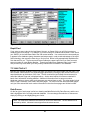
When you have entered activities into your database, you can view your schedule through the
Activities Calendar. The Activities Calendar displays the activities you have scheduled or someone
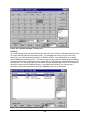
has assigned to you. You can display your schedule in Daily, Weekly, Monthly, or Summary views.
Select the corresponding radio button at the bottom of the window to change the selected view.
When you open the Activities Calendar from the View menu, you will see all of your activities
for every contact. Daily, Weekly, Monthly, and Summary views allow you to see the activities
in a variety of formats. Activity For is used to see activities assigned to a different user in your
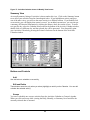
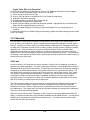
work group. Use the Summary view to see all activities in chronological order. To see
completed activities, click on the History check box.
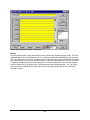
Daily View
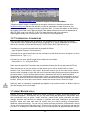
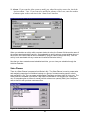
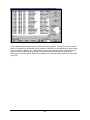
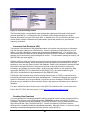
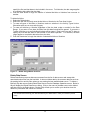
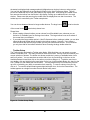
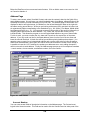
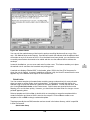
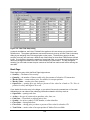
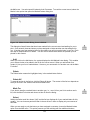
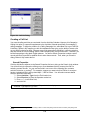
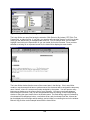
When first opened, the Calendar shows today's activities with a resolution of 30 minutes in a format
resembling a daily appointment calendar. You can change the view resolution of your Activities
Calendar from 30 minutes to another value. (See User Preferences) If several activities are
scheduled for the same time slot, you will see only one activity. However, Broker’s Ally will display a
number in parentheses equaling the amount of activities scheduled for that time. By clicking on the
time slot, a window will appear where you can view all of the activities scheduled for that time slot.
You can view activities that do not have an associated time in the No Time field. To examine a
different day, select the Calendar Icon located at the bottom of the Activity Calendar window, double
click on a different day, and the selected day will be presented. You can quickly print your Activities
Calendar by pressing the Printer Icon located at the bottom of the Activities Calendar window.
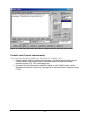
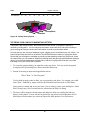
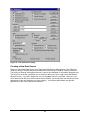
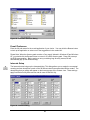
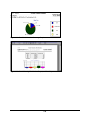
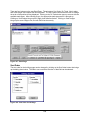
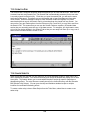
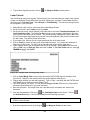
Figure 35 - Activities Calendar shown in Daily View format
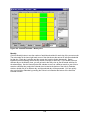
Weekly View
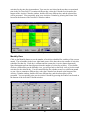
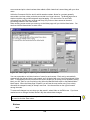
Click on the Weekly button to see your activities for the current week, Monday through Friday.
This is an expanded daily view showing 5 days at a time. If several activities are scheduled for
the same time slot, you will see only one activity. However, Broker’s Ally shows the number of
36


































































































![OverView Control Manager user`s manual - operator [v04]](http://vs1.manualzilla.com/store/data/005659468_1-4c522981c7089838b286d7fbb1120c24-150x150.png)