1
specify the first and last dates to be included in the move. For Histories, the date range applies
to completion date rather than due date.
6. Push the Start button to begin the transfer of selected Activities or Histories from one user to
another.
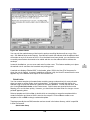
To delete Activities:
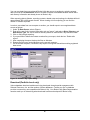
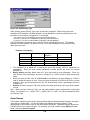
1. Select the Delete button.
2. Select the user who currently owns the Activities or Histories in the From User list box.
3. To erase all types of Activities or Histories, make no selection in the Activity Types list box.
Otherwise select one or more activity types.
4. To erase all Activities or Histories regardless of the due date, make no entries for the Date
Range. If you enter a From date, Activities from this date forward will be erased. If you enter a
To date, Activities up to and including this date will be erased. Enter both From and To dates to
specify the first and last dates to be included in the delete operation. For Histories, the date
range applies to completion date rather than due date.
5. Push the Start button to begin the deletion of selected Activities or Histories.
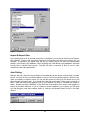
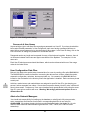
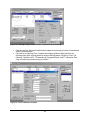
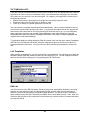
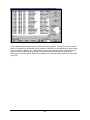
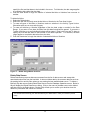
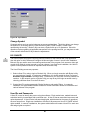
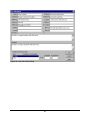
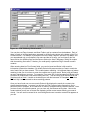
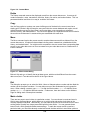
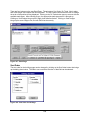
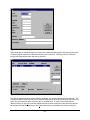
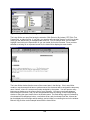
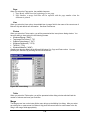
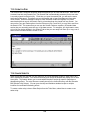
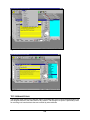
Figure 77 – Global Assign/Delete Activities
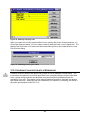
Delete Data Source
Delete Data Source removes data source names from the list of data sources and erases their
associated unique files from the hard disk. It does not delete data in the common data files such as
the posting book or activity files unless you are erasing the last available data source. To delete a
Broker’s Ally data source, select Delete Data Source from the Database Operations menu. Broker’s
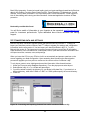
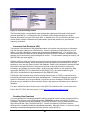
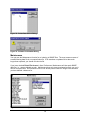
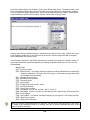
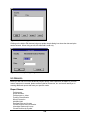
Ally will display the Delete Data Source dialog. Click on the name of the data source to be deleted
and then click on the Delete button. Broker’s Ally will ask you to confirm your decision since the
deletion is permanent and cannot be reversed.
You are advised to backup your data files before you delete them in case your decision proves
hasty.
73























































































![OverView Control Manager user`s manual - operator [v04]](http://vs1.manualzilla.com/store/data/005659468_1-4c522981c7089838b286d7fbb1120c24-150x150.png)