1
BSAC Alumni User Manual
Introduction
Enter Collaboration Area
Features
View Job Postings
Alumni roster
Bulletin
Post, edit a message
Delete a posting
Email Alumni
Security
See below
Introduction
This web tool allows BSAC Alumni Members to stay in touch with BSAC, Alumni and
Industrial Members. Alumni can post their own announcement or comment on, share, and view
existing postings. They can also upload and download new documents and email Alumni. All
comments, as well as the history of all documents, are logged and retained.
Features
Left Menu
provides secure login to BSAC. Access Alumni site by clicking on "Alumni" located on the BSAC
menu bar. The feature list will display on the left menu. Click on the option you wish.
View Job Postings
from BSAC Industrial Members (if specified in the job posting description).
Alumni Roster
gives you the opportunity to stay in touch with other Alumni. Click on the Alumni's name to
get recent information about him/her. It is an honor to be listed on the Alumni Roster
Bulletin
shows all of News from BSAC, the News from Alumni and Roundtable Discussions.
To view a documment and all its information, click on its title or more
(orange link)
To view all documents, click on view all (blue link)
To reply to a discussion topic, click on reply (orange link)
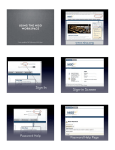
(see the following image )
Post / Edit a message to Alumni
1. Choose a category: from the dropdown menu
2. Title your post
3. "Full information" will display exactly what you put in this block
4. (Optional) "More documents" allows you add an html or a pdf link to your post. Use the
Browse button to locate your files.
(see the image below )
Delete a posting
will display the full post and a drop menu to confirm the deletion. Be careful - this cannot be
undone.
For the Roundtable, deleting a post will delete all replies and subreplies.
Send a message to Alumni
allows you to send an email to all Alumni or some Alumni.
(see the image below )
Security
Only BSAC members can access Alumni personal information and only if Alumni agree to
publish their contact information.
If you have any questions, please feel free to contact [email protected]