1
Description of Parts
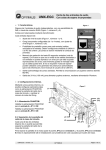
PCR CONTROL terminal
LIN1020JF
LIN3020JF
The PCR CONTROL terminal is available on the LIN1020JF and LIN3020JF. It is a terminal
for controlling the AC power supplies. A signal is transmitted when the overheat protection of
this product is activated and turns off the AC power supply output. Use the supplied exclusive
cable for connecting this terminal.
CAUTION
• The PCR CONTROL terminal must be connected properly to the AC power supplies for
the AC power supply output to be turned off when the overheat protection of this product
is activated (ALARM indicator turns on).
EXPAND terminal
LIN1020JF
OP01-LIN1020JF
The EXPAND terminal is available on the LIN1020JF and OP01-LIN1020JF. Use the OP01
control cable to connect between the terminals. When the LIN1020JF and OP01-LIN1020JF
are used in combination, a single-phase three-wire test circuit, three-phase three-wire test
circuit, and three-phase four-wire test circuit can be constructed. The OP01 control cable is
supplied with the OP01-LIN1020JF.
CONTROL INPUT and STATUS OUTPUT terminals
LIN1020JF
See p.53
LIN3020JF
The CONTROL INPUT and STATUS OUTPUT terminals are available on the LIN1020JF and
LIN3020JF. You can use the CONTROL INPUT terminal to control the product’s impedance
externally. You can use the STATUS OUTPUT terminal to check the product status.
The size of the terminal block screws is M3. The nominal cross-sectional area of wires is 0.75
mm2 (AWG18) minimum. The following figure shows the internal equivalent circuits of both
terminals.
BYPASS
Z1
Z2 Z3
LIN OVERHEAT
REMOTE/LOCAL
REMOTE
24 Vdc
1
2 3 4 5 6 7 8 9 10
CONTROL INPUT terminal
USB port
See p.55
LIN-JF
LIN1020JF
1
2 3 4 5 6 7 8 9 10
STATUS OUTPUT terminal
LIN3020JF
The USB port is available on the LIN1020JF and LIN3020JF. You can use the USB port to
remotely control the product. To do so, connect the USB port to a USB port on your PC.
19


![高調波/フリッカアナライザ[KHA3000]](http://vs1.manualzilla.com/store/data/006527825_2-92191204d7d8e41682f2b44ea6be8440-150x150.png)