1
Reply:
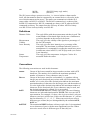
T+nn / T-nn
The parameter nnnnn works the same as for the ”Distance Value” command.
Examples
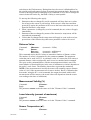
Command:
Reply:
$DITV200>
DnnnnVnnnInnnT+nn>DnnnnVnnnInnnT+nn> (200
repetitions)
This command causes the SLS sensor to send 200 groups of values, where each
group contains one distance value, one validity value, one intensity value and one
temperature value. The example shows LSBs as measurement unit.
Note:
Although the command letters were given in the order D, I, T, V in this example,
the SLS sensor always replies with the values ordered D, V, I, T.
Command:
$D0>
Reply:
Dr.rr>Dr.rr> .... (Repeated continuously)
This command causes the SLS sensor to send distance values continuously, until a
new command is received. The example shows millimeters or inches as
measurement unit.
Single commands
All commands except the four described in section Batch Commands will only
cause a single reply from the SLS sensor. They cannot be concatenated but must
be given individually.
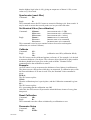
Laser Intensity (milliwatts)
Command:
Reply:
$W>
Wr.rr>
Laser On / Off
Command:
Reply:
$L1> (laser on)
$L0> (laser off)
L1>
L0>
Set Averaging Factor / Filter Cutoff Frequency
Command:
$Annnn>
Reply:
Annnn>
(nnnn same as in command)
The current SLS sensor software employs an averaging filter. In this case the
parameter nnnn determines how many samples should be included in every
average. Any number between 1 and 1024 may be given.
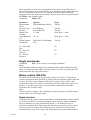
Set Output Rate For Batch Data
Command:
$Bnnn>
Reply:
Bnnn>
(nnn same as in command)
This command makes it possible to control the rate at which output is produced by
the SLS sensor in response to a batch command. The parameter nnn is a divisor
which is applied to the basic 100 Hz frequency used by the RS-232
communication routines. In ASCII reply mode the highest possible output rate is
50 Hz, so nnn may not be lower than 2. The limitation to three characters means
03-09-05
44