1
Chapter 1
INTRODUCTION
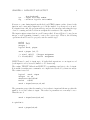
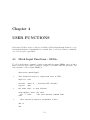
In this part of the FEAP manual some of the options to extend the capabilities of
the program are described. We begin by describing the utilities provided in FEAP for
use in data input. Options to add user commands for mesh and command language
extensions is then described and finally the method to add an element to the program
is described.
1.1
Setting Program Options
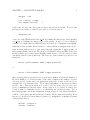
The size of problems which may be solved by FEAP depends on the amount of memory
available in the computer, as well as, solution options used. Memory for the main
arrays used to solve problems is dynamically allocated during the solution. Arrays are
allocated and deallocated using a system subprogram PALLOC or, for user developed
modules using subprogram UALLOC. Further information on use of these routines is
given in Section 3.
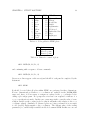
The IPR parameter in the FEAP81 module controls the specification of the size of REAL
variables. For typical UNIX and PC systems all real variables should be double precision and IPR is set to 2. For systems in which REAL*8 variables are single precision with
the same working length as integer variables the IPR parameter is set to 1. Any error
in setting this parameter may lead to incorrect behavior of the program, consequently,
do not reset the parameter to single precision unless a careful assessment of compiler
behavior for REAL*8 variables has been made.
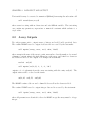
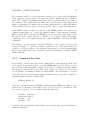
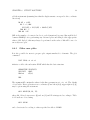
By placing an alphanumeric version of each manual page in a separate file which has
the name of the command and a .t extender (e.g. coor.t for the mesh coordinate
input command) it is possible to read each page during execution using the HELP,name
command (where name is the command name whose manual page is to be read). For
this option to work properly it is necessary to define the path name to each manual
1