1
Welcome
Thank You
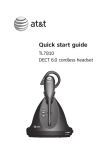
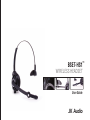
Thank you for purchasing the JK Audio
BSET-HS1 headset. Please read this
guide for instructions on setting up and
using your new headset.
Getting Assistance
If you have technical or application
questions:
In the US & Canada, call us toll free at:
800-552-8346
All other countries dial: 815-786-2929
(M-F 8:30-5:00pm Central Time Zone)
Email us at: [email protected]
Or, check out our FAQ section
for answers to common questions.
ii
Contents
Limited Warranty
Model BSET-HS1 is covered by a 2
year warranty to be free from defective
workmanship and materials. To obtain
service, contact JK Audio by phone
or email for return authorization.
Once authorized, you will carefully
pack and ship the faulty product and
all accessories to us. You will pay
for shipping to us and we will pay for
return back to you.
This warranty does not cover
damages due to accident, weather,
fire, flood, earthquake, misuse,
unauthorized repairs or modifications,
or damages occurred in shipping, only
defective workmanship or materials.
Overview
1
Controls & Indicators
2
Getting Started
Charging Your Headset, Powering On/Off
3
Pairing Your Headset
4
Using the Headset
5
Connecting to a JK Audio BlueSet
8
Technical Information
9
Help & Tips
11
5 Answer a Call, Make a Call, End a Call, Mute, Re-dial, Voice Dialing,
6 Ring Alert
7 Volume Adjustment
There are no expressed or implied
warranties which extend beyond
the warranty here made.
BSET-HS1 Wireless Headset
Contents
iii