1
-8-
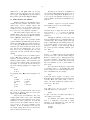
around the title line (harder). Taking these in reverse
order, first we define a macro .NP (for ‘new page’) to
process titles and the like at the end of one page and
the beginning of the next:
.de NP
′bp
′sp 0.5i
.tl ´left top´center top´right top´
′sp 0.3i
..
To make sure we’re at the top of a page, we issue a
‘begin page’ command ′bp
′bp, which causes a skip to
top-of-page (we’ll explain the ′ shortly). Then we
space down half an inch, print the title (the use of .tl
should be self explanatory; later we will discuss
parameterizing the titles), space another 0.3 inches,
and we’re done.
To ask for .NP at the bottom of each page, we
have to say something like ‘when the text is within an
inch of the bottom of the page, start the processing
for a new page.’ This is done with a ‘when’ command .wh
.wh:
.wh – 1i NP
(No ‘.’ is used before NP; this is simply the name of
a macro, not a macro call.) The minus sign means
‘measure up from the bottom of the page’, so ‘– 1i’
means ‘one inch from the bottom’.
The .wh command appears in the input outside
the definition of .NP
.NP; typically the input would be
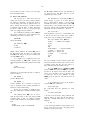
.de NP
...
..
.wh – 1i NP
Now what happens? As text is actually being
output, troff keeps track of its vertical position on the
page, and after a line is printed within one inch from
the bottom, the .NP macro is activated. (In the jargon, the .wh command sets a trap at the specified
place, which is ‘sprung’ when that point is passed.)
.NP causes a skip to the top of the next page (that’s
what the ′bp was for), then prints the title with the
appropriate margins.
Why ′bp and ′sp instead of .bp and .sp
.sp? The
answer is that .sp and .bp
.bp, like several other commands, cause a break to take place. That is, all the
input text collected but not yet printed is flushed out
as soon as possible, and the next input line is
guaranteed to start a new line of output. If we had
used .sp or .bp in the .NP macro, this would cause a
break in the middle of the current output line when a
new page is started. The effect would be to print the
left-over part of that line at the top of the page, followed by the next input line on a new output line.
This is not what we want. Using ′ instead of . for a
command tells troff that no break is to take place —
the output line currently being filled should not be
forced out before the space or new page.
The list of commands that cause a break is
short and natural:
.bp
.br
.ce
.fi
.nf
.sp
.in
.ti
All others cause no break, regardless of whether you
use a . or a ′′. If you really need a break, add a .br
command at the appropriate place.
One other thing to beware of — if you’re
changing fonts or point sizes a lot, you may find that
if you cross a page boundary in an unexpected font or
size, your titles come out in that size and font instead
of what you intended. Furthermore, the length of a
title is independent of the current line length, so titles
will come out at the default length of 6.5 inches
unless you change it, which is done with the .lt command.
There are several ways to fix the problems of
point sizes and fonts in titles. For the simplest applications, we can change .NP to set the proper size and
font for the title, then restore the previous values, like
this:
.de NP
′bp
′sp 0.5i
.ft R
\" set title font to roman
.ps 10
\" and size to 10 point
.lt 6i
\" and length to 6 inches
.tl ´left´center´right´
.ps
\" revert to previous size
.ft P
\" and to previous font
′sp 0.3i
..
This version of .NP does not work if the fields
in the .tl command contain size or font changes. To
cope with that requires troff’s ‘environment’ mechanism, which we will discuss in Section 13.
To get a footer at the bottom of a page, you
can modify .NP so it does some processing before the
′bp command, or split the job into a footer macro
invoked at the bottom margin and a header macro
invoked at the top of the page. These variations are
left as exercises.
Output page numbers are computed automatically as each page is produced (starting at 1), but no
numbers are printed unless you ask for them explicitly. To get page numbers printed, include the character % in the .tl line at the position where you want
the number to appear. For example
.tl ´´- % -´´
centers the page number inside hyphens, as on this
page. You can set the page number at any time with
either .bp nn, which immediately starts a new page