1
Multipoint Time-Lapse Observation / Z range Offset
2-6 Z range Offset
In case that Z position is displaced due to deflection of microscope or
ambient temperature change, set [Z Pos] (Current Pos) once again with use of
[XY Stage Control] window.
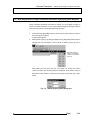
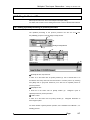
1.
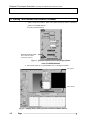
Select registered number of track (stage coordinates information) to adjust
Z position on [Stage Coordinates Information Registration] sheet on [XY
Stage Control] window and double-click it to move the stage.
2.
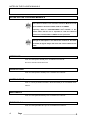
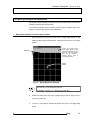
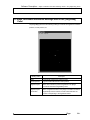
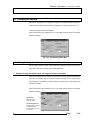
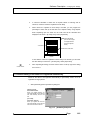
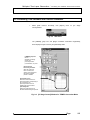
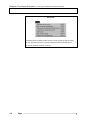
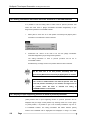
Select [Adjust the shift of Z axis] from [Edit] menu of [XY Stage Control] window
so that the following dialog box will appear.
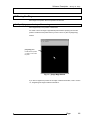
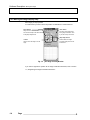
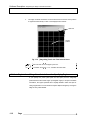
Fig. 2-7
TIP
Do
mouse
[Adjust the shift of Z axis] Dialog box
right-click
over
[Stage
Coordinates
Information
Registration] sheet on [XY Stage Control] window and select [Adjust
the shift of Z axis] so that the same operation as described above can
be done.
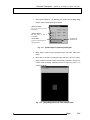
3.
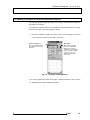
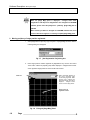
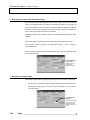
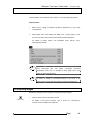
Select <XY Repeat> button on [Acquire] panel of FLUOVIEW software to
execute repeat scanning. Acquired image will appear in [Live] panel. For
details,
refer
to
1-2-12-6
“Repeated
Scanning
Operation”
in
Volume
[OPERATION INSTRUCTIONS] of the FV300 User’s Manual or 1-2-8-6
“Repeated Scanning Operation” in Volume [OPERATION INSTRUCTIONS] of
the FV500 User’s Manual.
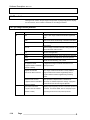
4.
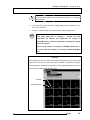
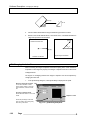
Select [Z Stage] sub panel on [Acquire] panel of FLUOVIEW software.
5.
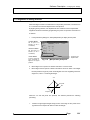
Watching
[Live]
panel,
adjust
Z
position,
using
<Z
stage
coarse
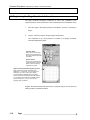
adjustment> button or <Z stage fine adjustment> button on [Z Stage] sub
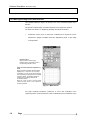
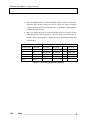
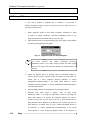
panel. Shift distance of Z position (the difference between the value in
[Current Pos] text box and the value in [Z Pos] of track selected with XY
Stage Software will be displayed in [Z Shift] text box of [Adjust the shift of Z
axis] dialog box. For details, refer to 1-2-12-7 “Setting the Multiple sections to
be Observed” in Volume [OPERATION INSTRUCTIONS] of the FV300
User’s Manual or 1-2-8-7 “Setting the Multiple sections to be Observed” in
2-10
Page