1
Tutor User Manual
Back to contents
How to Retrieve a Username or Password
Notes
The password recovery page can be used for retrieving login details for all
users at your school.
Accessing the Password Recovery Page
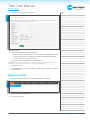
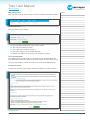
The link to the password recovery page is below the Login Details box on the
Login page.
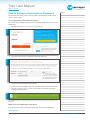
1. Click on the Retrieve a username or password link.
REF 4.1
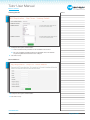
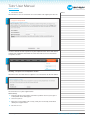
2. Select the name of your school from the drop down list.
REF 4.2
3. Select your role (position) at the school.
4. If you select Tutor or NQT as your role you will need to enter your last name.
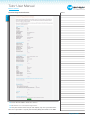
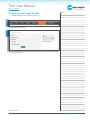
5. Click on Send Username and Password to have the details sent to the
registered email address.
REF 4.3
Please Note: Emails are not always instant and can take over 10 minutes to arrive depending on your
mail server.
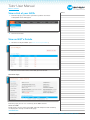
What to do if the Email Does Not Arrive
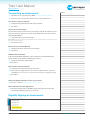
If you do not receive the email after 20 minutes please try the following:
CONTINUED OVER
NQT Manager: Tutor User Manual - V1
How to Login to NQT Manager Page: 4