1
6. Perform QSPR modelling using ISIDA/kNN
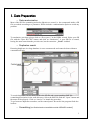
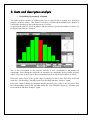
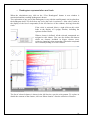
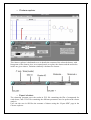
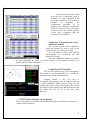
Fig. X: Control panel of the ISIDA/kNN program.
o Initial parameters
Three sets are required for the modelling: (i) the training set, (ii) the internal test set
and (iii) the external set. Three Open Dialog boxes can be opened by clicking on the Open
buttons, in order to select the corresponding datasets in the appropriate directory. Then, the
program analyses the SD file to search for all available fields. Thus, the user can choose the
property (in the ComboBox) for the modelling.
To launch the kNN calculations with parameters by default, the “Run new
calculation” button has to be clicked.
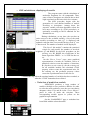
o Mode “Advanced user”
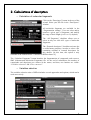
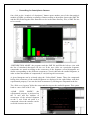
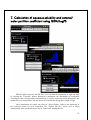
This mode allows user to modify the settings used for the kNN calculations. The full
window appears after that the checkbox “Advanced user” has been clicked.
The “Descriptors” page is dedicated to the type
of molecular fragments taken into account for the
calculations, and also the minimal and the maximal
number of variables that models can contain.
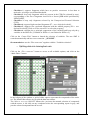
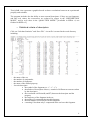
The “kNN settings” page allows user to select
the type of normalization (none by default) to apply to
descriptors, the range of nearest neighbors to examine
(from 2 to 5 by default), the randomization key (0 by
default), the metric between compounds (euclidian by
default).
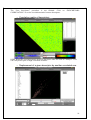
The “Variable selection” page is split in two
parts: the left part concerns the deletion of variables
before kNN calculations: correlated fragments, constant
fragments or with low variance etc. The right part
concerns the variables selection for the kNN
calculations: user can modify the maximal number of
iterations between two steps of the forward stepwise
variable selection (1000 by default).
The “Property” and “Compounds” pages are
only accessible at the end of calculations.
To launch kNN calculations, the “Run new calculation” button has to be clicked.
20