1
1. Data Preparation
o Data randomization
Most of the SD files containing molecules libraries are sorted, i.e. the compounds inside a SD
file are ranked according to a parameter. ISIDA includes a randomization option to avoid any
problem.
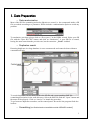
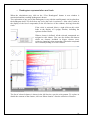
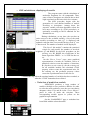
To randomize your data, please click on “Descriptors” in the ISIDA wizard. Select your SD
file with the “Open SD FILE” button, and click on “Randomize”. A new SD file is created,
having the same name than the previous one, but the extension “_R.sdf” is added.
o Duplicates search
Detecting duplicates in a large database is not a common task and cannot be done without a
computational help.
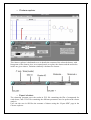
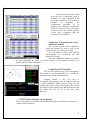
To search duplicates, be sure that you have the SD file and a corresponding SMF file
(containing descriptors) in the same directory. Select the SMF file with the “Open” button and
the name of the property. Click on “Analyse” to launch the procedure.
To go from one duplicate to another, use the control panel. Be careful: the program finds also
isomers.
o Scrambling (not finished and not available outside ISIDA/DC models)
3