1
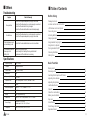
■ Others
■ Table of Contents
Troubleshooting
Symptom
Check & Remedy
Check that the power adapter is properly connected.
Check that the telephone line cord is properly connected.
・ Check that the handset is fully charged.
・ Check that the handset batteries are installed properly.
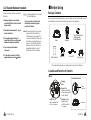
Package C ontents
Check that the telephone line cord is properly connected.
・ Check that the power adapter is properly connected.
・
No operation
No d ial tone
Warning beep occurs
when making a call
The Handset seems to
have very s hort
battery life.
・
・
・
Check that the handsetbatteries are not in low status.
Clean the charge contacts.
・ Consistently s hort battery life may indicate that
replacement o f the batteries is necessary.
・
Specifications
30
Frequency Range
1.88~1.90GHz
Channels
120 Duplex channels
Carrier Power
≤250 mW (24 dBm )
Modulation
GFSK
Frequency Stability
≤±50 khZ
OperationTime
Ni-MH: Standby mode: 7 0 h o u r s , Talk mode: 7 hours
Charging time
24hours
Ambienttemperature
Normal: 15℃~35℃, Extreme: 5℃~45℃
Humidity
0%~90%
Weight
Base: 108g,Handset: 69g
Dimensions
Base:106×106×56 mm,Handset:124×5 1×28 mm
Power Supply
BaseInput:DC 9V, 300mA,
Handset Input: Ni-MH:1.2V X 3,600mA
Compliance
CTR06,CTR 22, EMC, CTR 37, C T R 3 8
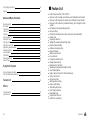
O THERS
Before Using
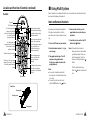
Location and Function of Controls
1
1
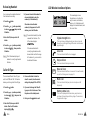
LCD Window Icon D escriptions
3
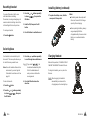
Connecting Lines
4
Installing Batteries
4
Charging Handset
5
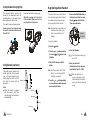
Using Handset Carrying Clip
6
Using Earmic (optional)
Choosing Dial Mode
6
7
8
Setting Time
8
Turning Handset On/Off
Basic Function
Making a Call
Receiving a Call
9
10
Switching theMicrophone off (Mute)
10
Adjusting Voice Volume
11
Adjusting Ring Volume
11
Last Number Redial
Caller ID
12
13
Caller ID on call waiting
14
Battery Level Indicator
14
14
Key Lock
Smart Dialing
Out of Range Indication
15
15
Registered Recall
16
Ⅱ