1
Press
Description
<F10>
Save and Exit - Pressing F10 causes the following message to appear:
Setup Confirmation
Save Configuration changes and exit now?
[Yes] [No]
If “Yes” is selected and the Enter key is pressed, all changes are saved and Setup is
exited. If “No” is selected and the Enter key is pressed, or the ESC key is pressed,
the user is returned to where they were before F10 was pressed without affecting
any existing values.
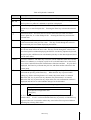
Table B describes the on-screen options you will see in BIOS Setup and what they mean.
Table B On-Screen Options
When you see this:
What it means:
On screen, an option is shown
but you cannot select it or move
to that field.
You cannot change or configure the option in that menu
screen. Either the option is auto-configured or auto-detected,
or you must use a different Setup screen.
On screen, the phrase Press
Enter appears next to the option.
Press <Enter> to display a submenu that is either a separate
full screen menu or a popup menu with one or more choices.
The following sections describe the menus and options available in BIOS Setup. Default settings
are indicated in bold.
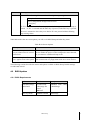
4.2 BIOS Updates
4.2.1 BIOS Requirements
Utilities
File Name
Description
Flash BIOS Image
Under DOS
AFUDOS.EXE
ROM image file
F.BAT
FBB.BAT
AMIBOOT.ROM
AMIBIOS Flash Utility
& ROM image
Recovery Mode
BIOS Setup
ROM image
4-3