1
Appendix “A“
Initializing Data Files
"Initialize" means to create a new data file. When you initialize a data file which
already exists, any information in it is completely erased, and the file is newly
created.
This function allows you to initialize one or more data files. You probably won't need
to initialize data files very often, if ever. But this function is included just in case.
If you suspect you have a "corrupted" (fouled up) data file, don't initialize it without
first checking with your supplier and attempting other recovery actions (see the next
appendix titled File Utilities for information on rebuilding corrupted data files).
CAUTION
DON'T USE THIS FUNCTION UNLESS YOU REALLY WANT TO INITIALIZE A DATA FILE. ANY DATA FILE
INITIALIZED WILL HAVE ITS INFORMATION COMPLETELY ERASED.
To Begin
Log into your Samco top-level directory and type PAINIT.
NOTE: If you are running under Linux, Unix or a similar operating system and are
logged on as root / super user, replace the above command with ./PAINIT
Enter the company ID you wish to initialize P/A data files for.
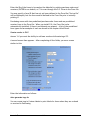
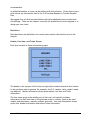
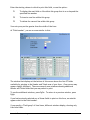
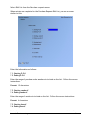
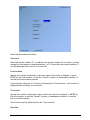
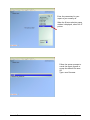
You will then see a screen similar to this:
Purchasing
Samco Software Inc.
Initializing Data Fields
A.1