1
Setting the Speed
The speed of the robot during Go Position movements controlled from the teach
pendant is defined as a percentage of maximum speed. Speed defined as 100
gives the robot maximum speed, while a speed of 1 is the minimum. When the
system is first turned on, the default speed is set at 50, approximately half the
robot’s maximum speed.
The speed of the robot during manual movements controlled from the teach
pendant is relative to the speed setting, and much slower than Go Position
movements.
Use the teach pendant to set the robot’s speed to a speed of 30%, for example:
Key in:
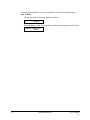
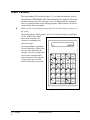
Speed 3 0 Enter
All Go Position movement commands will be executed at a speed of 30, until a
different speed is entered.
Recording Positions
N
Be sure you have homed the axes before you attempt to record positions or send
the axes to recorded positions.
The teach pendant allows you to simultaneously record a position’s identifying
number and its coordinates.
To record a position, use the movement keys to bring the robot to any position.
(First be sure the Group Select mode is set to A). For example:
Key in:
Record Position
1
2
Enter
This records the JOINT coordinates of position 12.
DONE
Move the robot to another position and record it as position 13.
The Record Position key records the position of the currently active axis group
(A, B or an independent axis) in JOINT coordinates. If you want to define the
location of both the robot and the peripheral axes, you must record two positions,
one for each group.
5-8
PERFORMER-MK2
User’s Manual
9411