1
SH-06D_E.book
28 ページ
2012年3月19日 月曜日 午前10時32分
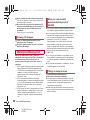
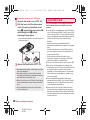
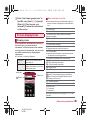
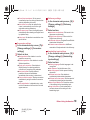
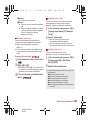
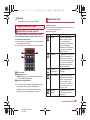
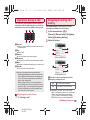
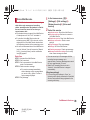
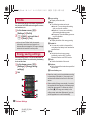
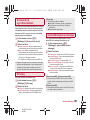
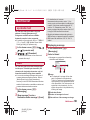
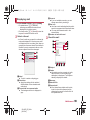
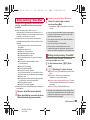
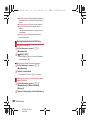
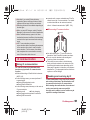
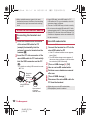
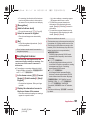
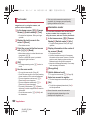
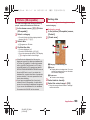
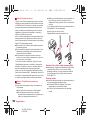
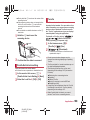
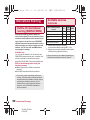
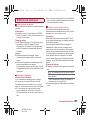
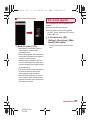
Using earphone/microphone
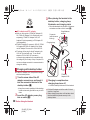
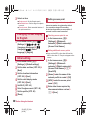
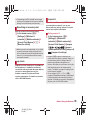
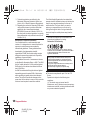
If you use an earphone/microphone which is not
compatible with the external connector terminal,
connect the handset to the commercially
available earphone/microphone with the
accompanying Earphone Plug Cable (with
Antenna) SH01 before use.
For compatible earphones/microphones, refer
to the following website.
(http://k-tai.sharp.co.jp/support/d/sh-06d/
peripherals.html#!/earphone_support)(in
Japanese only)
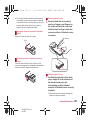
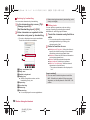
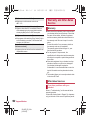
Earphone Plug Cable
(with Antenna) SH01
Earphone/
Microphone
plug
Earphone/
Microphone
Open external
Connector
terminal
connector
section
terminal cover
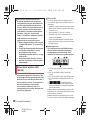
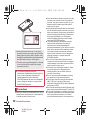
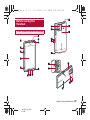
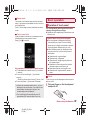
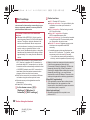
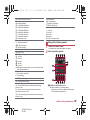
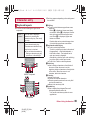
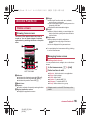
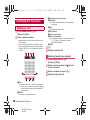
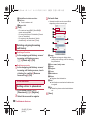
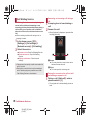
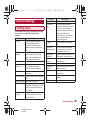
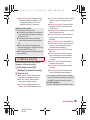
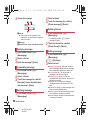
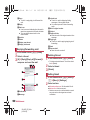
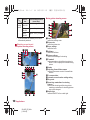
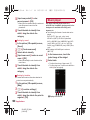
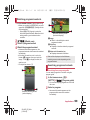
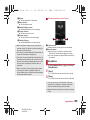
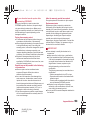
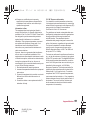
1 Sub camera
2 Charger terminal
Use for charging with the accompanying
desktop holder.
3 Power supply terminal
Use for supplying radio waves of Mobacas
from the desktop holder.
4 Display/Touch panel
5 Strap hole
6 Earpiece
28
Before Using the Handset
SH-06D_E_02.fm
[28/54]
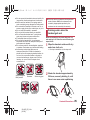
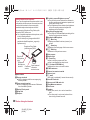
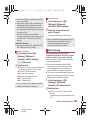
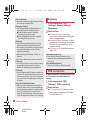
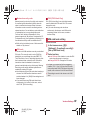
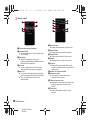
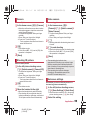
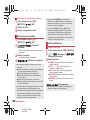
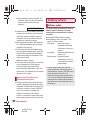
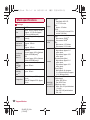
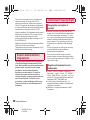
7 Proximity sensor/Brightness sensor*1
The proximity sensor detects the distance to
the face and prevents inadvertent operation of
touch panel during a call.
The brightness sensor detects the brightness
of the surrounding area and adjusts the
brightness of the backlight.
8 Incoming/Charging lamp
The lamp will illuminate/flash according to the
function being used and situation.
9 Mouthpiece/Microphone
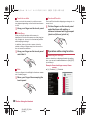
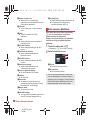
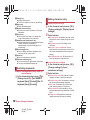
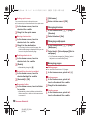
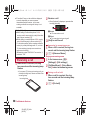
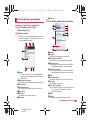
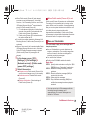
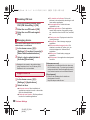
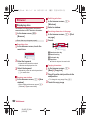
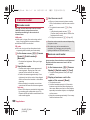
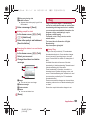
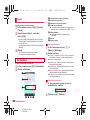
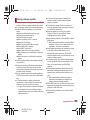
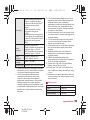
a z: Menu key
Displays available functions (menus) in a
screen.
b |: Home key
Displays the main page of the home screen.
c {: Back key
Returns to the previous screen.
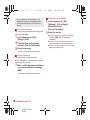
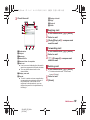
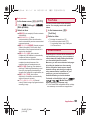
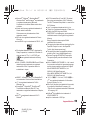
d Main camera
e Mobile light
f H: Power key
Use to turn the power on/off, etc.
Use to set/disable the sleep mode.
g x/y: Volume UP/DOWN key
Adjusts the volume in each function.
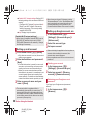
h FOMA antenna*2
i External connector terminal
j Infrared port
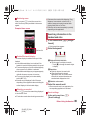
k a mark
IC card is contained (It cannot be removed).
l microSD Card slot
m docomo mini UIM card slot
n 1Seg/Mobacas antenna
o Back cover
p Speaker
Ring tone, music, etc. can be heard from
here.
The other party’s voice can be heard from
here during a hands-free call.