1
Introduction
IEB-online Web Application is an essential tool for entering candidates, exam
centre and subjects Details into IEB database. Simply follow the steps in this
manual to submit your data-entries to the IEB.
Please Note:
Before attempting to run the IEB Web application please follow the
following steps. If these steps are not followed incorrect data will be
displayed on your web pages.
1. Internet Explorer setting changes
•
•
•
•
•
•
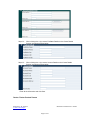
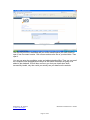
Open Internet Explorer
Click the Tools menu on the main toolbar, click Internet Options…
Under the General Tab, Temporary Internet Files, click the Settings… button
Select the Every visit to the page option under the Check for newer versions of
stored pages.
Click the OK button and then the Apply button.
Close the Window
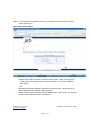
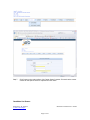
2. Please change settings to allow pop-up’s on this website
Prepared by: R. Viktorin
V-Soft Technologies
Version 2.0.0
Modified on 28/02/2011 2:38 PM
Page 2 of 21